
Introduction
UPM's Commission Management application supports complete automation for the Channel Partner to establish sales commission parameters for users, based on registered deals or invoices, products, and associated tiers. Commissions supports programs from associating a rule set with relevant partner users to automatically calculating the commission payable to the user.
Paying commissions in a global context can be complicated. The UPM Commissions application handles this challenge with ease, providing language and currency support for multiple countries and regions across the world. Partners can easily select a generic language and designate the currency applicable to a specific group when they establish a commission rule set.
Easily set up and enable sales commission calculation and tracking. Rule sets can be used in the commission calculation setup to create a deal or invoice linked to items and sales representatives, which must be matched by the sales order to entitle the partner user to a commission.
UPM's Commissions can be calculated and payable quarterly. You can instantly have an overview of your commissions, displaying commissions payable to your users, including the commission source type and commission value.
Sales Commissions
To access Sales Commissions as a Partner:
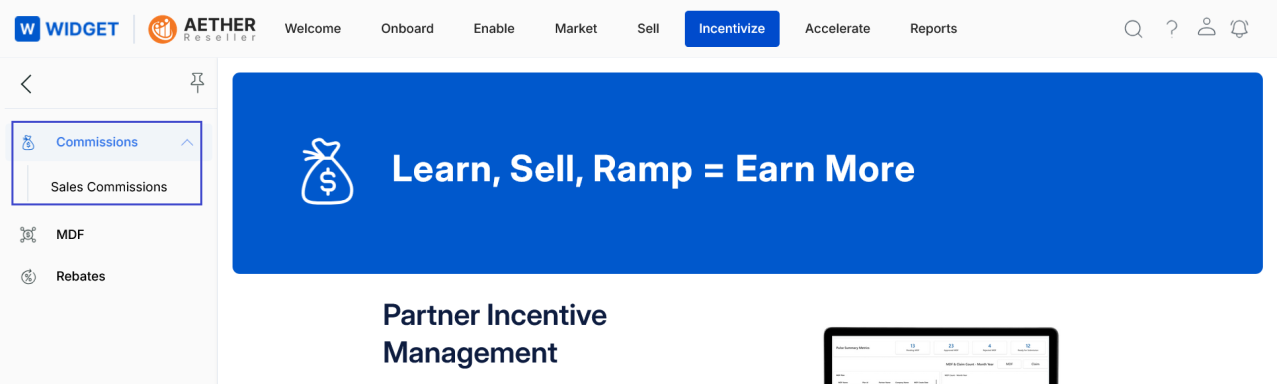
- Click Incentivize on the top menu.
- Click Sales Commissions in the left menu bar under Commissions.
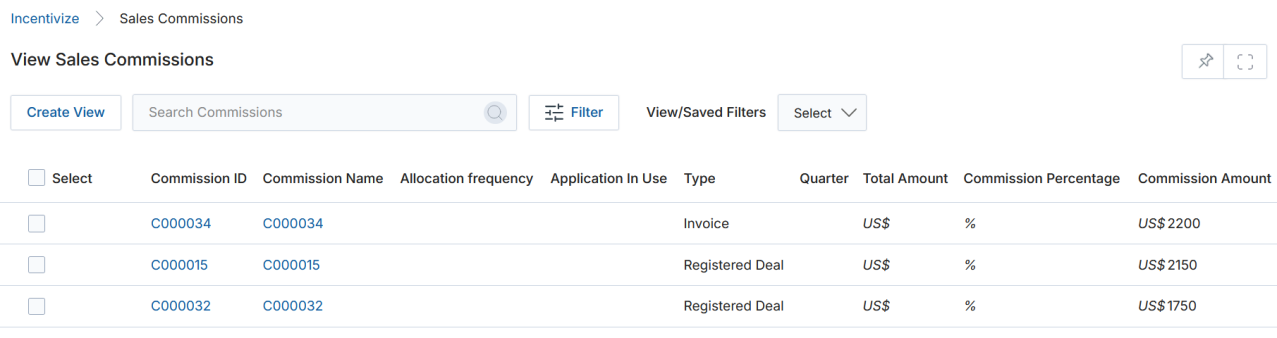
2.1 View Sales Commissions
- The top part of the page provides the following actions:
- Search — Opens a pop-up window where you can enter search criteria to find desired records.
- Clear Search — Clears the current search.
- Saved Searches — Shows a list of saved searches in the dropdown. When selected, two additional options appear:
- Edit — Updates the selected search name.
- Delete — Removes the selected search from the dropdown.
- For each record in the grid, clicking any linkable item takes you to its details page.
View Earned Sales Commission Details
Partners earn commissions in accordance with the rules defined in the Commission Rules by closing a Deal or Invoice. The commissions earned are visible on the View Commissions page in the Incentive Rule Engine.
When a Commission Rule — such as one for Deal Closure — is configured within the Commission Entitlements setup by the Admin, the system dynamically calculates commission amounts based on the actual sales performance of partners.
- Click the Name/Title of any Commissions listing on the View Sales Commissions page.
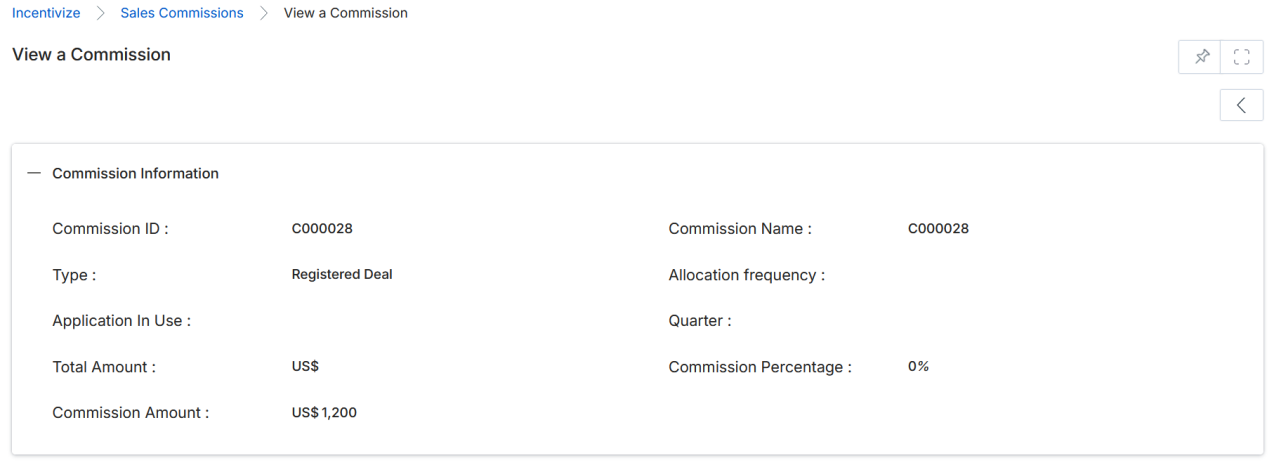
- Once on the View Commissions details page, you will see the following fields:
Commission Details
| Field | Description |
|---|---|
| Commission ID | Unique identifier of the commission record. |
| Commission Name | Name of the commission. |
| Type | Type of commission — either Invoice or Registered Deal. |
| Partner Contact | Name of the Partner Contact associated with this commission. |
| Allocation Frequency | Frequency at which commissions are allocated (e.g., monthly, quarterly). |
| Application In Use | The application used in the commission calculation (e.g., Deals, Co Sell). |
| Quarter | The fiscal quarter for which the commission is to be paid. |
| Total Amount | Total value of the associated Deal or Invoice. |
| Commission Percentage | The percentage rate applied to calculate the commission. |
| Commission Amount | The final commission amount payable to the partner. |