

Overview
The Reports module is critical for understanding the overall health and effectiveness of your partner program. It aggregates data from various UPM modules, presenting it in an intuitive, visual format that highlights key performance indicators (KPIs). Administrators can quickly identify trends, measure ROI, and pinpoint areas for improvement, ensuring the partner ecosystem is operating efficiently and achieving its strategic goals.
By providing insights into partner engagement with training, marketing campaigns, and sales activities, as well as the impact of incentive programs, this module empowers channel managers and program directors to optimize partner support, refine program offerings, and drive greater partner productivity and revenue generation.
Accessing the Report Dashboard
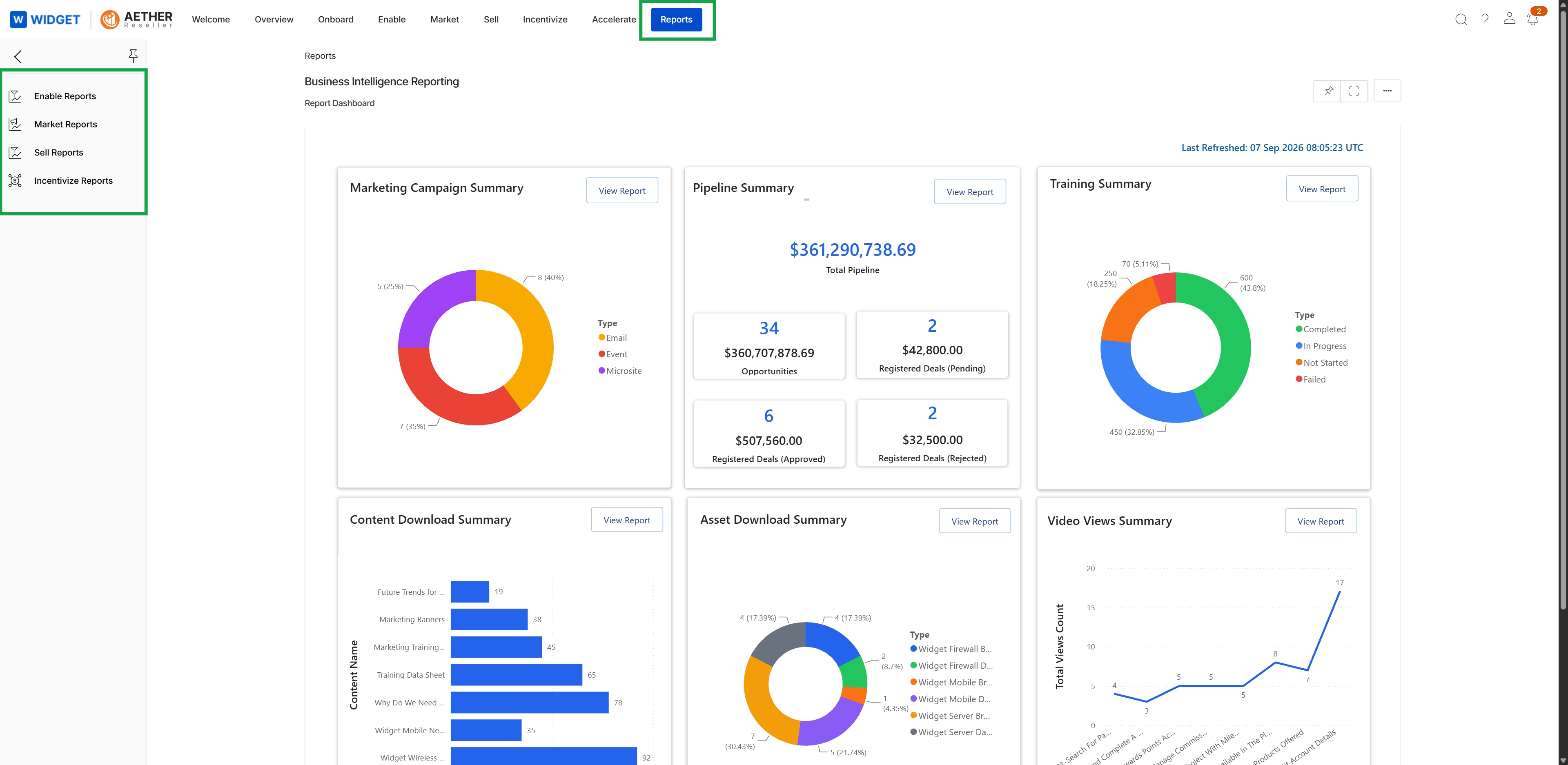
Click Reports in the top navigation bar.
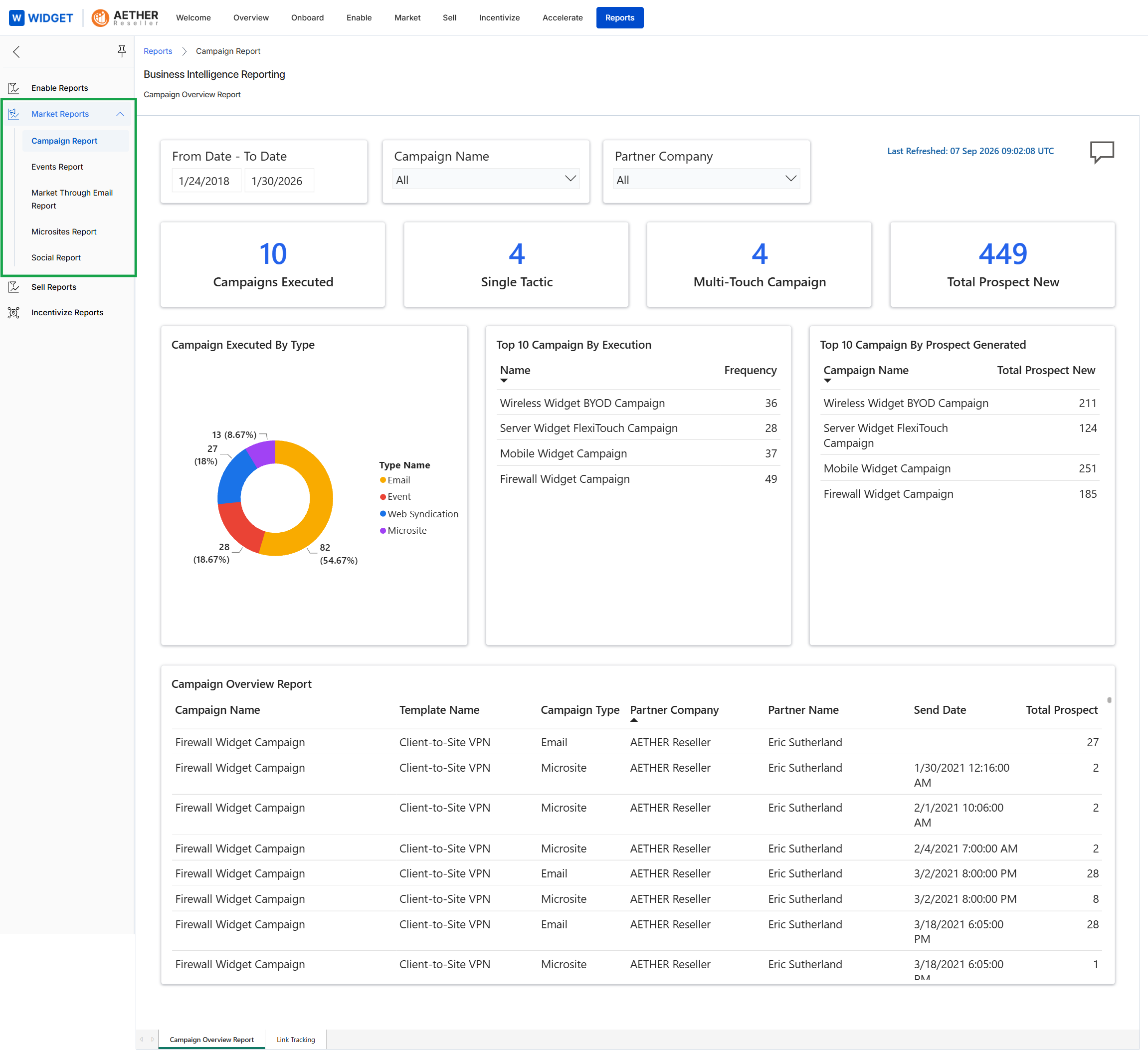
This screen displays the Campaign Overview Report, providing administrators with a comprehensive view of marketing campaign performance within the UPM. It presents key metrics such as the number of campaigns executed, the types of tactics used (single vs. multi-touch), and the total new prospects generated. The report also includes visual breakdowns of campaigns by execution type and detailed lists of top-performing campaigns based on execution frequency and prospect generation, along with a granular table showing individual campaign details and their outcomes.