

Overview
Market Development Funds (MDF) are crucial for partners to execute co-marketing activities. Often, partners may require additional time to submit their MDF plans or claims due to various operational reasons. The Extension Requests feature in the Incentivize module provides a structured way for partners to formally request deadline extensions and for administrators to review and approve these requests. This ensures flexibility in the MDF program while maintaining proper oversight and accountability for all co-marketing activities and associated funds.
Key Features
- Extension Request List
- Search & Filter Requests
- View Request Details
- Approval History Tracking
- Deadline Management
- Status Overview
Viewing the Extension Requests List
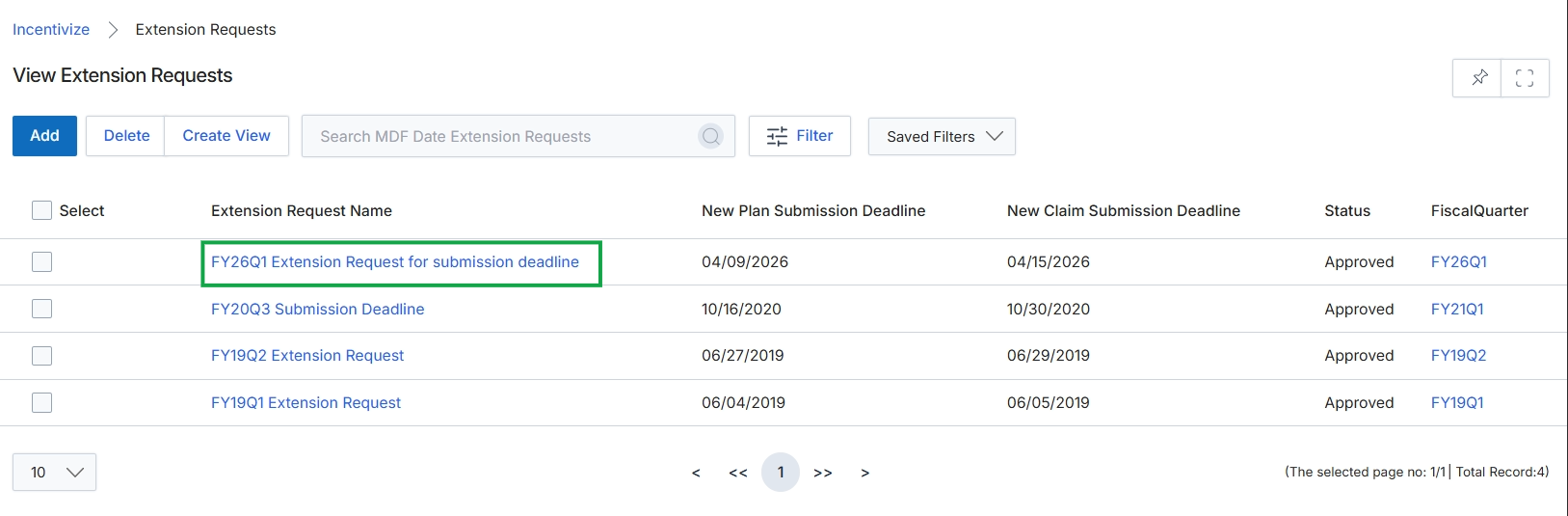
Click the FY26Q1 Extension Request for submission deadline link.
Reviewing an Individual Extension Request
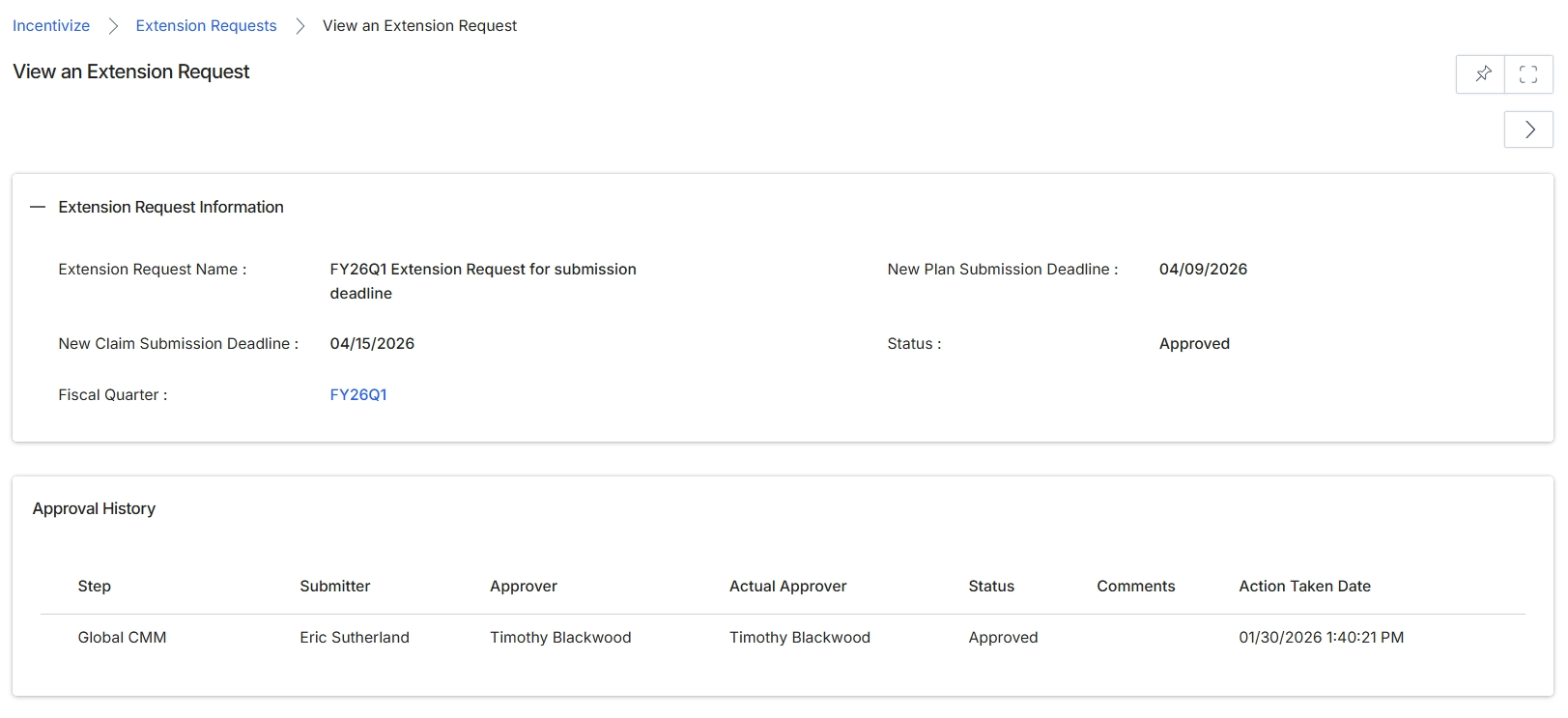
This screen presents the detailed view of an Extension Request, which is a formal submission to prolong a deadline related to a rebate or deal period within the Incentivize module. It provides a comprehensive overview of the request's core information, such as the specific deadlines being adjusted and its current approval status. Below the request details, an audit trail of the approval process is displayed, showing each step, the individuals involved, and the outcome, ensuring transparency and accountability for the request's lifecycle.
Review the details of the Extension Request, including the updated deadlines and its approval history.
Extension Request Information
| Field | Description |
|---|---|
| Extension Request Name | The unique identifier and descriptive name for the extension request. |
| New Claim Submission Deadline | The revised deadline for submitting claims associated with the extended period. |
| Fiscal Quarter | The fiscal quarter to which this extension request applies. |
| New Plan Submission Deadline | The revised deadline for submitting the associated plan. |
| Status | The current approval status of the extension request, indicating whether it has been approved, rejected, or is pending. |
Approval History
| Column | Description |
|---|---|
| Step | The specific stage or step in the approval workflow. |
| Submitter | The user who initiated or submitted the request at this step. |
| Approver | The user designated to approve the request at this step. |
| Actual Approver | The user who actually performed the approval action for this step. |
| Status | The outcome of the approval action for this specific step. |
| Comments | Any comments or notes provided during the approval process for this step. |
| Action Taken Date | The date and time when the approval action was taken for this step. |
Frequently asked questions
- What is the purpose of viewing an extension request?
Administrators view extension requests to monitor and manage the lifecycle of requests for extending MDF plan or claim submission deadlines. It provides a centralized repository for tracking these requests and their approval status.
- Who uses the view extension request feature?
UPM administrators primarily use this feature to oversee partner-submitted requests. Channel partners can also view their own submitted requests.
- What details can an administrator see in an extension request?
Administrators can review the request name, new claim and plan submission deadlines, fiscal quarter, and current approval status. It also shows a detailed audit trail of the approval process.
- What information is included in the approval history?
The approval history shows each step in the workflow, the submitter, designated approver, actual approver, status, any comments, and the date and time the action was taken.
- Why do partners need to request extensions for MDF?
Partners may require additional time to submit their MDF plans or claims due to various operational reasons. This feature provides a structured way to formally request these deadline extensions.