

Overview
Market Development Funds (MDF) are crucial for empowering partners to conduct co-marketing activities. However, partners may occasionally require extensions for submitting their MDF plans or claims due to various operational reasons. The 'Extension Requests' feature addresses this need by providing a dedicated section for administrators to manage these requests.
This ensures that partners have the flexibility to manage their marketing initiatives effectively while allowing administrators to maintain oversight and approve deadline adjustments. By centralizing these requests, the platform helps prevent delays in MDF utilization and reimbursement, ultimately supporting stronger partner engagement and program success.
Accessing Extension Requests
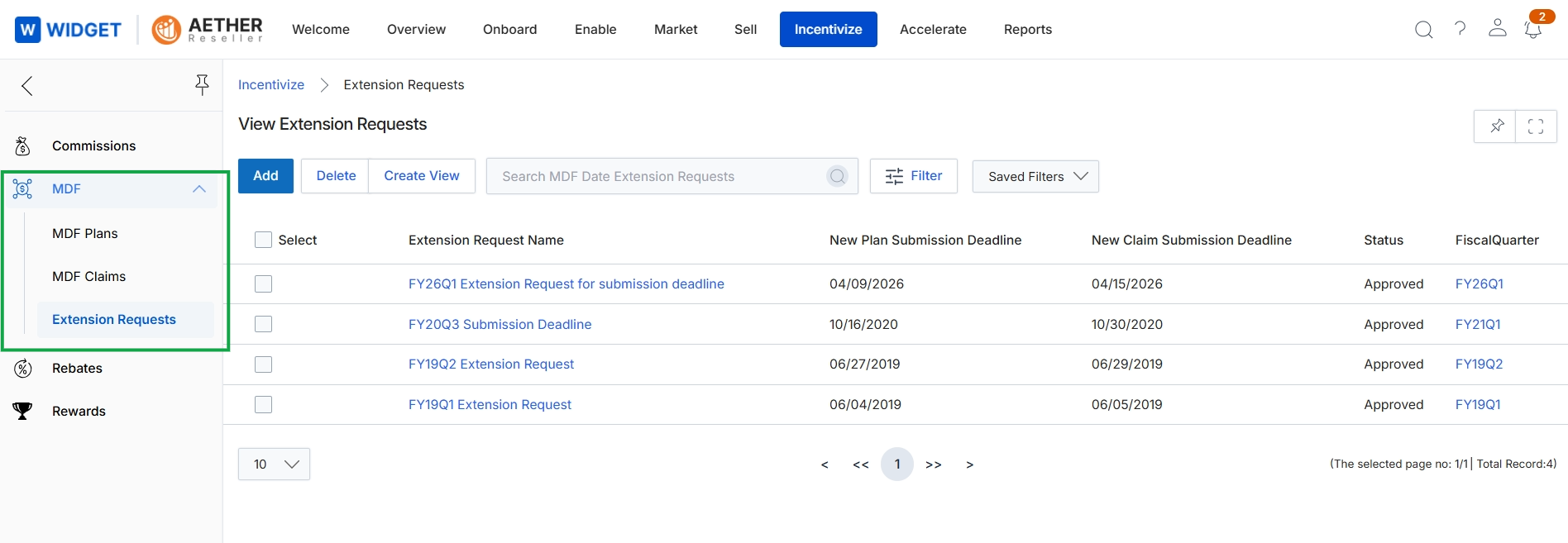
Click Incentivize → MDF → Extension Requests.
Managing Request Views
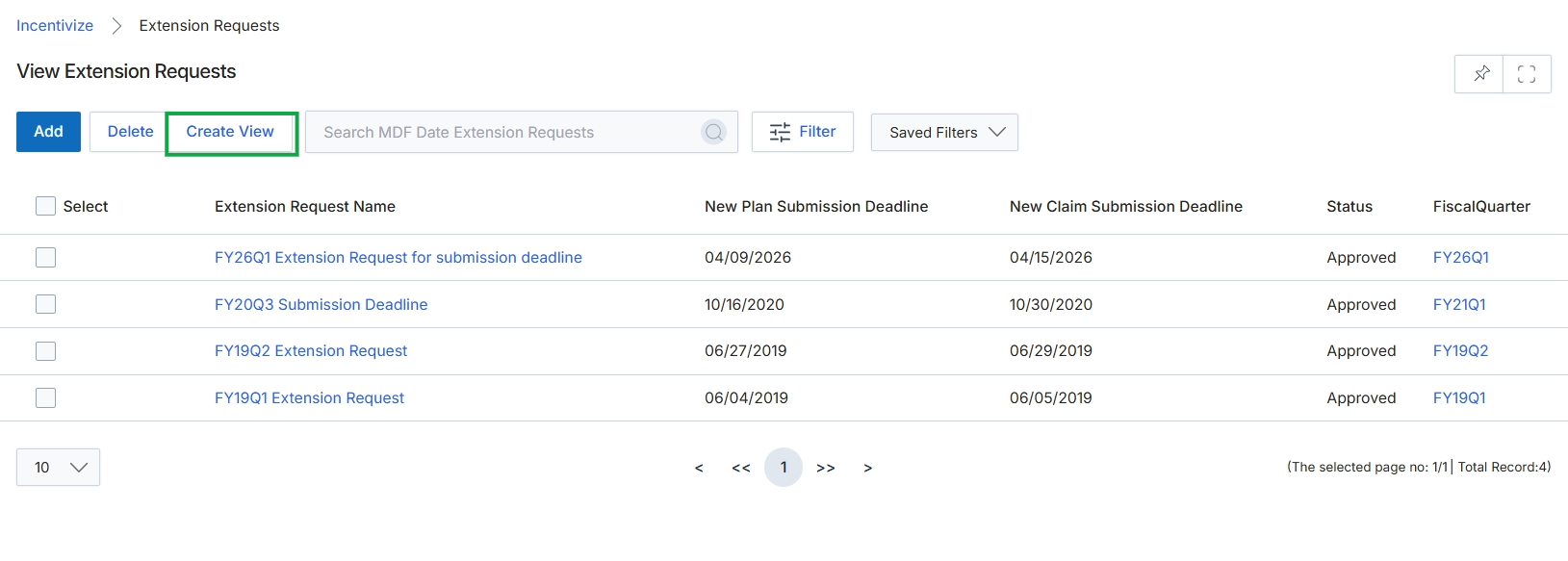
Collapse the left navigation menu.
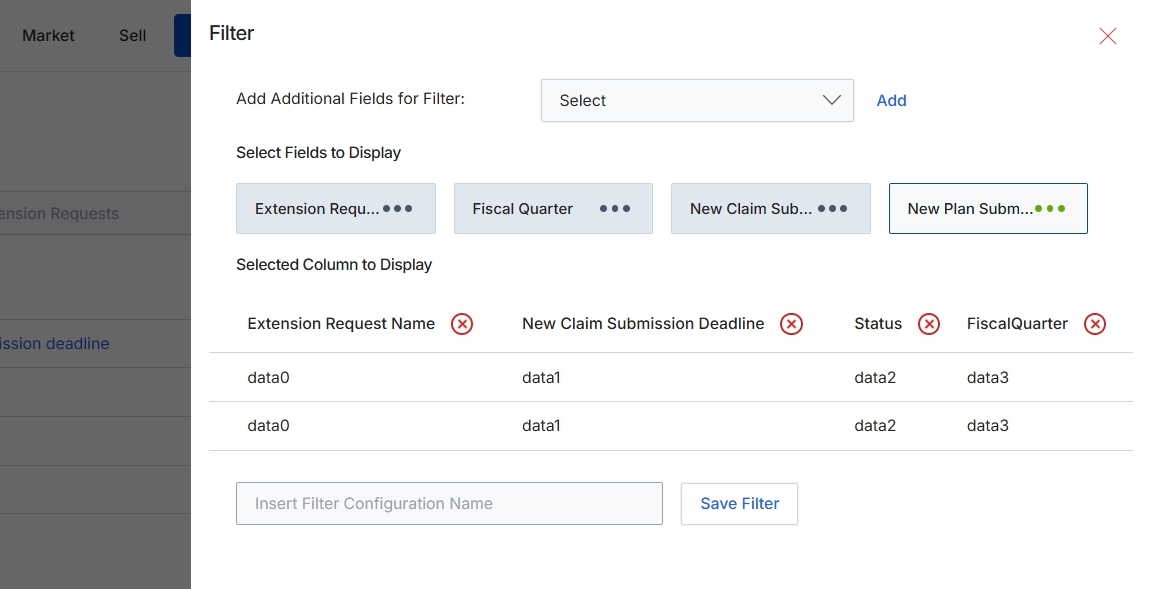
This filter configuration dialog allows administrators to customize the display and filtering of data within a list view, specifically for Extension Requests in the Market Development Funds (MDF) module. Users can select which fields appear as columns in the main list and define filter criteria to narrow down the displayed records. This functionality is crucial for tailoring data views to specific analytical or operational needs, enabling efficient management and review of extension requests by focusing on relevant information. The system also supports saving these custom filter configurations for future use, streamlining repetitive data analysis tasks.
Configure the filter settings by selecting fields to display as columns and optionally adding filter criteria, then save the configuration.
Buttons
| Button | Description |
|---|---|
| Add | Adds the selected field from the 'Add Additional Fields for Filter' dropdown to the filter criteria. |
| Save Filter | Saves the current filter configuration with the specified name for future use. |
Fields
| Field | Description |
|---|---|
| Add Additional Fields for Filter | A dropdown menu to select additional fields that can be used to filter the data in the list view. |
| Select | The dropdown control within 'Add Additional Fields for Filter' to choose a field for filtering. |
| Insert Filter Configuration Name | An input field to enter a name for the current filter configuration, allowing it to be saved and reused. |