

Overview
Market Development Funds (MDF) are financial incentives provided by vendors to partners to help fund local marketing and sales activities. The Incentivize module facilitates the management of these funds, from allocation to claim and reimbursement. This particular feature focuses on the administrative process of handling MDF claims submitted by partners, which are requests for reimbursement or pre-approval of marketing expenses against an approved MDF plan.
Administrators use this interface to review the details of each claim, ensuring it aligns with the associated MDF plan and program guidelines. Once a claim is satisfactory, it can be submitted for approval, initiating a workflow that typically involves finance or program managers. This structured process ensures accountability, prevents fraudulent claims, and streamlines the reimbursement process for partners, ultimately supporting their marketing efforts and driving channel growth.
Accessing and Viewing MDF Claims
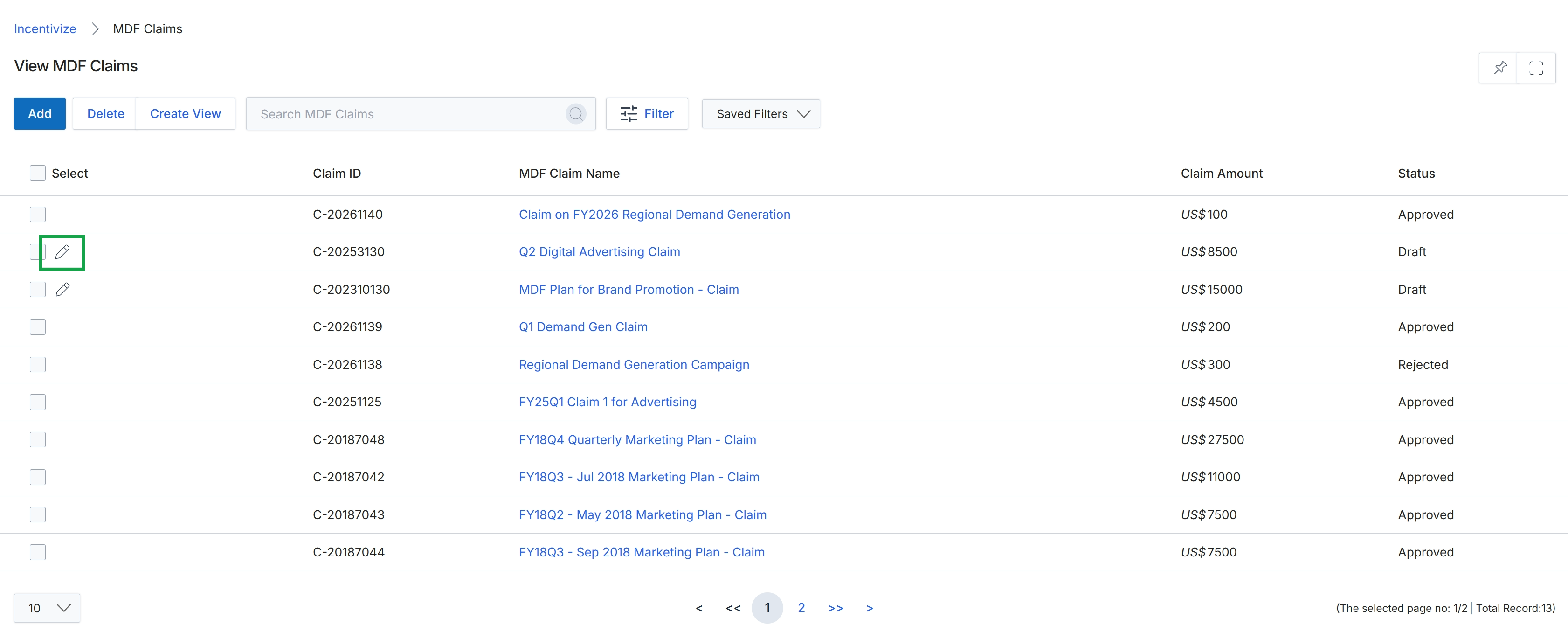
Click the Edit icon next to the desired MDF claim.
Editing an Existing MDF Claim
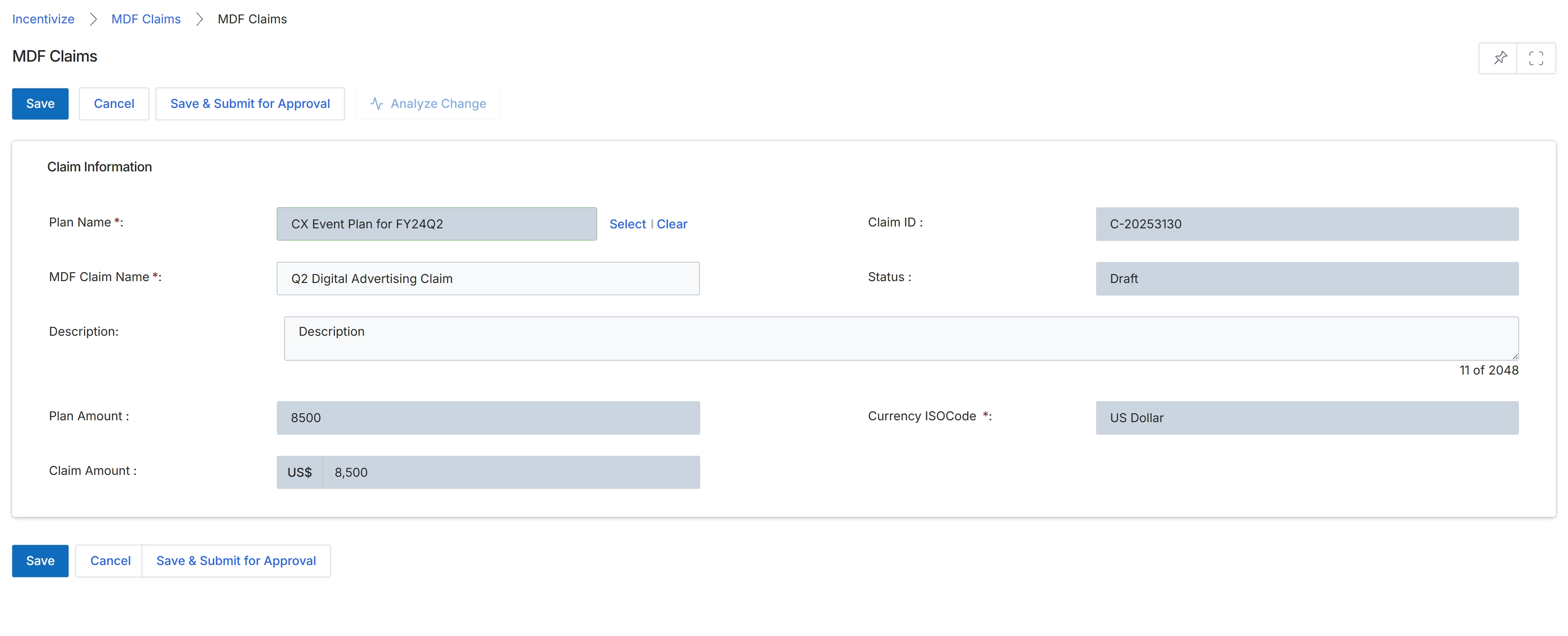
This screen displays the Add/Edit MDF Claim form, which partners or vendor administrators use to create or modify a claim for Market Development Funds (MDF). MDF claims are a component of the Incentivize module, allowing partners to seek reimbursement for pre-approved marketing activities. The form captures essential details about the claim, such as the associated MDF plan, the claimed amount, and a description of the marketing activity. Once submitted, these claims typically undergo a review and approval workflow by vendor marketing or finance teams before disbursement, ensuring compliance with established MDF rules and budgets. The form also shows the current status of the claim and a unique identifier.
Review or modify the details of the MDF claim on this form.
Buttons
| Button | Description |
|---|---|
| Save | Saves the current claim details as a draft without submitting for approval. |
| Cancel | Discards any unsaved changes and returns to the previous screen. |
| Save & Submit for Approval | Saves the claim and initiates the approval workflow for review by vendor administrators. |
| Analyze Change | Analyzes the impact or differences of changes made to the claim. |
| Select | Opens a dialog to select an existing MDF plan. |
| Clear | Clears the currently selected MDF plan. |
Claim Information
| Field | Description |
|---|---|
| Plan Name | The name of the pre-approved MDF plan this claim is associated with. This field is required. |
| Claim ID | A system-generated unique identifier for the MDF claim. |
| MDF Claim Name | A descriptive name for this specific MDF claim. This field is required. |
| Status | The current status of the MDF claim, such as Draft, Submitted, Approved, or Rejected. |
| Description | A detailed description of the marketing activity for which the MDF claim is being submitted. |
| Plan Amount | The total amount allocated or approved for the associated MDF plan. |
| Currency ISOCode | The ISO currency code for the claim amount, indicating the currency in which the claim is denominated. This field is required. |
| Claim Amount | The specific amount being claimed for reimbursement under this MDF claim. |