

Overview
Rebate programs are a critical component of incentivizing partners to achieve specific revenue targets. Once a rebate period concludes, eligible partners submit claims for the rebates they believe they've earned, often supported by revenue figures and documentation. This module provides the tools necessary for administrators to efficiently manage and review these submissions.
By centralizing all rebate claims, the platform ensures transparency and facilitates the approval workflow. Administrators can quickly identify claims requiring attention, verify details against internal records, and track the entire lifecycle of a claim from submission through to final approval and payment, ensuring accurate and timely disbursement of partner incentives.
Viewing the Rebate Claims List
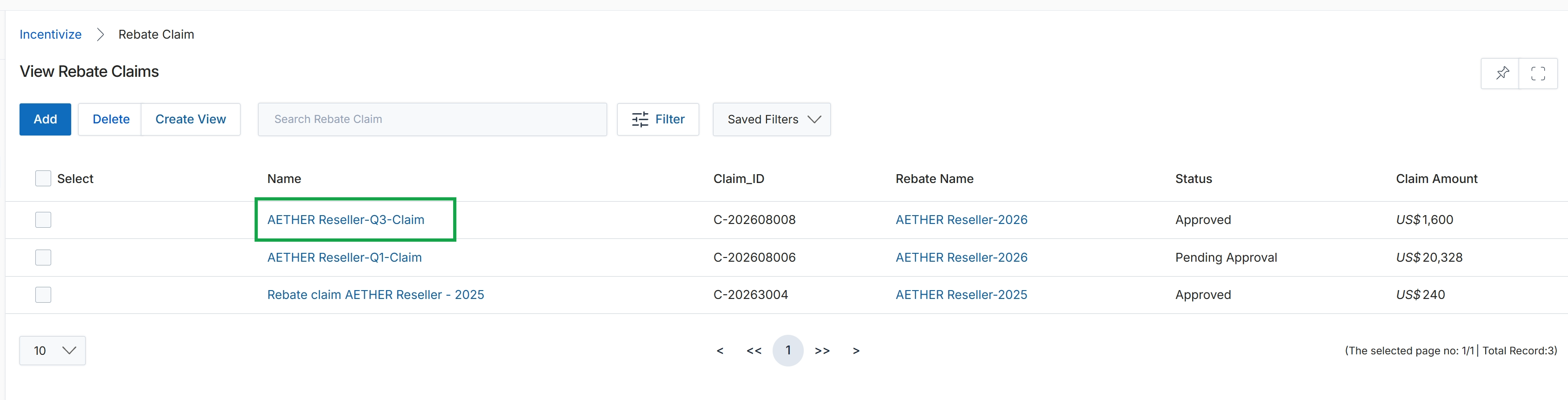
Click the AETHER Reseller-Q3-Claim link in the Name column.
Reviewing Individual Rebate Claim Details
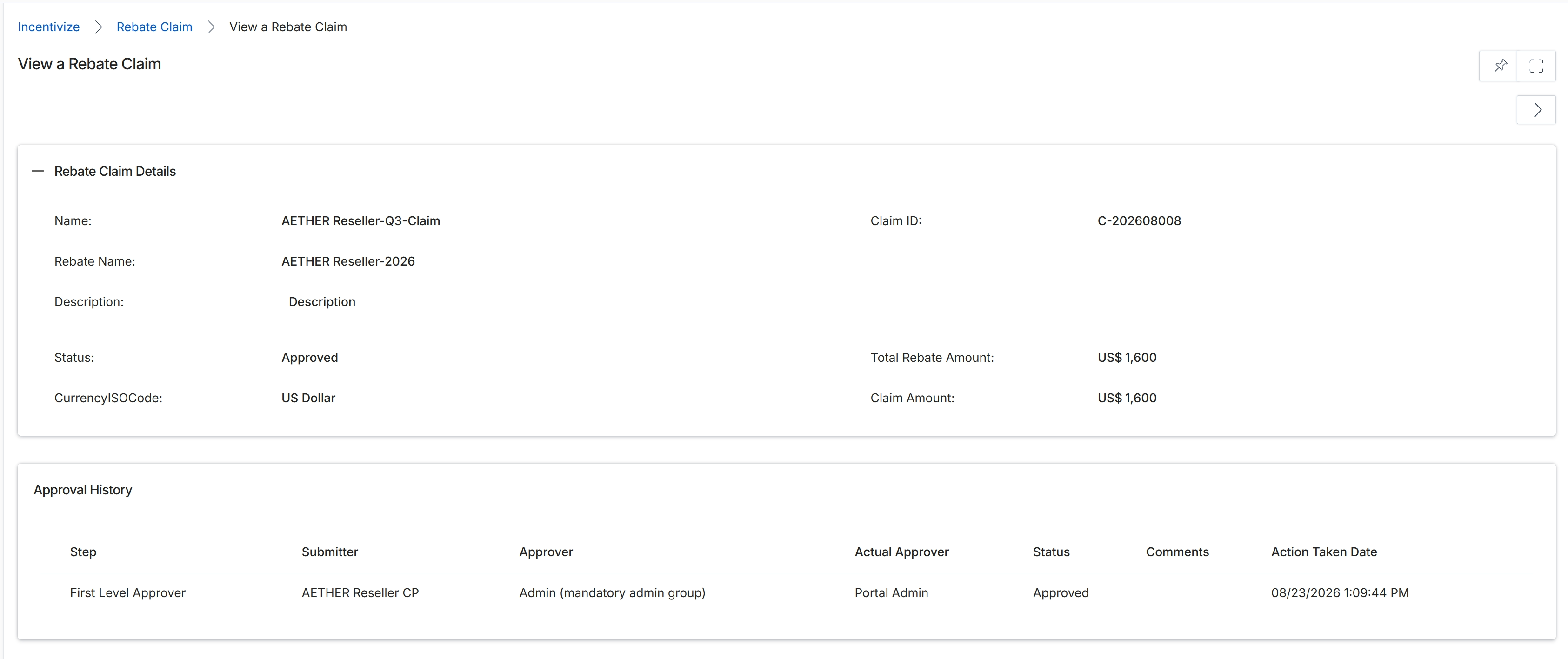
This screen provides a detailed view of a specific Rebate Claim, which is a formal request submitted by a partner to receive a retrospective revenue-based reward. It displays all the essential information about the claim, including its unique identifier, the name of the associated rebate program, its current approval status, and the total amounts claimed and approved. Below the claim details, an 'Approval History' section tracks the workflow of the claim, showing each approval step, who submitted and approved it, the final status of that step, and the date and time of the action. This comprehensive view allows vendor administrators to review the claim's specifics and its progression through the approval process, ensuring transparency and accountability in the Incentivize module's rebate management.
Review the details of the selected Rebate Claim, including its status, amounts, and approval history.
Rebate Claim Details
| Field | Description |
|---|---|
| Name | The name given to this specific rebate claim. |
| Rebate Name | The name of the rebate program under which this claim was submitted. |
| Description | A brief description provided for the rebate claim. |
| Status | The current approval status of the rebate claim, such as 'Approved'. |
| CurrencyISOCode | The ISO currency code for the amounts specified in the claim, such as 'US Dollar'. |
| Claim ID | A unique identifier assigned to the rebate claim. |
| Total Rebate Amount | The total amount of rebate calculated and approved for this claim. |
| Claim Amount | The amount originally requested by the partner in the rebate claim. |
Approval History
| Column | Description |
|---|---|
| Step | Indicates the specific stage or level in the approval workflow. |
| Submitter | The user or entity that submitted the claim or action at this approval step. |
| Approver | The designated role or group responsible for approving this step. |
| Actual Approver | The specific user who performed the approval action for this step. |
| Status | The outcome of this approval step, such as 'Approved'. |
| Comments | Any additional notes or comments provided during the approval process for this step. |
| Action Taken Date | The date and time when the approval action was performed. |