

Overview
Rebate programs are a key component of partner incentive strategies, rewarding partners retrospectively based on their sales performance or other metrics over a defined period. This module provides the tools for managing these programs, from defining the rules to processing the actual claims. While partners typically submit rebate claims through their portal, administrators may need to manually add or adjust claims on behalf of partners, or in cases where a partner's system does not integrate directly for claim submission.
Managing rebate claims involves associating them with specific rebate programs, detailing the claimed amount, and then submitting them into an approval workflow. This ensures that all claims are properly reviewed by the finance team before any payout is made, maintaining financial accuracy and compliance within the partner program.
Initiating a New Rebate Claim
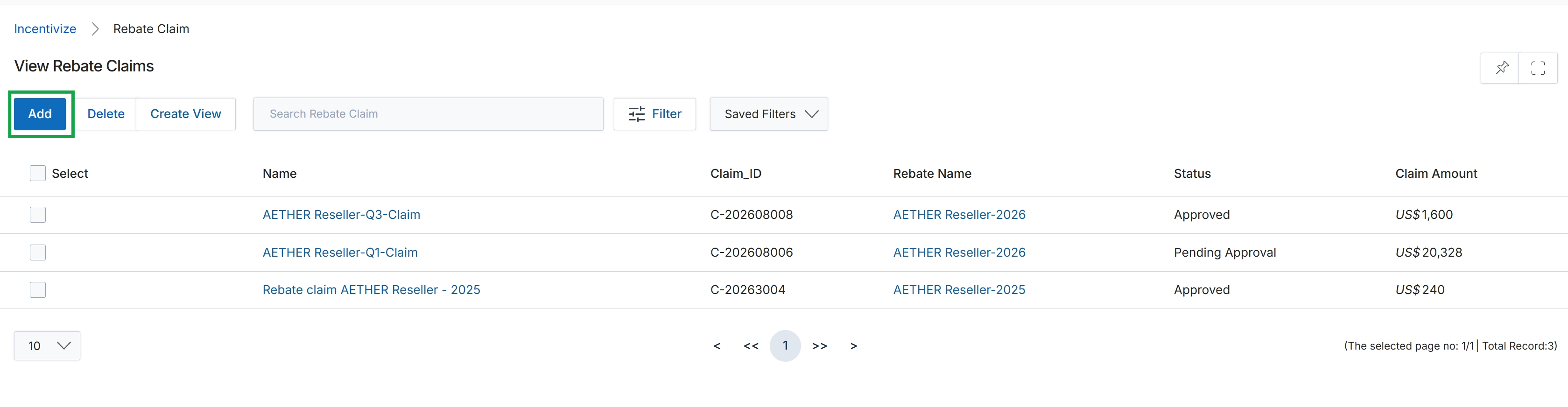
Click the Add button.
Entering Rebate Claim Details
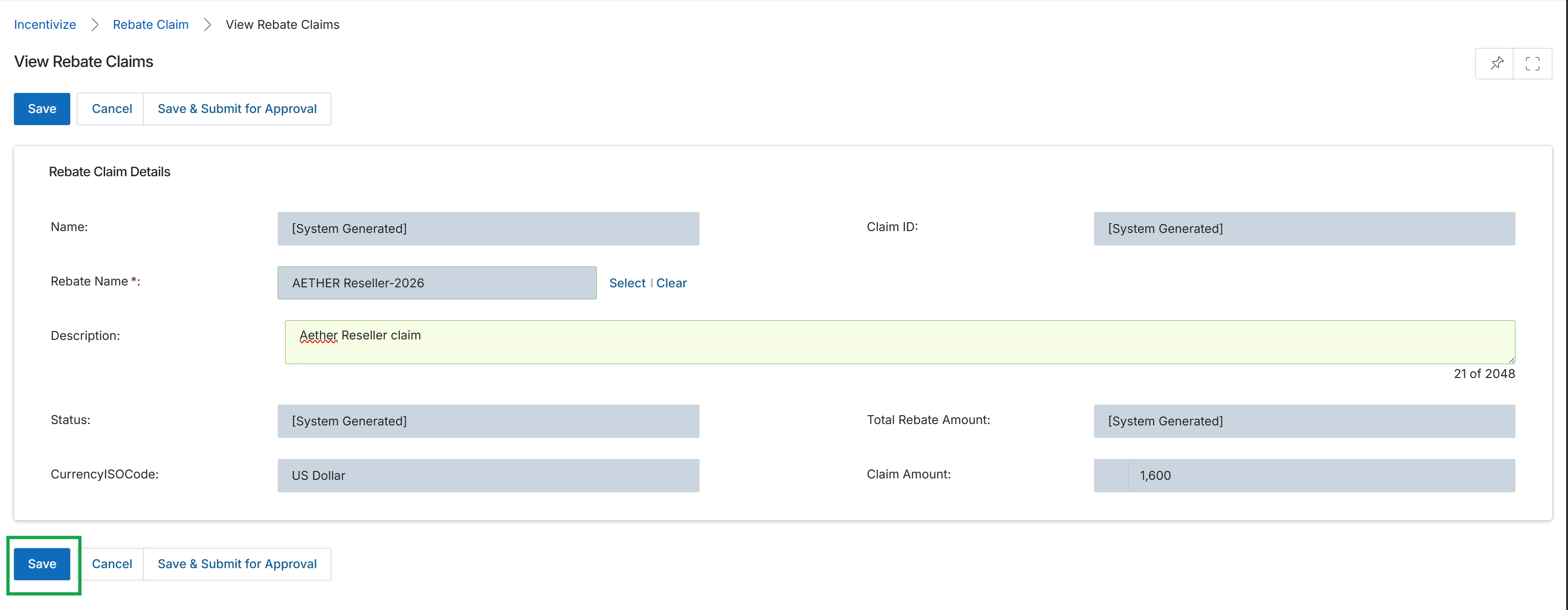
This screen displays the details of a specific Rebate Claim, allowing users to review or edit its information. Rebate claims are formal submissions by partners for retrospective revenue-based rewards, triggered after a rebate period concludes and the partner's revenue figures are calculated. The claim details include system-generated identifiers, the associated rebate program, a description, and the calculated or claimed amount. These claims are a critical step in the Incentivize module's workflow, leading to vendor review and eventual payment disbursement if approved, as outlined in the Rebate programs workflow (WF-04).
Click the "Save" button to save the current rebate claim details as a draft.
Buttons
| Button | Description |
|---|---|
| Save | Saves the current rebate claim as a draft without submitting it for approval. |
| Cancel | Discards any changes and returns to the previous view without saving. |
| Save & Submit for Approval | Saves the rebate claim and immediately submits it for vendor review and approval. |
Rebate Claim Details
| Field | Description |
|---|---|
| Name | A system-generated identifier for the rebate claim. |
| Claim ID | A unique, system-generated identification number for the rebate claim. |
| Rebate Name * | The name of the rebate program to which this claim applies. This is a required field. |
| Description | A textual description providing additional context or notes for the rebate claim. |
| Status | The current status of the rebate claim, which is system-generated and indicates its stage in the approval workflow (e.g., Draft, Pending, Approved, Paid). |
| Total Rebate Amount | The total amount of rebate calculated or claimed for this period, which is system-generated. |
| CurrencyISOCode | The ISO currency code for the rebate claim amount, defaulting to US Dollar. |
| Claim Amount | The specific amount being claimed by the partner for this rebate. |