

Overview
Rebate programs are a key component of incentivizing partners, offering retrospective rewards based on revenue attainment over a specific period. This module is essential for administrators to manage the claims partners submit to receive these rebates. After a rebate period concludes, partners submit claims, often including supporting documentation, which then enter this system for review and approval by the vendor's finance or program management team. Efficient management of these claims ensures partners are rewarded accurately and on time, fostering stronger partner relationships and encouraging continued performance.
Key Features
- Rebate Claim Listing
- Claim Status Tracking
- Search & Filter Claims
- Bulk Claim Deletion
- Custom View Creation
Accessing Rebate Claims
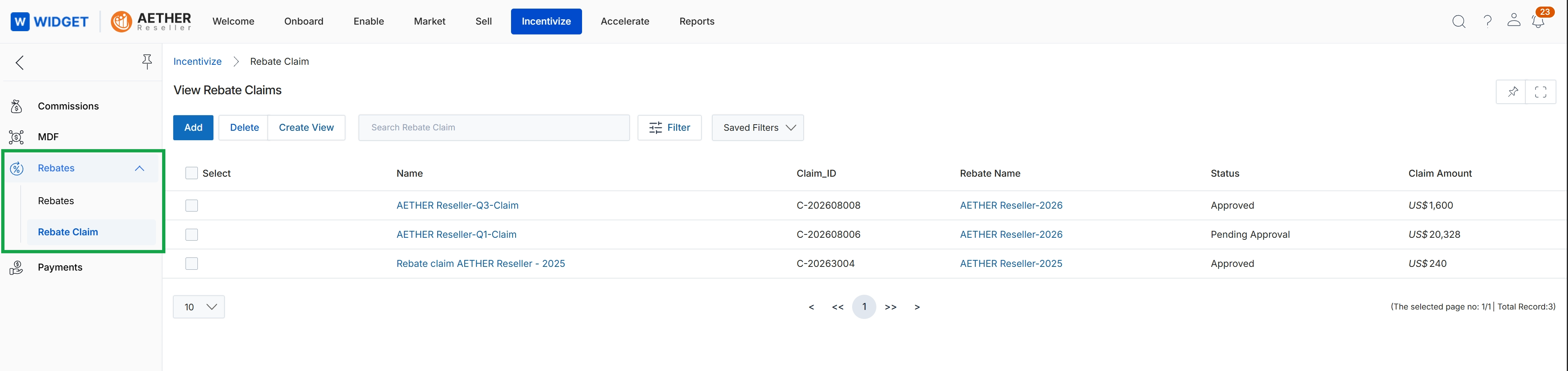
Click Incentivize → Rebates → Rebate Claim.
Deleting Rebate Claims
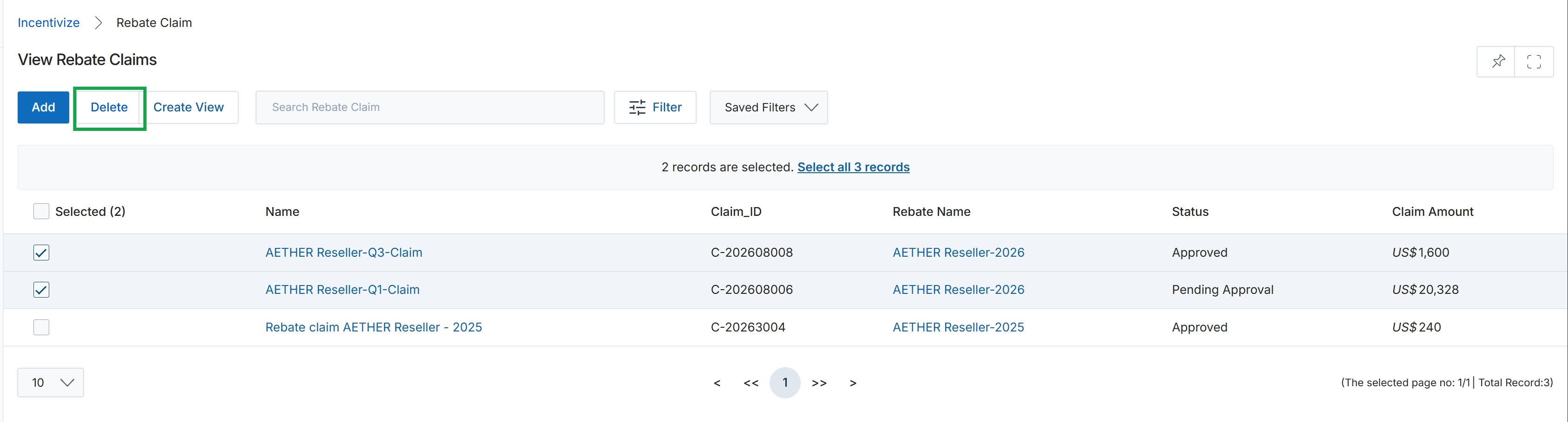
Click the Delete button.
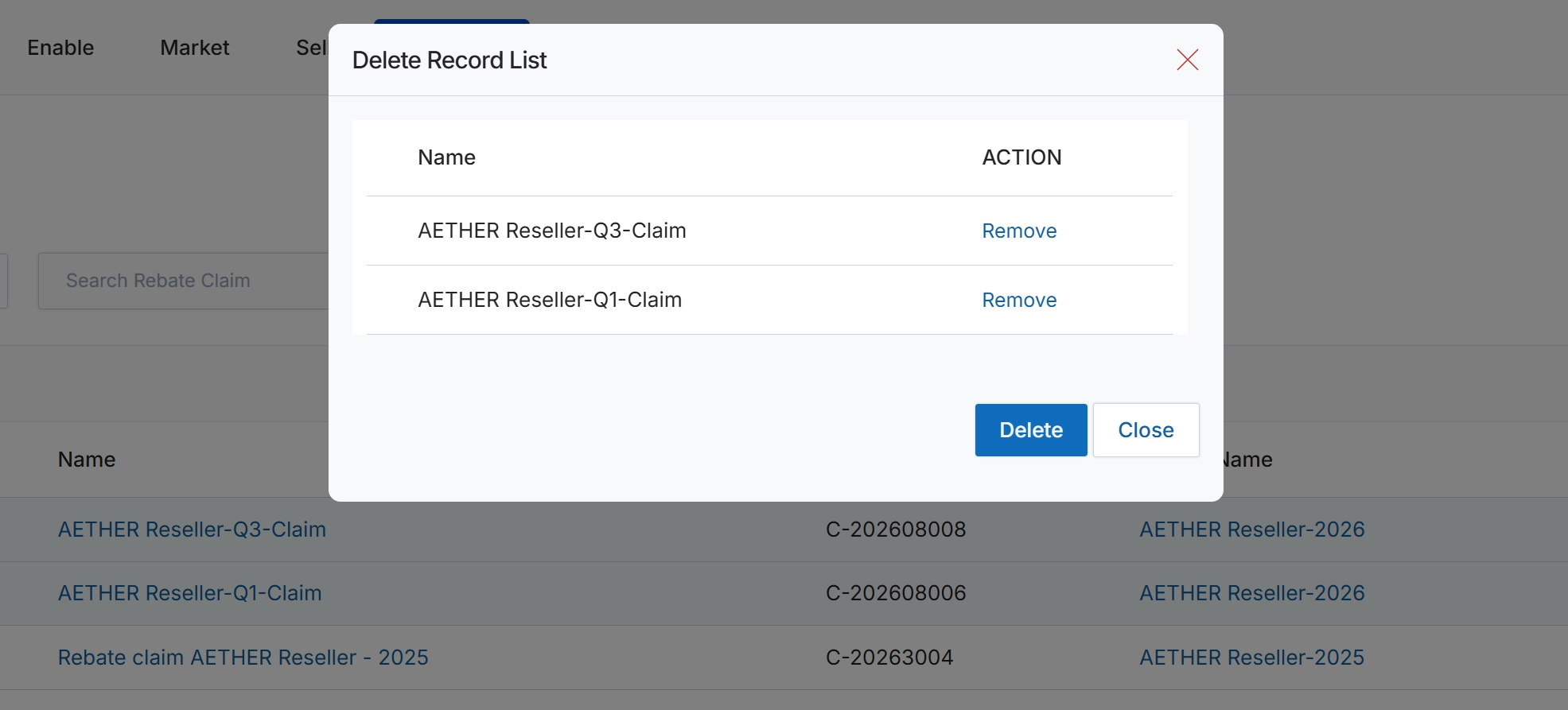
This modal dialog displays a list of selected rebate claims that are pending deletion. It provides a final review step, allowing a user to confirm which specific claims will be removed from the system. Each listed claim can be individually removed from this deletion queue before the final deletion action is executed, or the entire list can be deleted as a batch.
Frequently asked questions
- What is the purpose of viewing rebate claims?
This feature provides administrators with a central repository to track the status, review details, and manage all rebate claims submitted by partners. It ensures accurate processing of partner incentives.
- Who uses the rebate claims viewing feature?
UPM administrators use this feature to oversee the rebate process. Partners submit claims, but administrators manage their review and approval.
- What administrative actions can be performed on rebate claims?
Administrators can track claim status, review claim details, search and filter claims, create custom views, and perform bulk claim deletion.
- How do I access the Rebate Claims list view?
Navigate to Incentivize → Rebates → Rebate Claim within the platform to access the list of submitted claims.
- How can I delete rebate claims?
From the View Rebate Claims page, select the desired claims and click the Delete button. A confirmation dialog will appear, allowing final review before deletion.