

Overview
Rebates are a critical component of partner incentive programs, offering retrospective rewards based on a partner's performance over a specific period, typically revenue attainment. This module provides the tools for administrators to oversee these programs, from tracking individual partner rebate accruals to understanding the overall financial impact of rebates on the program. By centralizing rebate data, administrators can ensure transparency, manage payouts efficiently, and analyze the effectiveness of their incentive strategies.
Key Features
- Rebate Program Management
- Rebate Accrual Tracking
- Partner Rebate Progress
- Financial Summary Overview
- Rebate Claim Monitoring
- Search & Filter Rebates
Accessing the Incentivize Zone and Rebates Overview
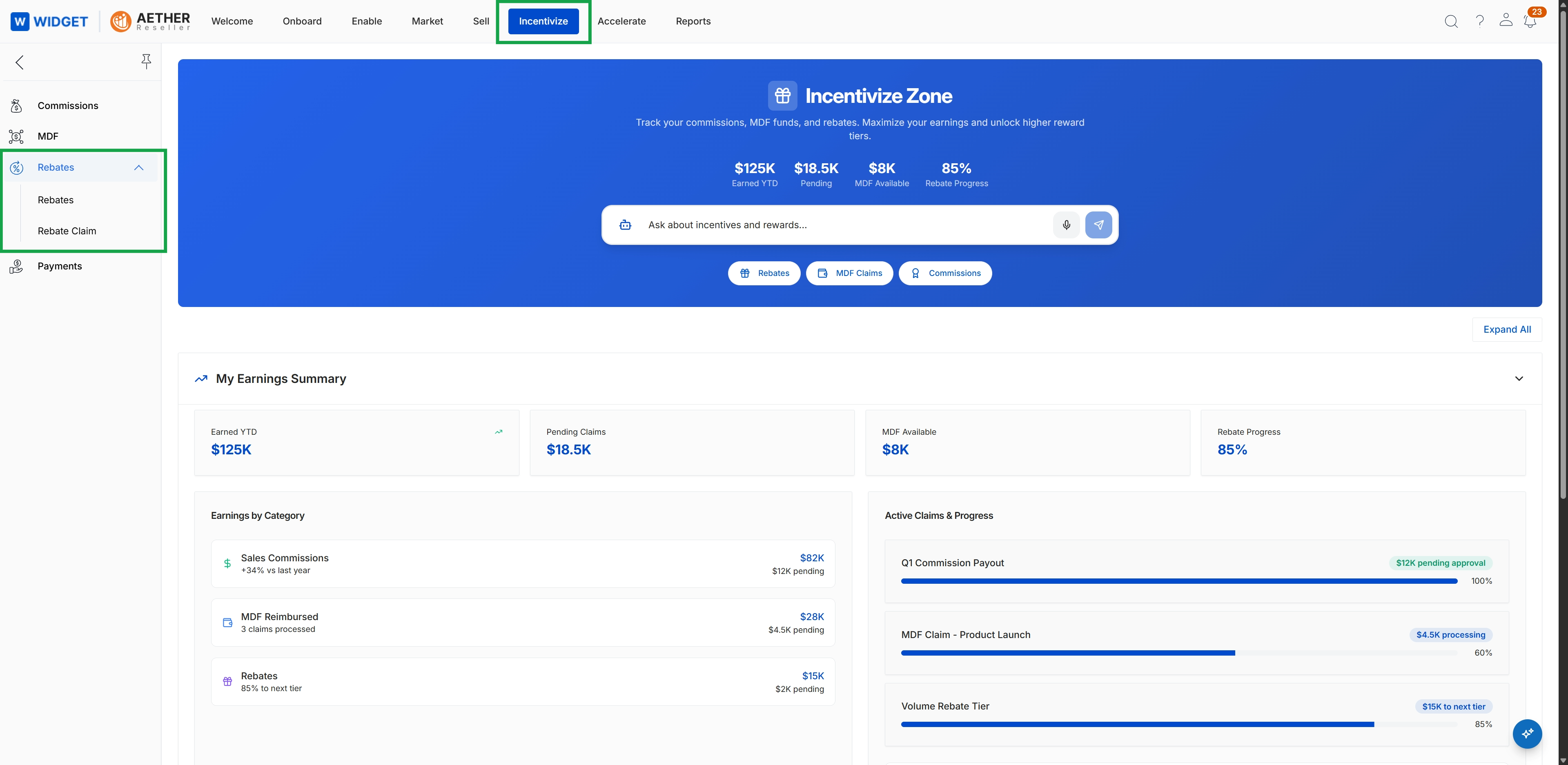
Click Incentivize → Rebates → Rebate Claim.
Viewing Detailed Rebate Information
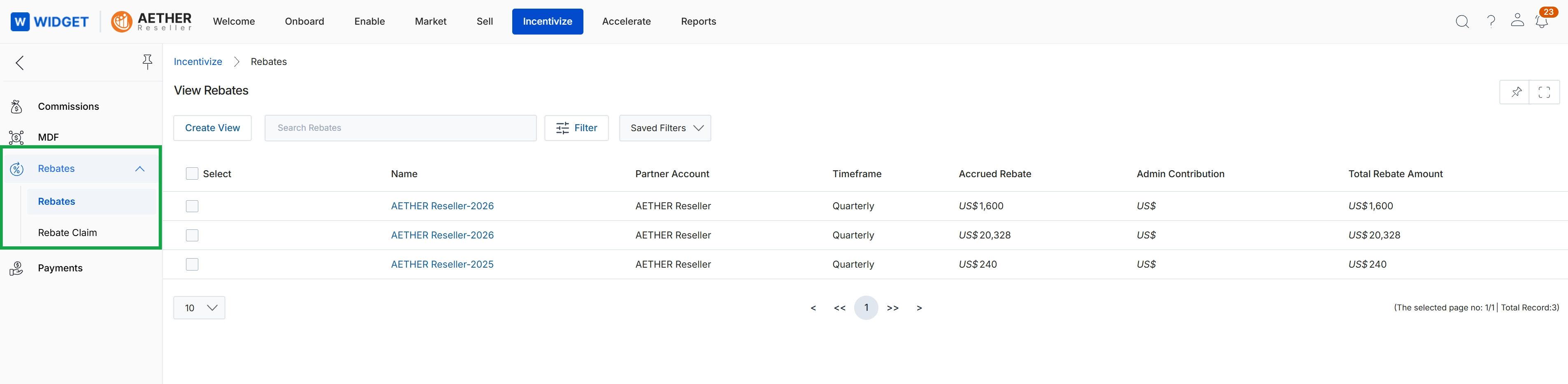
This screen displays a comprehensive list of rebates that have been accrued for various partner accounts within the Incentivize module. It provides administrators with an overview of each rebate, including its name, the associated partner account, the timeframe for which it was calculated, the accrued rebate amount, any administrative contributions, and the total rebate amount. This view is crucial for monitoring the financial rewards partners are earning through retrospective revenue-based programs, allowing for tracking and management of these incentives before they proceed to the claim and payment stages.
Frequently asked questions
- What is the primary function of the Rebates module?
The Rebates module provides administrators with a central repository to manage and track all rebate programs, including associated accruals and detailed partner information. It helps oversee financial incentives provided to partners.
- Who uses the Rebates module?
UPM administrators use this module to monitor partner performance, track earned rebates, and manage the overall financial incentives for their channel partners.
- What key features are included in the Rebates module?
Key features include rebate program management, accrual tracking, partner rebate progress monitoring, a financial summary overview, and rebate claim monitoring.
- How can administrators access the Rebates overview?
Administrators can access the Rebates overview by navigating to 'Incentivize' and then selecting 'Rebates' within the platform.
- What information is displayed in the detailed rebate list view?
The detailed rebate list view shows each rebate's name, associated partner account, calculation timeframe, accrued amount, administrative contributions, and total rebate amount. This view helps monitor financial rewards before claim and payment stages.