

First Name and Last Name Fields Extended to 80 Characters
Related Application(s)
Users & Territories Management; Partner Leads Management
Feature Description
This fix increases the maximum length of the First Name and Last Name fields to 80 characters in the Partner Prospect, Partner Contact, and User modules. The extended length is supported across registration, import, manual entry, CRM sync, and automatic user creation through SSO. Long names display in full on My Account and in list views, and existing records remain unchanged.
Navigate to Administration > Users, or to the Partner Prospect or Partner Contact module.
Create or edit a record and enter a First Name or Last Name of up to 80 characters.
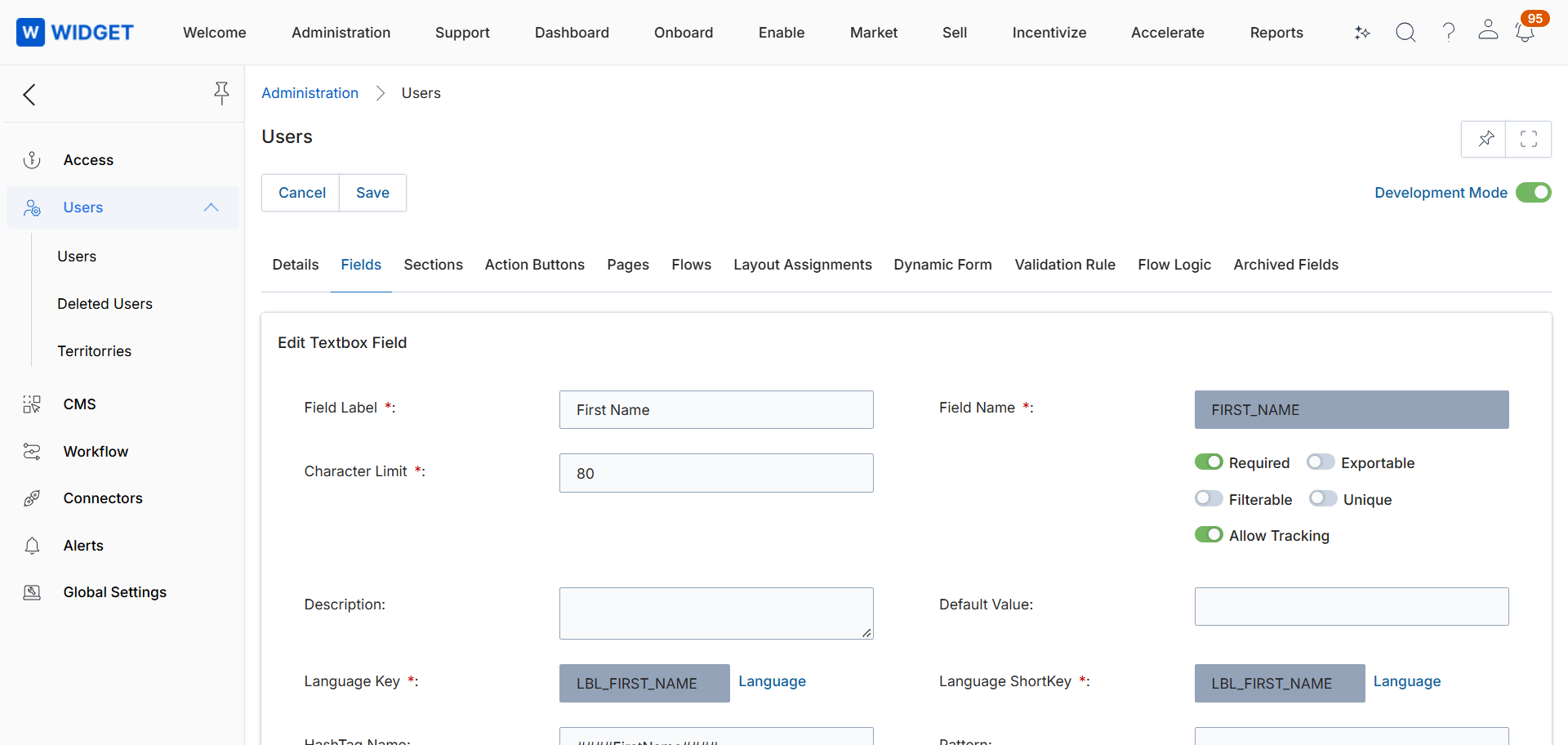
Click Save and verify that the full name is displayed on the record and in the list view.
Origin of Feature
Internal enhancement. This fix was introduced to prevent failures when creating or syncing users with long names.
CX Strategy Relation (6 S’s)
 Stability
Portal User-Facing Benefits
This fix ensures that users with long names are created and synchronized without errors.