

Export Engine Enhancement
Related Application(s)
Generic
Feature Description
The Export Engine Enhancement introduces a new way of exporting records from list and grid views such as MDF, Users, and Lead Management, and works together with the Select All capability. The previous range selector (for example, 1 to 1000 and 1001 to 2000) has been removed. Exports of up to 4,000 records are downloaded instantly. Exports of 4,001 records or more are processed in the background and delivered by email.
Log in to the ZINFI portal.
Navigate to any list or grid view and select the required records, or use Select All.
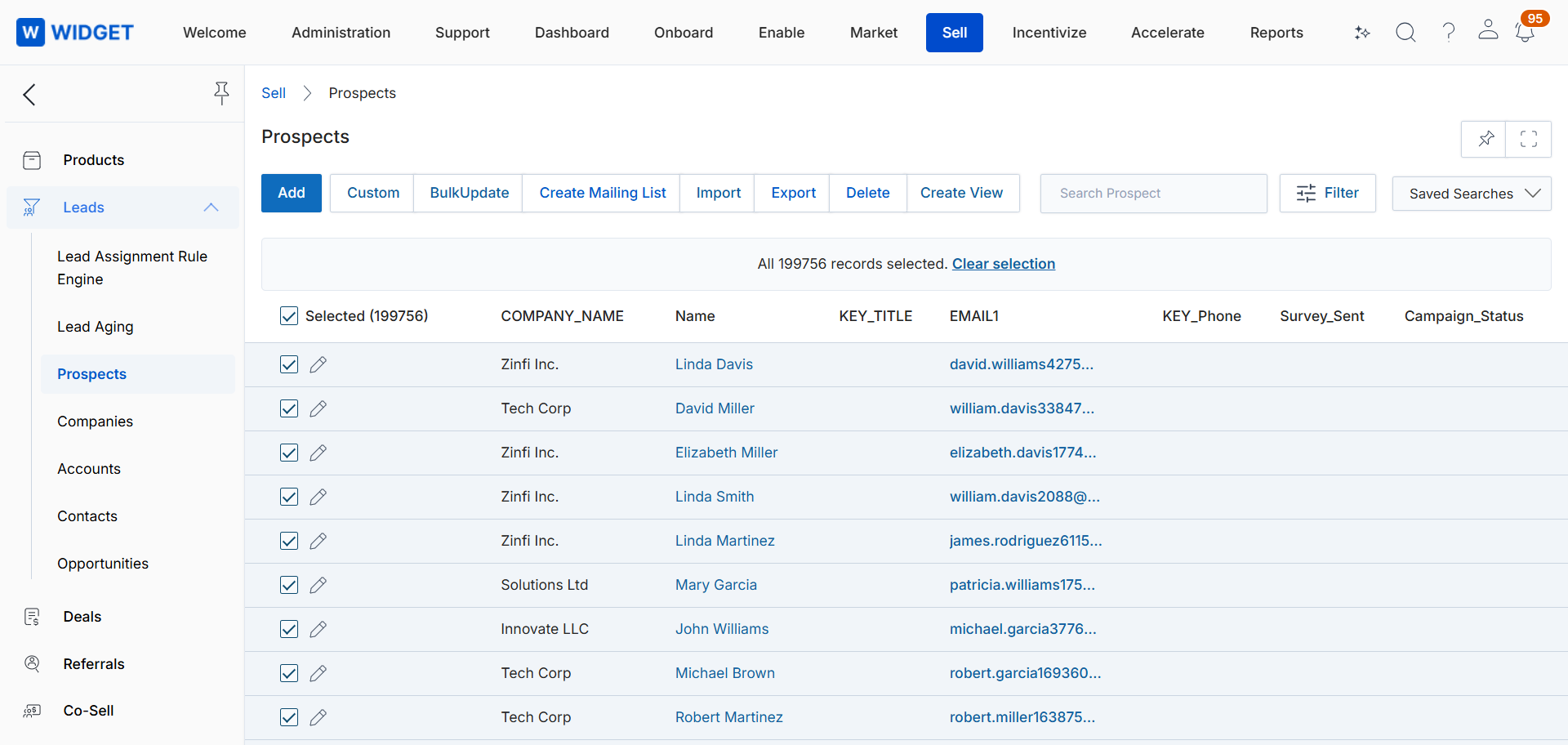
Click Export. If the selection contains up to 4,000 records, the file downloads instantly.
If the selection contains 4,001 records or more, an alert confirms that the export file will be sent to your email.
Export File Type
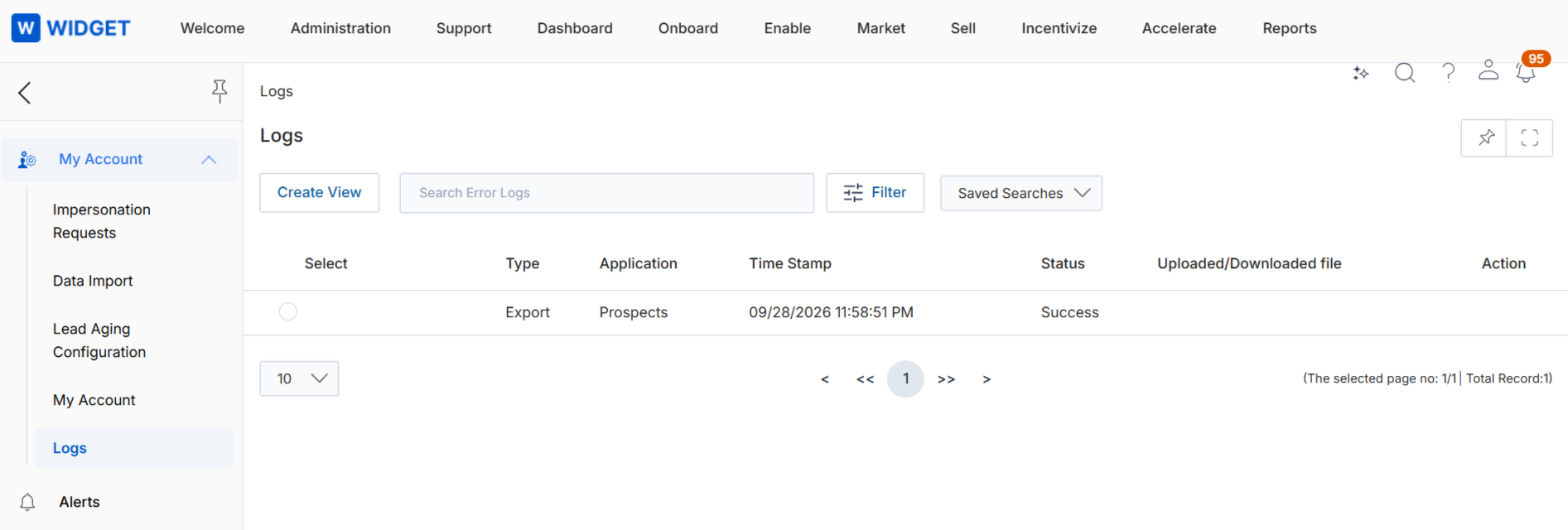
Click the avatar and navigate to My Account > Logs to track the export status (Queued or In Progress).
Origin of Feature
Customer request. This feature was introduced to support reliable export of large data sets.
CX Strategy Relation (6 S’s)
 Scalability
Portal User-Facing Benefits
This feature allows users to export large data sets in a single action, without splitting them into ranges or running into timeouts.