

Partner Locator Analytics Report
Related Application(s)
Business Intelligence Reports; Partner Locator
Feature Description
The Partner Locator Analytics Report is the first dedicated report for the Partner Locator. The platform now silently tracks Learn More clicks on partner profiles and the search terms and filters used by end customers on the public, pre-login Partner Locator. The report contains two tabs:
Profile Engagement shows the total clicks and last clicked date for each partner, with a chart that highlights the most viewed partners. Search Activity shows the most frequently used search terms and filter combinations, such as country, zip code, and radius. Search Activity columns adapt automatically to each customer's configured locator filters.
Log in to the UPM portal as an administrator.
Navigate to Reports > Partner Finder Analytics.
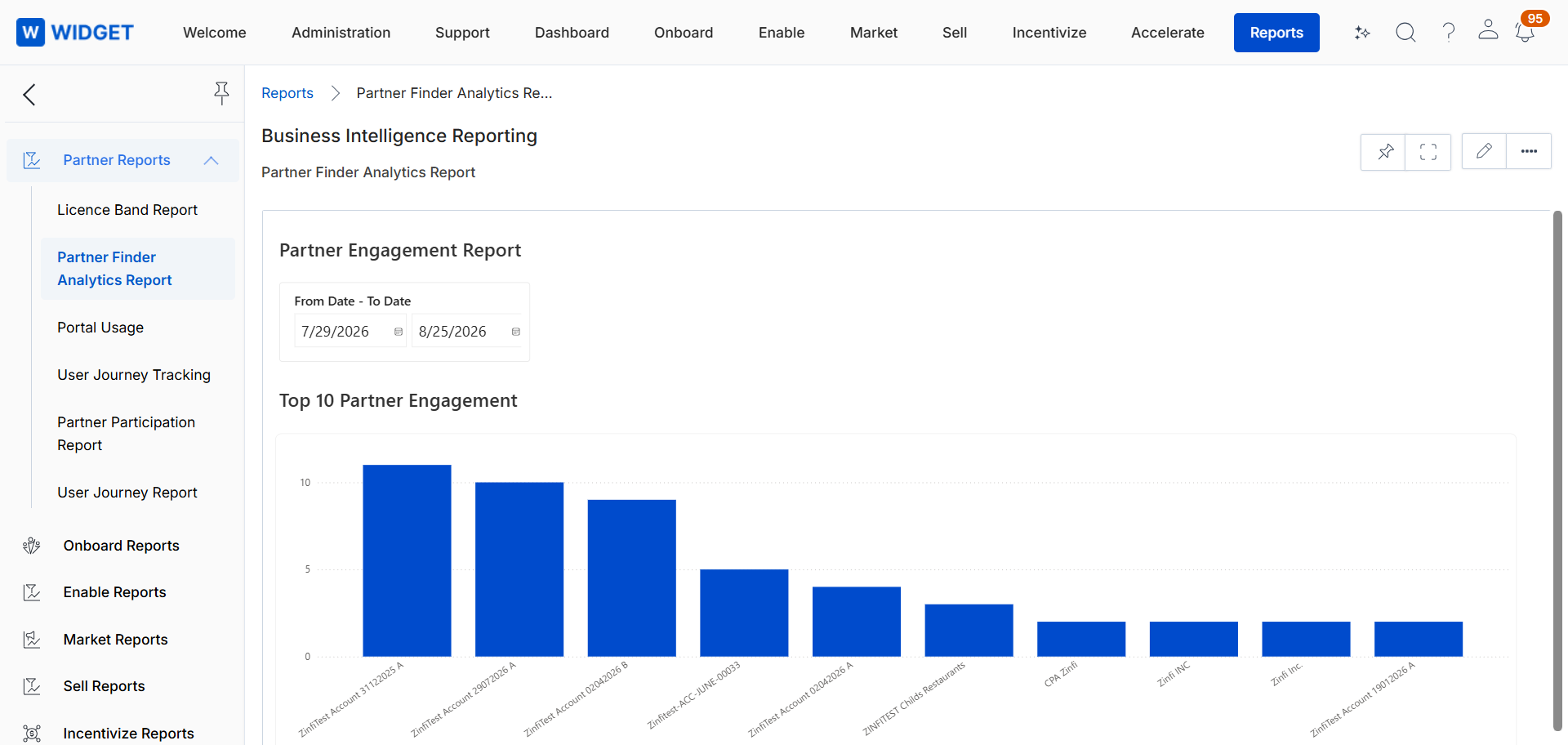
Open the Profile Engagement or Search Activity tab.
Filter the report by date range. The report covers data for the last three months.
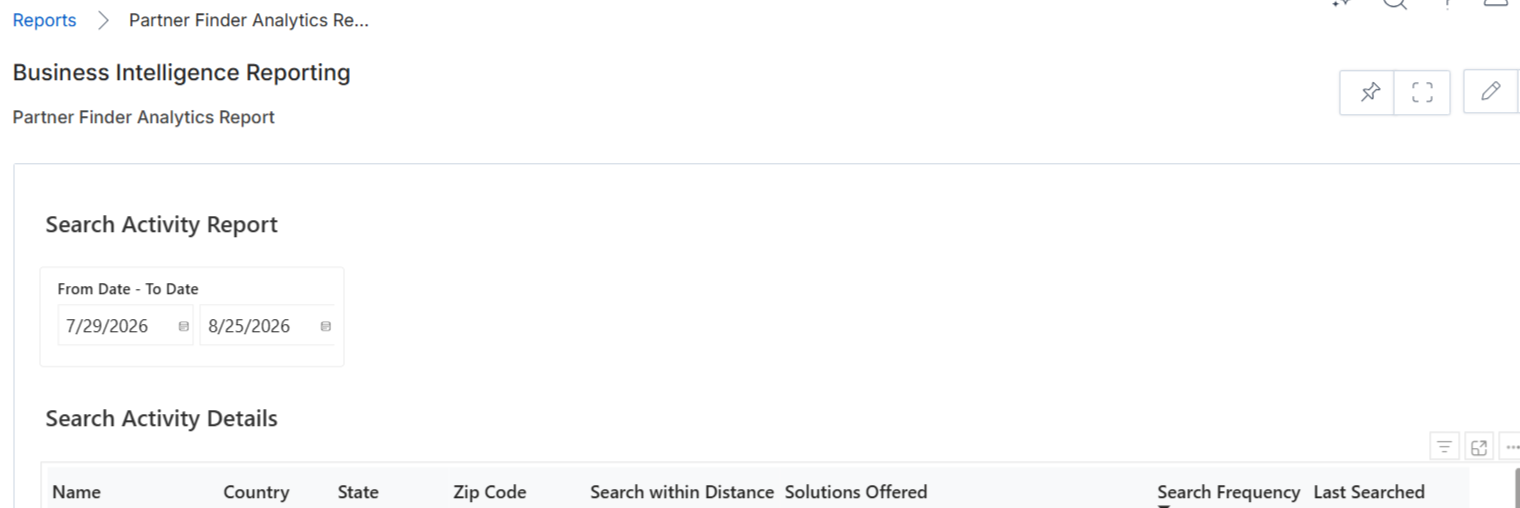
Export the results as required.
Origin of Feature
Customer request. This feature was introduced to provide visibility into end-customer interest on the Partner Locator.
CX Strategy Relation (6 S’s)
 Sufficiency
Portal User-Facing Benefits
This feature allows brand owners to identify which partners attract the most interest and what end customers are searching for.