

Overview
The Sales Orders section within the Sell module is a critical component for managing the post-quote sales process. Once a quote is accepted by a customer, it is converted into a sales order, which then serves as the official record of the confirmed purchase. This feature provides administrators with comprehensive visibility into all sales orders, enabling them to verify order details, track the status of purchases, and manage associated invoices. This ensures that the sales pipeline is accurately reflected and that subsequent processes, such as fulfillment and commission payouts, are based on precise data.
Effective management of sales orders is essential for maintaining accurate financial records and ensuring partner satisfaction. By providing a detailed view of each order, including the associated account, opportunity, and quote, the platform facilitates seamless operations from deal closure to revenue recognition. Administrators can quickly access all necessary information to address inquiries, make adjustments, or initiate further actions related to the sales order, streamlining the overall sales administration workflow.
Accessing the Sales Orders List
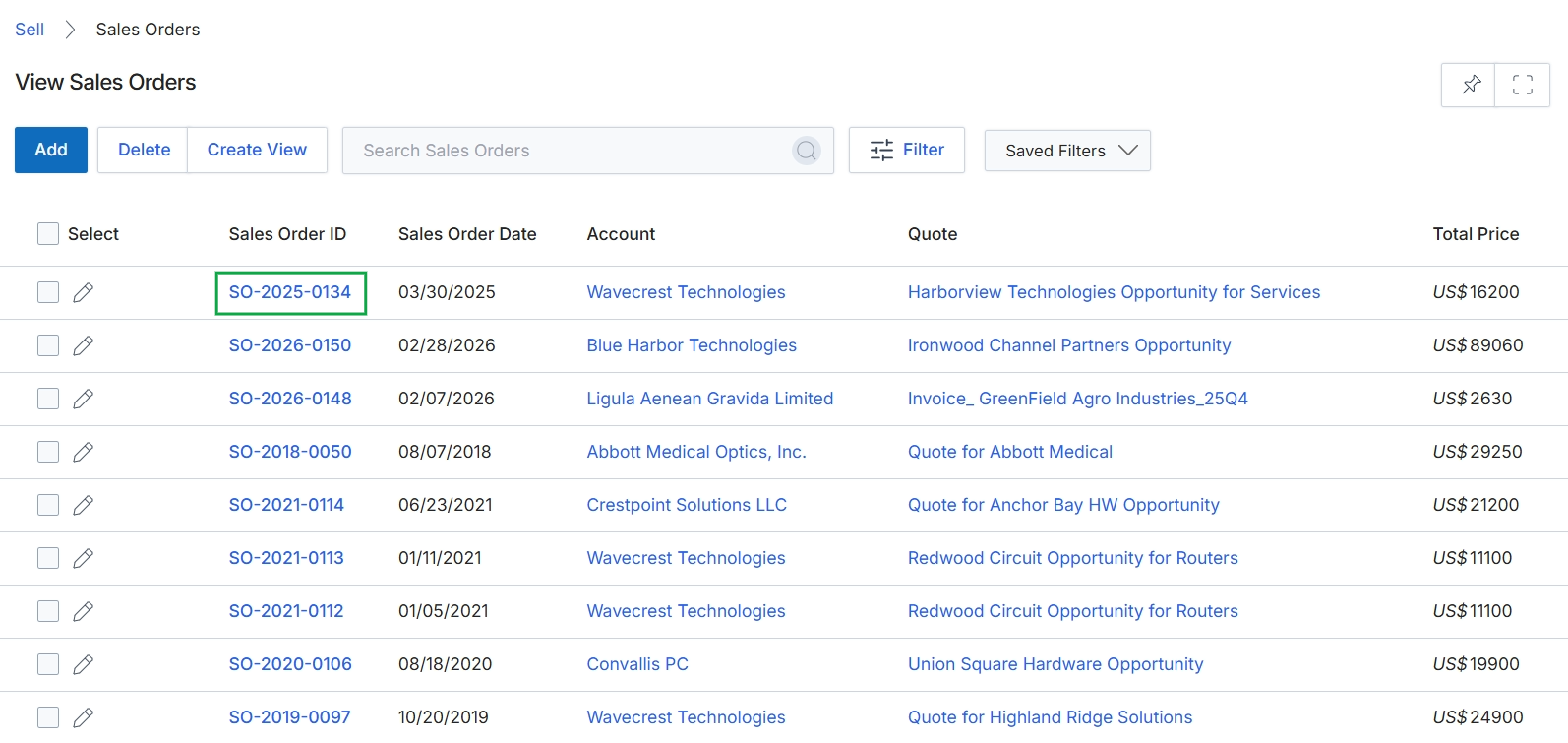
Click the SO-2025-0134 link in the Sales Order ID column.
Viewing Sales Order Details
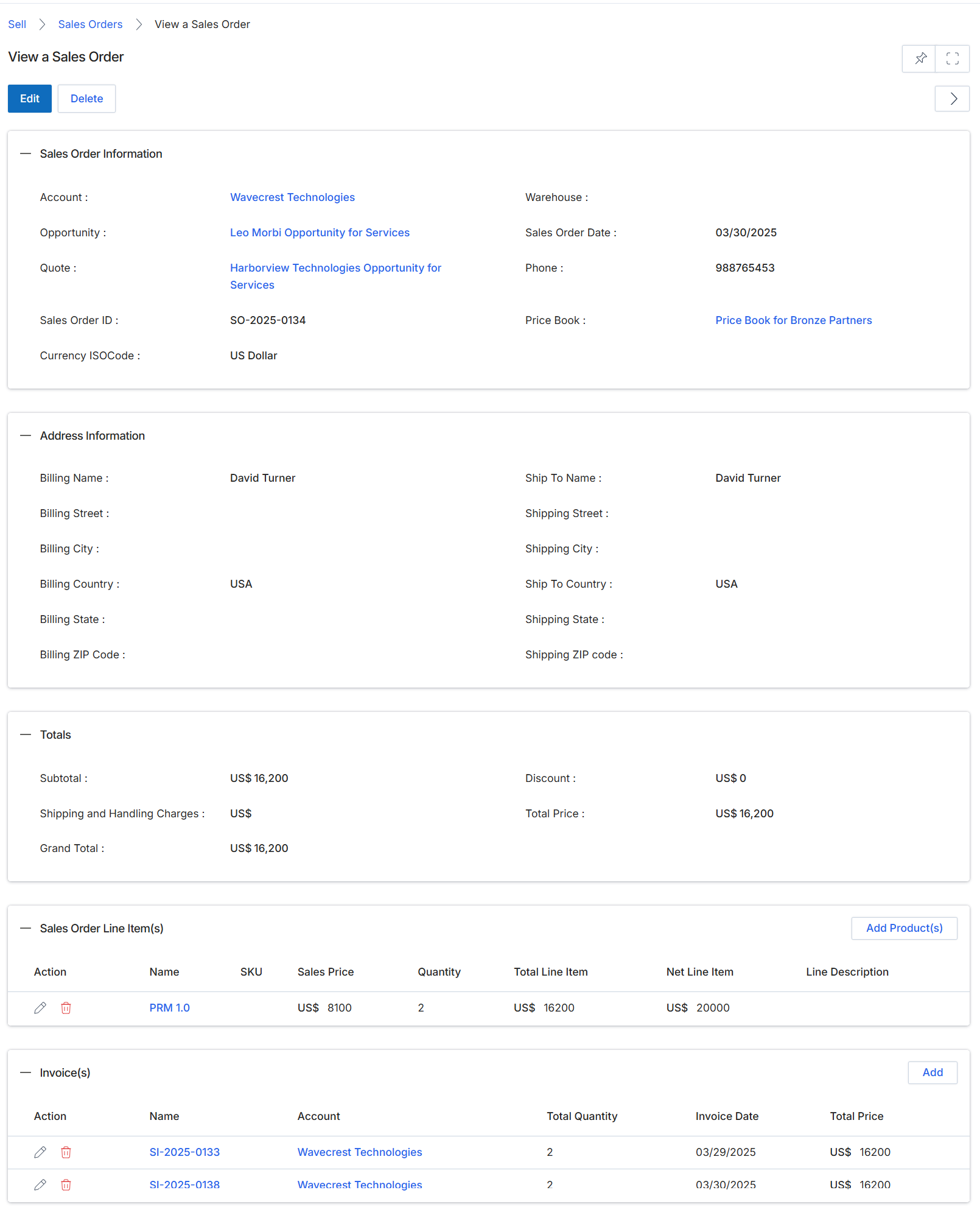
This screen displays the detailed view of a specific Sales Order, providing a comprehensive summary of the transaction. Sales Orders are generated after a quote has been approved and accepted by a customer, representing a confirmed purchase. This view consolidates all relevant information, including the associated account, opportunity, and quote, along with billing and shipping addresses, total costs, and a breakdown of line items. It also lists any invoices generated against this sales order, allowing administrators to track the financial fulfillment of the order. This screen serves as a central point for reviewing the complete lifecycle of a sales order, from its origin to its invoicing status.
Review the details of the selected Sales Order.
Buttons
| Button | Description |
|---|---|
| Edit | Click to modify the details of this sales order. |
| Delete | Click to remove this sales order from the system. |
| Add Product(s) | Click to add more products to the sales order. |
| Add | Click to add a new invoice to this sales order. |
Sales Order Information
| Field | Description |
|---|---|
| Account | The customer account associated with this sales order. |
| Opportunity | The sales opportunity from which this order originated. |
| Quote | The quote that was converted into this sales order. |
| Sales Order ID | A unique identifier for this sales order. |
| Currency ISOCode | The currency used for this sales order. |
| Warehouse | The warehouse from which products for this order will be shipped. |
| Sales Order Date | The date when the sales order was created. |
| Price Book | The price book used to determine product pricing for this order. |
Address Information
| Field | Description |
|---|---|
| Billing Name | The name of the entity to which the order is billed. |
| Billing Street | The street address for billing. |
| Billing City | The city for billing. |
| Billing Country | The country for billing. |
| Ship To Name | The name of the recipient for shipping. |
| Shipping Street | The street address for shipping. |
| Shipping City | The city for shipping. |
| Ship To Country | The country for shipping. |
Totals
| Field | Description |
|---|---|
| Subtotal | The sum of all line item prices before discounts and shipping. |
| Shipping and Handling Charges | The cost associated with shipping and handling the order. |
| Grand Total | The total cost of the order, including subtotal, shipping, and discounts. |
| Discount | The total discount applied to the order. |
| Total Price | The final price of the order after all calculations. |
Sales Order Line Item(s)
| Column | Description |
|---|---|
| Name | The name of the product in the line item. |
| SKU | The Stock Keeping Unit for the product. |
| Sales Price | The individual selling price of the product. |
| Quantity | The number of units of the product ordered. |
| Total Line Item | The total price for this specific line item (Sales Price x Quantity). |
| Net Line Item | The net price for this specific line item after any applicable discounts. |
| Line Description | A brief description of the product or service. |
Invoice(s)
| Column | Description |
|---|---|
| Name | The unique identifier for the invoice. |
| Account | The customer account associated with the invoice. |
| Invoice Date | The date the invoice was generated. |
| Total Price | The total amount of the invoice. |
Editing and Deleting Sales Orders
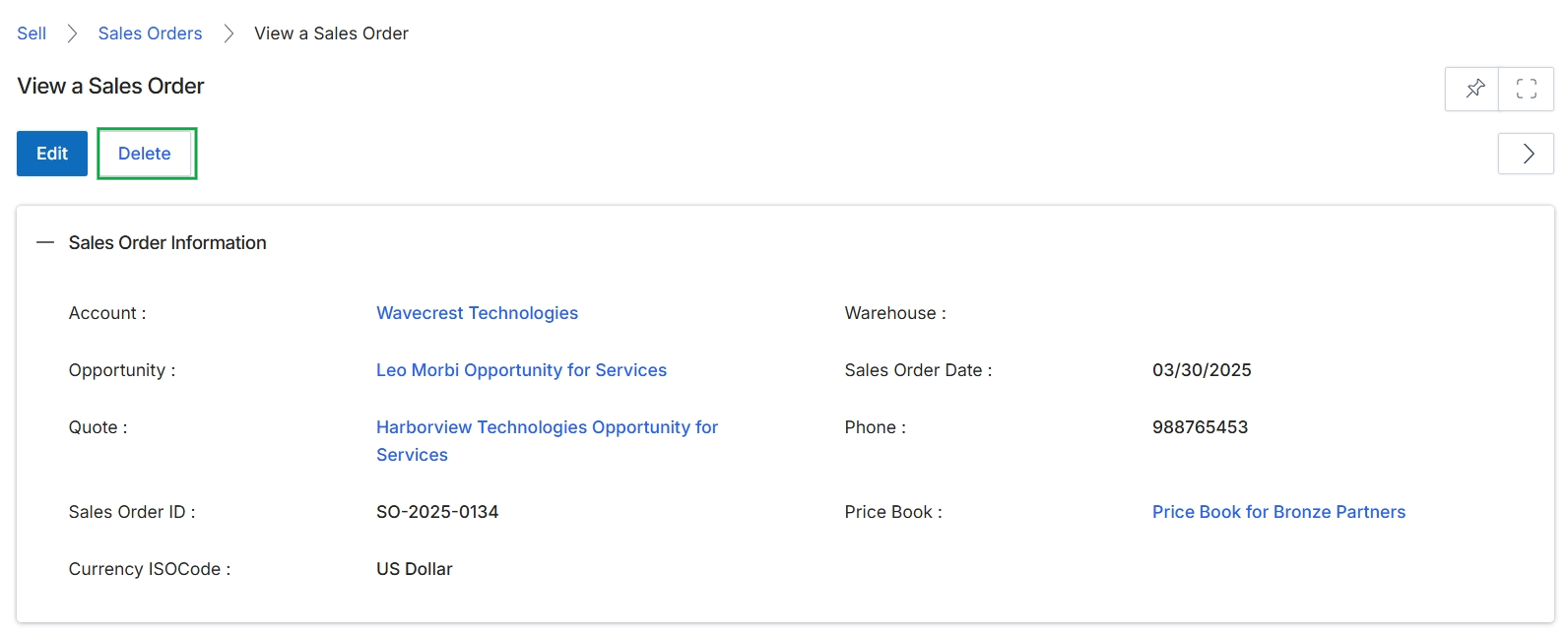
Click the Delete button.