

Overview
Rebates are a critical component of many partner programs, offering retrospective rewards based on a partner's revenue performance over a specific period. Partners submit rebate claims, often at the end of a quarter or year, providing details of their sales and requesting the calculated rebate amount. The platform streamlines this process by providing a dedicated interface for administrators to manage these claims.
Administrators use this feature to monitor the entire lifecycle of a rebate claim, from submission through approval and eventual payment. The detailed view of each claim, including its approval history, ensures transparency and provides an audit trail for financial reconciliation and compliance. This helps maintain strong partner relationships by ensuring timely and accurate processing of earned rebates.
Accessing and Filtering Rebate Claims
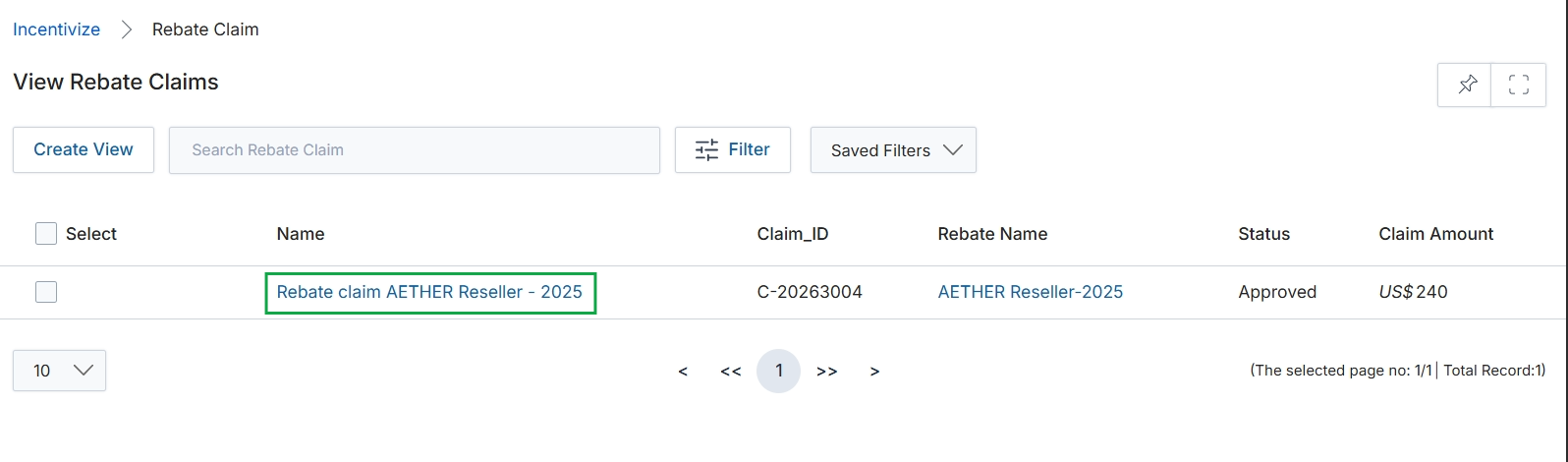
Click the Rebate claim AETHER Reseller - 2025 link in the Name column.
Viewing Individual Rebate Claim Details
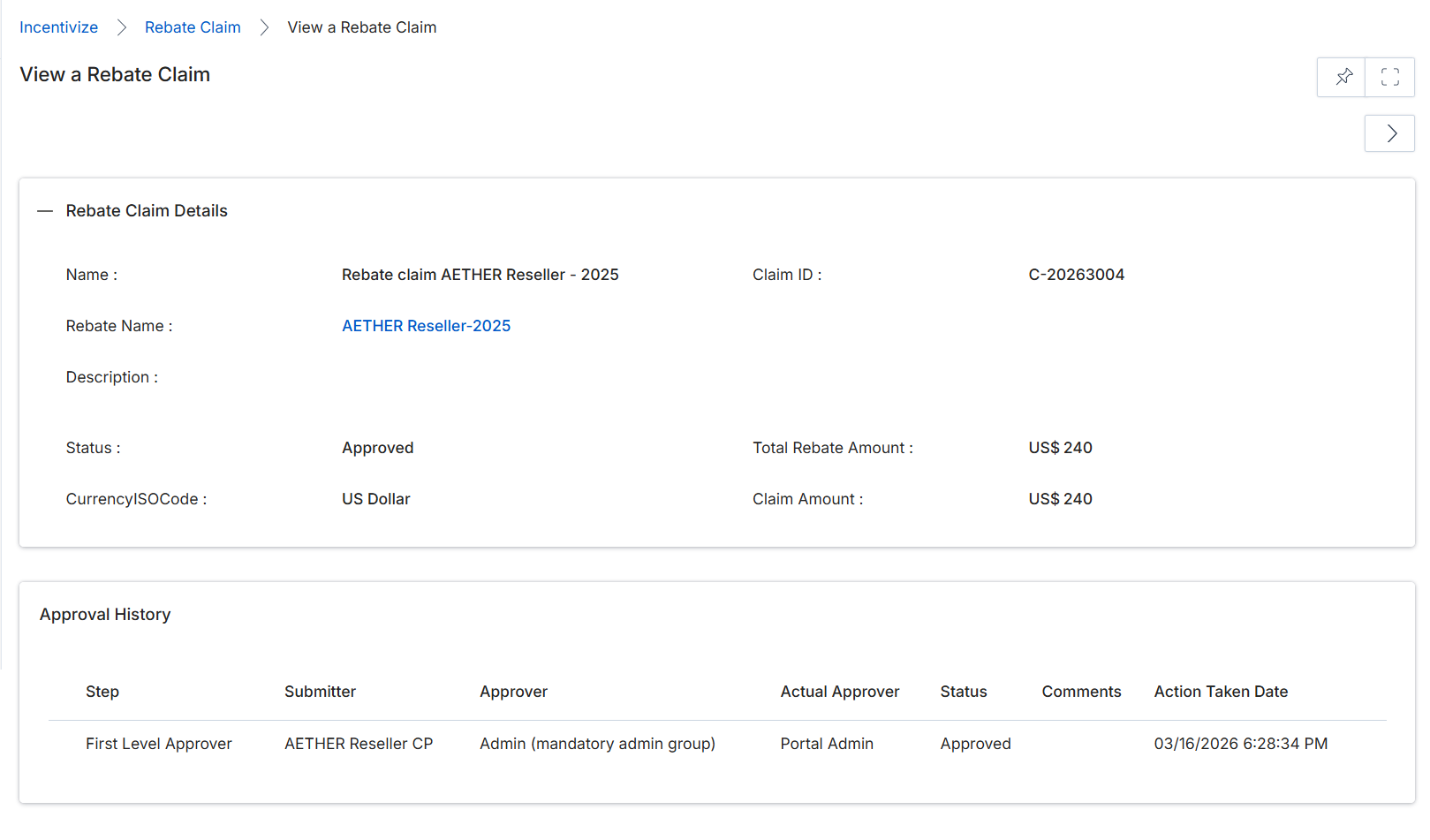
This screen displays the detailed information for a specific rebate claim, providing a comprehensive overview of its status and associated data. Rebate claims are formal requests submitted by partners to receive payment for earned rebates, typically after a rebate period has concluded and revenue figures have been finalized. The screen is divided into two main sections: 'Rebate Claim Details', which presents key identifying and financial information about the claim, and 'Approval History', which logs the workflow of the claim's review and approval process. This view allows administrators to review all relevant information, including the claim's current status, the total amount, and the sequence of approvals, before proceeding with payment processing.
Review the details of the rebate claim, including its status and approval history.
Rebate Claim Details
| Field | Description |
|---|---|
| Name | The name of the rebate claim, typically including the partner and year. |
| Claim ID | A unique identifier for the rebate claim. |
| Rebate Name | The name of the rebate program under which this claim was made. |
| Description | An optional field for additional details or notes about the claim. |
| Status | The current status of the rebate claim, indicating its stage in the approval workflow (e.g., Approved, Pending, Rejected). |
| Total Rebate Amount | The total amount of rebate calculated for this claim. |
| CurrencyISOCode | The currency in which the rebate amount is denominated. |
| Claim Amount | The final amount of the rebate claim after any adjustments. |
Approval History
| Column | Description |
|---|---|
| Step | Indicates the stage of the approval process. |
| Submitter | The entity or user who submitted the claim or approval for this step. |
| Approver | The designated approver for this step in the workflow. |
| Actual Approver | The specific user who performed the approval action. |
| Status | The approval status for this particular step (e.g., Approved). |
| Comments | Any comments provided during the approval process for this step. |
| Action Taken Date | The date and time when the approval action was taken. |