

Absolute Session Timeout
Related Application(s)
Global Settings Management
Feature Description
The Absolute Session Timeout enhancement introduces a server-enforced maximum session duration on top of the idle and token refresh settings. When enabled, the system forcefully logs the user out after 24 or 48 hours, regardless of user activity. The setting is disabled by default and is visible only to the Super Admin. It applies to all user roles and to both SSO and standard login.
Log in to the UPM portal as Super Admin.
Navigate to Administration > Portal Settings.
Enable Absolute Session Timeout and select the duration (24 or 48 hours).
Save the settings. The configuration applies to new sessions.
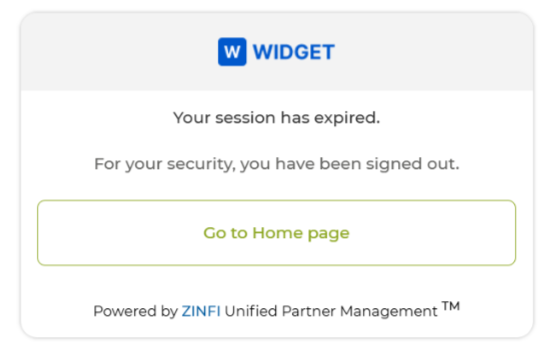
When the configured duration is reached, verify that the user is logged out and the Absolute Session Timeout page is displayed.
Origin of Feature
Customer request. This feature was introduced to meet enterprise compliance requirements that limit the maximum duration of a user session.
CX Strategy Relation (6 S’s)
 Security
Portal User-Facing Benefits
This feature ensures that no session remains open indefinitely, supporting enterprise security and compliance policies.