

Localized Session Timeout and Logout Pages
Related Application(s)
Access & Security Management
Feature Description
The Localized Session Timeout and Logout Pages enhancement replaces generic error screens and technical redirect URLs with clear, branded pages. A dedicated Idle Session Timeout page informs users that their session expired after a period of inactivity and provides a link to the homepage. A separate Absolute Session Timeout page is displayed when the absolute session limit is reached. The Logout page has also been reworded to display You have successfully logged out.
All pages are displayed in the user's browser language, with a fallback to the portal's default language. No technical details are shown, and the pages are mobile compatible.
Log in to the portal and remain idle beyond the configured Idle Timeout.
Verify that the Idle Session Timeout page is displayed in the browser language.
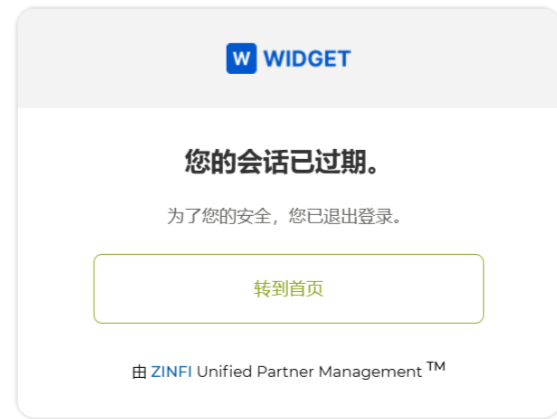
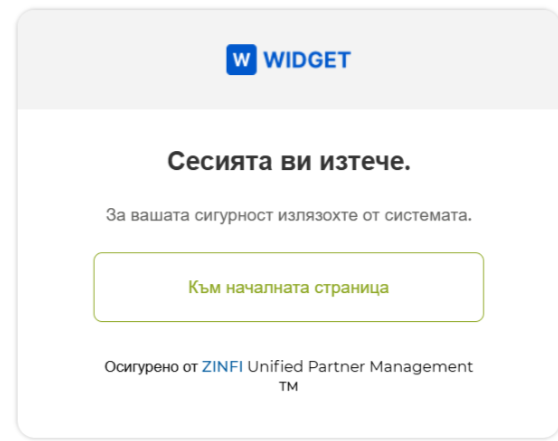
Click the homepage link to return to the login page.
Log in again and click Logout from the top zone.
Verify that the Logout page displays You have successfully logged out.
Origin of Feature
Customer request. This feature was introduced because users were mistaking session timeouts for application errors.
CX Strategy Relation (6 S’s)
 Simplicity
Portal User-Facing Benefits
This feature gives users a clear, localized explanation of why their session ended and what to do next.