

Seamless Session Management
Related Application(s)
Global Settings Management
Feature Description
The Seamless Session Management enhancement replaces fixed session expiry with a refresh token mechanism. While a user is active, a background process generates a new refresh token at the configured interval, so the user is not logged out in the middle of a task such as deal registration or report building. When a user remains idle beyond the configured limit, the system logs the user out completely and displays the Session Timeout page, from which the user can log in again through SSO or the standard login.
The idle timeout and token refresh interval are configured in seconds by the Super Admin. The idle check is aligned to the session end time held in the token, so users always see the correct reason for a logout. The behavior is consistent for Admin, Partner Admin, and Partner users on both SSO and standard login.
Log in to the UPM portal as Super Admin.
Navigate to Administration > Portal Settings.
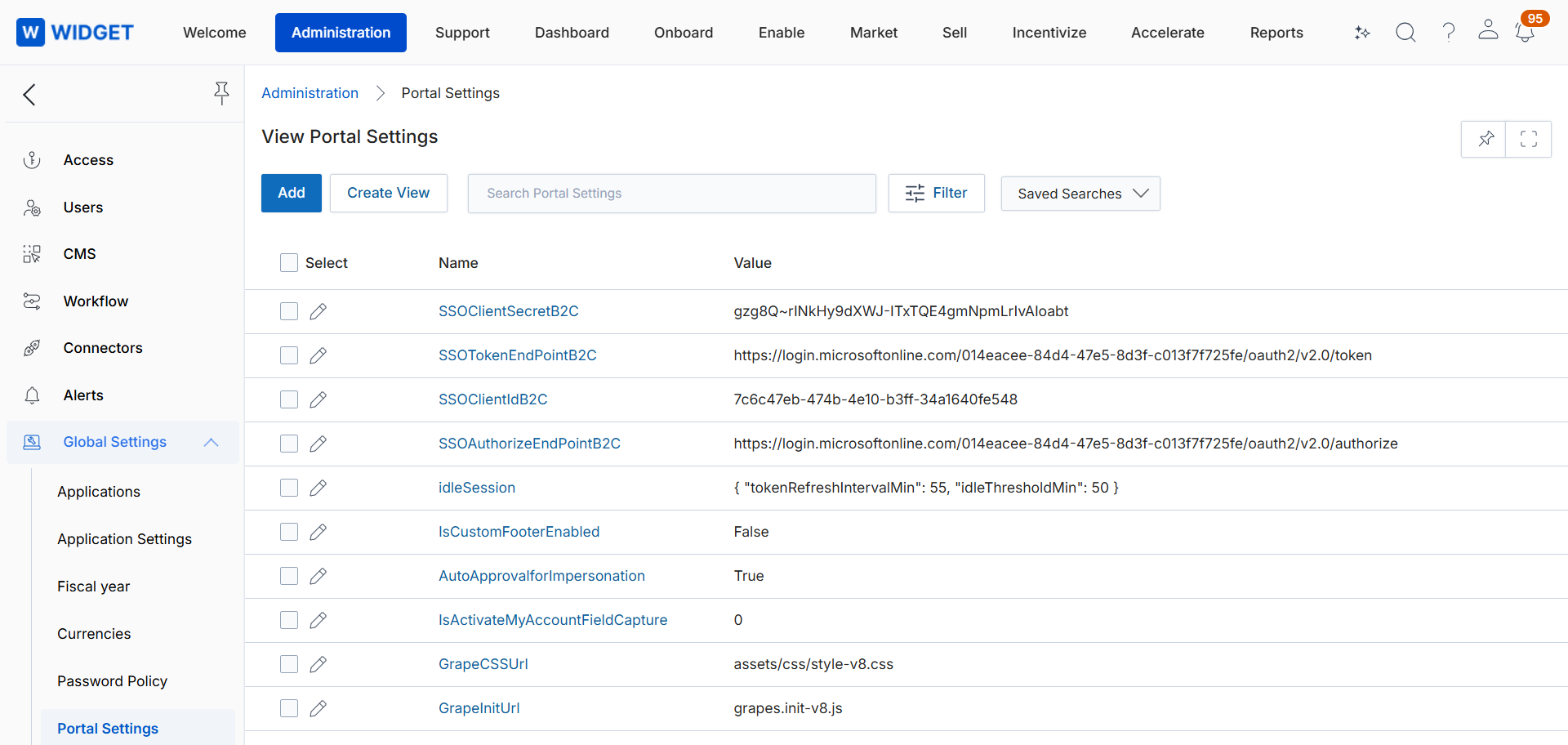
Configure the Idle Timeout and Token Refresh intervals (in seconds).
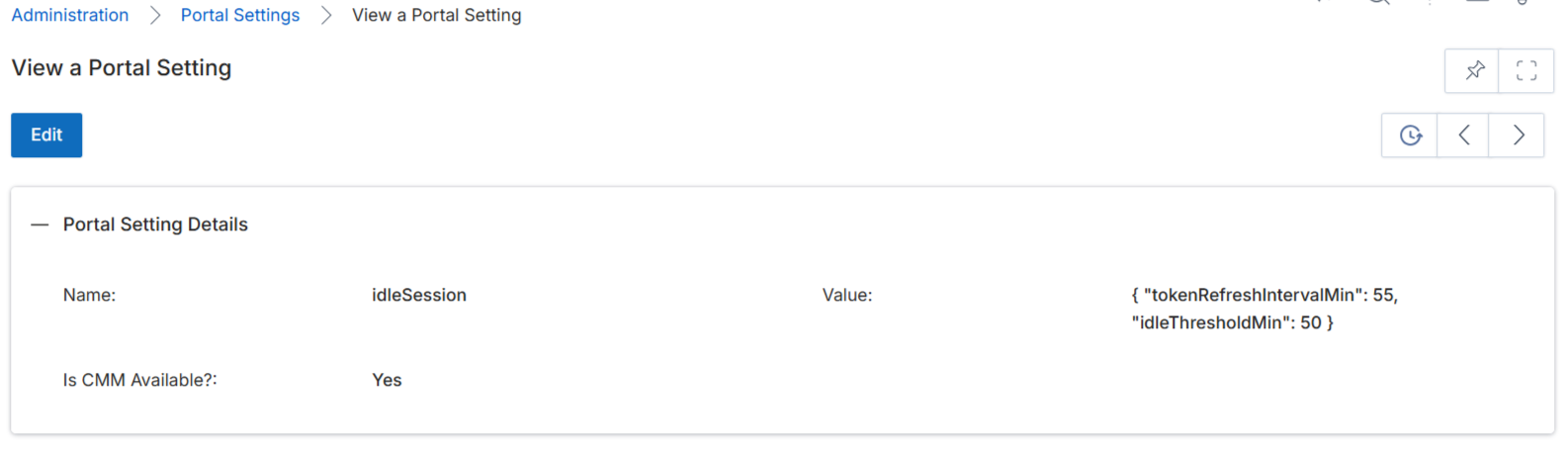
Log in as a portal user and continue working. The session is renewed automatically without interruption.
Leave the portal idle beyond the configured Idle Timeout.
Verify that the user is logged out and redirected to the Session Timeout page.
Origin of Feature
Customer request. This feature was introduced to prevent active users from being logged out during long workflows, while closing sessions that are left idle.
CX Strategy Relation (6 S’s)
 Security
Portal User-Facing Benefits
This feature allows users to work without unexpected logouts while keeping idle sessions secure.