

New CMS Editor (Beta)
Related Application(s)
CMS
Feature Description
The New CMS Editor is an in-house editor for creating web pages and email templates. The web page editor beta is now joined by the email editor beta in this release. The editor is faster, more stable, and synchronizes with portal typography. It streamlines authoring by retaining only the essential tools:
About eight to nine core components (reduced from 30+), a six-option formatting toolbar that opens on double-click, deletable image blocks, a Layers panel to view and manage the page structure, and an Assets panel that lists uploaded images and PDFs.
Log in to the UPM portal as an administrator.
Open a CMS page, a system email under Alerts, or an email template under Market > Email Templates.
Manage Content
Click Try new CMS Editor (Beta).
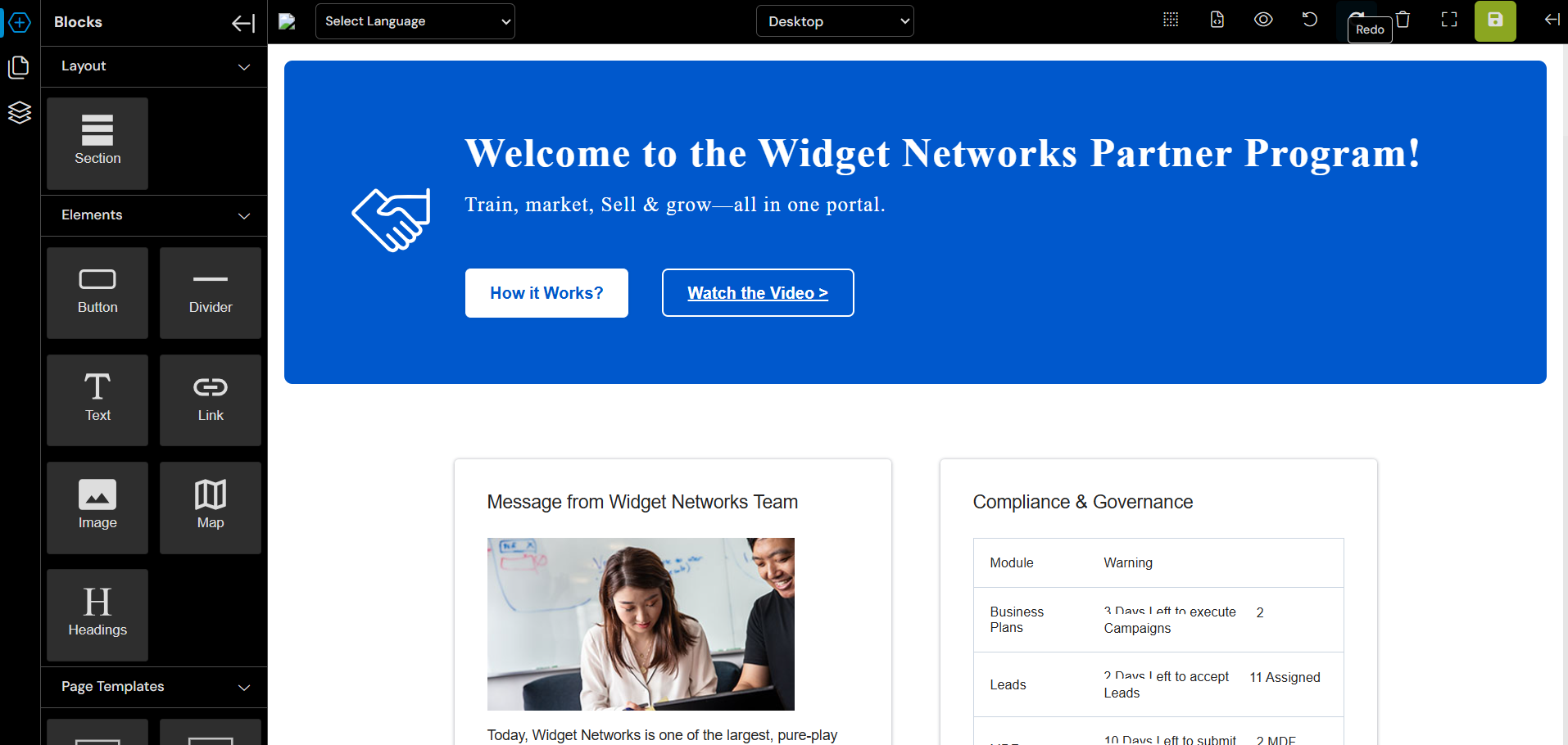
Build and edit content using the components, Layers, and Assets panels.
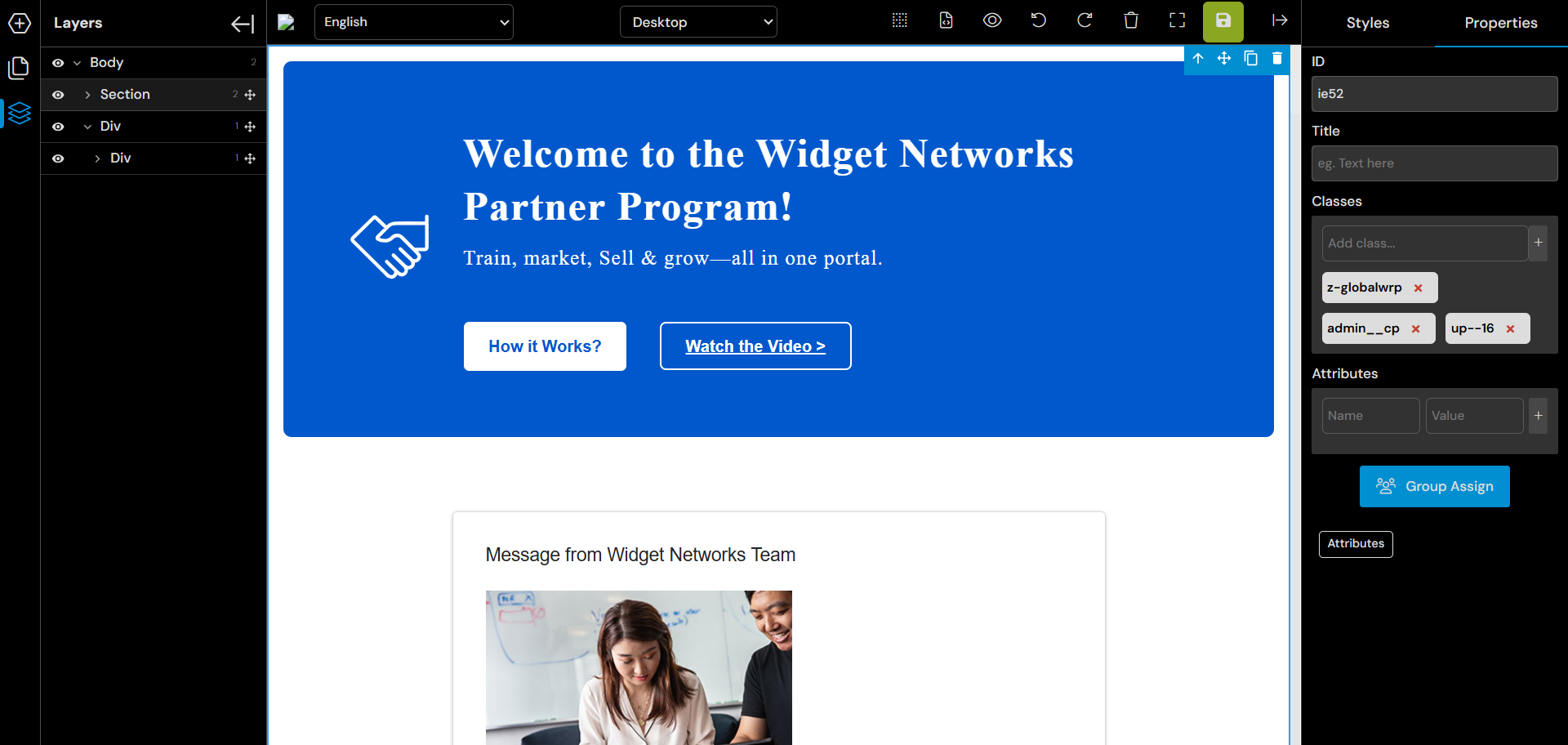
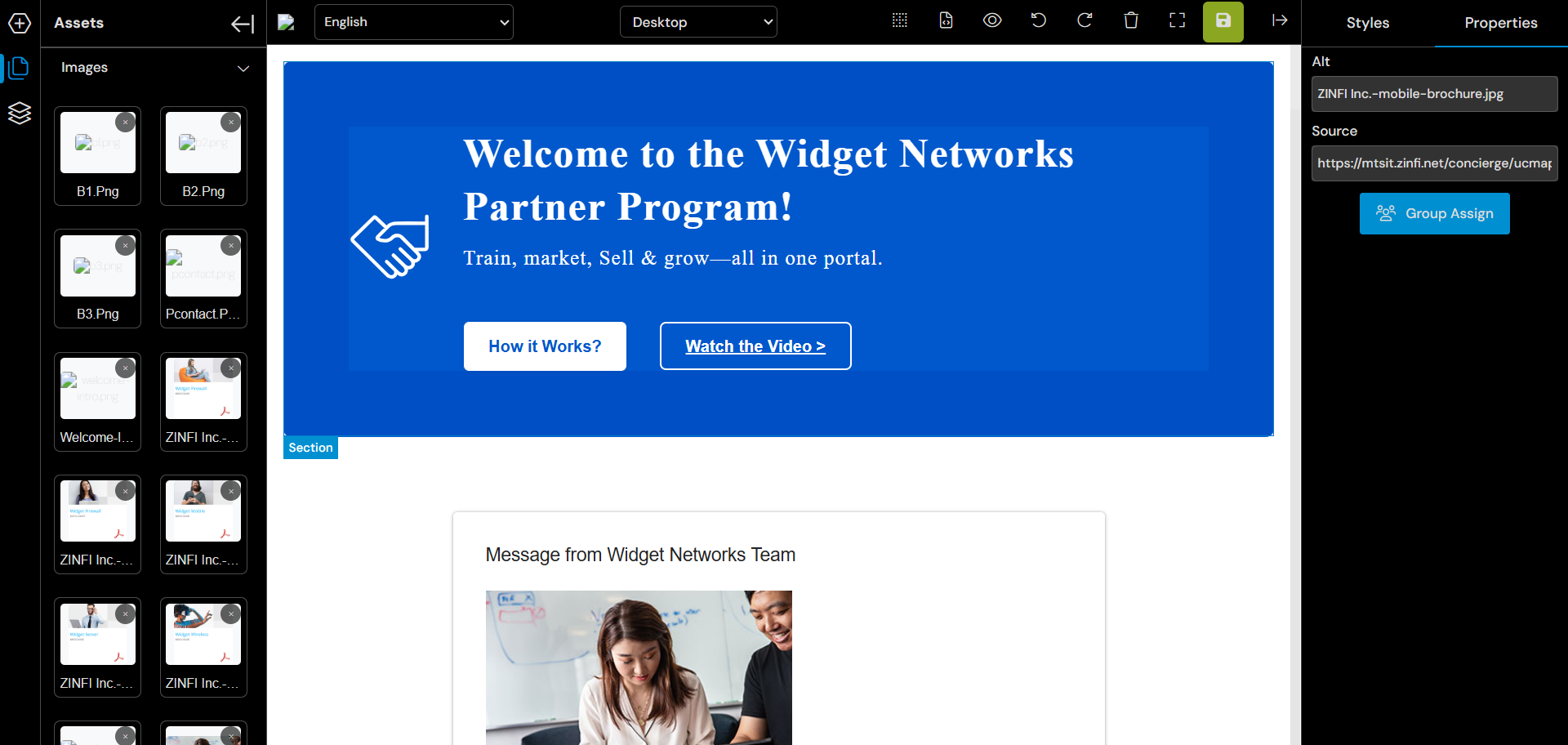
Click Save.
Note: The New CMS Editor is released as a Beta in this release. The existing editor remains available.
Origin of Feature
Product roadmap enhancement, shaped by customer feedback. This feature was introduced to modernize and simplify content authoring.
CX Strategy Relation (6 S’s)
 Simplicity
Portal User-Facing Benefits
This feature allows content authors to build web and email content faster, with a cleaner and more modern editing experience.