

Overview
Within the Sell module, Referral Deals management bridges partner lead generation and vendor sales execution. Referral partners submit qualified prospects to the vendor brand, providing opportunity details, expected deal amounts, and projected closing timelines. Administrators configure the underlying selling workflows and review inbound submissions to prevent channel conflict, validate partner eligibility, and maintain clear governance across the partner ecosystem.
Once submitted, referral deals flow through approval queues where administrators can accept, reject, or request adjustments. Accepted deals remain visible with their current approval statuses, partner association types, and financial values, establishing an auditable pipeline. Upon deal closure, validated referral revenue feeds directly into the Incentivize module to trigger accurate partner commissions and payouts.
Key Features
- Referral Deal Tracking
- Approval Status Monitoring
- Pipeline Value Visibility
- Custom List Views
- Data Export and Filtering
Navigating to Referral Deals
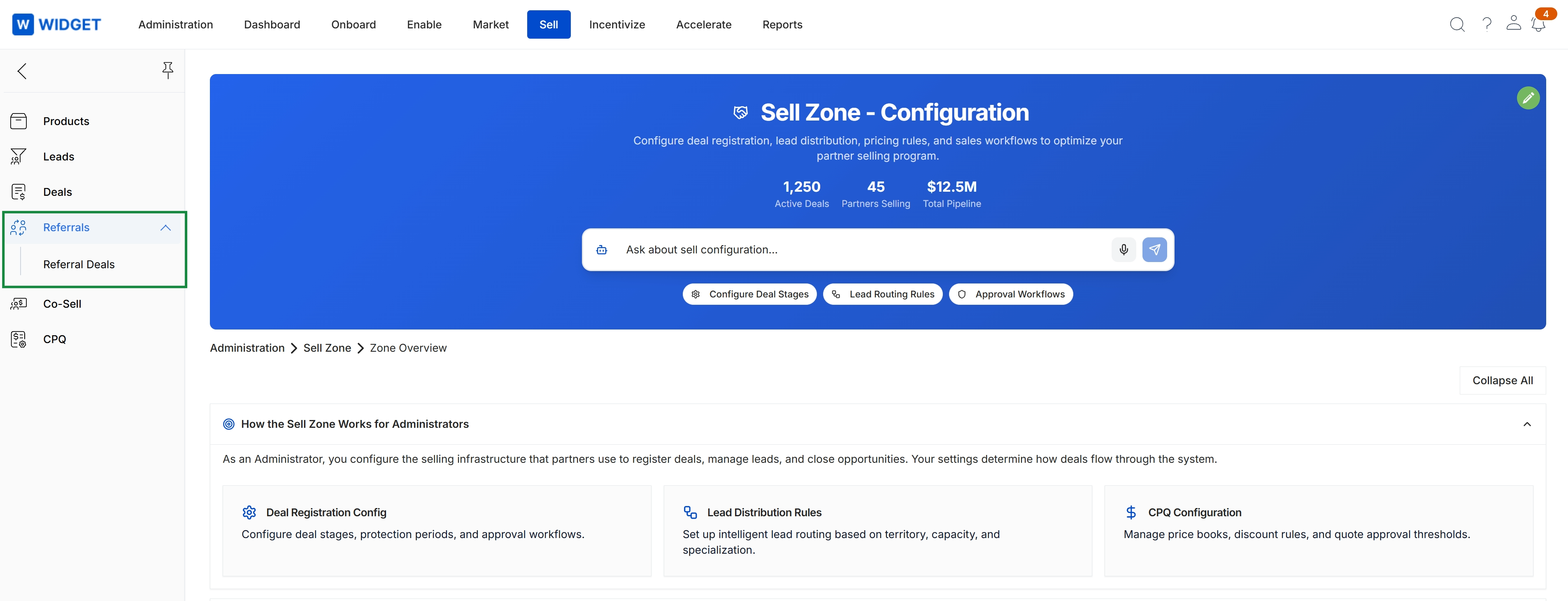
In the left navigation menu, click Referrals → Referral Deals.
Viewing and Managing Referral Deals
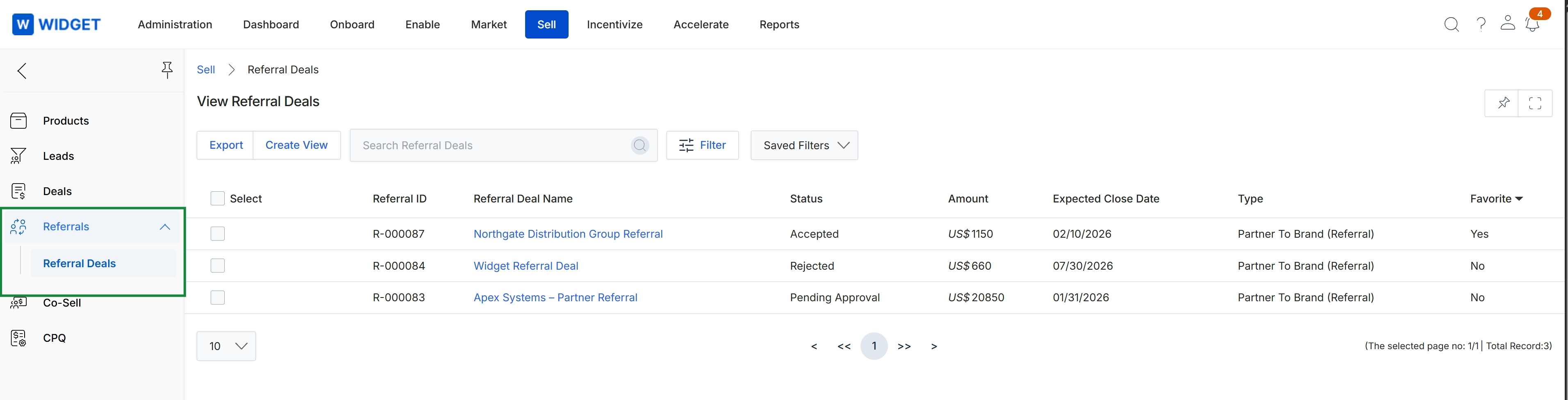
This screen presents the Referral Deals management list within the Sell module, displaying partner-submitted referral deals alongside their approval statuses, financial values, and projected close dates. It enables program administrators to review partner-to-brand opportunities as they progress through evaluation states such as Pending Approval, Accepted, or Rejected. Tracking these referral engagements establishes formal sales attribution, serving as the operational foundation for downstream commission and reward qualification.
Frequently asked questions
- What does the Referral Deals management feature do?
It serves as the central repository for monitoring and reviewing partner-submitted sales referrals. Administrators use it to track deal progression, evaluate projected values and timelines, and process submissions through approval workflows.
- How does referral deal validation connect to partner payouts?
Once validated deals close, revenue data feeds directly into the Incentivize module. This automated connection triggers accurate partner commission calculations and payouts.
- How do administrators navigate to the Referral Deals view?
In the left navigation menu, click Referrals and select Referral Deals.
- What evaluation states can referral deals hold in the list view?
Referral deals can progress through evaluation states including Pending Approval, Accepted, and Rejected. Accepted deals remain visible with their approval statuses, partner associations, and financial values.