

Overview
The Market module empowers vendors to drive demand generation through their partner ecosystem by providing a comprehensive suite of co-marketing tools. This includes the ability to create and manage various types of campaigns, from email blasts and microsites to social media syndication and events. By centralizing campaign assets and guidelines, the platform ensures brand consistency and simplifies execution for partners.
Administrators can define campaign objectives, allocate budgets, and specify eligible partner types and tiers. Partners, in turn, can easily discover and launch these pre-approved campaigns directly from their portal, leveraging vendor-provided content and tracking tools to generate leads and grow their business.
Key Features
- Campaign Library Management
- Multi-Tactic Campaigns
- Campaign Performance Tracking
- Partner Access Control
- AI-Recommended Campaigns
Accessing the Campaign Library
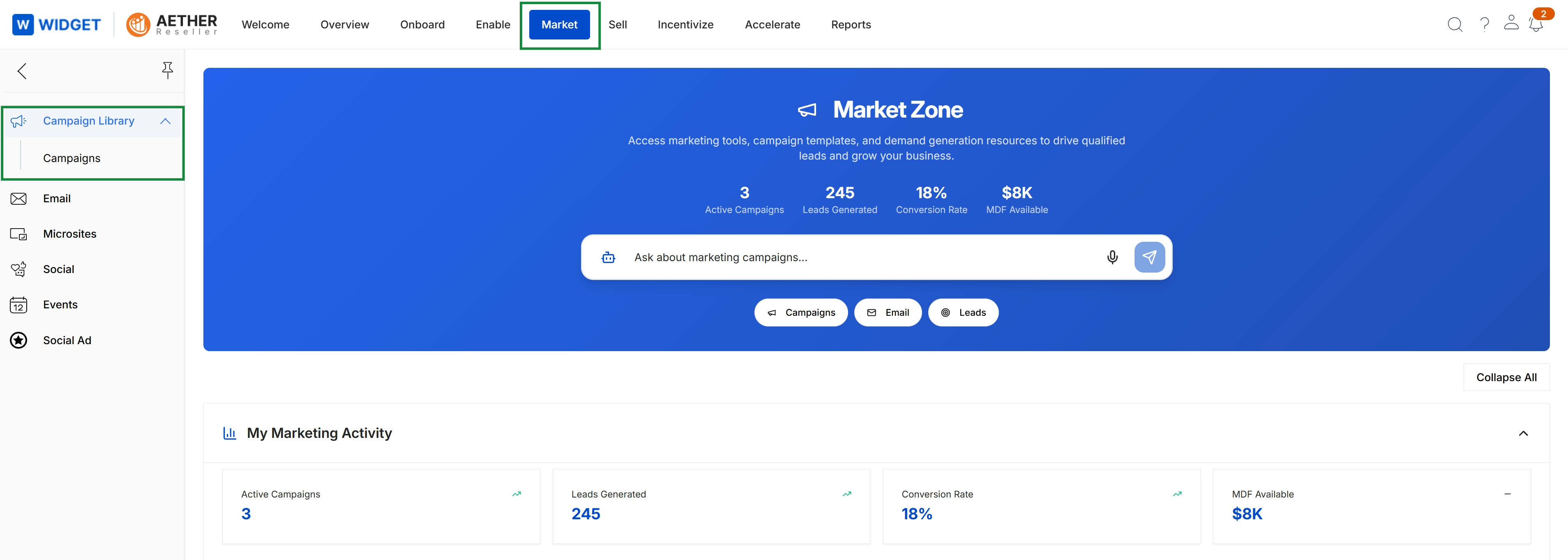
Click Market in the top navigation bar, then click Campaigns in the left navigation panel.
Viewing Available Campaigns
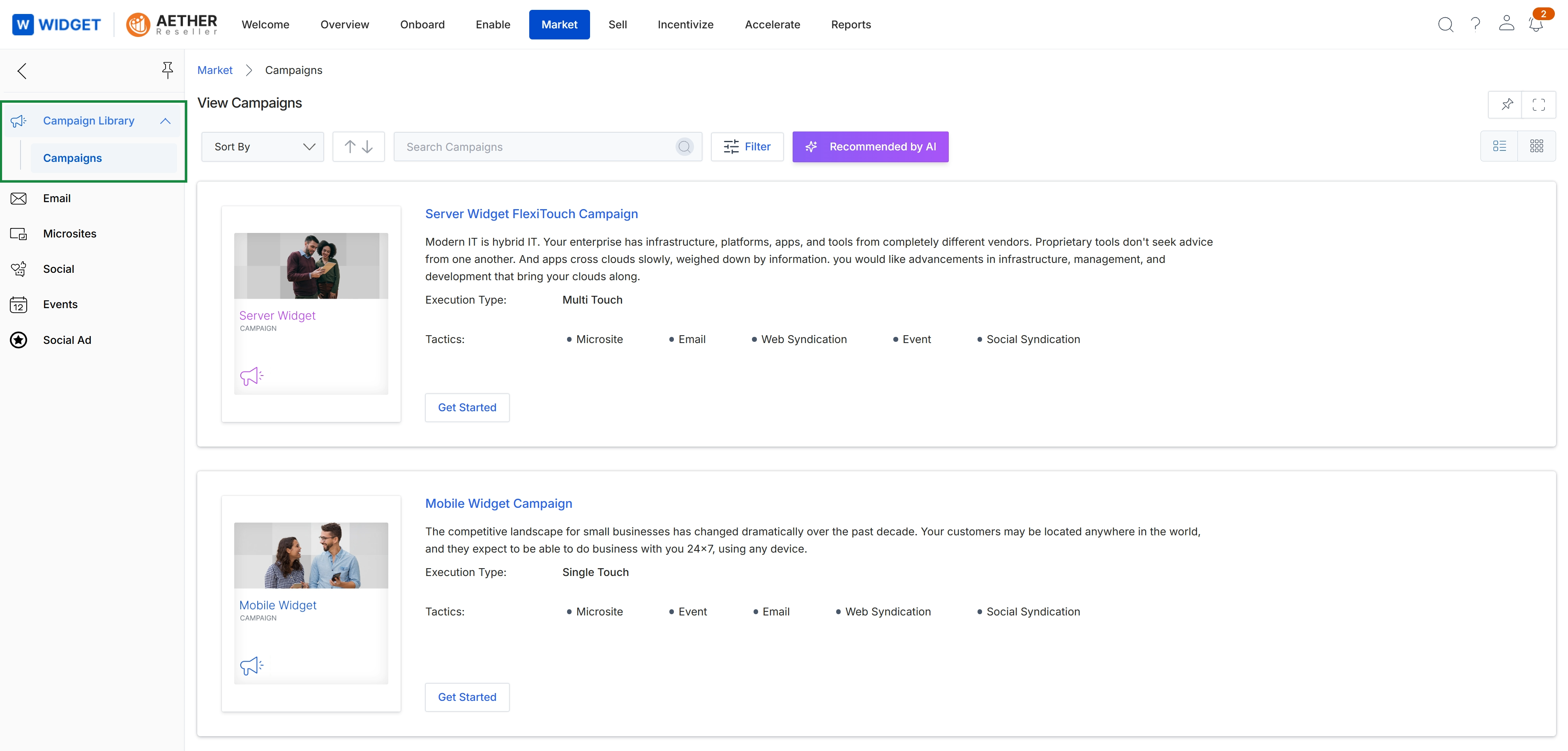
This screen displays a library of marketing campaigns available to partners within the Market module. It provides an overview of various campaigns, detailing their execution type, a brief description, and the marketing tactics involved, such as microsites, email, web syndication, events, and social syndication. Partners use this view to browse and select campaigns that align with their marketing strategies, serving as the entry point for executing co-marketing activities defined by the vendor.
Frequently asked questions
- What is the purpose of the Campaigns module?
The Campaigns module serves as a central repository and management tool for all marketing campaigns available to partners. It allows vendors to drive demand generation through their partner ecosystem.
- How do administrators use the Campaigns module?
Administrators use it to define, publish, and manage co-marketing initiatives. They can set objectives, allocate budgets, and specify eligible partner types and tiers.
- How do partners use the Campaigns module?
Partners can easily discover and launch pre-approved campaigns directly from their portal. They leverage vendor-provided content and tracking tools to generate leads and grow their business.
- What types of marketing campaigns can be managed?
The module supports various campaign types, including email blasts, microsites, social media syndication, and events. It centralizes assets and guidelines for brand consistency.
- How do I access the Campaign Library?
Click 'Market' in the top navigation bar, then click 'Campaigns' in the left navigation panel. This displays the library of available campaigns for partners.