

Overview
The Incentivize module is crucial for managing all financial rewards and incentives offered to partners, including commissions, rebates, and market development funds (MDF). Sales commissions are a primary mechanism for incentivizing partners to drive sales and achieve revenue targets. This module ensures that all commission-generating activities, such as closed deals or accepted leads, are accurately tracked and processed according to predefined commission rules. Effective management of sales commissions is vital for maintaining partner satisfaction and fostering a high-performing channel.
Key Features
- Commission Tracking
- Partner Earnings Summary
- Detailed Commission List
- Search & Filter Commissions
- View Commission Details
- Incentivize Zone Overview
Accessing the Incentivize Zone
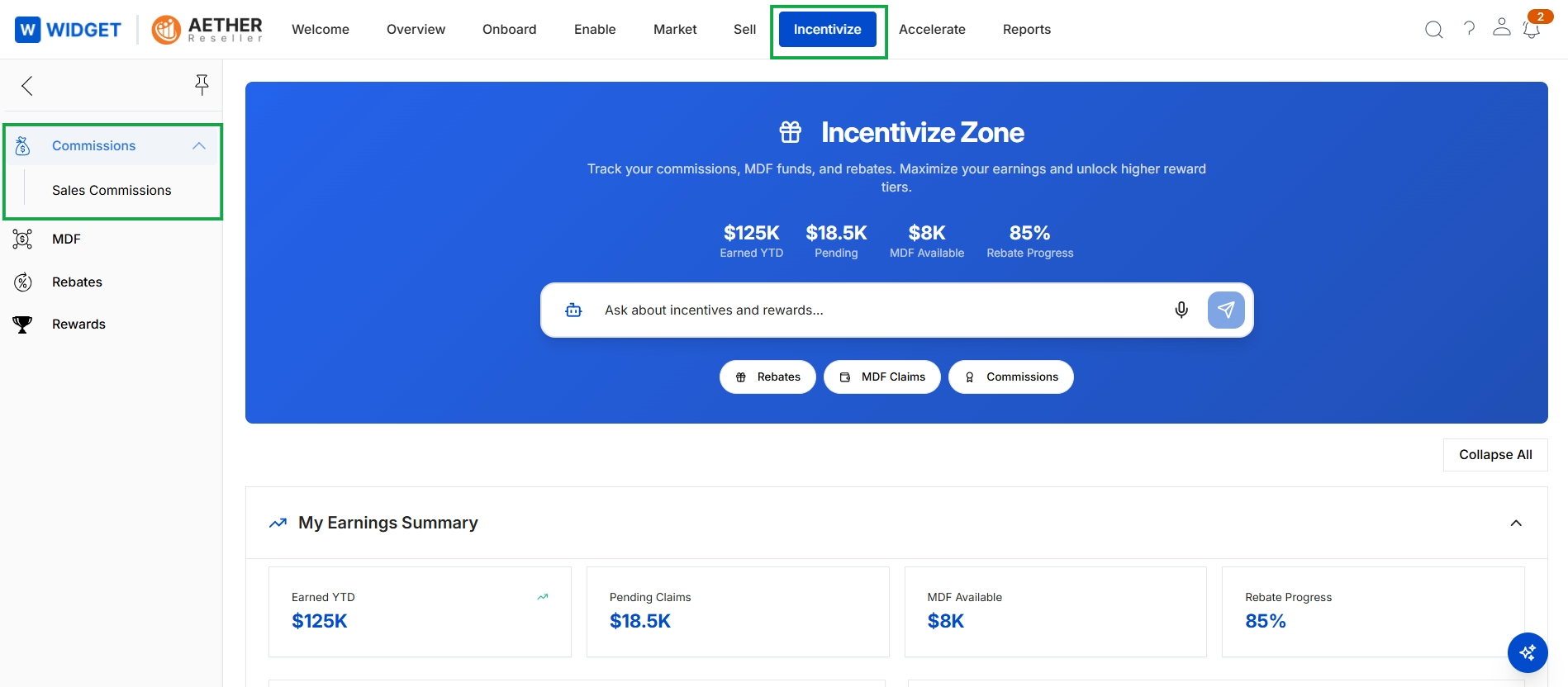
Click Incentivize → Commissions → Sales Commissions.
Viewing Sales Commissions
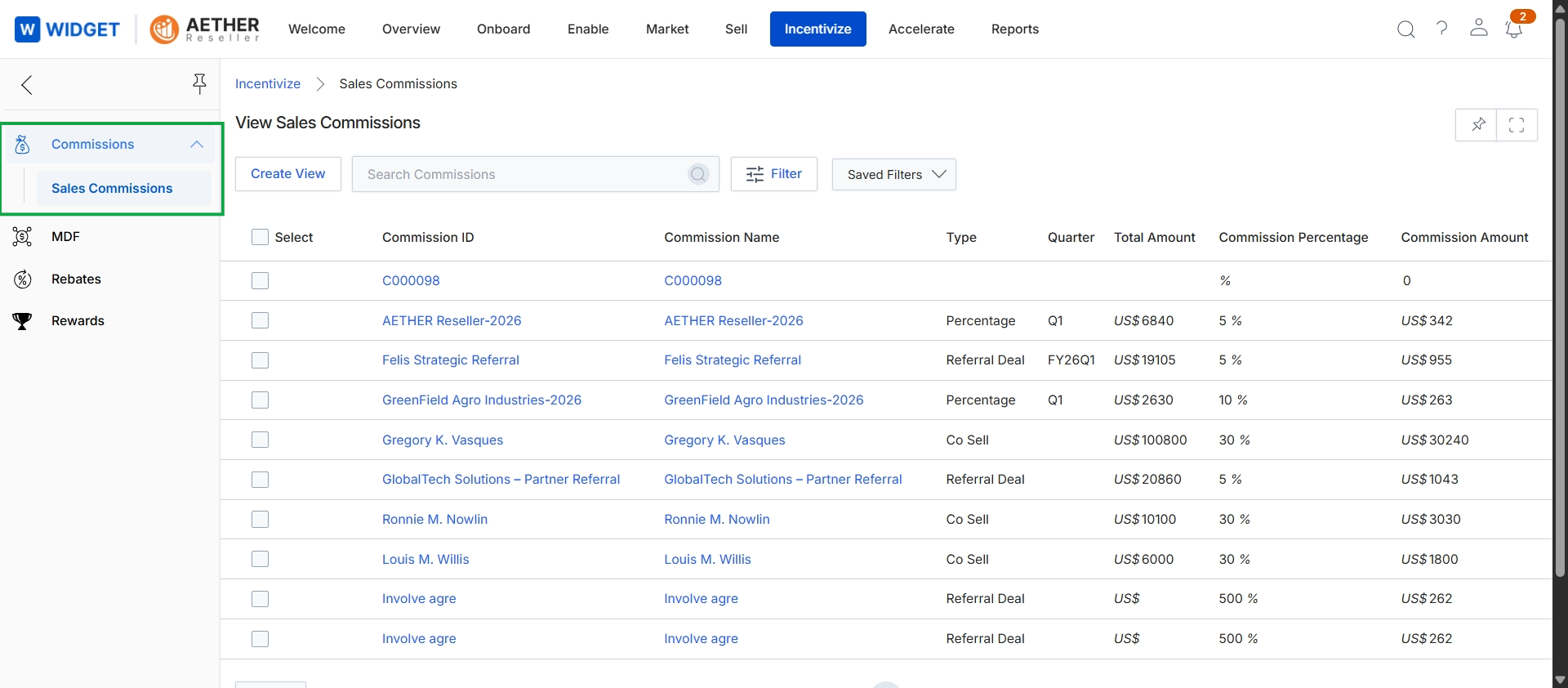
This screen displays a comprehensive list of sales commissions that have been accrued for partners within the Incentivize module. It provides a centralized view for administrators to monitor individual commission records, showing details such as the Commission ID, Commission Name, Type, Quarter, Total Amount, Commission Percentage, and the calculated Commission Amount. This view is essential for tracking the financial rewards generated by partner activities, allowing for review and management of the commission accrual process before payments are disbursed.
Frequently asked questions
- What is the primary function of the Commissions module?
The Commissions module provides administrators with a centralized interface to view, track, review, and process all sales commissions earned by partners. It ensures accurate and timely payouts for various sales activities.
- What types of financial rewards does the Incentivize module manage?
The Incentivize module handles various financial rewards and incentives for partners, including commissions, rebates, and market development funds (MDF).
- How does the module track commission-generating activities?
The module accurately tracks commission-generating activities, such as closed deals or accepted leads, and processes them according to predefined commission rules.
- What information is visible in the Sales Commissions list view?
The Sales Commissions list view displays details like Commission ID, Commission Name, Type, Quarter, Total Amount, Commission Percentage, and the calculated Commission Amount for each record.
- How can I access the Sales Commissions feature?
Navigate to the Incentivize module, then select Commissions, and finally Sales Commissions to access this feature.