

Overview
The Incentivize module is crucial for managing all financial rewards for partners, including commissions on deals, rebates, SPIFs, and merchandise. Sales commissions are a core component of partner incentives, directly linking partner performance in the Sell module (e.g., closing deals) to their financial rewards. These commissions are typically generated automatically based on pre-configured Commission Rules, which define how partners earn rewards for specific events like closed-won deals or accepted leads.
This feature allows administrators to oversee the individual instances of commissions generated. Each entry represents a calculated reward based on a partner's sales activity, detailing the percentage or flat amount earned from a specific deal or set of deals. This visibility is essential for finance teams and program managers to verify accruals, understand payout calculations, and address any partner queries regarding their earned commissions.
Accessing the Sales Commissions List
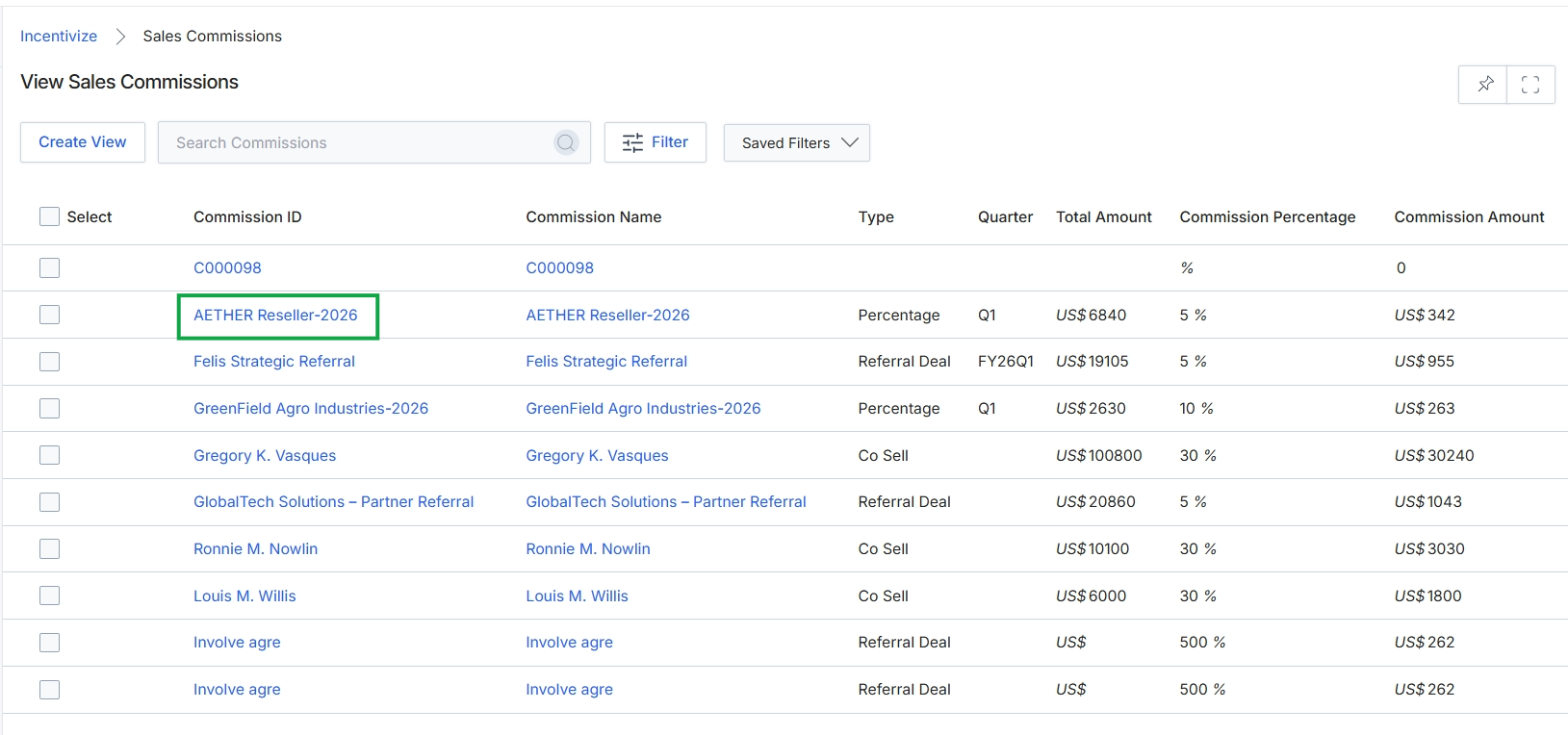
Click the link for the desired commission, for example, AETHER Reseller-2026.
Viewing Individual Commission Details
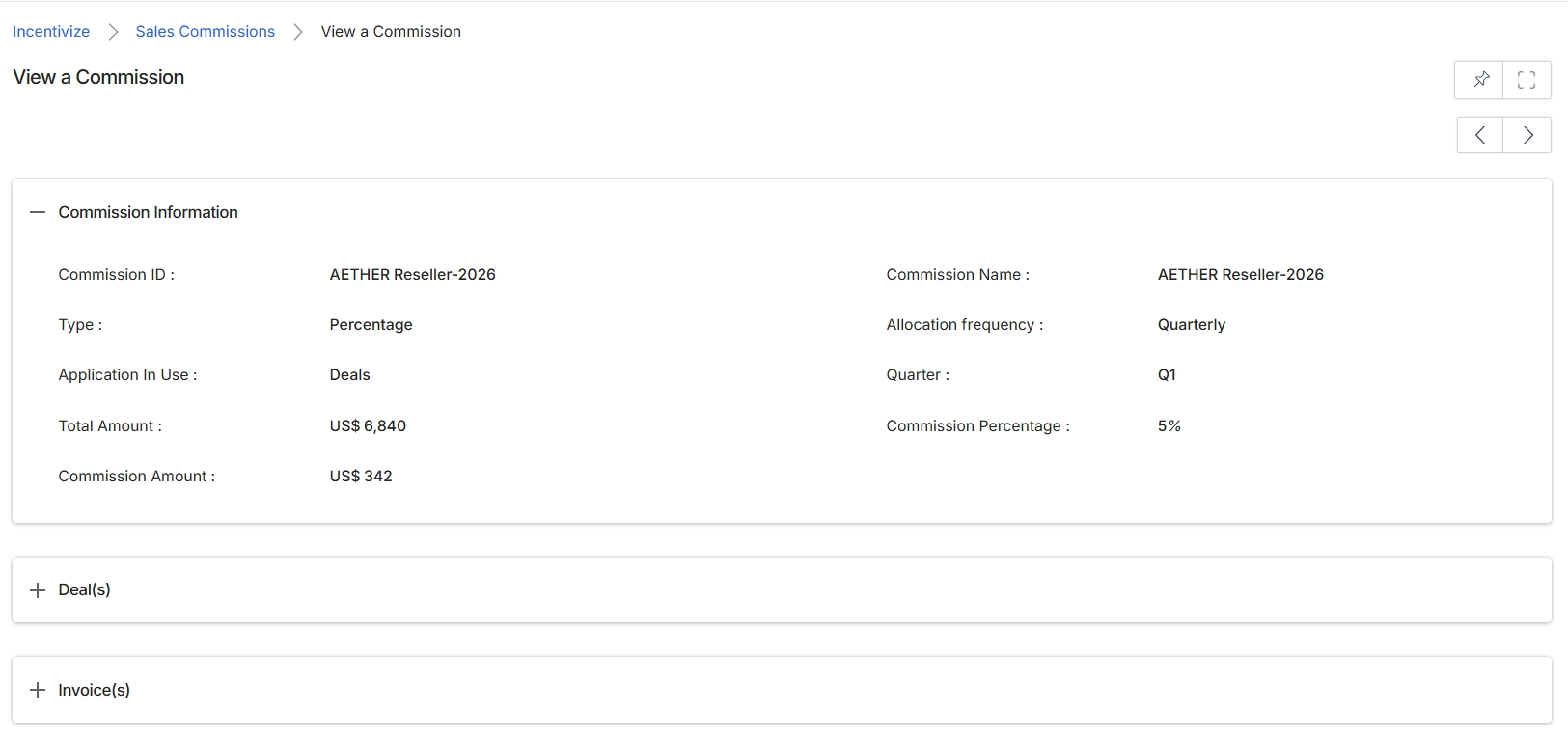
This screen provides a detailed view of a specific sales commission record within the Incentivize module. It displays all relevant information about the commission, including its unique identifier, name, type (e.g., percentage-based), the module or application it originated from (e.g., Deals), and the financial details such as the total amount on which the commission was calculated, the final commission amount, and the percentage applied. Additionally, it shows administrative details like the allocation frequency and the specific quarter it pertains to. This view allows administrators to review the specifics of an individual commission, understand its calculation, and see which deals or invoices are associated with it.
Review the detailed information for the selected sales commission.
Commission Information
| Field | Description |
|---|---|
| Commission ID | A unique identifier assigned to this commission record. |
| Type | Indicates the method by which the commission was calculated, such as a 'Percentage' of a total amount. |
| Application In Use | Specifies the module or entity from which the commission originated, such as 'Deals'. |
| Total Amount | The total monetary value on which the commission was calculated. |
| Commission Amount | The final calculated monetary value of the commission. |
| Commission Name | The name given to this commission record. |
| Allocation frequency | Describes how often this commission is allocated, such as 'Quarterly'. |
| Quarter | The specific financial quarter to which this commission applies. |
| Commission Percentage | The percentage rate used to calculate the commission amount. |
Fields
| Field | Description |
|---|---|
| Deal(s) | An expandable section that would display a list of deals associated with this commission. |
| Invoice(s) | An expandable section that would display a list of invoices related to this commission. |