

Overview
Effective partner engagement is crucial for the success of any channel program. The Communities feature within the Accelerate module facilitates this by providing dedicated spaces where partners can connect, ask questions, share best practices, and access peer support. This can significantly reduce the burden on vendor support teams by enabling self-service problem-solving and fostering a stronger sense of community among partners.
For administrators, this module offers the tools to create and manage these communities, ensuring they are relevant and well-moderated. Partners can customize their notification preferences to stay informed about discussions pertinent to their interests, enhancing their overall experience and encouraging active participation. This collaborative environment ultimately helps partners to be more successful and engaged with the vendor's program.
Accessing Partner Communities
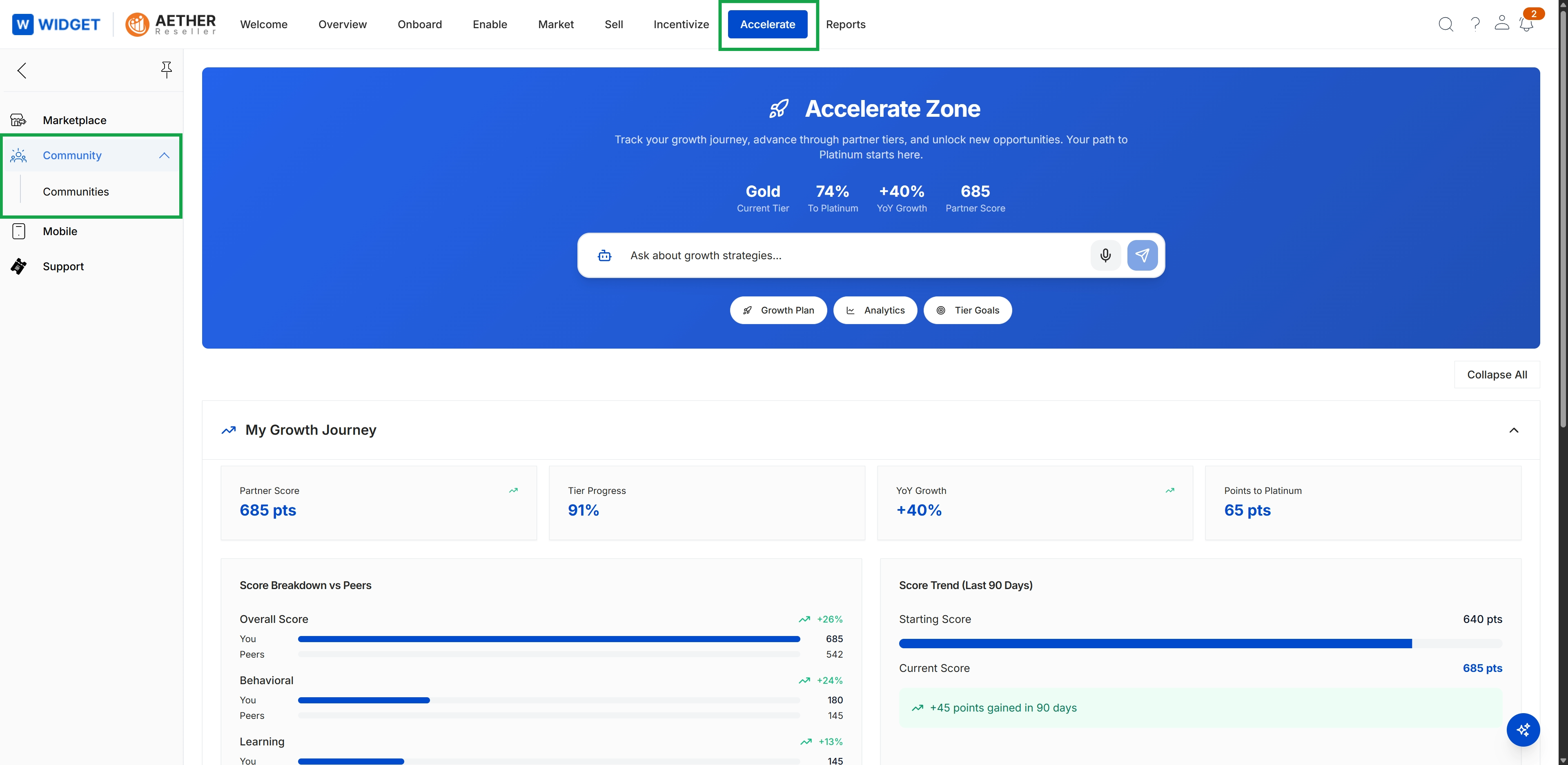
Click Accelerate → Community → Communities.
Viewing and Managing Communities
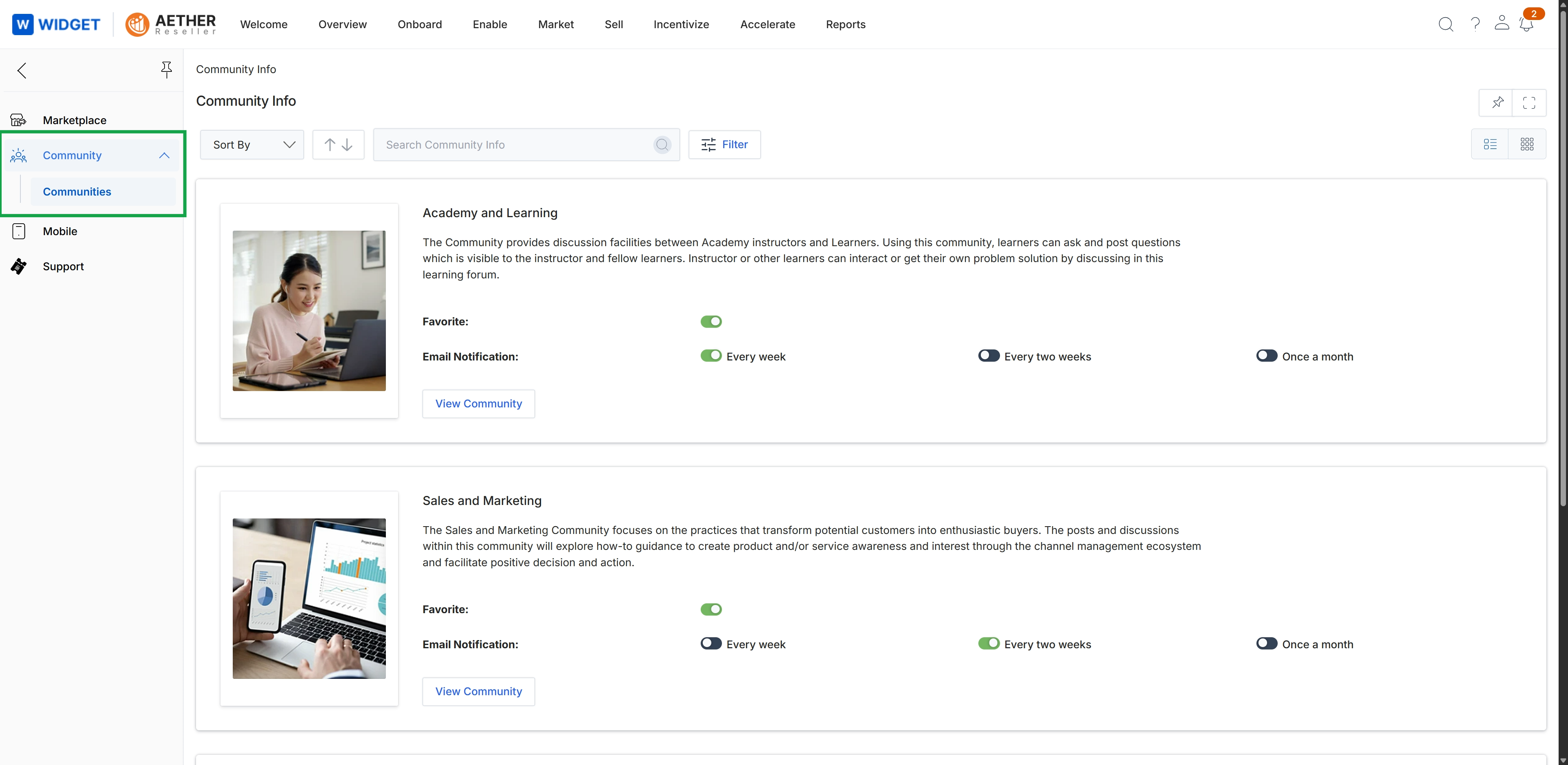
This screen displays a list of available communities within the platform, providing an overview of each community's purpose and allowing partners to manage their engagement. For each community, partners can mark it as a favorite and configure their email notification frequency, enabling them to stay informed about discussions and updates. This view serves as a central hub for partners to discover and interact with various discussion groups, fostering collaboration and knowledge sharing within the ecosystem.