

Overview
The Marketplace Management module facilitates transactions where partners can buy or sell solutions, services, or products. The 'View an Order' functionality is crucial for administrators to oversee the operational aspects of these transactions. It provides transparency into every order, from its creation to completion and payment, ensuring that all marketplace activities are properly recorded and accessible for review.
Viewing All Marketplace Orders
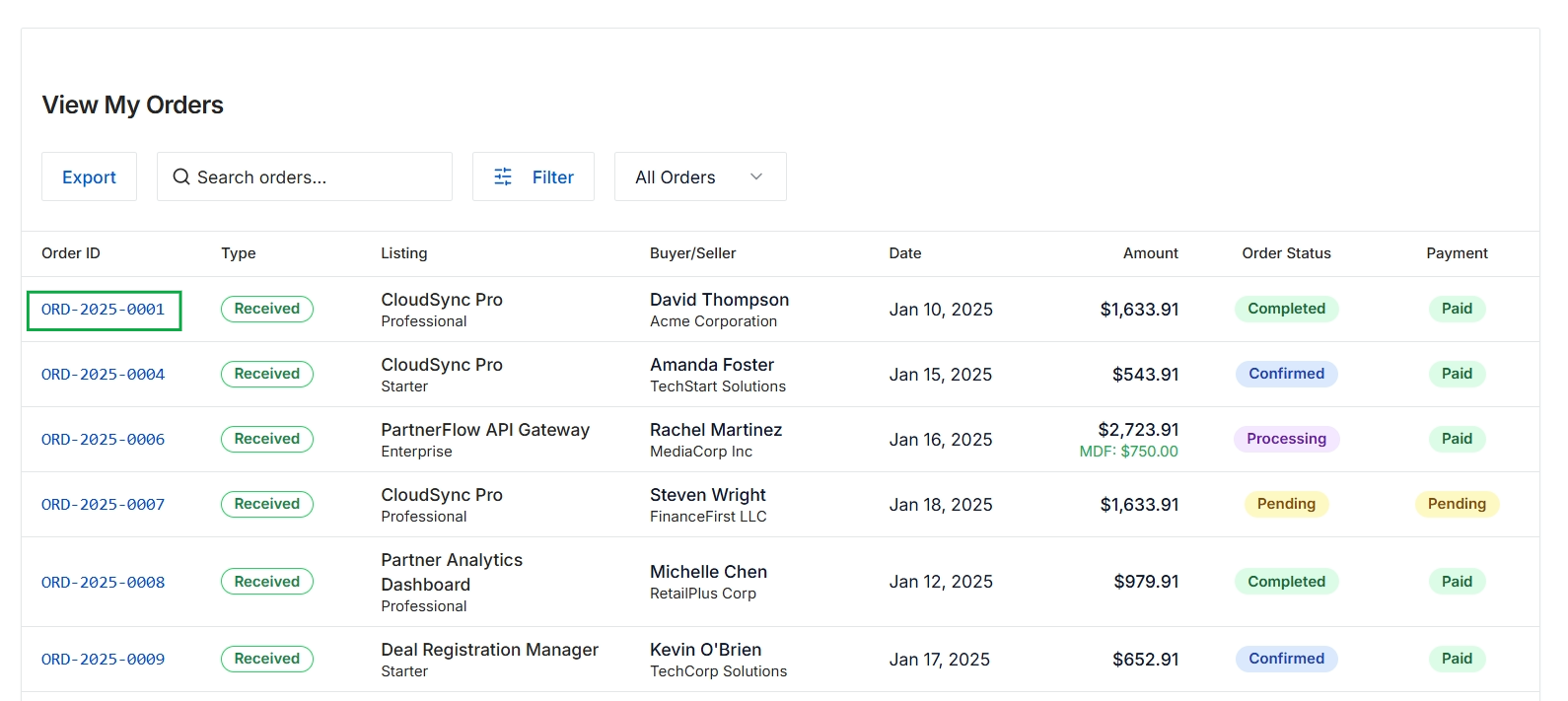
Click the ORD-2025-0001 link.
Reviewing Specific Order Details
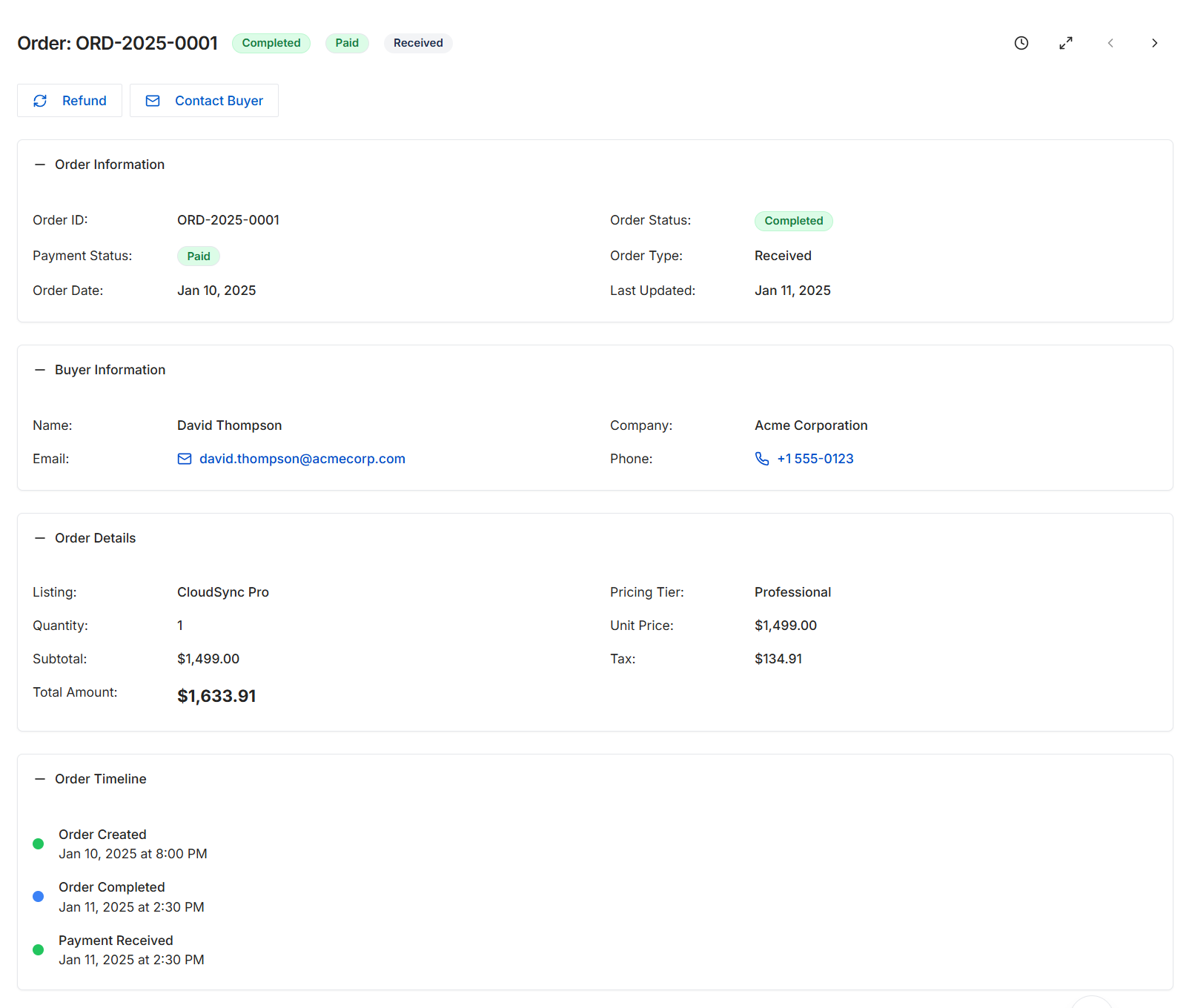
This screen provides a detailed view of a specific order within the Marketplace Management module. It consolidates all pertinent information about a transaction, including its current status, payment details, the buyer's contact information, and a breakdown of the ordered items. Administrators use this view to track the lifecycle of an order, verify its completion and payment status, and access necessary details for customer support or communication. The integrated order timeline offers a chronological record of key events related to the order's processing.
Review the detailed information for the selected order, including its status, buyer details, and order timeline.
Buttons
| Button | Description |
|---|---|
| Refund | Initiates the process to refund the order. |
| Contact Buyer | Opens a communication channel to contact the buyer associated with this order. |
Order Information
| Field | Description |
|---|---|
| Order ID | A unique identifier for the order. |
| Payment Status | Indicates the current payment status of the order (e.g., Paid). |
| Order Date | The date when the order was placed. |
| Order Status | The overall status of the order (e.g., Completed). |
| Order Type | The classification or type of the order (e.g., Received). |
| Last Updated | The date when the order information was last modified. |
Buyer Information
| Field | Description |
|---|---|
| Name | The full name of the buyer who placed the order. |
| The email address of the buyer. | |
| Company | The company associated with the buyer. |
| Phone | The contact phone number of the buyer. |
Order Details
| Field | Description |
|---|---|
| Listing | The name of the product or service listing that was ordered. |
| Quantity | The number of units ordered for the listing. |
| Subtotal | The total cost of the items before tax. |
| Total Amount | The final total amount charged for the order, including tax. |
| Pricing Tier | The specific pricing tier selected for the listing. |
| Unit Price | The price per unit of the ordered listing. |
| Tax | The amount of tax applied to the order. |
Order Timeline
| Field | Description |
|---|---|
| Order Created | Timestamp indicating when the order was initially created. |
| Order Completed | Timestamp indicating when the order was marked as completed. |
| Payment Received | Timestamp indicating when the payment for the order was successfully received. |