

Overview
The co-sell marketplace within the Accelerate module enables partners to discover each other for joint go-to-market initiatives, such as technology alliances or system integrator (SI) and independent software vendor (ISV) pairings. When partners identify potential synergies, they can initiate co-sell requests to explore collaborative selling opportunities. This module provides the administrative tools to oversee these interactions.
Key Features
- Co-Sell Request Tracking
- Request Status Monitoring
- Proposed Bundle Review
- Discount Visibility
- Request Filtering & Search
- Add New Co-Sell Request
- Request Export
- Bulk Request Management
Accessing Co-Sell Requests
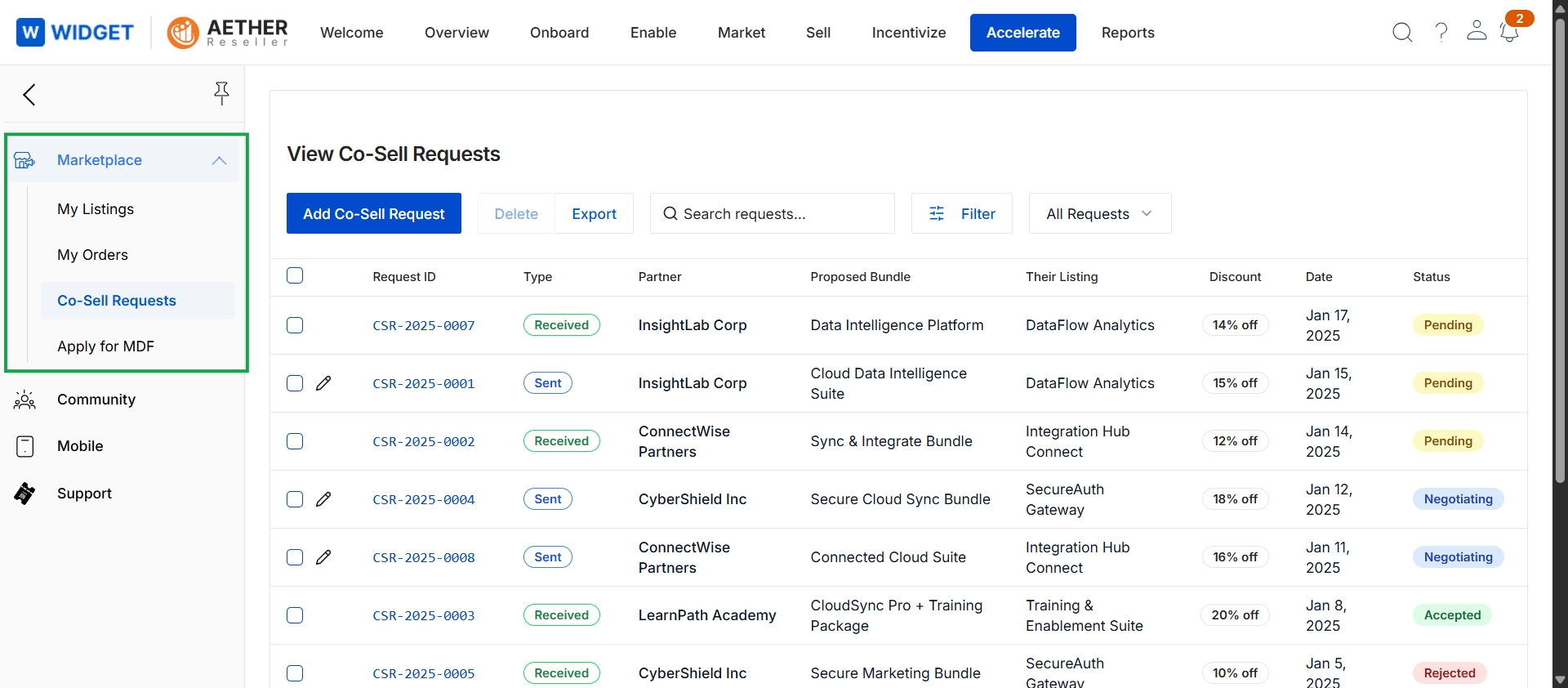
Click Co-Sell Requests in the left navigation menu.
Viewing and Filtering Requests
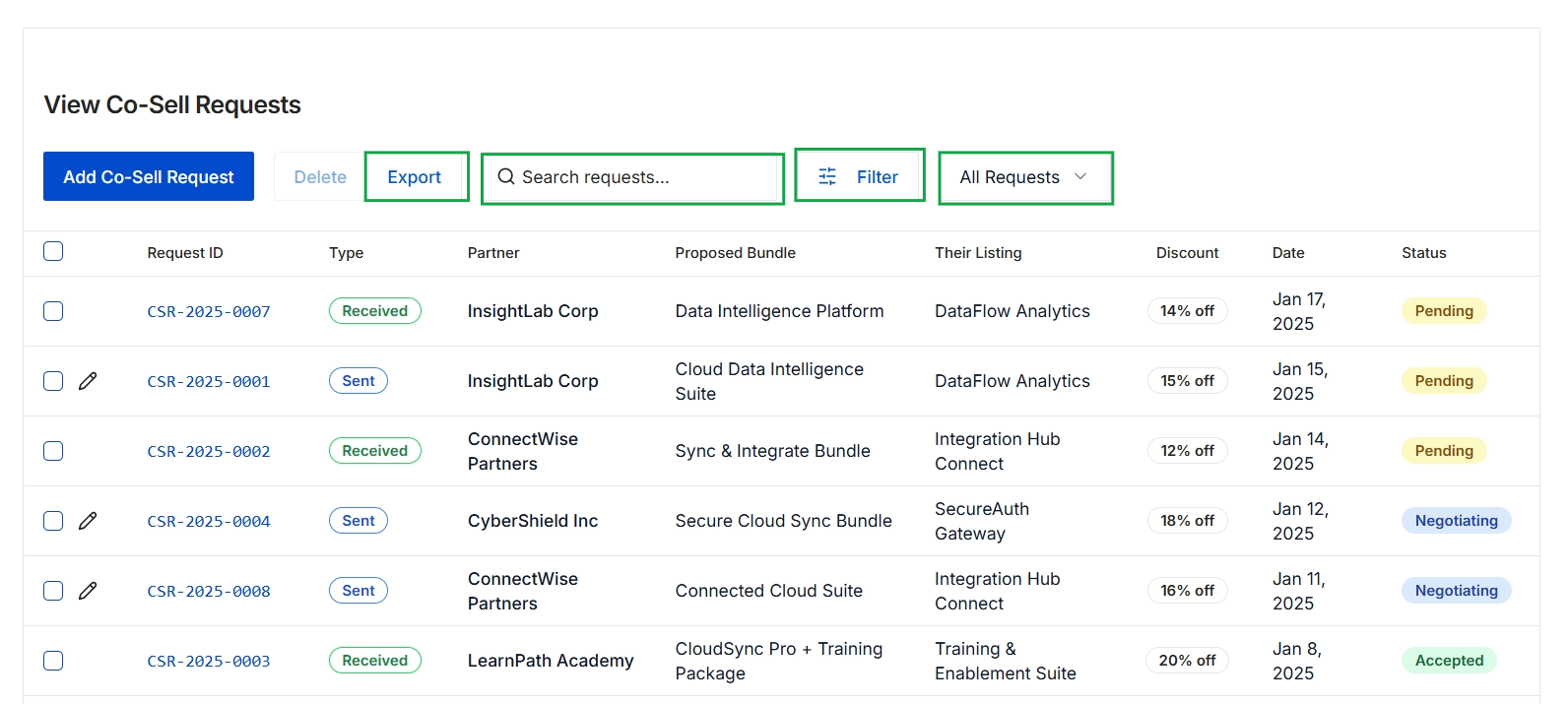
This screen displays a comprehensive list of co-sell requests, which are initiated when partners discover each other through the co-sell marketplace for joint go-to-market efforts. It provides an overview of each request, including its unique identifier, type (sent or received), the involved partner, the proposed bundle, their listing, any associated discount, the date of the request, and its current status. This view allows administrators to monitor the progress and manage the lifecycle of all co-sell engagements within the platform.
Managing Co-Sell Requests
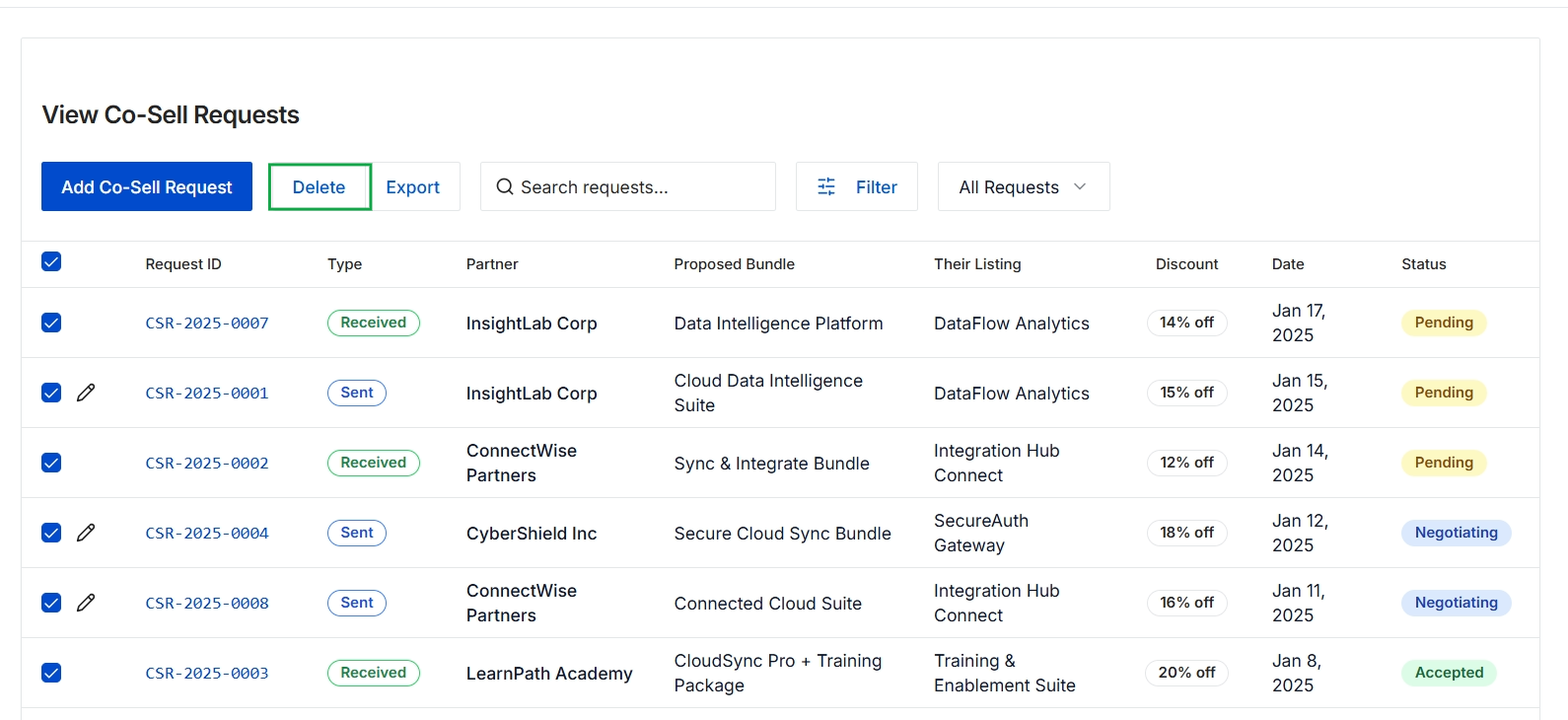
Click the Delete button.
Frequently asked questions
- What is the purpose of the Co-Sell Requests feature?
This feature provides a central interface for administrators and partners to view and manage all co-sell requests initiated within the marketplace. It allows for tracking status, reviewing proposed bundles, and managing co-selling opportunities.
- Who can view co-sell requests?
UPM administrators and channel partners can view co-sell requests. Administrators have comprehensive tools to oversee these interactions.
- What information is displayed for each co-sell request?
Each request shows a unique identifier, type (sent or received), the involved partner, proposed bundle, listing, associated discount, date of the request, and its current status.
- How do partners initiate co-sell requests?
Partners discover each other in the co-sell marketplace for joint go-to-market initiatives and can initiate co-sell requests to explore collaborative selling opportunities.
- What key features are available for co-sell requests?
Key features include tracking, status monitoring, proposed bundle review, discount visibility, request filtering and search, adding new requests, exporting, and bulk management.