

Overview
Market Development Funds (MDF) are financial contributions provided by vendors to partners to support joint marketing and sales activities. The MDF application process enables partners to request funding for specific campaigns or initiatives. This module provides administrators with the tools to efficiently manage these applications, ensuring that funds are allocated strategically and align with program objectives. It tracks the requested and approved amounts, campaign periods, and the status of each application.
Key Features
- MDF Application Management
- View Application Status
- Edit Application Details
- Fund Allocation Tracking
- Campaign Period Definition
- Application Timeline
Viewing MDF Applications
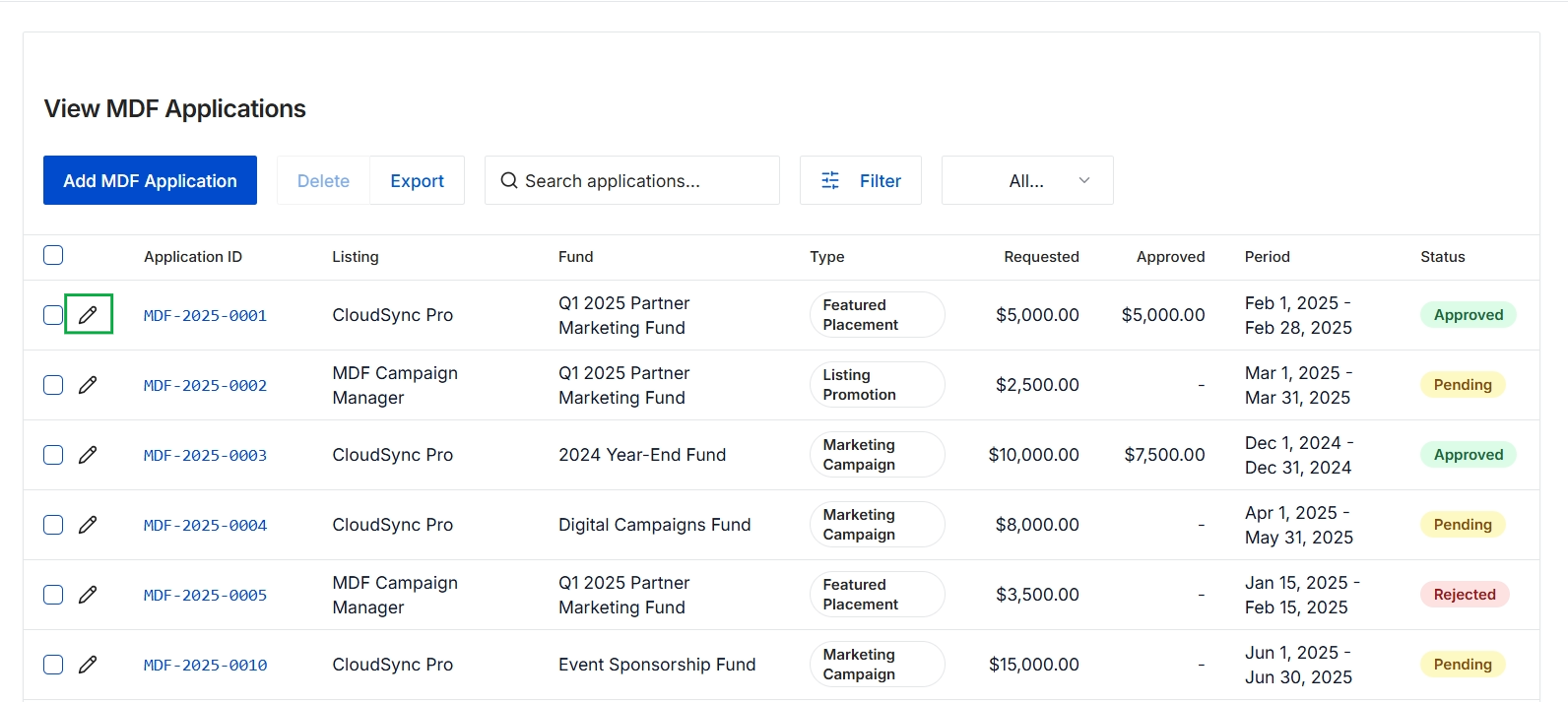
Click the Add MDF Application button.
Editing an Existing MDF Application
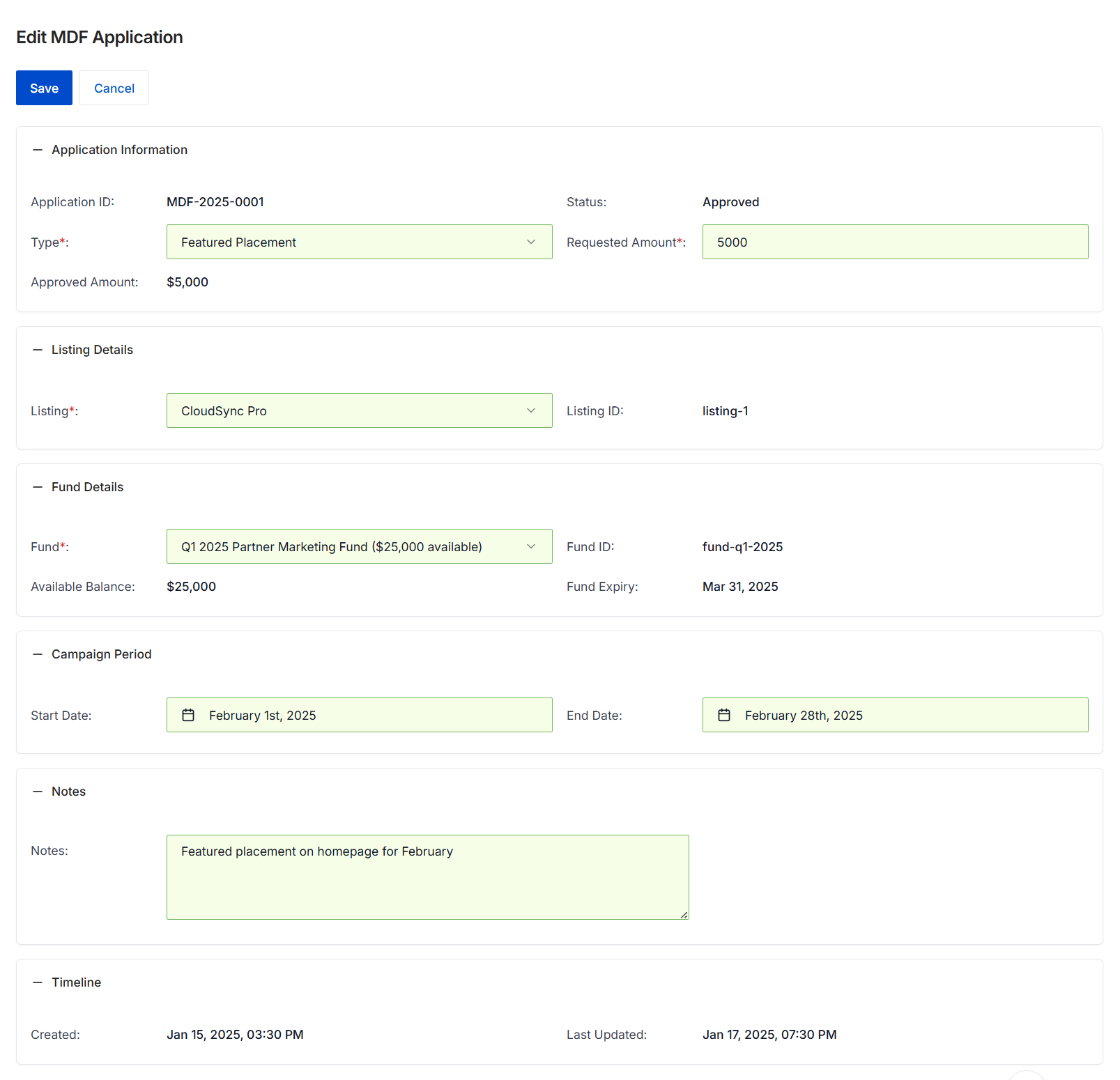
This screen displays the details of an existing Market Development Fund (MDF) application, allowing vendor administrators to review and potentially modify its information. MDF applications are used by partners to request funding for marketing activities, and this form provides a comprehensive view of the application's status, requested and approved amounts, associated marketing listing, funding source, and campaign period. Administrators can use this interface to track the application's lifecycle, ensure it aligns with program guidelines, and manage its approval status. The form also includes a timeline for auditing creation and last update details, providing transparency into the application's history.
Review or edit the details of the MDF application as needed.
Buttons
| Button | Description |
|---|---|
| Save | Saves any changes made to the MDF application. |
| Cancel | Discards any changes and returns to the previous view. |
Application Information
| Field | Description |
|---|---|
| Application ID | A unique identifier for the MDF application. |
| Type* | The type of marketing activity for which the MDF is requested, such as 'Featured Placement'. |
| Status | The current approval status of the MDF application, such as 'Approved'. |
| Requested Amount* | The amount of funding originally requested by the partner for the marketing activity. |
| Approved Amount | The final amount of funding approved for the MDF application. |
Listing Details
| Field | Description |
|---|---|
| Listing* | The specific marketing listing or asset associated with this MDF application. |
| Listing ID | A unique identifier for the associated marketing listing. |
Fund Details
| Field | Description |
|---|---|
| Fund* | The specific marketing fund from which the requested amount will be drawn, showing the available balance. |
| Fund ID | A unique identifier for the marketing fund. |
| Available Balance | The remaining balance in the selected marketing fund. |
| Fund Expiry | The expiration date of the selected marketing fund. |
Campaign Period
| Field | Description |
|---|---|
| Start Date | The planned start date for the marketing campaign or activity. |
| End Date | The planned end date for the marketing campaign or activity. |
Notes
| Field | Description |
|---|---|
| Notes | Additional notes or descriptions related to the MDF application. |
Timeline
| Field | Description |
|---|---|
| Created | The date and time when the MDF application was initially created. |
| Last Updated | The date and time when the MDF application was last modified. |
Frequently asked questions
- What is the purpose of the MDF application feature?
This feature allows administrators to manage Market Development Fund (MDF) applications submitted by partners. It provides a centralized view for reviewing, editing, and approving or rejecting funding requests.
- Who uses this feature?
UPM administrators use this feature to oversee partner MDF applications. Partners submit applications for funding marketing and sales activities.
- What details can administrators track for an MDF application?
Administrators can track the application ID, type, status, requested and approved amounts, associated marketing listing details, funding source, campaign period, and a timeline of creation and last update.
- How do administrators manage the application lifecycle?
Administrators can review and modify application details, track its status, ensure it aligns with program guidelines, and manage its approval status, with options to save or cancel changes.