

Overview
The 'My Orders' section within the Accelerate module is crucial for partners engaged in the co-sell marketplace. It serves as a comprehensive log of all transactions, whether a partner has purchased a solution from another partner or sold their own solution. This visibility is essential for managing pipeline, reconciling payments, and ensuring that all marketplace interactions are transparently recorded and easily accessible.
Accessing Your Orders
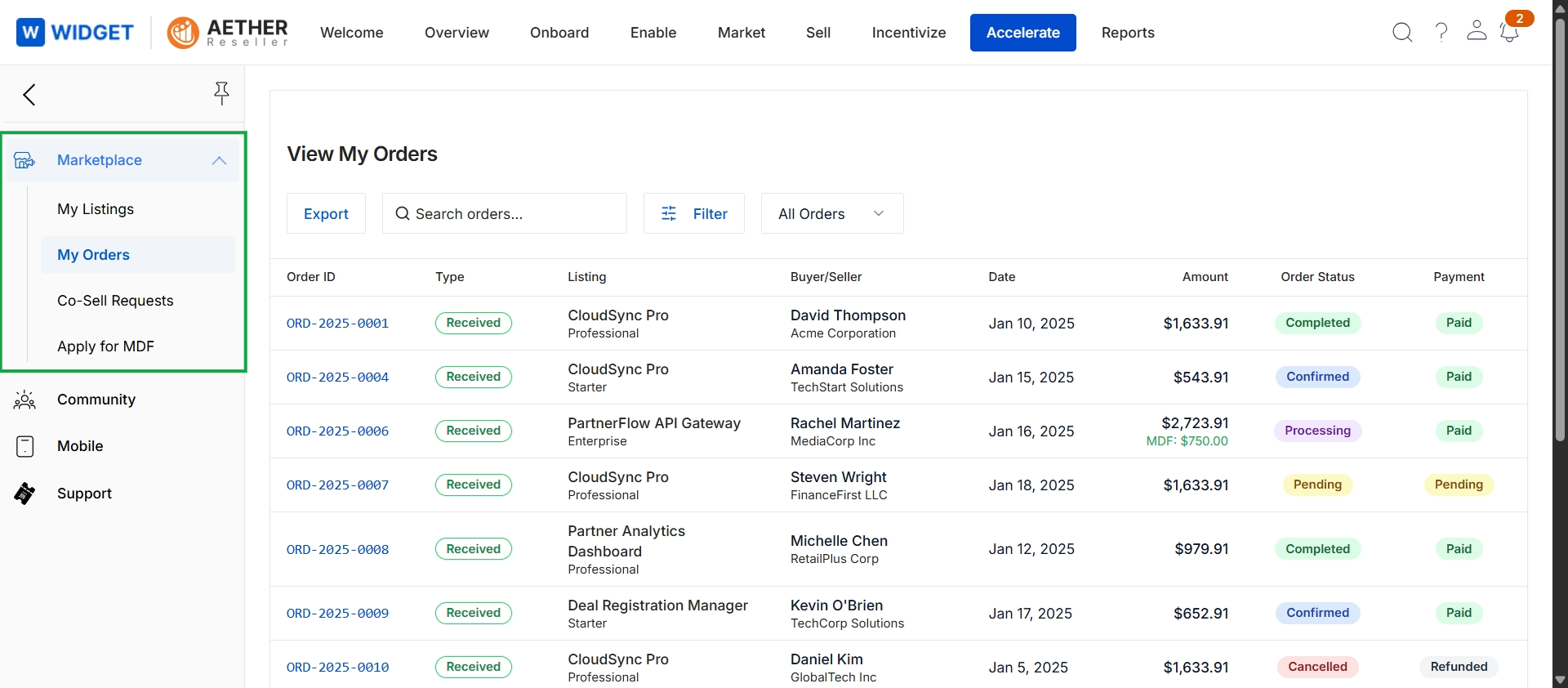
Click Accelerate → Marketplace → My Orders.
Viewing and Managing Orders
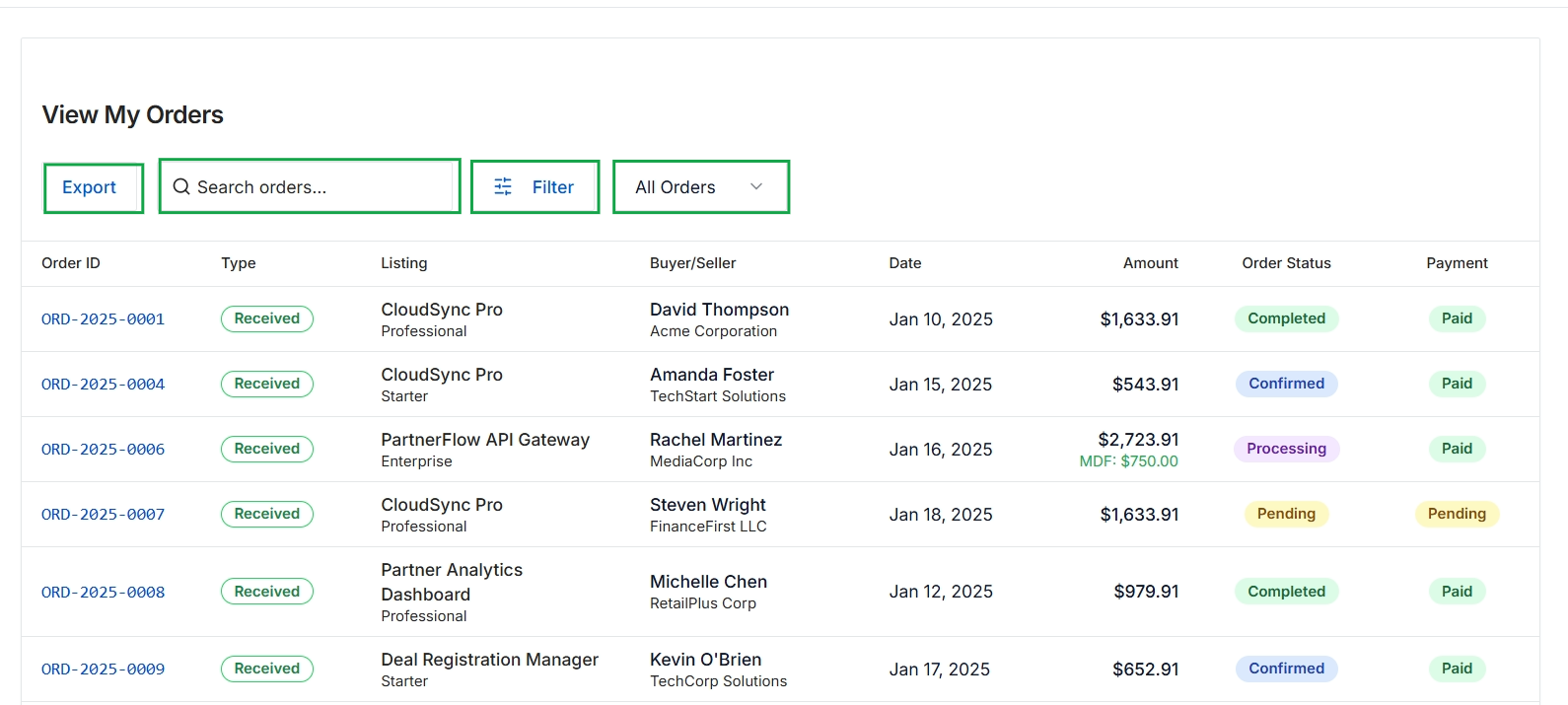
This screen presents a comprehensive list of orders, providing a centralized view for partners to track their transactions within the marketplace. Each entry details the order's unique identifier, type, the specific listing purchased, the buyer or seller involved, the transaction date, the total amount, its current order status, and the payment status. This view enables partners to monitor the progress and financial aspects of their marketplace activities, offering tools to search, filter, and export the order data for review and record-keeping.