

Overview
System email templates are pre-designed email layouts used by the platform to send automated notifications for various events, such as partner registration confirmations, deal approvals, or password resets. These templates are crucial for maintaining consistent branding and clear communication with all stakeholders in the partner ecosystem. By customizing these templates, administrators can ensure that all automated messages align with the organization's voice and provide necessary information to recipients.
Effective management of system email templates is vital for a smooth partner experience and efficient internal operations. Administrators can tailor the content, subject lines, and even the language of these emails to suit specific partner types or regional requirements. This flexibility helps in delivering relevant and timely information, enhancing partner engagement and reducing the need for manual communication.
Viewing System Email Templates
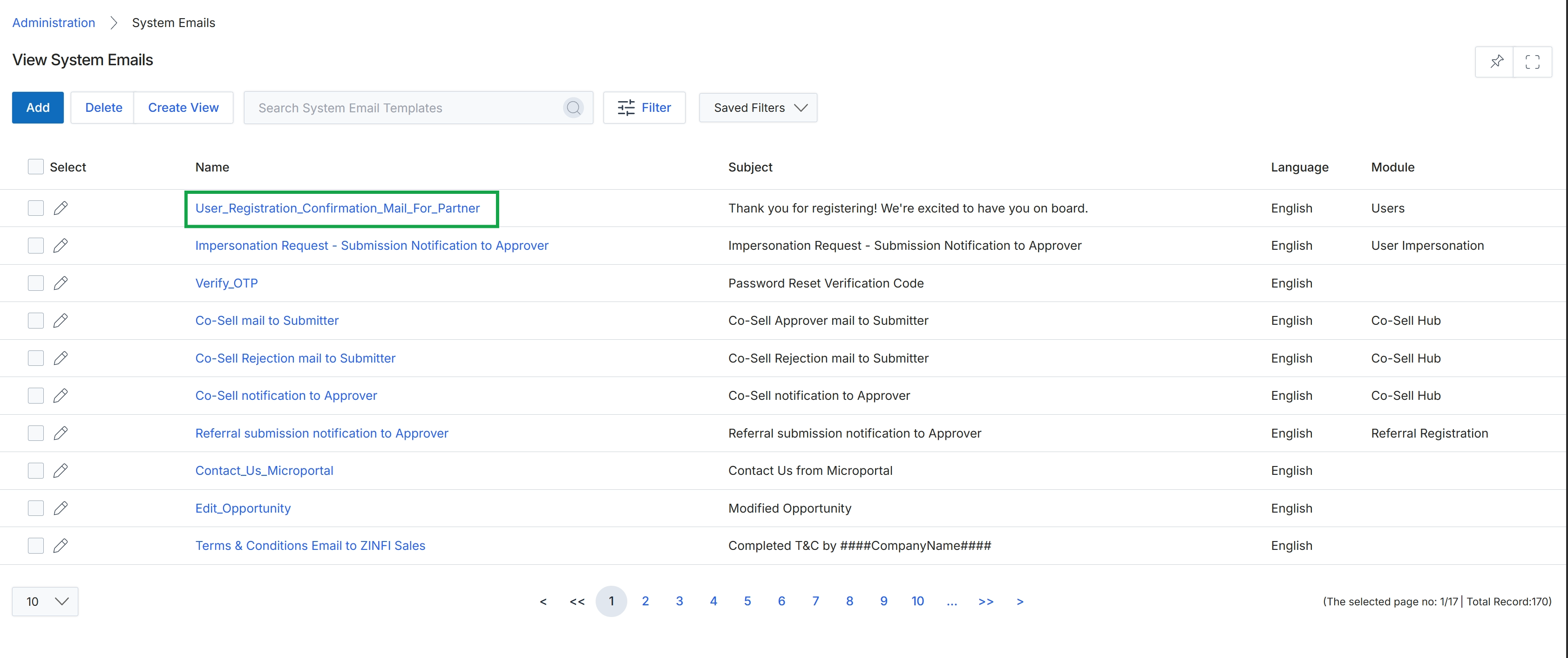
Click the User_Registration_Confirmation_Mail_For_Partner link to view or edit the system email template.
Accessing Email Details
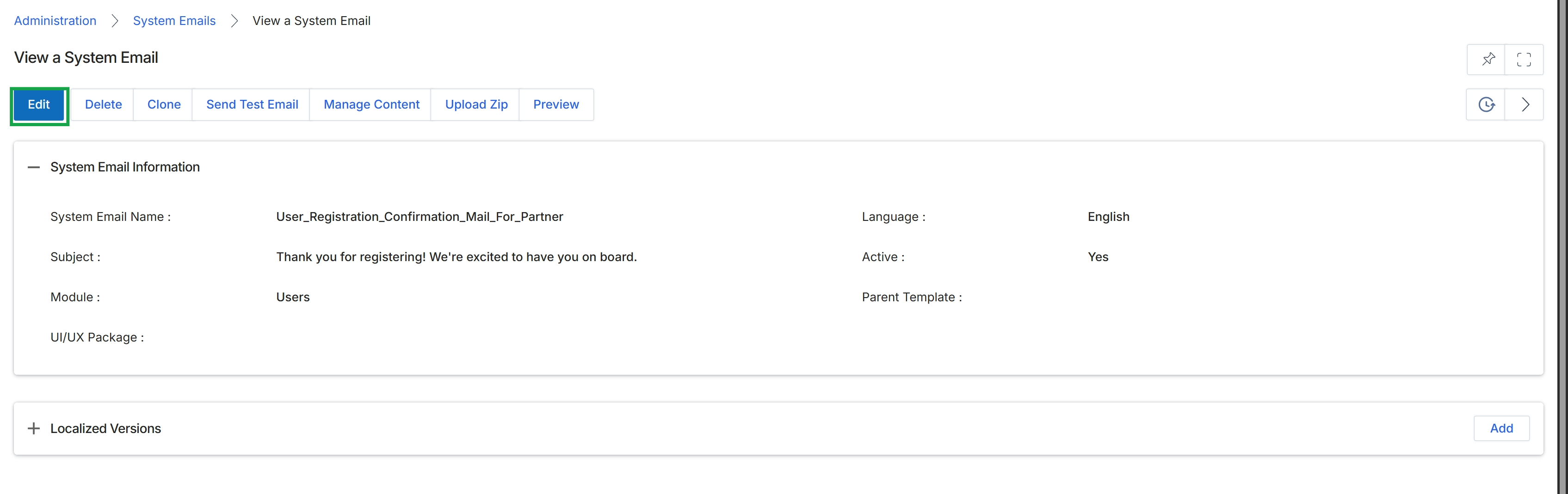
Click the Edit button.
Editing System Email Information
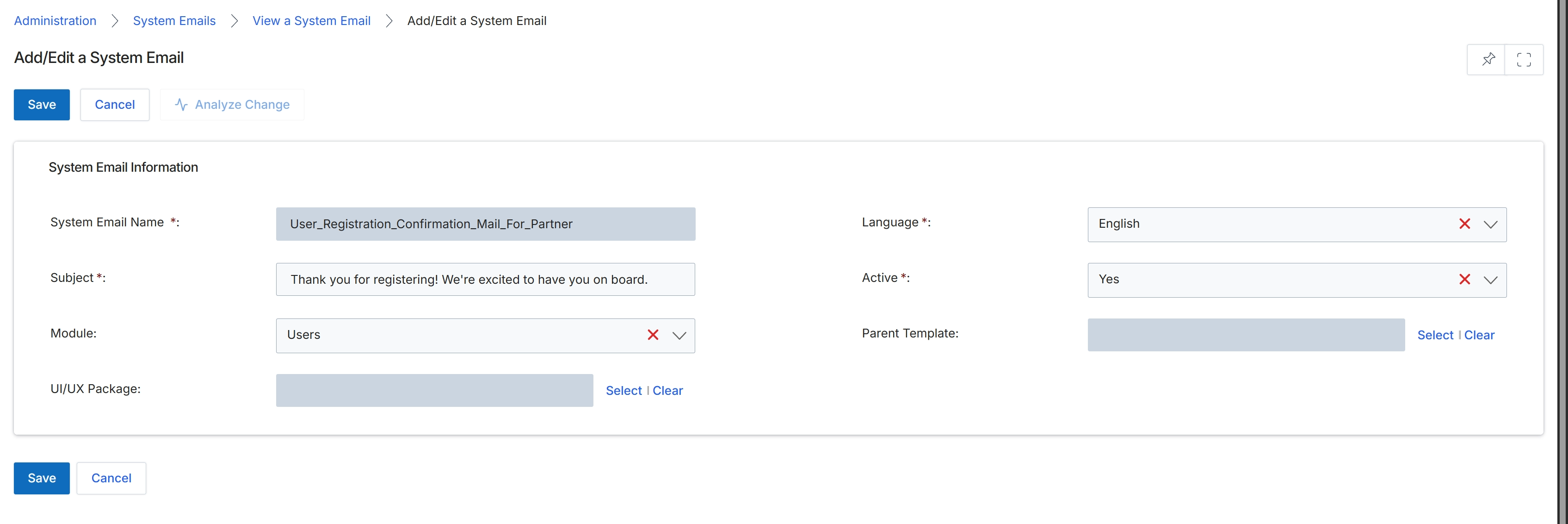
The Add/Edit a System Email form is where UPM administrators configure or modify the transactional email templates used throughout the platform. Every automated notification, such as welcome emails, deal approval notifications, or password resets, is managed through these templates. This screen allows administrators to define the email's subject, associate it with a specific module, set its language, and link it to a parent template for inheritance, ensuring consistent branding and messaging across various partner interactions. The 'Active' status controls whether the email template is currently in use, and administrators can also specify a UI/UX package to apply custom styling.
Edit the system email template details on the Add/Edit a System Email form.
Buttons
| Button | Description |
|---|---|
| Save | Saves the changes made to the system email template. |
| Cancel | Discards any unsaved changes and returns to the previous screen. |
| Analyze Change | Compares the current template with a previous version or parent template to highlight modifications (currently disabled). |
System Email Information
| Field | Description |
|---|---|
| System Email Name | The unique identifier for the system email template. |
| Language | Specifies the language version of the email template, selected from a dropdown. |
| Subject | The subject line of the email that recipients will see. |
| Active | Indicates whether the email template is currently active and in use, selected from a dropdown. |
| Module | Associates the email template with a specific UPM module, selected from a dropdown. |
| Parent Template | Allows linking this template to a parent template for content and styling inheritance. Click 'Select' to choose a parent template or 'Clear' to remove the association. |
| UI/UX Package | Applies a specific user interface and user experience package to the email template for custom branding. Click 'Select' to choose a package or 'Clear' to remove the association. |