

Overview
Effective communication is crucial for a successful partner program. The Alerts Management module provides a centralized tool for administrators to define and control automated notifications, ensuring partners and internal teams are always informed about relevant activities. This capability reduces manual communication efforts and helps maintain engagement and operational efficiency across the partner ecosystem. By configuring alerts for various modules and actions, administrators can tailor the notification strategy to suit their program's specific needs.
These alert settings are distinct from general system email templates, focusing specifically on event-driven notifications rather than broader transactional emails. Administrators can specify not only what triggers an alert but also how it is delivered (desktop, SMS, email), its content, and how often it should be sent, providing granular control over the platform's communication flow.
Viewing Existing Alert Settings
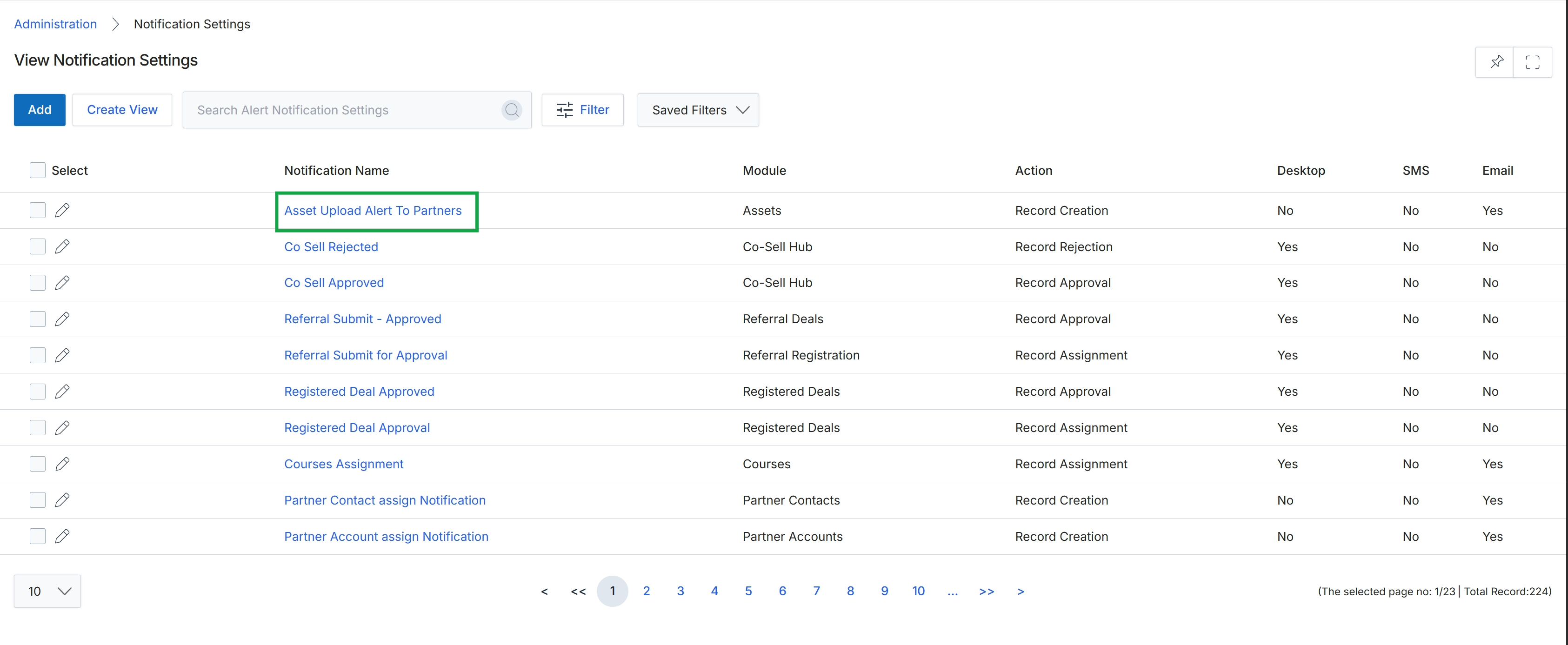
Click the Asset Upload Alert To Partners link.
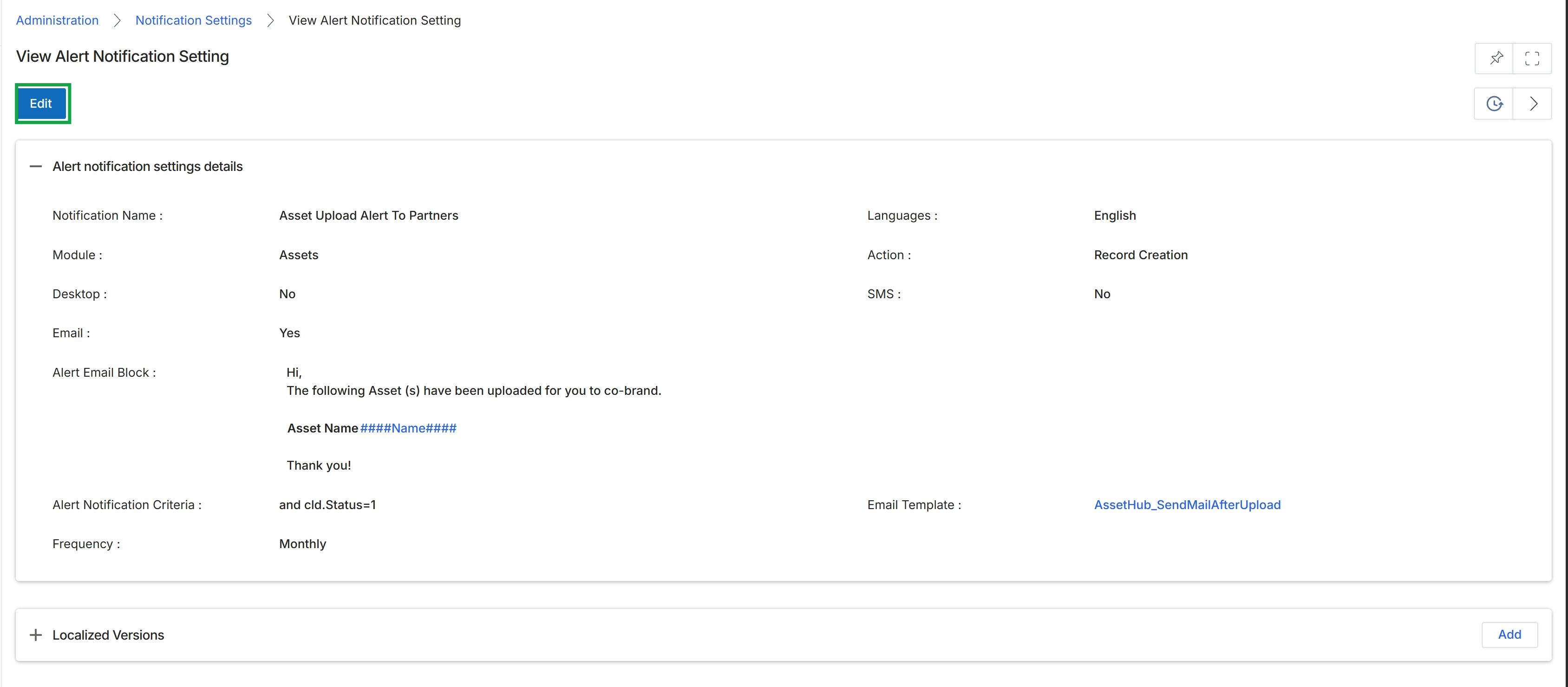
Click the Asset Upload Alert To Partners link to view the alert notification setting details.
Editing an Alert Notification
Adding Localized Versions
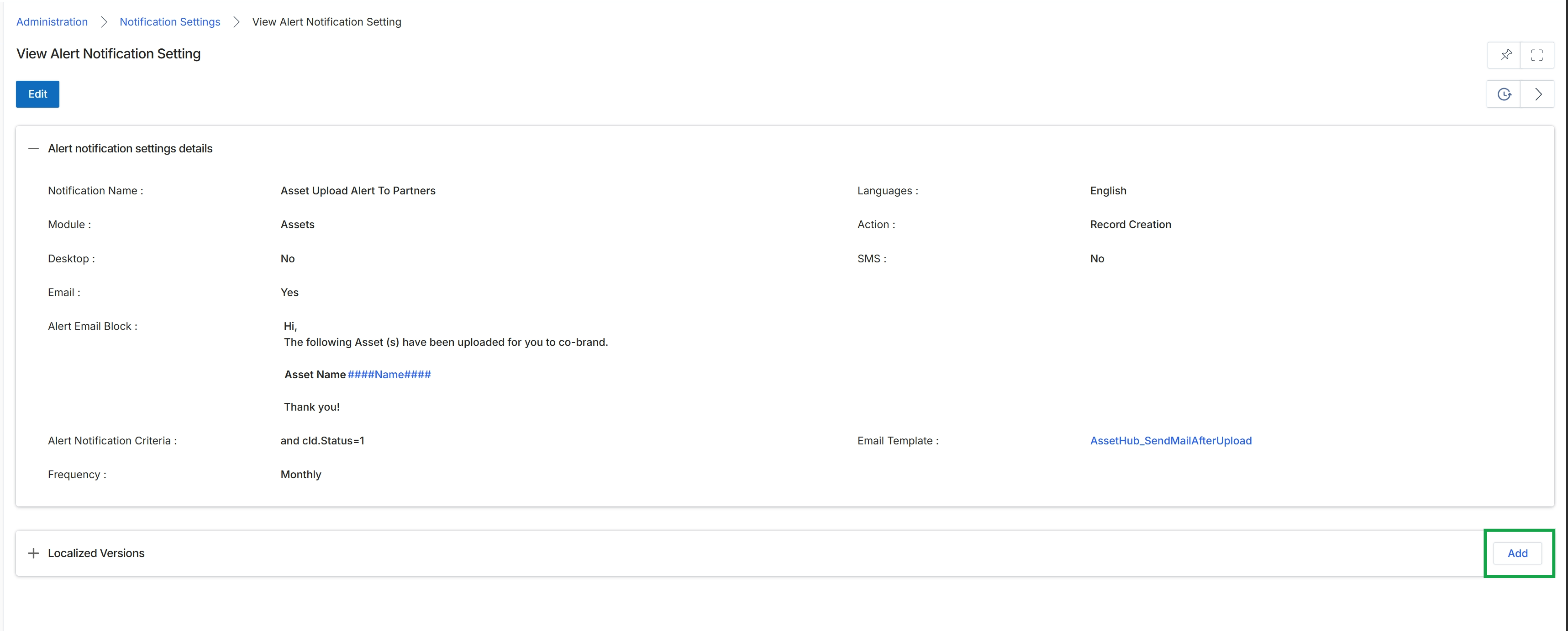
Click Save to save the alert notification settings.
Creating a New Alert Notification
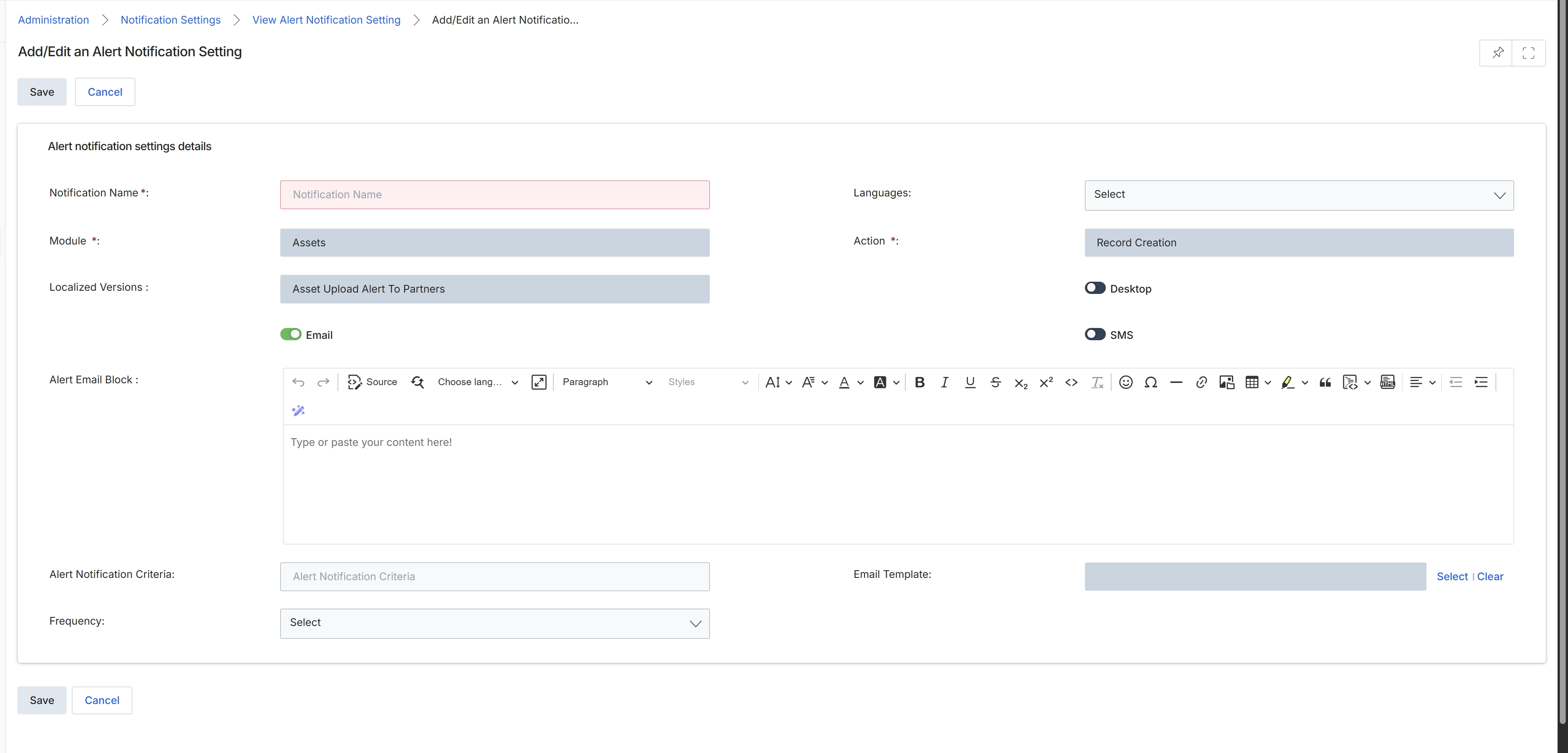
This screen, titled 'Add/Edit an Alert Notification Setting', allows administrators to configure new alert notifications or modify existing ones within the platform. These alerts are automated messages triggered by specific events or actions within various modules, designed to inform partners or internal users about important updates, status changes, or required actions. The configuration includes defining the notification's name, the module it pertains to, the specific action that triggers it, and the content of the alert, which can be delivered via email, desktop notification, or SMS. Administrators can also specify criteria for when the alert should be sent, link it to an email template, and set its frequency, ensuring that relevant information is disseminated effectively across the partner ecosystem.
Configure the alert notification settings by filling in the required details on this form.
Buttons
| Button | Description |
|---|---|
| Save | Saves the current alert notification settings. |
| Cancel | Discards any changes and returns to the previous screen. |
Alert notification settings details
| Field | Description |
|---|---|
| Notification Name * | A unique, descriptive name for the alert notification. |
| Module * | The module within the platform that this alert notification is associated with. |
| Localized Versions | Displays the localized versions of the alert notification, if applicable. |
| A toggle to enable or disable email notifications for this alert. | |
| Languages | A dropdown to select the language for the alert notification. |
| Action * | The specific action or event within the selected module that triggers this alert notification. |
| Desktop | A toggle to enable or disable desktop notifications for this alert. |
| SMS | A toggle to enable or disable SMS notifications for this alert. |
Fields
| Field | Description |
|---|---|
| Alert Email Block | A rich text editor for composing the content of the email alert, allowing for formatting and inclusion of dynamic content. |
| Alert Notification Criteria | A field to define specific conditions or criteria that must be met for the alert notification to be sent. |
| Email Template | A field with a 'Select' button to choose an existing email template to use for this alert notification. |
| Frequency | A dropdown to specify how often the alert notification should be sent. |