

Overview
Effective communication is crucial for managing a successful partner program. The platform automates many interactions with partners and internal teams through system-generated emails, covering everything from onboarding and deal registrations to reward notifications and program updates. This module ensures that all automated communications are consistent, on-brand, and contain the necessary information.
Administrators can customize these templates to align with their organization's messaging and branding guidelines. By providing a dedicated interface for managing system emails, the platform enables precise control over the content, subject lines, and recipients of these critical notifications, ensuring partners receive timely and relevant information throughout their journey.
Accessing System Emails
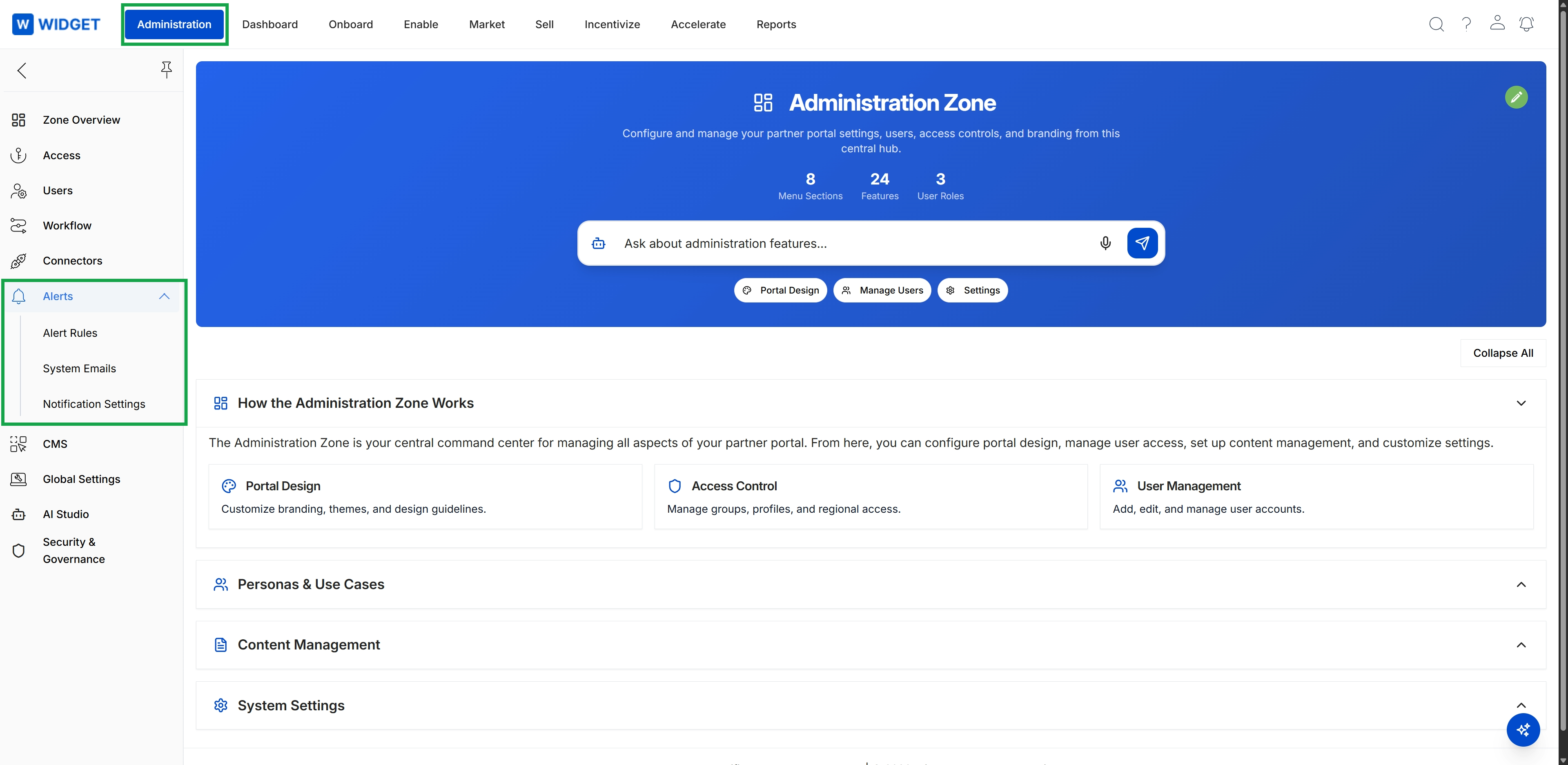
Click Administration in the top navigation bar, then click Alerts in the left navigation menu to expand it, and then click Notification Settings.
Viewing and Managing Templates
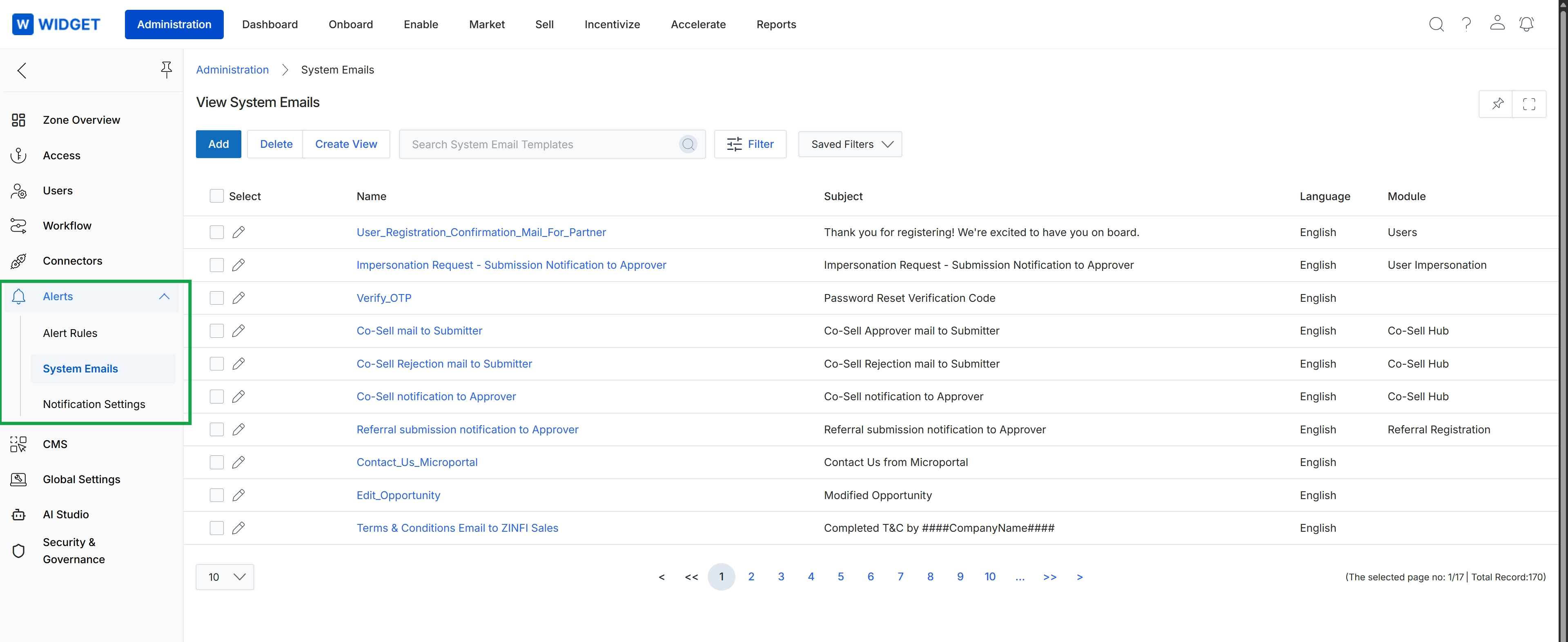
This screen displays a comprehensive list of all system email templates configured within the platform. These templates are used for various transactional notifications sent to partners and internal users, covering events such as registration confirmations, deal approvals, and password resets. Administrators can view the name, subject, language, and module associated with each template, enabling them to manage and customize the automated email communications that are critical for partner engagement and operational workflows.