

Overview
The Commissions Management module is where administrators define the financial incentives for partners, such as commissions on deals or leads. Each commission rule specifies the conditions, eligibility, and payout structure for a particular incentive. This ensures transparency and automation in how partners are rewarded for their contributions to the business. Administrators use this view to review existing rules, verify their configurations, and understand the historical approval process for each rule.
Accessing and Filtering Commission Rules
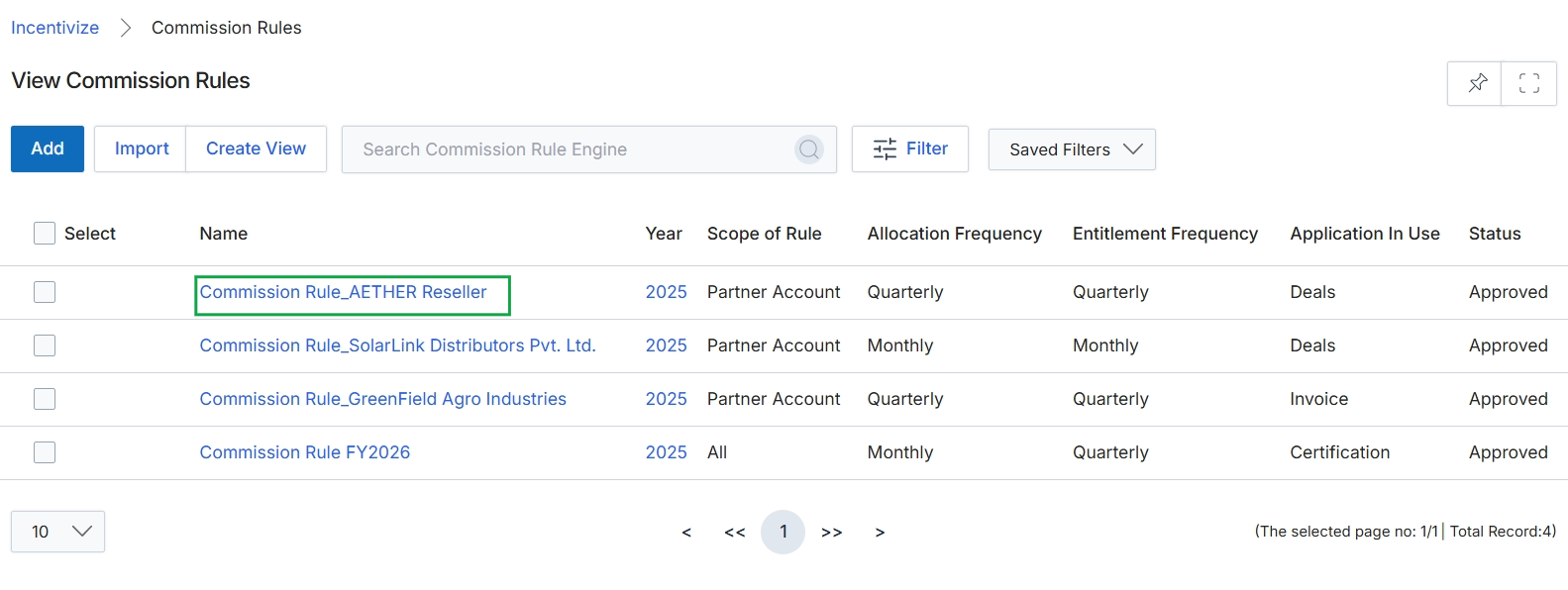
Click Commission Rule_AETHER Reseller to view the details of that commission rule.
Viewing Commission Rule Details
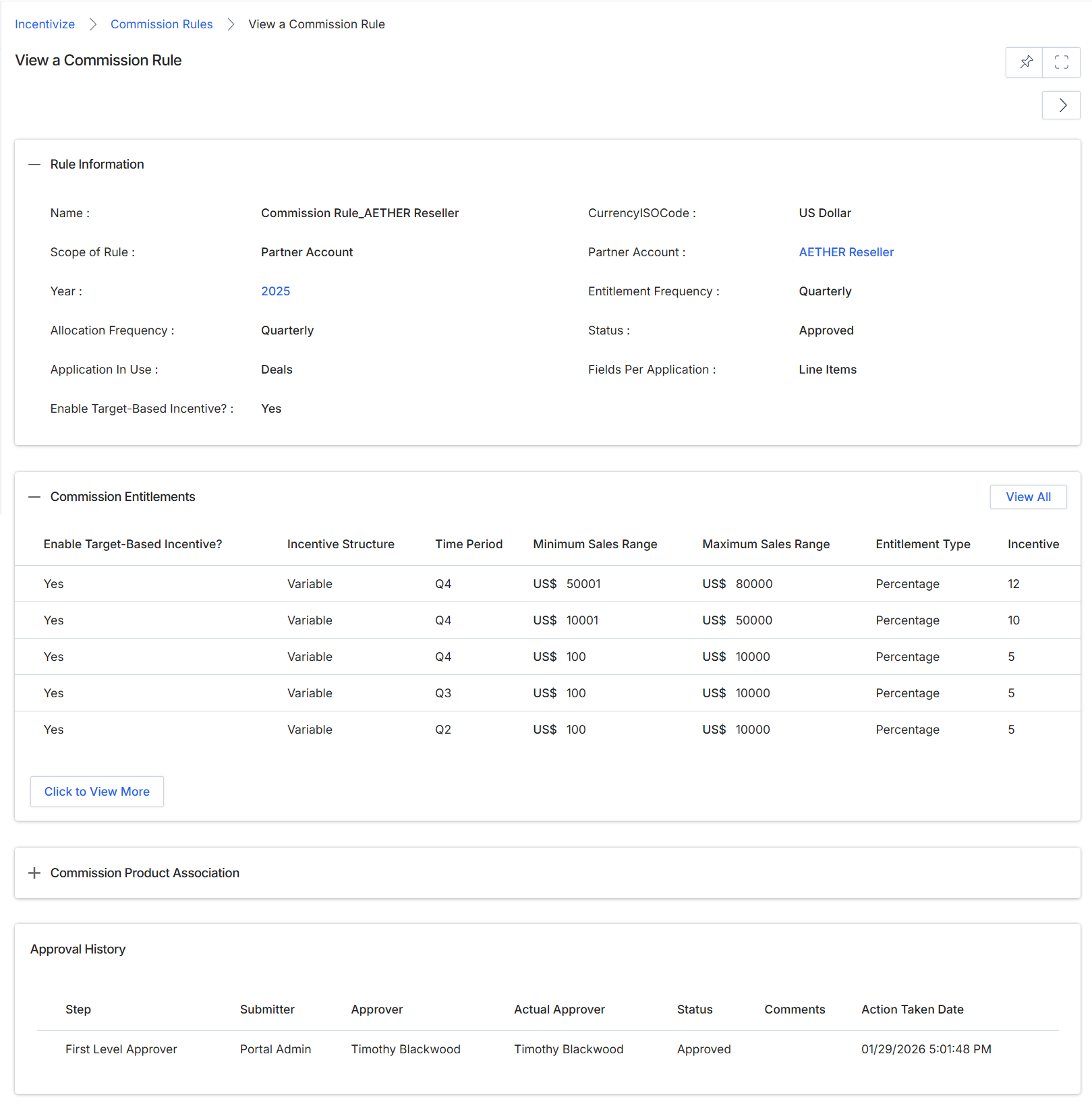
This screen displays the detailed information for a specific commission rule, providing a comprehensive overview of its configuration, associated entitlements, and approval history. Commission rules are fundamental to the Incentivize module, defining how partners earn financial rewards based on various trigger events such as deal closures or lead acceptances. This view allows administrators to review all parameters of an existing rule, including its scope, eligibility criteria, and the specific incentives offered. It also presents a summary of the commission entitlements, which detail the different reward structures and their corresponding sales ranges or percentages. The approval history section provides an audit trail of the rule's lifecycle, showing who submitted, approved, and when, ensuring transparency and accountability in the incentive management process. This screen is crucial for verifying rule accuracy, understanding its impact on partner earnings, and ensuring compliance with program policies.
Review the details of the selected commission rule, including its general information, entitlements, and approval history.
Buttons
| Button | Description |
|---|---|
| View All | A button to view all commission entitlements if more exist than are currently displayed. |
| Click to View More | A button to expand and view additional commission entitlements if more exist than are currently displayed. |
Rule Information
| Field | Description |
|---|---|
| Name | The name of the commission rule. |
| Scope of Rule | Indicates whether the rule applies to all partners or a specific partner account. |
| Year | The year for which this commission rule is active. |
| Allocation Frequency | How frequently the commission is allocated (e.g., Quarterly). |
| Application In Use | The type of application or event this commission rule applies to (e.g., Deals). |
| Enable Target-Based Incentive? | Indicates if target-based incentives are enabled for this rule. |
| CurrencyISOCode | The ISO code for the currency used in this commission rule. |
| Partner Account | The specific partner account this rule is associated with, if the scope is not for all partners. |
| Entitlement Frequency | The frequency at which entitlements are processed. |
| Status | The current approval status of the commission rule (e.g., Approved). |
| Fields Per Application | Specifies which fields are considered for each application (e.g., Line Items). |
Commission Entitlements
| Column | Description |
|---|---|
| Enable Target-Based Incentive? | Indicates whether target-based incentives are enabled for the specific entitlement. |
| Incentive Structure | Describes the structure of the incentive (e.g., Variable). |
| Time Period | The time period to which the entitlement applies (e.g., Q4, Q3, Q2). |
| Minimum Sales Range | The minimum sales amount required to qualify for this entitlement. |
| Maximum Sales Range | The maximum sales amount for this entitlement. |
| Entitlement Type | The type of entitlement (e.g., Percentage). |
| Incentive | The incentive value, such as a percentage. |
Approval History
| Column | Description |
|---|---|
| Step | The step in the approval workflow. |
| Submitter | The user who submitted the commission rule for approval. |
| Approver | The user designated as the approver for this step. |
| Actual Approver | The user who actually performed the approval action. |
| Status | The approval status of the step (e.g., Approved). |
| Comments | Any comments provided during the approval process. |
| Action Taken Date | The date and time when the approval action was taken. |