

Overview
The Social Syndication Management module is a critical component of a co-marketing strategy, allowing vendors to extend their reach through their partner network. By providing partners with ready-to-share social media content, vendors ensure that key messages are consistently communicated across various platforms. This not only simplifies marketing efforts for partners but also helps maintain brand integrity and messaging control for the vendor.
Administrators can create a library of social posts, linking them to specific marketing campaigns and setting parameters like target platforms and expiry dates. This streamlines the process of distributing marketing collateral and enables partners to quickly engage their audiences with relevant, pre-approved content. The system also tracks the performance of these syndicated posts, offering insights into partner engagement and content effectiveness.
Accessing Social Post Management
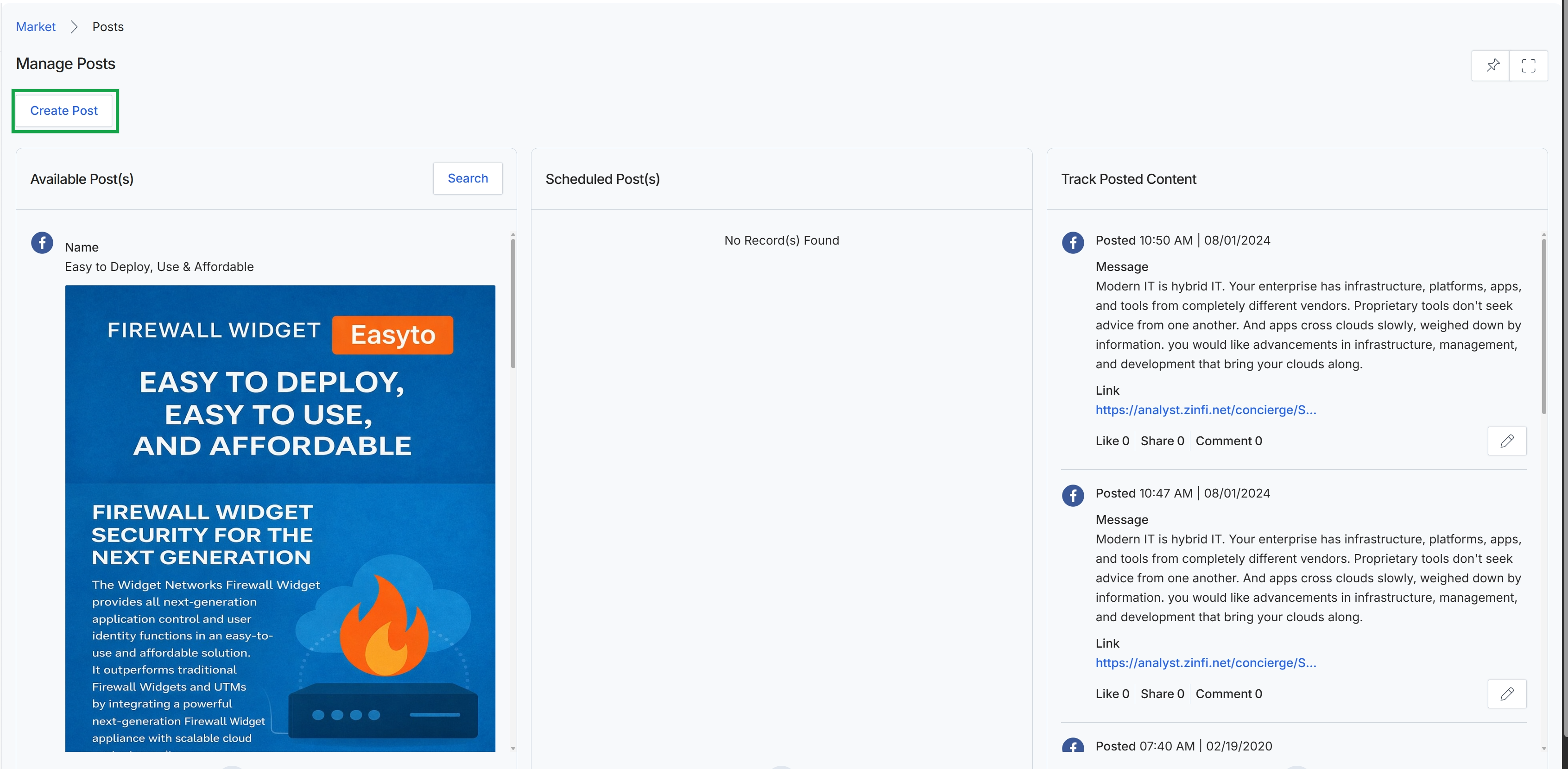
Click the Create Post button.
Creating a New Social Post
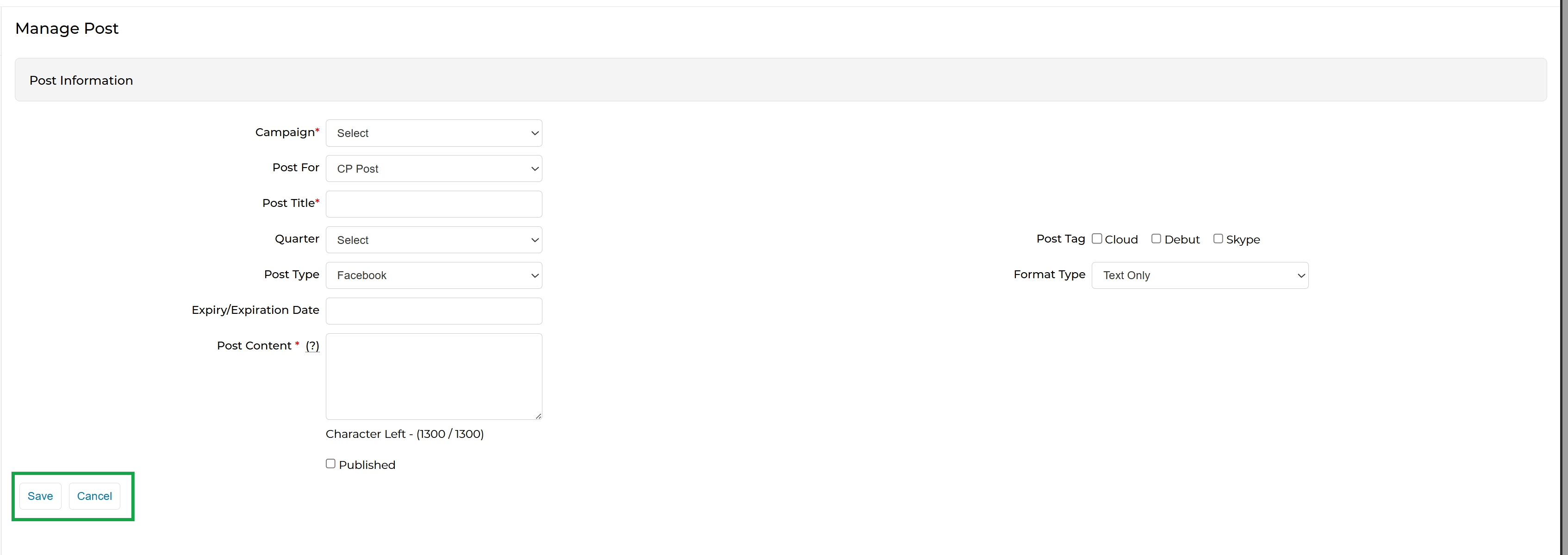
This screen presents the 'Manage Post' form, which administrators use to create or edit social media posts for syndication. This form is a critical part of the Social Syndication Management feature within the Market module, enabling the preparation of marketing content that partners can then share to support co-marketing initiatives. Administrators define key attributes such as the associated campaign, post title, content, and target social media platform. The form also allows for setting an expiration date, categorizing the post with tags, and specifying the format type, ensuring that syndicated content aligns with campaign goals and platform requirements.
Fill in the necessary form fields to define the new social media post.
Buttons
| Button | Description |
|---|---|
| Save | Saves the current social media post details. |
| Cancel | Discards any changes and returns to the previous screen. |
Post Information
| Field | Description |
|---|---|
| Campaign | Select the marketing campaign this social post is associated with. |
| Post For | Specify the intended audience or purpose for this post. |
| Post Title | Enter a descriptive title for the social media post. |
| Quarter | Select the fiscal quarter to which this post belongs. |
| Post Type | Choose the social media platform for which this post is intended (e.g., Facebook). |
| Expiry/Expiration Date | Set an optional date after which this social post should no longer be active or visible. |
| Post Content | Enter the main text content for the social media post, with a character limit of 1300. |
| Published | Check this box to make the social post available for syndication. |
| Post Tag Cloud | Select this tag if the post relates to cloud computing. |
| Post Tag Debut | Select this tag if the post relates to a new product or service launch. |
| Post Tag Skype | Select this tag if the post relates to Skype. |
| Format Type | Choose the format type for the post content, such as 'Text Only'. |