

Overview
The Social Syndication Management module provides a centralized platform for vendors to create and distribute social media content to their partners. This streamlines co-marketing efforts by ensuring partners have access to approved, on-brand messaging. Partners can then review, optionally edit within allowed zones, and schedule or post this content directly to their social media channels, extending the vendor's reach and amplifying marketing campaigns.
Administrators use this interface to organize and make available a library of social posts, which partners can then leverage. The ability to search and filter these posts by various criteria, such as campaign or post type, helps partners quickly find relevant content, while also allowing administrators to maintain an organized and efficient content repository.
Accessing the Post Search Filter
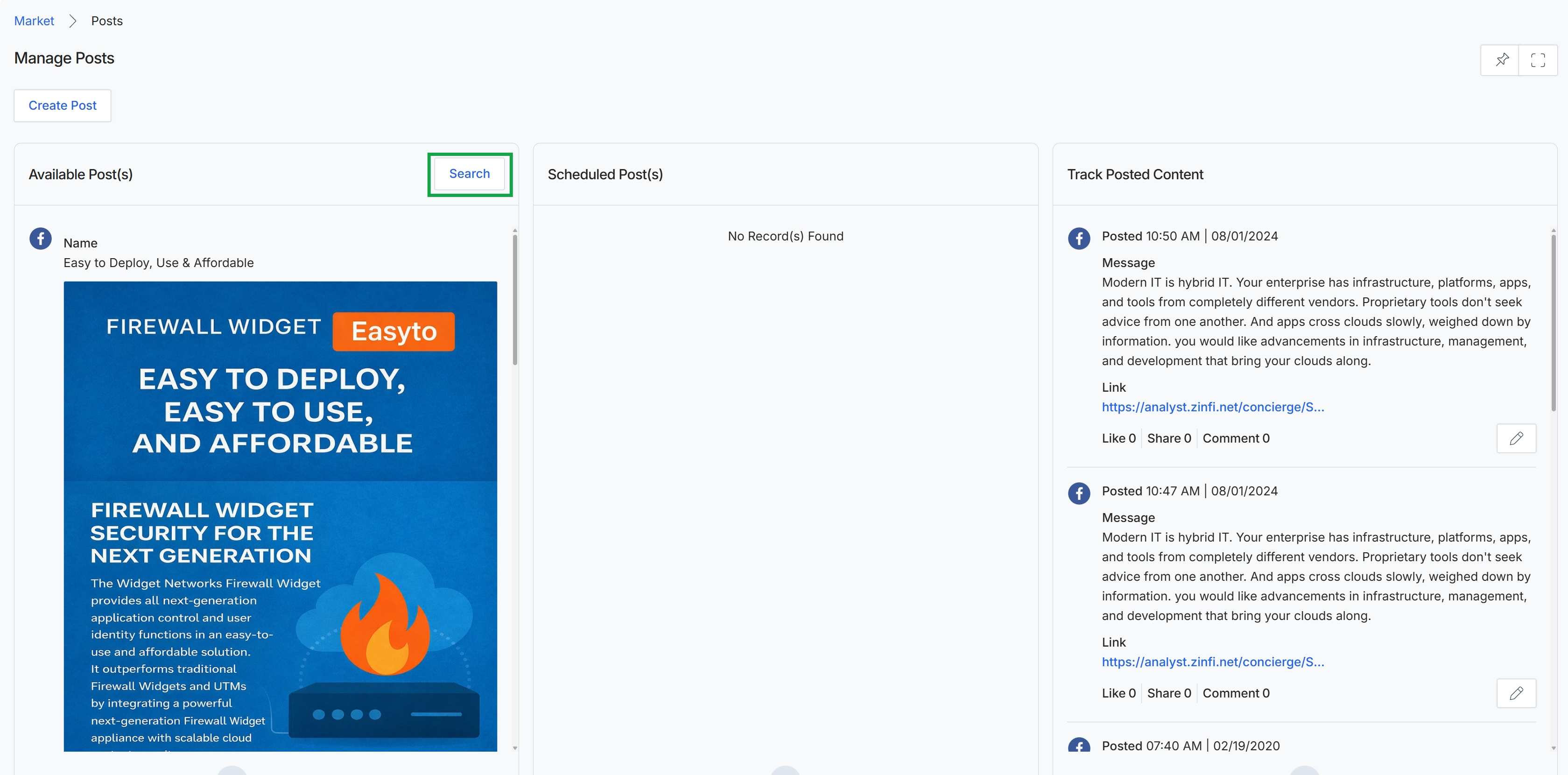
Click the Search button.
Applying Search Filters
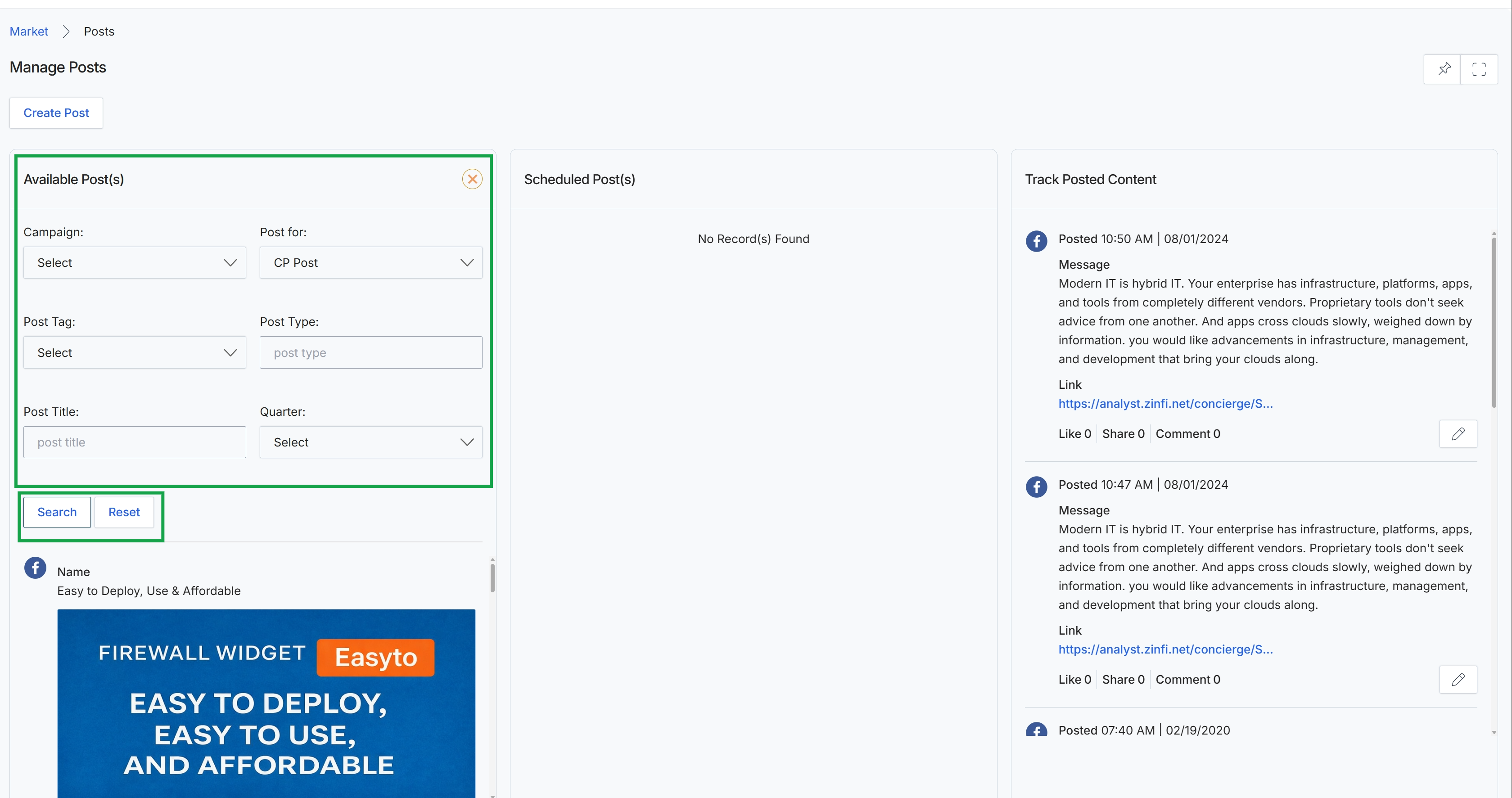
This screen, 'Manage Posts', is part of the Market module and serves as the central hub for social content syndication. It allows administrators to manage social media posts, providing tools to search for available posts, view scheduled posts, and track previously posted content. The 'Available Post(s)' section enables filtering by various criteria such as campaign, post tag, title, and quarter, facilitating the discovery of relevant content. The 'Scheduled Post(s)' section displays upcoming social media publications, while 'Track Posted Content' provides a historical record of all published posts, including their messages, links, and engagement metrics, allowing for performance monitoring and content strategy refinement.
Fill in the necessary fields in the 'Available Post(s)' section to refine your search, then click the "Search" button.
Buttons
| Button | Description |
|---|---|
| Search | Click to apply the selected filters and display matching available posts. |
| Reset | Click to clear all applied filters and display all available posts. |
Available Post(s)
| Field | Description |
|---|---|
| Campaign | Select a campaign from the dropdown to filter available posts associated with a specific marketing initiative. |
| Post for | Select the intended audience or purpose for the post from the dropdown. |
| Post Tag | Select a post tag from the dropdown to filter posts by specific keywords or categories. |
| Post Type | Enter the type of post to filter by, such as a specific social media platform or content format. |
| Post Title | Enter a keyword or phrase to search for posts by their title. |
| Quarter | Select a specific financial or calendar quarter from the dropdown to filter posts made within that period. |
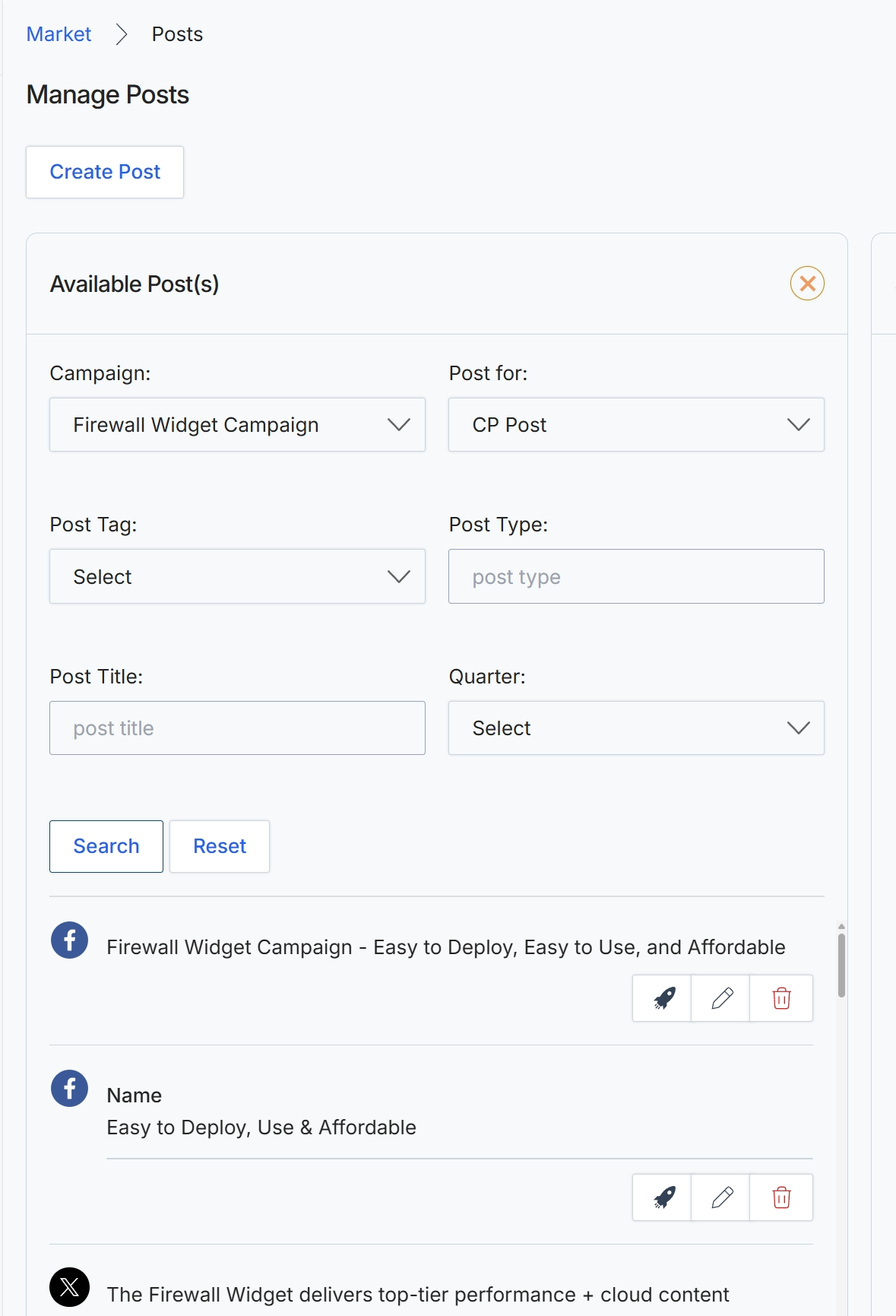
Click the Search button to filter the available posts.