

Overview
Registered Deals are a critical component of the Sell module, enabling partners to protect their sales opportunities and gain vendor support. The deal registration process ensures that partners receive credit for their efforts and helps prevent channel conflict. Once a partner submits a deal, it enters a review queue where administrators assess its validity and potential. Approved deals are then tracked through their lifecycle, from initial submission to closure, with the platform providing tools for status updates, collaboration, and eventual commission calculation.
Accessing the Registered Deals List
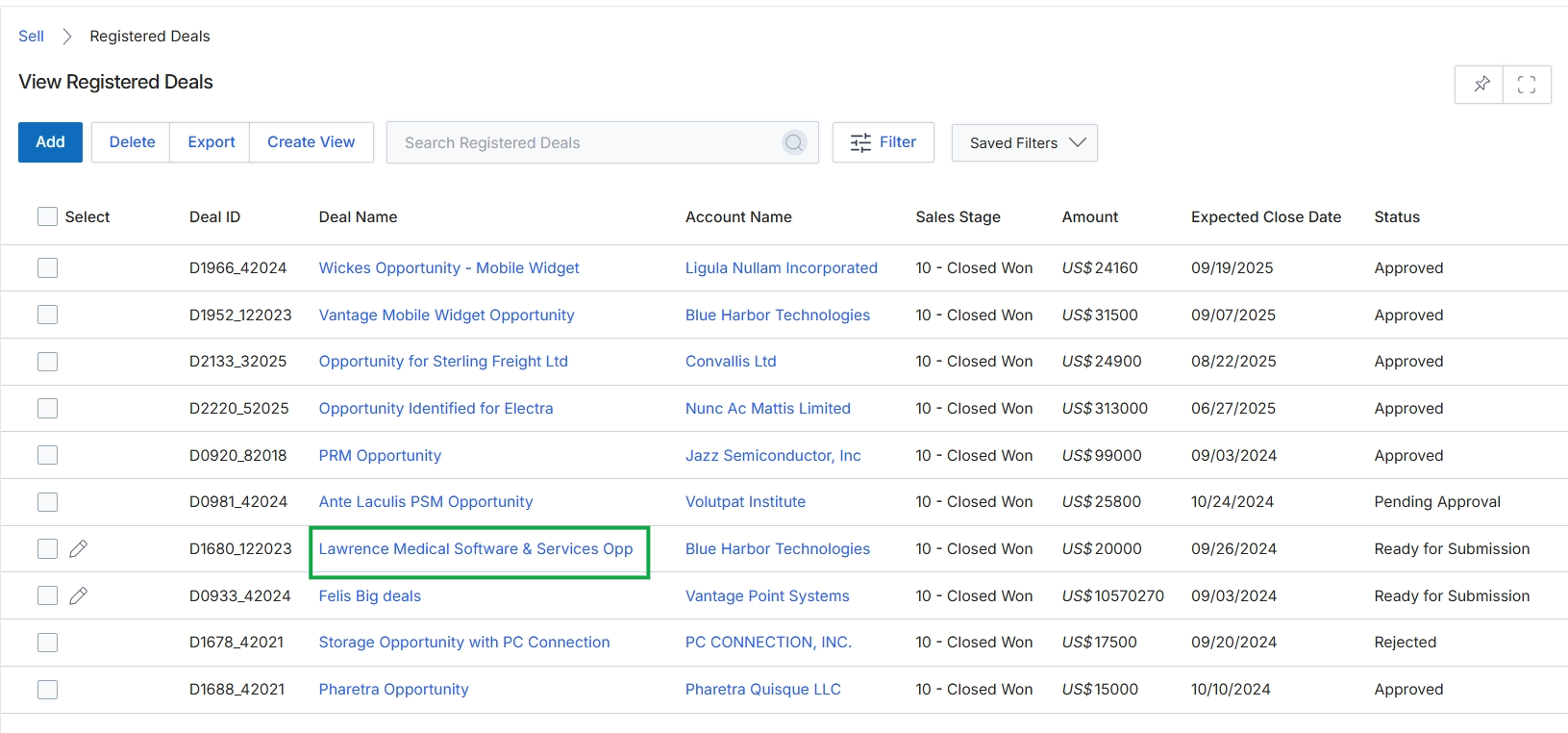
Click the Lawrence Medical Software & Services Opp link.
Viewing Registered Deal Details
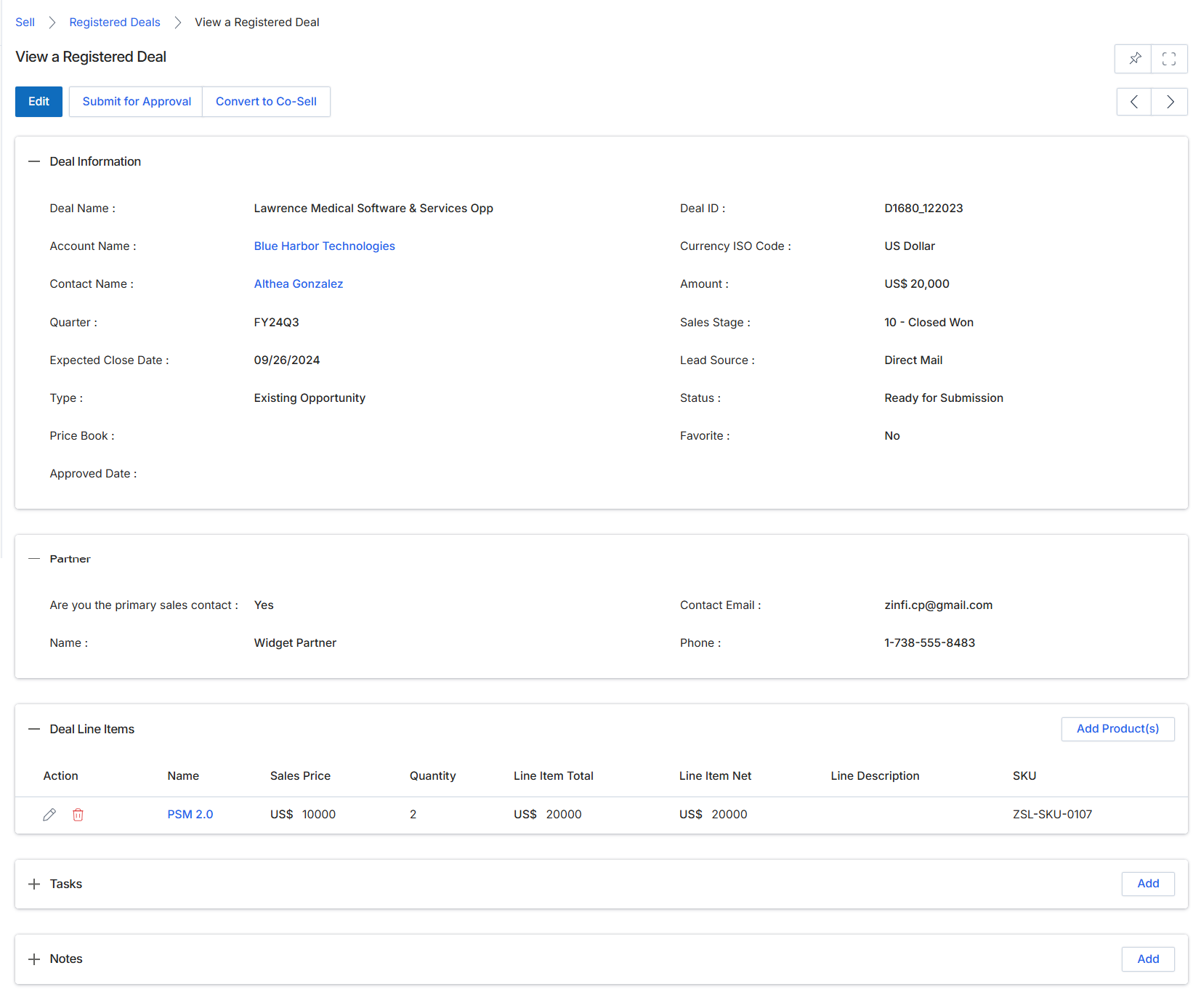
This screen displays the comprehensive details of a specific registered deal, providing a complete overview of the sales opportunity a partner has claimed for protection. It consolidates all relevant information, including the deal's status, financial value, associated account and contact, product line items, and partner details. UPM administrators and partners use this view to track the deal's progress, review its specifics, and determine next steps, such as submitting it for approval or converting it into a co-sell opportunity. The information presented here is critical for pipeline management, ensuring deal protection, and ultimately triggering commission calculations in the Incentivize module upon deal closure.
Review the detailed information for the registered deal, including its status, financial details, associated partner, and line items.
Buttons
| Button | Description |
|---|---|
| Edit | Allows editing of the registered deal's details. |
| Submit for Approval | Submits the registered deal to the vendor for approval, initiating the deal protection workflow. |
| Convert to Co-Sell | Initiates a co-sell request for this deal, inviting the vendor to collaborate on the opportunity. |
| Add Product(s) | Allows adding new products or services to the deal's line items. |
| Add | Adds a new task related to this deal. |
| Add | Adds a new note or comment related to this deal. |
Deal Information
| Field | Description |
|---|---|
| Deal Name | The name or description of the sales opportunity. |
| Account Name | The name of the customer account associated with this deal. |
| Contact Name | The primary contact person at the customer account for this deal. |
| Quarter | The financial quarter in which the deal is being pursued. |
| Expected Close Date | The anticipated date by which the deal is expected to close. |
| Type | The type of opportunity, such as 'Existing Opportunity'. |
| Price Book | The price book used for pricing products in this deal. |
| Approved Date | The date when the deal registration was approved by the vendor. |
| Deal ID | A unique identifier for the registered deal. |
| Currency ISO Code | The ISO currency code for the deal's financial values. |
| Amount | The total estimated financial value of the deal. |
| Sales Stage | The current stage of the deal in the sales pipeline. |
| Lead Source | The origin or source of the lead that led to this deal. |
| Status | The current status of the deal, indicating its state in the workflow. |
| Favorite | Indicates if the deal is marked as a favorite. |
Partner
| Field | Description |
|---|---|
| Are you the primary sales contact | Indicates whether the viewing user is the primary sales contact for this deal. |
| Name | The name of the partner associated with this deal. |
| Contact Email | The email address of the primary contact at the partner organization. |
| Phone | The phone number of the primary contact at the partner organization. |
Deal Line Items
| Column | Description |
|---|---|
| Action | Provides actions such as editing or deleting a specific line item. |
| Name | The name of the product or service included in the deal. |
| Sales Price | The unit sales price of the product or service. |
| Quantity | The number of units of the product or service. |
| Line Item Total | The total price for the specific line item (Sales Price x Quantity). |
| Line Item Net | The net price for the specific line item after any applicable discounts. |
| Line Description | A brief description of the product or service line item. |
| SKU | The Stock Keeping Unit identifier for the product. |
Submitting a Deal for Approval
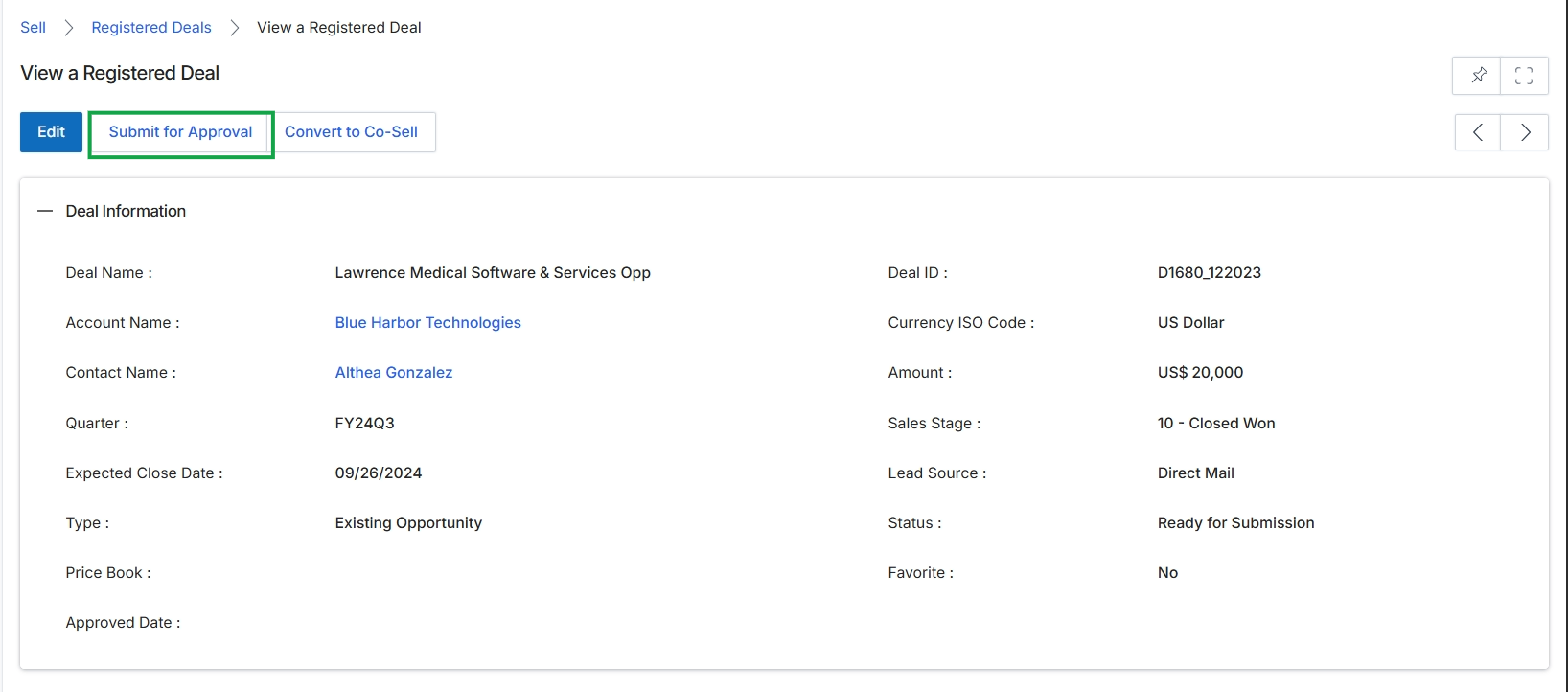
Click the Submit for Approval button.
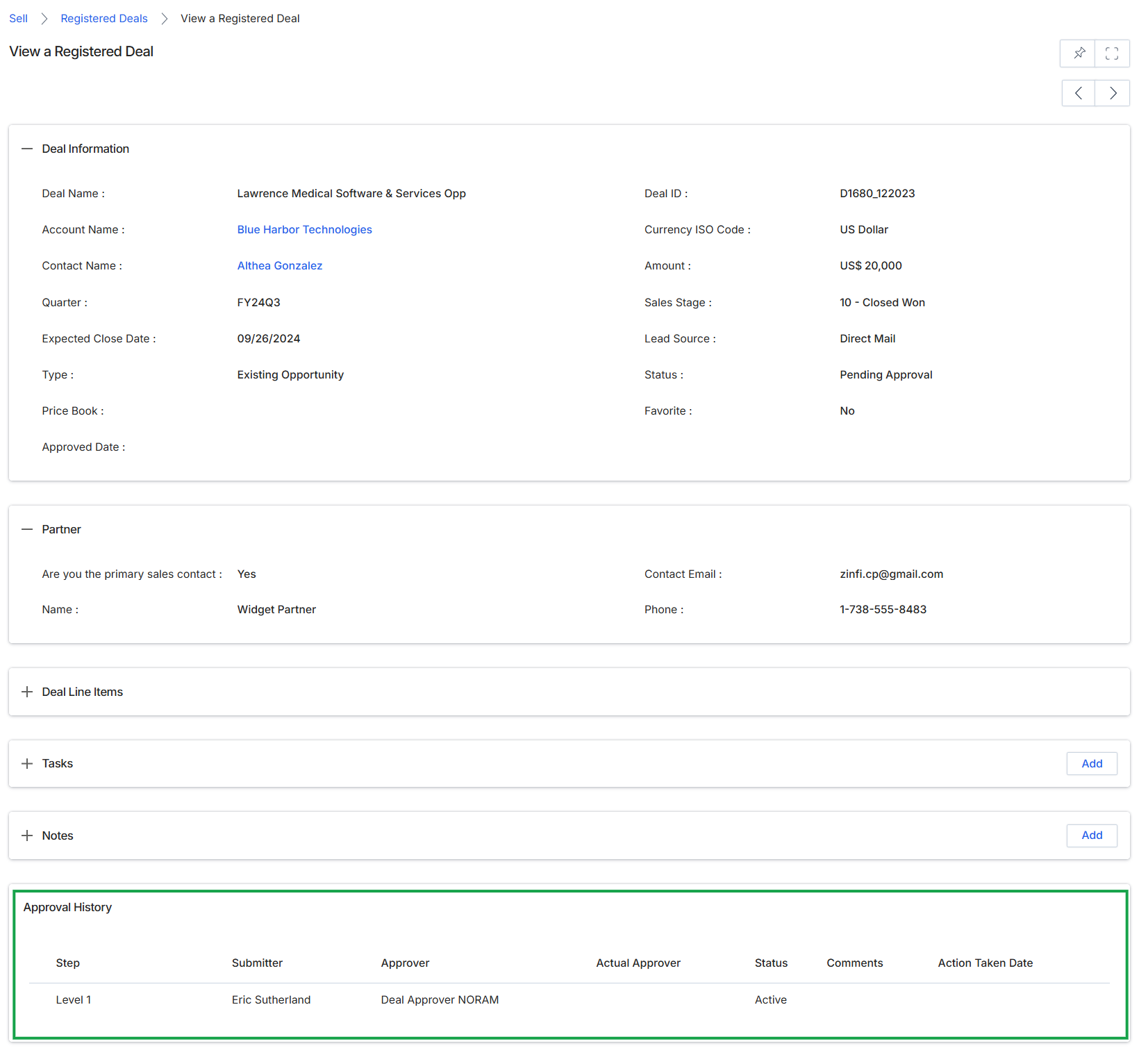
This screen displays the detailed information for a specific registered deal within the Sell module, providing a comprehensive overview of its current state and key attributes. It presents various deal-related data points such as the deal name, associated account and contact, financial details like amount and currency, and its current sales stage and status. This view is crucial for monitoring the progress of a deal and understanding its context within the partner's sales pipeline, especially when a deal is in a 'Pending Approval' status, awaiting vendor review.