

Overview
The Event Marketing Management module enables vendors to create and manage various marketing activities, including co-branded events. These events are a crucial component of co-marketing strategies, allowing partners to leverage vendor-provided event content and branding to engage their own audiences. Administrators use this feature to define the core parameters of an event, ensuring it aligns with program objectives and is ready for partner activation.
Accessing Event Setup
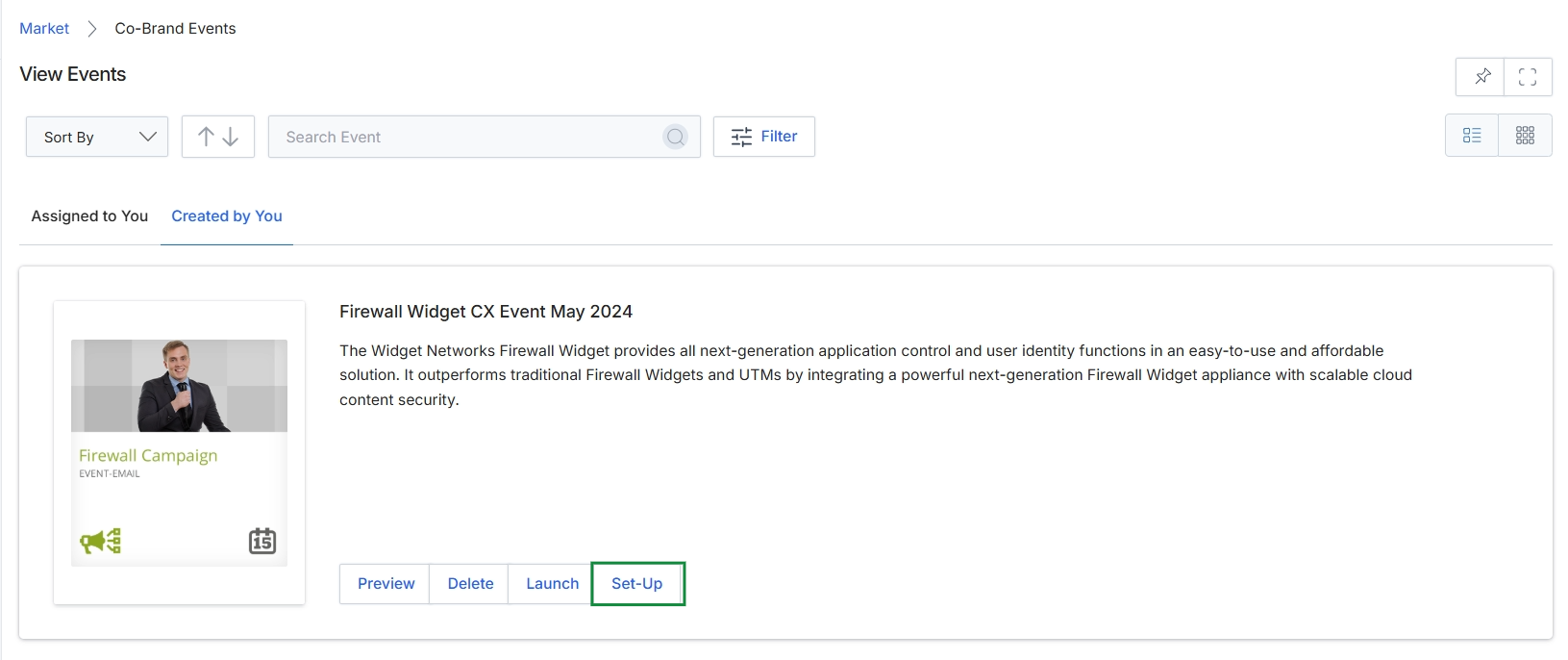
Click the Set-Up button for the desired event.
Reviewing Event Details
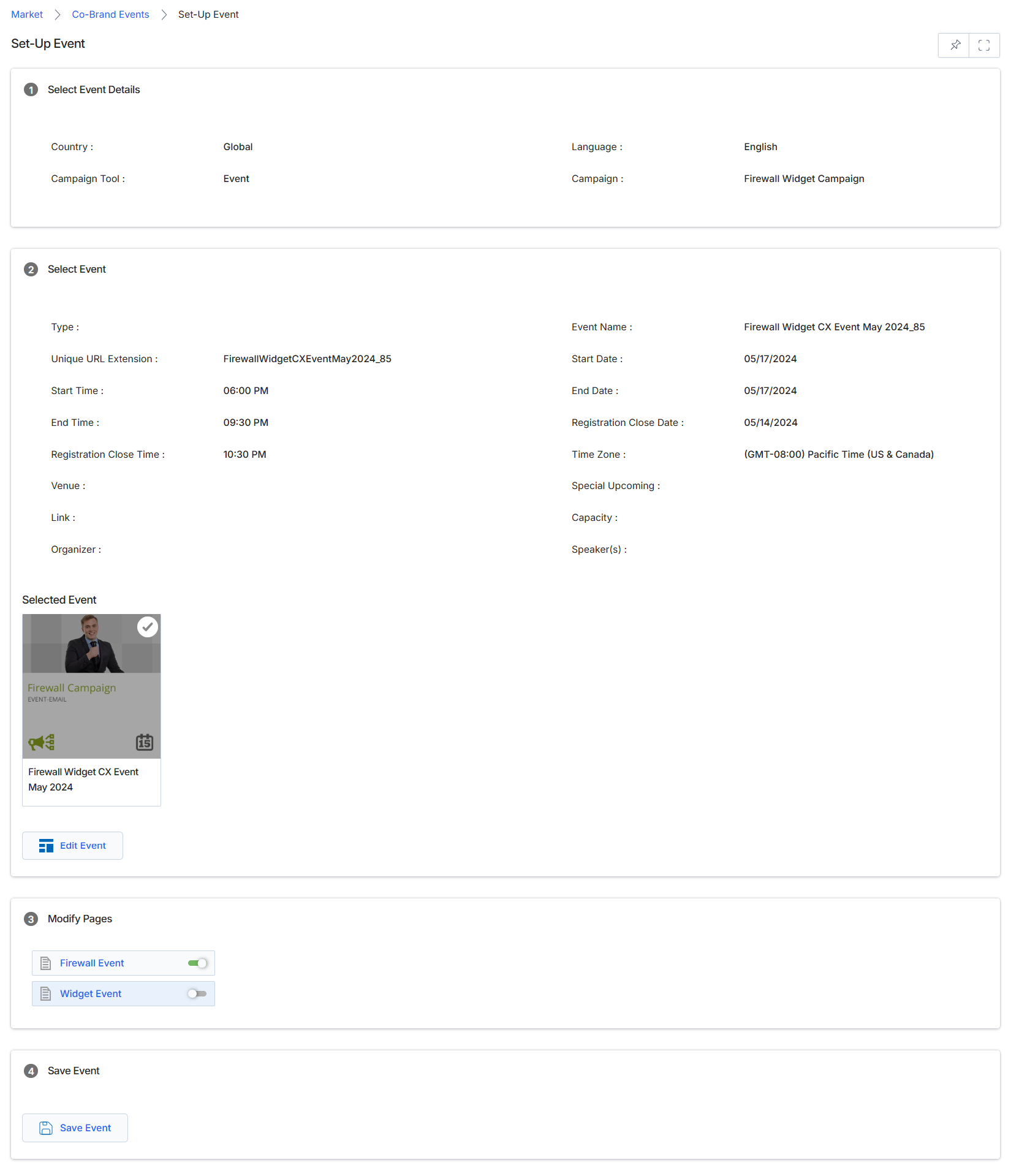
This screen, part of the Co-Brand Events feature within the Market module, provides a consolidated view of an event's details and allows for the management of its associated web pages. It displays core event information such as dates, times, and unique identifiers, which are typically defined during the initial event creation process. The screen also highlights the selected event, offering an option to modify its properties. Furthermore, it enables administrators to activate or deactivate specific web pages linked to the event, ensuring that only relevant content is accessible to partners or attendees. This setup facilitates a streamlined workflow for configuring and publishing event-related assets.
Review the event details and associated pages, then click 'Save Event' to confirm the configuration.
Buttons
| Button | Description |
|---|---|
| Edit Event | Allows modification of the details for the currently selected event. |
| Save Event | Saves all changes made to the event setup and page configurations. |
Select Event Details
| Field | Description |
|---|---|
| Country | Indicates the geographical scope of the event, in this case, 'Global'. |
| Campaign Tool | Specifies the type of campaign tool being used, which is 'Event' in this context. |
| Language | The primary language for the event content, set to 'English'. |
| Campaign | The name of the overarching campaign associated with this event, 'Firewall Widget Campaign'. |
Select Event
| Field | Description |
|---|---|
| Type | The classification or category of the event. |
| Unique URL Extension | A unique identifier used in the event's web address. |
| Start Time | The scheduled start time of the event. |
| End Time | The scheduled end time of the event. |
| Registration Close Time | The deadline for event registration. |
| Venue | The physical or virtual location where the event will take place. |
| Link | A direct URL associated with the event. |
| Organizer | The entity or individual responsible for organizing the event. |
| Event Name | The full name of the event as it will be displayed. |
| Start Date | The calendar date when the event is scheduled to begin. |
| End Date | The calendar date when the event is scheduled to conclude. |
| Registration Close Date | The calendar date when event registration will close. |
| Time Zone | The time zone in which the event is scheduled. |
| Special Upcoming | Additional details or notes regarding special upcoming aspects of the event. |
| Capacity | The maximum number of attendees or participants the event can accommodate. |
| Speaker(s) | The names of individuals presenting or speaking at the event. |
Selected Event
| Field | Description |
|---|---|
| Firewall Campaign | A visual representation of the selected event, showing its name and type. |
Modify Pages
| Field | Description |
|---|---|
| Firewall Event | A toggle switch to enable or disable the 'Firewall Event' page. |
| Widget Event | A toggle switch to enable or disable the 'Widget Event' page. |
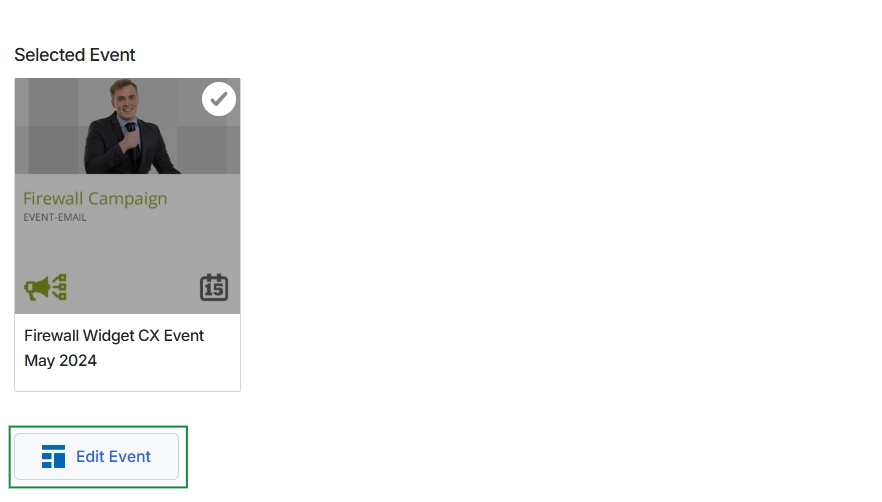
Click Edit Event.
Editing Event Information
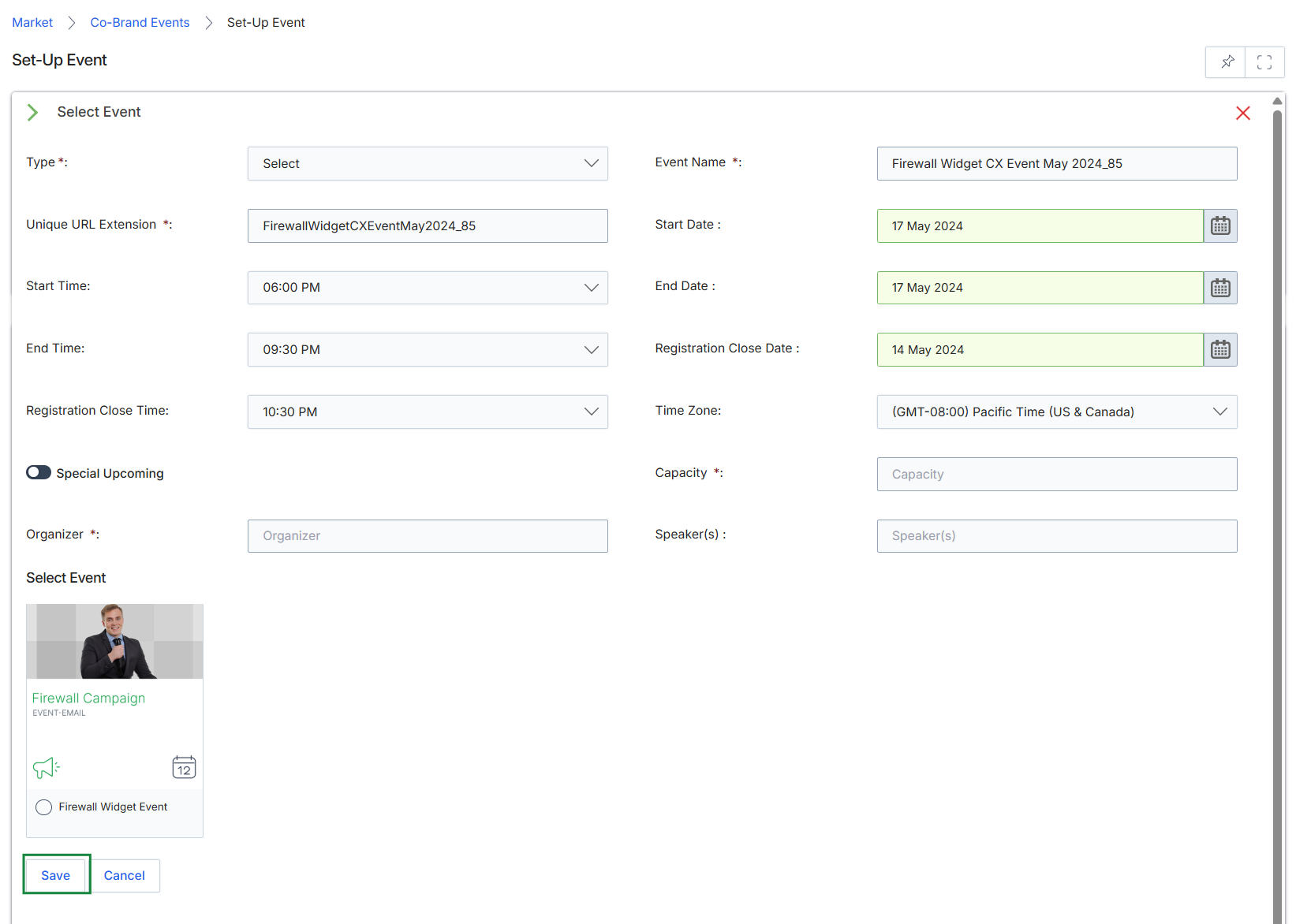
This screen facilitates the creation and configuration of a new event within the Market module, allowing vendor administrators to define key logistical and descriptive details. Events are a type of marketing tactic that partners can leverage, often as part of a broader campaign. Administrators use this form to specify the event's type, name, unique URL for tracking, scheduling (start/end dates and times), registration deadlines, and capacity. It also allows for the assignment of organizers and speakers, and the selection of a specific event template or type from available options, which can influence the event's branding and functionality for co-branded partner activities. The details entered here are crucial for managing event logistics and ensuring proper partner engagement and tracking.
Complete the fields in the Set-Up Event form to define the event's details and select the appropriate event type.
Buttons
| Button | Description |
|---|---|
| Save | Click to save the newly configured event details. |
| Cancel | Click to discard any changes and return to the previous screen. |
Select Event
| Field | Description |
|---|---|
| Type * | Select the category or type of event being created. |
| Event Name * | Enter the name of the event, which will be displayed to partners and attendees. |
| Unique URL Extension * | Provide a unique identifier that will form part of the event's public URL. |
| Start Date | Specify the calendar date when the event is scheduled to begin. |
| Start Time | Set the time of day when the event will commence. |
| End Date | Specify the calendar date when the event is scheduled to conclude. |
| End Time | Set the time of day when the event will conclude. |
| Registration Close Date | Select the final date by which attendees can register for the event. |
| Registration Close Time | Set the specific time of day when event registration will close. |
| Time Zone | Select the time zone for the event, which impacts scheduling and display for attendees. |
| Special Upcoming | Toggle this switch to designate the event as 'Special Upcoming', potentially highlighting it in partner portals. |
| Capacity * | Enter the maximum number of attendees the event can accommodate. |
| Organizer * | Specify the individual or team responsible for organizing the event. |
| Speaker(s) | Enter the names of the speakers or presenters for the event. |
| Firewall Campaign | A visual card representing an event type or template named 'Firewall Campaign' with an 'EVENT-EMAIL' tag. |
| Firewall Widget Event | A radio button option to select 'Firewall Widget Event' as the event type. |
Managing Event Pages

This screen displays a list of event-related pages that can be modified or activated within the Event Marketing Management module. It allows administrators to manage the visibility or status of individual pages associated with an event, such as 'Firewall Event' and 'Widget Event', by using toggle switches. This view is a step in the process of setting up or configuring an event, enabling control over which specific event pages are active or inactive.
Saving Event Configuration

Click the Save Event button.