

Overview
The Social Syndication Management module within the platform's Market zone empowers both vendors and partners to amplify marketing reach through social media. Vendors can create and schedule social posts, which partners can then share directly from their portal to their connected social accounts. This ensures brand consistency and efficiency in distributing marketing messages across the partner ecosystem. This specific feature focuses on the critical first step of enabling social syndication: connecting and authorizing partner social media accounts with the platform.
Viewing and Managing Social Accounts
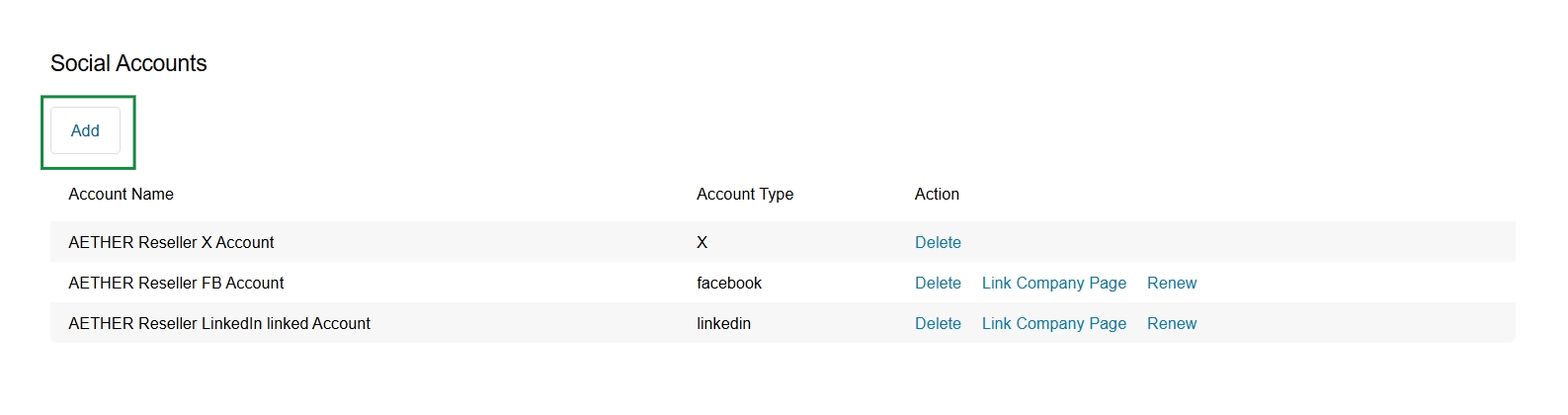
Click the Add button.
Adding a New Social Account
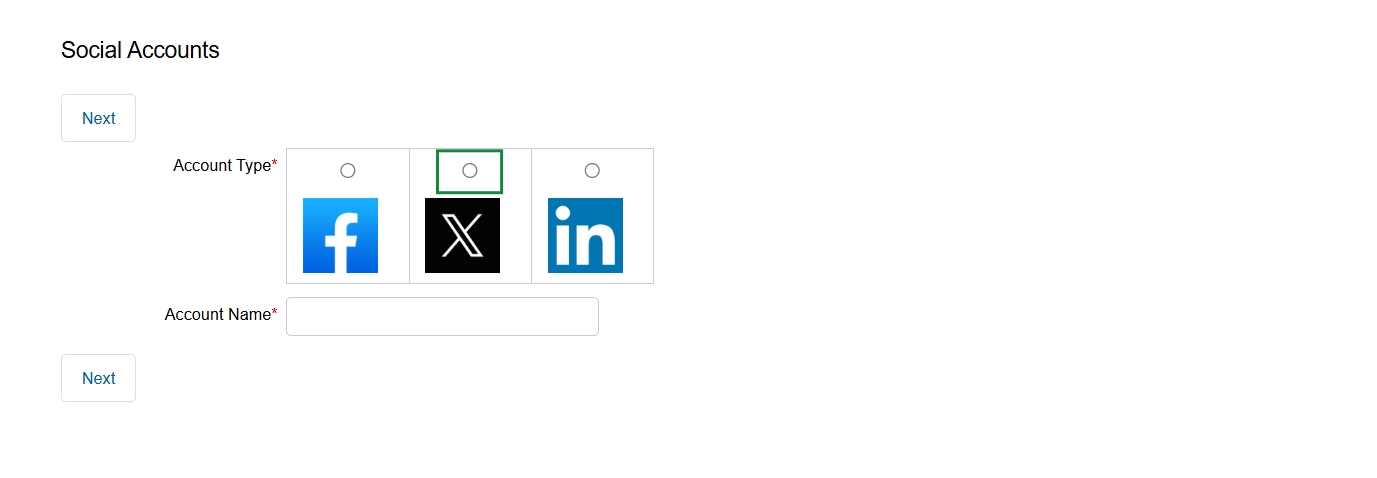
Click the X icon to select the account type.
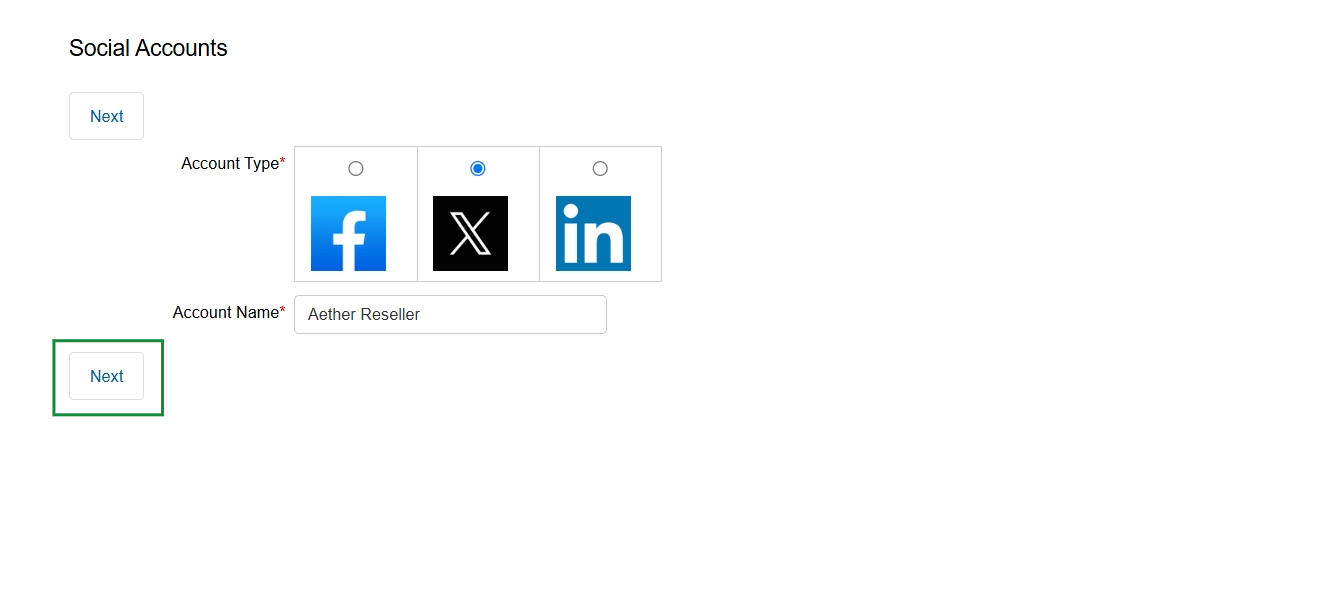
This screen allows users to connect their social media accounts to the platform for social content syndication. By linking accounts like Facebook, X (formerly Twitter), and LinkedIn, partners can easily share vendor-approved marketing content directly from their portal, extending the reach of campaigns. This integration is crucial for the Social Syndication workflow, enabling partners to participate in co-marketing efforts and for the vendor to track the performance and engagement of shared content across various social platforms. The selection of an account type and a descriptive name facilitates the management and identification of multiple connected social profiles.
Select the social media account type and provide a name for the account, then click "Next" to proceed with connecting the account.
Buttons
| Button | Description |
|---|---|
| Next | Proceeds to the next step in the social account connection process after selecting the account type and providing a name. |
Fields
| Field | Description |
|---|---|
| Account Type | Select the type of social media platform to connect (Facebook, X, or LinkedIn). This choice determines the integration process and the social network where content will be syndicated. |
| Account Name | Enter a descriptive name for the social media account being connected, such as 'Aether Reseller's X Account', to easily identify it within the platform. |
Authorizing the Social Account
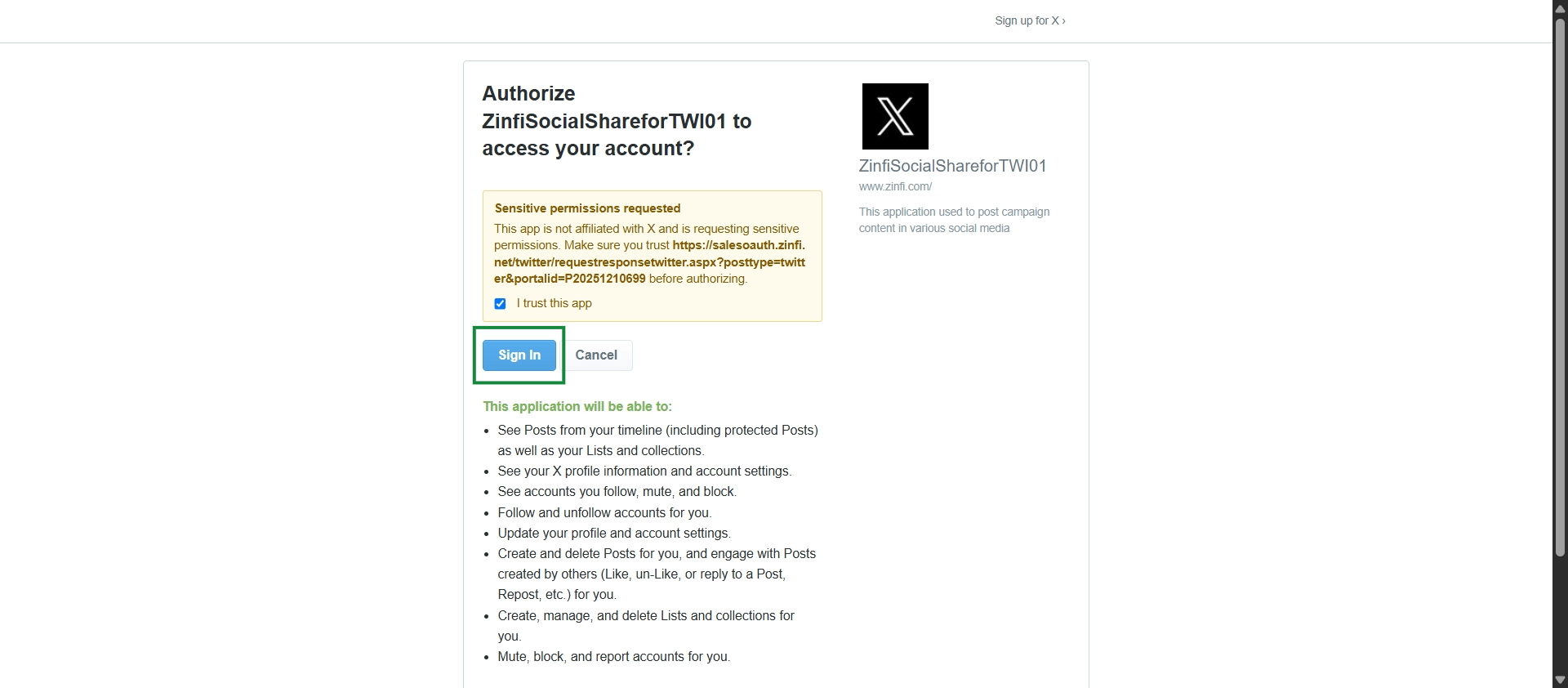
This screen displays an authorization request from a social media platform, specifically for an application named 'ZinfiSocialShareforTWI01' to access a user's account. It outlines the sensitive permissions requested by the application, which include viewing posts, managing profile settings, following/unfollowing accounts, and creating/deleting posts. This dialog is a critical step in the Social Syndication Management workflow, allowing the platform to integrate with external social media accounts for content sharing and management, as described in the social content syndication workflow.