

Overview
Communities are vital for fostering engagement, knowledge sharing, and collaboration within a partner ecosystem. They provide a dedicated space where partners can interact with each other, ask questions, share best practices, and receive support from vendor representatives or instructors. By segmenting communities, such as 'Academy and Learning' or 'Sales and Marketing', administrators can tailor discussions and resources to specific partner needs or program areas, enhancing the overall partner experience and driving program success.
Effective community management ensures that partners have access to relevant information and a platform for peer-to-peer learning. This module enables administrators to define the purpose and scope of each community, upload custom branding elements like banners and logos, and provide detailed descriptions that guide partner participation. This level of control helps maintain a professional and organized environment for all community members.
Key Features
- Community Information Management
- Branding & Visual Customization
- Community Description Editing
- Tooltip Description
- Save Community Changes
Viewing Existing Communities
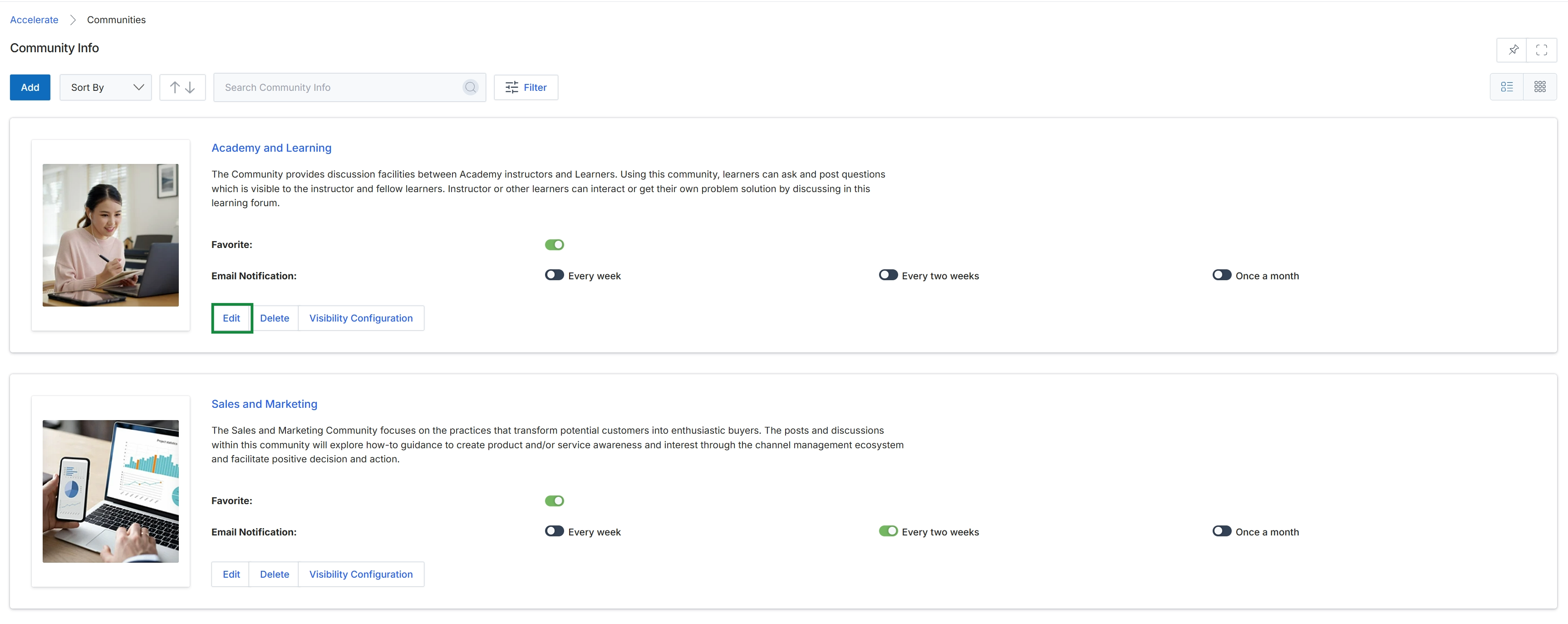
Click the Edit button for the desired community.
Editing Community Information
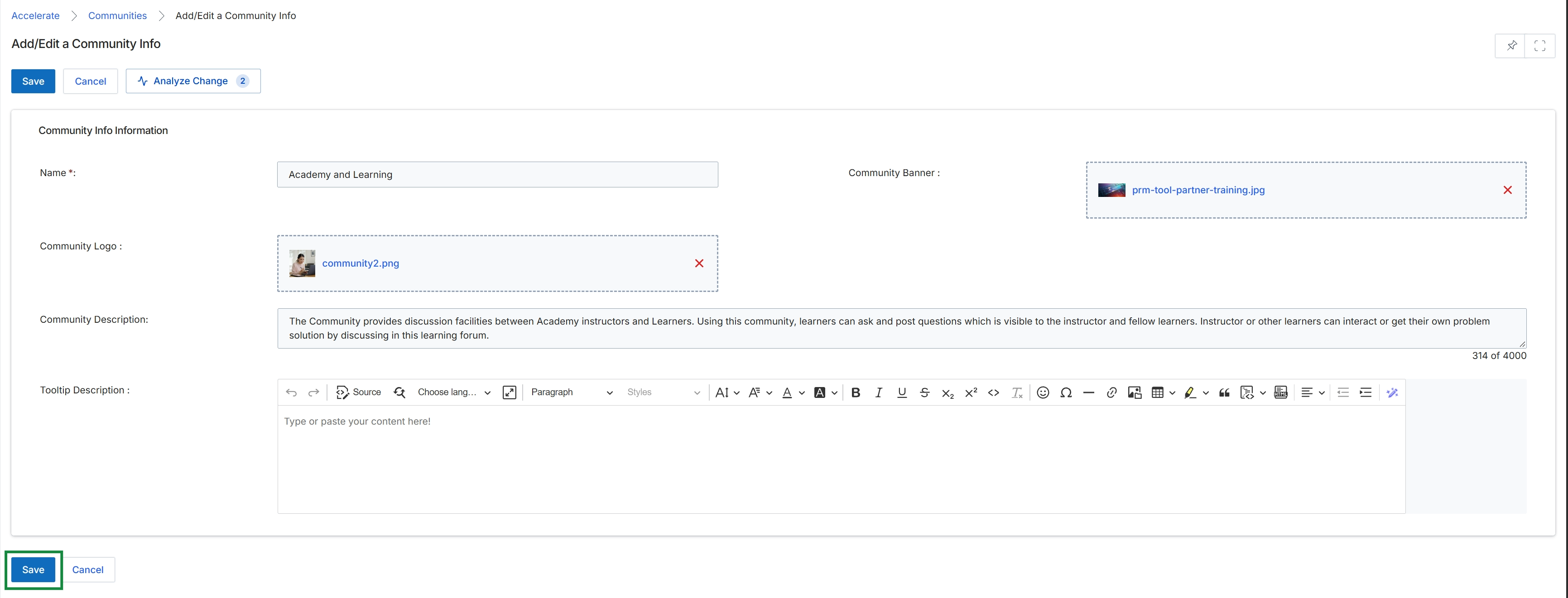
This screen, titled 'Add/Edit a Community Info', allows administrators to define or modify the details of a community within the platform. Communities serve as discussion and collaboration groups, facilitating interaction between partners, or between partners and vendor representatives. While communities are a shared entity that can be utilized across modules, they are particularly relevant in the Accelerate module for fostering strategic partner engagement and in the Enable module for training and knowledge sharing. This form captures essential information such as the community's name, visual branding elements, and descriptive content, which are crucial for its identification and purpose within the partner portal.
Click the "Save" button at the bottom of the screen to save the community information.
Buttons
| Button | Description |
|---|---|
| Save | Saves the current community information and applies the changes. |
| Cancel | Discards any changes made and returns to the previous screen. |
Community Info Information
| Field | Description |
|---|---|
| Name * | The required name for the community, which identifies it within the platform and to partners. |
| Community Banner | An image file to be used as a banner for the community, providing visual branding. |
| Community Logo | An image file to be used as the logo for the community, for easy identification. |
| Community Description | A detailed description of the community's purpose and what it offers to members. This field supports rich text formatting. |
| Tooltip Description | Additional descriptive text that may appear as a tooltip for the community. |
Frequently asked questions
- What is the purpose of the Add/Edit a Community Info feature?
This feature allows administrators to manage and configure various community forums within the platform. It helps define community details, visual branding, and descriptions for structured discussion and collaboration.
- Who uses this feature?
UPM administrators use this feature to create and maintain engagement spaces. Channel partners will then use these communities for interaction and knowledge sharing.
- Why are communities important in the partner ecosystem?
Communities are vital for fostering engagement, knowledge sharing, and collaboration among partners and vendor staff. They provide a dedicated space for interaction, questions, best practices, and support.
- What information can be configured for a community?
Administrators can define the community's name, upload custom branding elements like banners and logos, and provide detailed descriptions. A tooltip description can also be added for additional context.
- How does segmenting communities benefit partners?
Segmenting communities, such as 'Academy and Learning' or 'Sales and Marketing', allows administrators to tailor discussions and resources to specific partner needs. This enhances the overall partner experience and drives program success.
- Which modules primarily utilize communities?
Communities are particularly relevant in the Accelerate module for fostering strategic partner engagement and in the Enable module for training and knowledge sharing.