

Overview
Effective partner communities are crucial for fostering engagement, enabling peer-to-peer learning, and disseminating information efficiently within a partner ecosystem. This feature allows administrators to establish and manage dedicated online spaces where partners can interact, ask questions, share best practices, and access resources. By providing structured forums for discussion and collaboration, vendors can enhance partner enablement, strengthen relationships, and gather valuable feedback. Administrators can configure various communities tailored to specific partner segments, topics, or programs, ensuring relevant content and discussions. The platform also provides tools to monitor community activity and engagement, helping to measure the health and impact of these collaborative spaces.
Key Features
- Partner Community Creation
- Discussion & Q&A Moderation
- Community Engagement Tracking
- Email Notification Configuration
- Visibility Configuration
- Community Management Metrics
Accessing Community Management
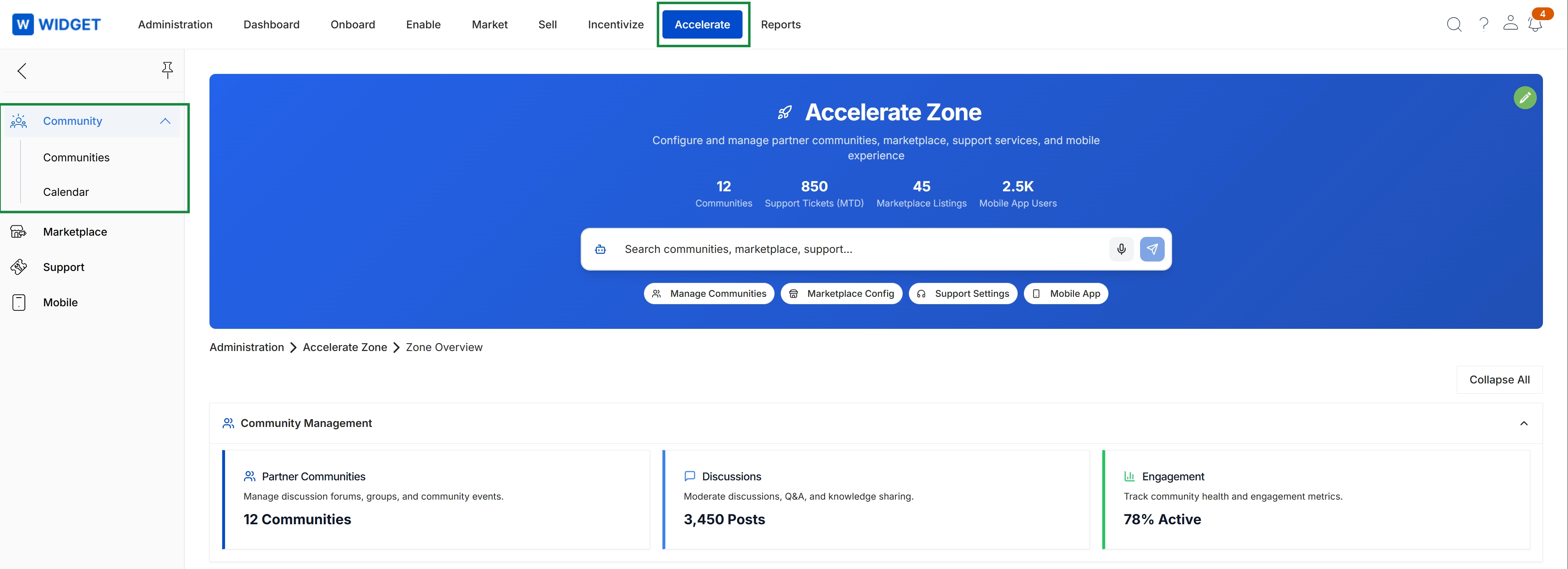
Click Accelerate in the top navigation bar, then click Community in the left navigation menu, and finally click Communities.
Managing Partner Communities
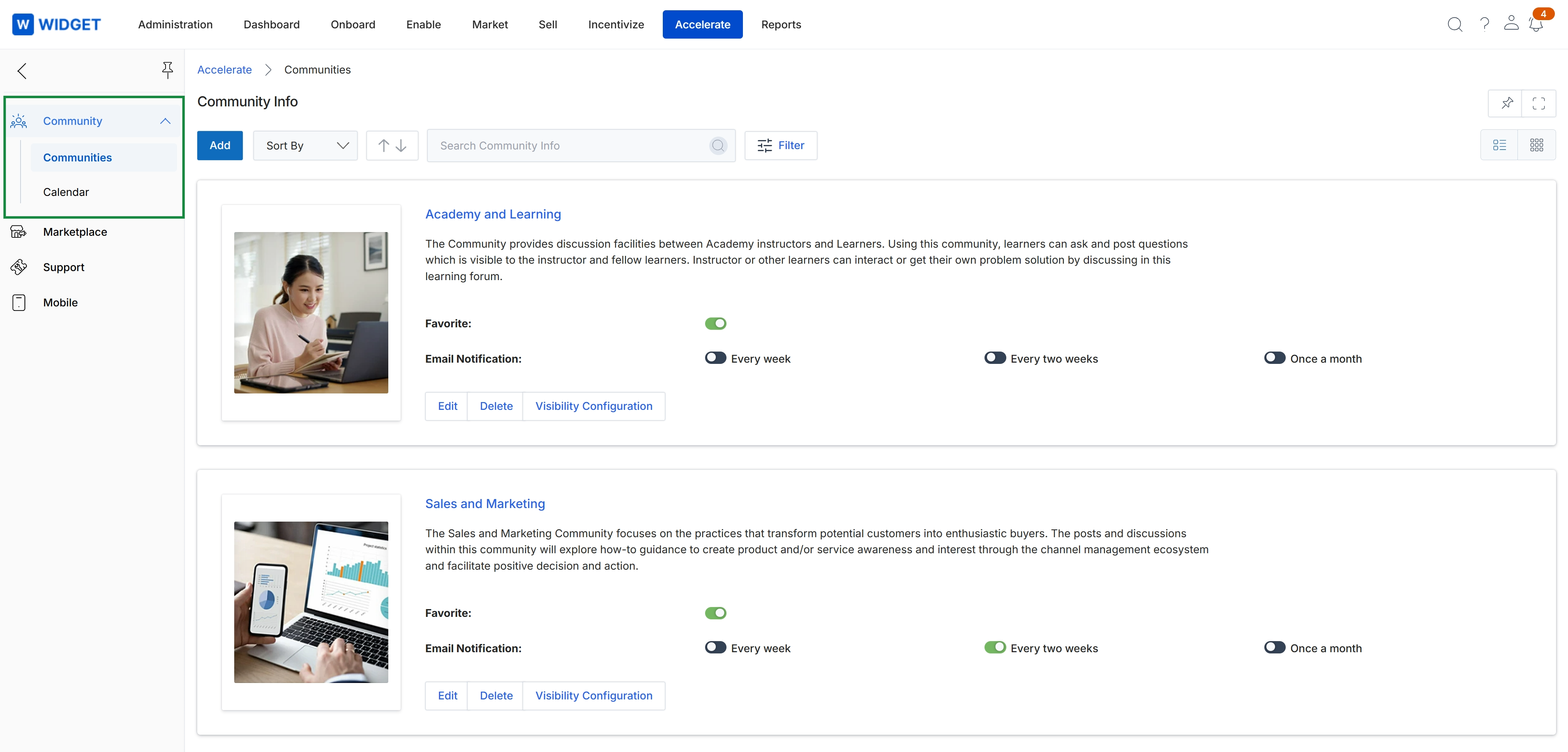
This screen displays a list of available communities within the Accelerate module, providing an overview of each community's purpose and configuration. Administrators use this view to manage existing communities, including their descriptions, images, and notification settings for partners. Each community entry shows options to edit its details, delete it, or configure its visibility, allowing for granular control over partner access and engagement.
Frequently asked questions
- What is the purpose of the Community & Discussions Management feature?
It serves as a central repository for creating, moderating, and managing online communities for partners. It fosters collaboration, facilitates knowledge sharing, and tracks partner engagement.
- Who uses this feature?
UPM administrators use it to establish and manage online spaces, and partners use it to interact, ask questions, share best practices, and access resources.
- What are the main benefits of using partner communities?
Effective partner communities foster engagement, enable peer-to-peer learning, and disseminate information efficiently within a partner ecosystem. They enhance partner enablement and strengthen relationships.
- How can administrators customize communities?
Administrators can configure various communities tailored to specific partner segments, topics, or programs, ensuring relevant content and discussions.
- How do administrators access community management options?
Administrators click 'Accelerate' in the top navigation, then 'Community' in the left menu, and finally 'Communities' to access the management interface.