

Overview
Effective management of accounts is crucial for any sales-driven organization, especially within a partner ecosystem. The Accounts feature provides a dedicated space for administrators to keep track of all companies that partners are engaging with, or that are potential targets. This centralized account data ensures consistency across all sales activities, from lead submission and deal registration to co-selling initiatives.
By maintaining accurate and comprehensive account records, UPM facilitates better collaboration between vendors and partners, streamlines sales workflows, and provides a foundational dataset for reporting and analytics within the Sell module. This ensures that all sales efforts are directed efficiently and that partners have the necessary information to pursue opportunities effectively.
Accessing and Viewing Accounts
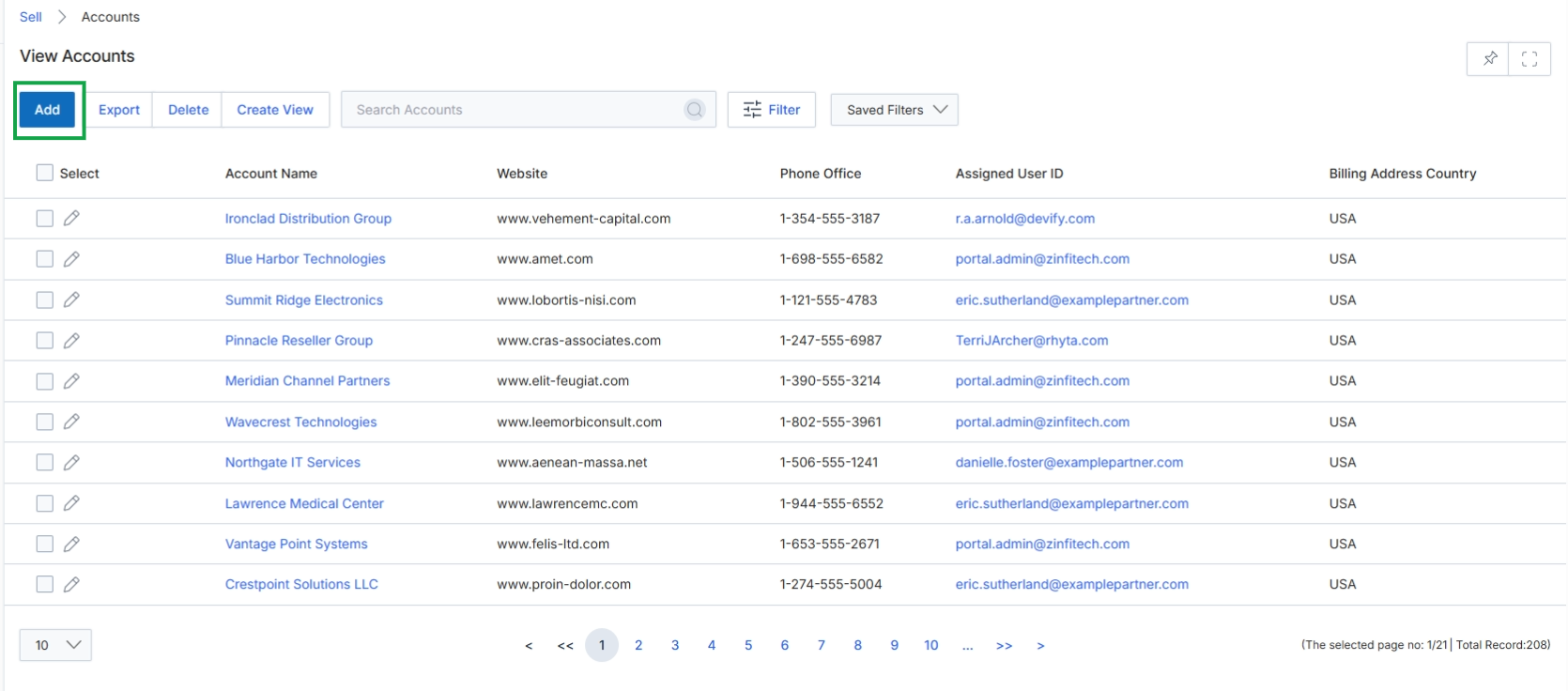
Click the Add button to access the form for adding an account.
Adding or Editing Account Details
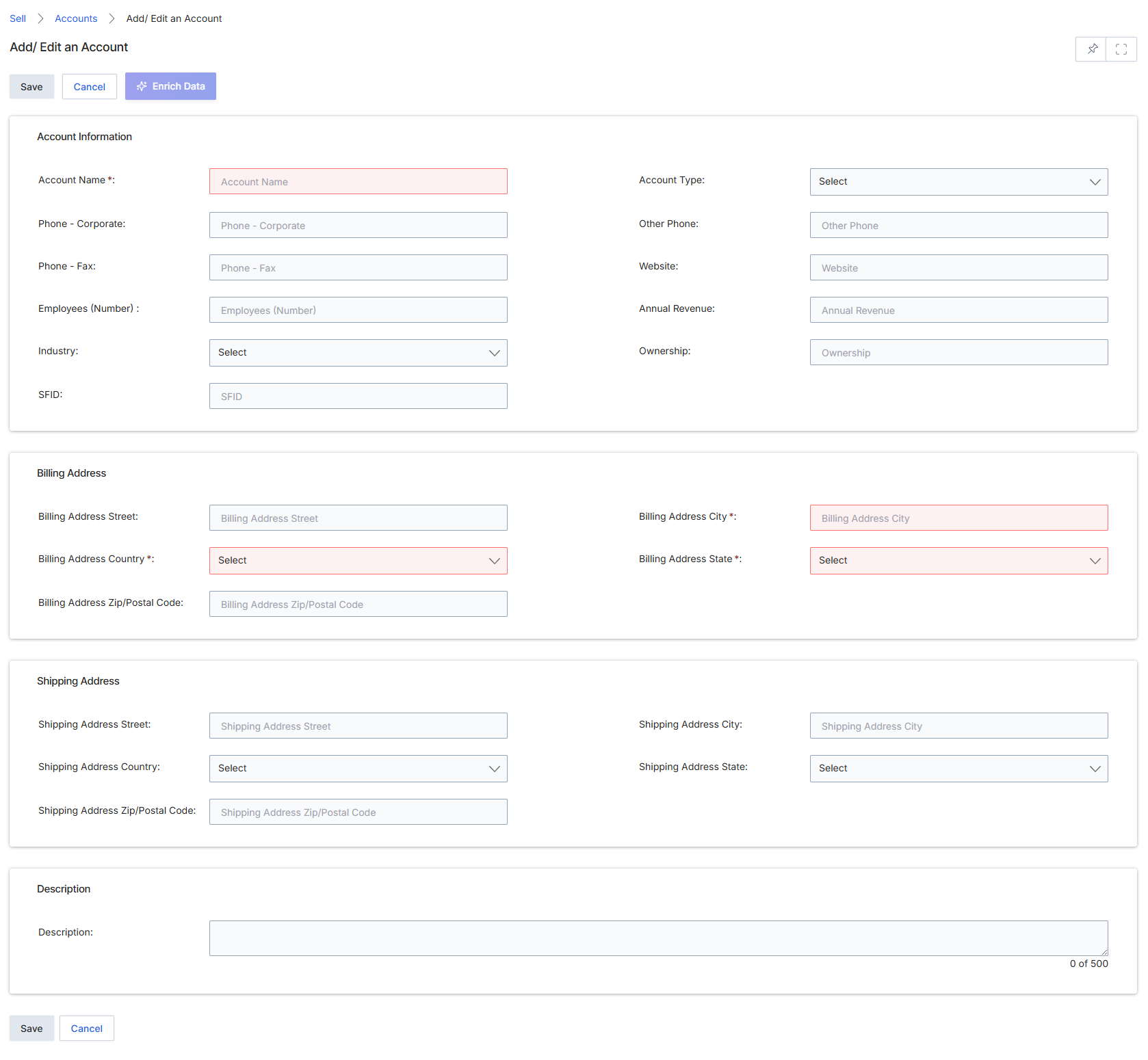
The Add/Edit an Account form in the Sell module allows vendor administrators to create or modify records for target companies. These account records serve as foundational entities for tracking leads, deals, and co-sell opportunities within the UPM platform. Accounts can represent prospects or existing customers and are critical for organizing sales activities and associating them with specific organizations. The form captures essential company information, including contact details, industry classification, and financial data, along with separate billing and shipping addresses. This data can be manually entered or potentially enriched through integrations, providing a comprehensive view of each account for effective partner management and sales pipeline tracking.
Fill in the required and optional details for the new account in the Add/Edit an Account form.
Buttons
| Button | Description |
|---|---|
| Save | Saves the entered account information. |
| Cancel | Discards any changes and returns to the previous screen. |
Account Information
| Field | Description |
|---|---|
| Account Name * | The official name of the account or company. This is a mandatory field. |
| Account Type | The classification of the account, selected from a dropdown list. |
| Phone - Corporate | The primary corporate phone number for the account. |
| Other Phone | An alternative or secondary phone number for the account. |
| Phone - Fax | The fax number for the account. |
| Website | The official website URL for the account. |
| Employees (Number) | The estimated number of employees at the account's organization. |
| Annual Revenue | The estimated annual revenue of the account's organization. |
| Industry | The industry sector to which the account belongs, selected from a dropdown list. |
| Ownership | The ownership structure of the account (e.g., Public, Private, Subsidiary). |
| SFID | A unique identifier for the account, potentially used for integration with Salesforce or other CRM systems. |
Billing Address
| Field | Description |
|---|---|
| Billing Address Street | The street address for the account's billing location. |
| Billing Address City * | The city for the account's billing location. This is a mandatory field. |
| Billing Address Country * | The country for the account's billing location, selected from a dropdown list. This is a mandatory field. |
| Billing Address State * | The state or province for the account's billing location, selected from a dropdown list. This is a mandatory field. |
| Billing Address Zip/Postal Code | The zip or postal code for the account's billing location. |
Shipping Address
| Field | Description |
|---|---|
| Shipping Address Street | The street address for the account's shipping location. |
| Shipping Address City | The city for the account's shipping location. |
| Shipping Address Country | The country for the account's shipping location, selected from a dropdown list. |
| Shipping Address State | The state or province for the account's shipping location, selected from a dropdown list. |
| Shipping Address Zip/Postal Code | The zip or postal code for the account's shipping location. |
Description
| Field | Description |
|---|---|
| Description | A text area for providing additional details or notes about the account. |