

Overview
Effective partner selling relies on accurate and comprehensive data about the companies partners are targeting or selling to. The Companies section within the Sell module provides administrators with the tools to maintain this critical information. This ensures that when partners submit leads or register deals, they can be linked to existing company records, preventing duplicates and enriching the sales pipeline data.
This feature supports the entire sales process by providing a foundational dataset for accounts. It helps in segmenting partners, assigning leads based on company attributes, and tracking the complete sales journey from initial prospect to closed deal. By centralizing company data, UPM enhances data integrity and streamlines partner-vendor collaboration on sales opportunities.
Accessing the Companies List
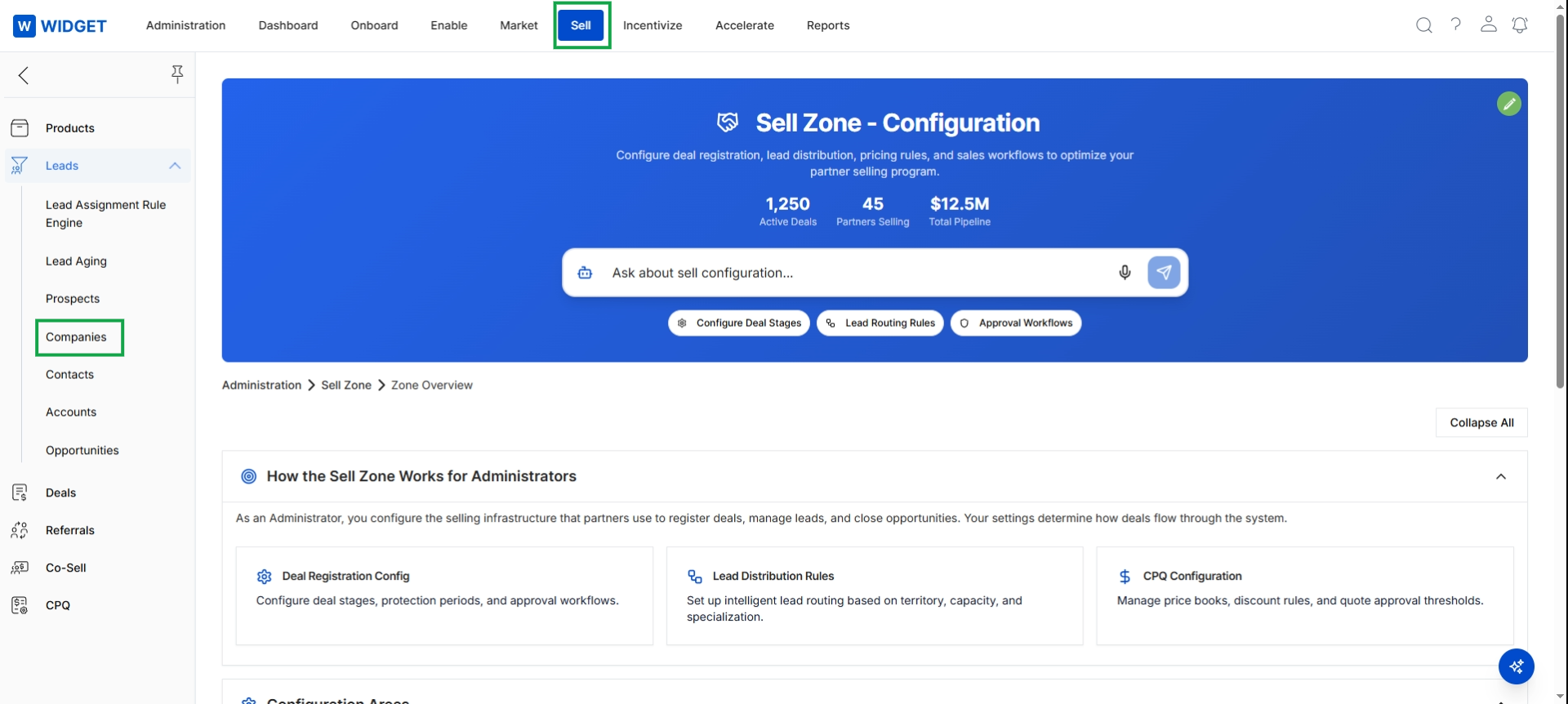
Click Sell in the top navigation bar, then click Leads in the left navigation panel to expand the submenu, and then click Companies.
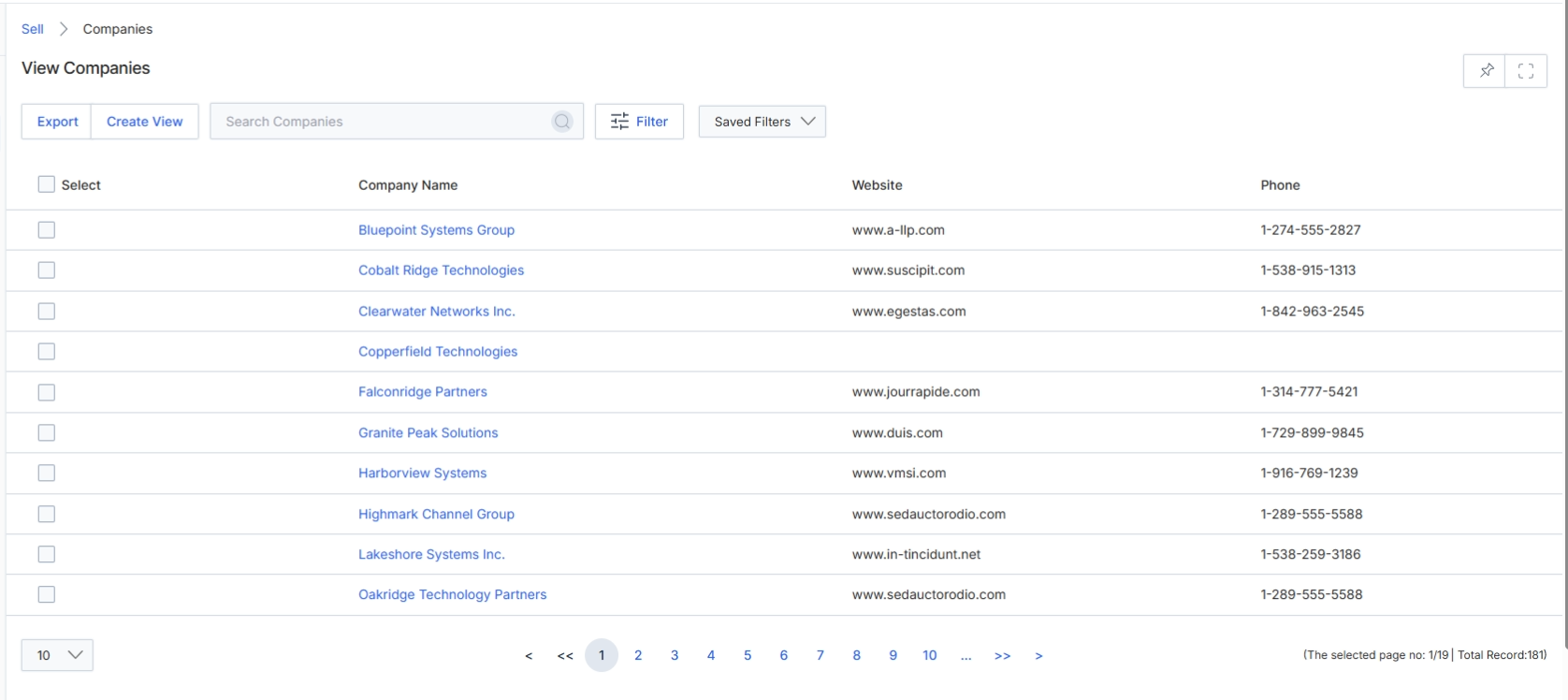
The View Companies screen provides administrators with a comprehensive list of all company records within the UPM platform. These company records represent target accounts, prospects, or existing customers that are relevant to partner sales activities and deal registrations. This list view allows administrators to quickly search, filter, and manage company data, which is critical for lead assignment, deal conflict checking, and overall pipeline visibility within the Sell module. Company information can be manually entered, imported, or synchronized from integrated CRM systems, forming a foundational dataset for partner-driven sales processes.
Navigate to the Companies list view to manage company records.
Buttons
| Button | Description |
|---|---|
| Export | Exports the current list of companies, potentially with applied filters, into a downloadable file format. |
| Create View | Allows the user to define and save custom views of the company list based on specific criteria. |
| Filter | Opens a panel to apply advanced filters to the company list based on various attributes. |
| Saved Filters | A dropdown to select and apply previously saved filter configurations. |
Fields
| Field | Description |
|---|---|
| Search Companies | A search bar to find companies by keywords across various fields. |
Column Headings
| Column | Description |
|---|---|
| Select | Checkbox to select individual company records for bulk actions. |
| Company Name | The name of the company. |
| Website | The official website URL of the company. |
| Phone | The primary contact phone number for the company. |
Viewing Company Details
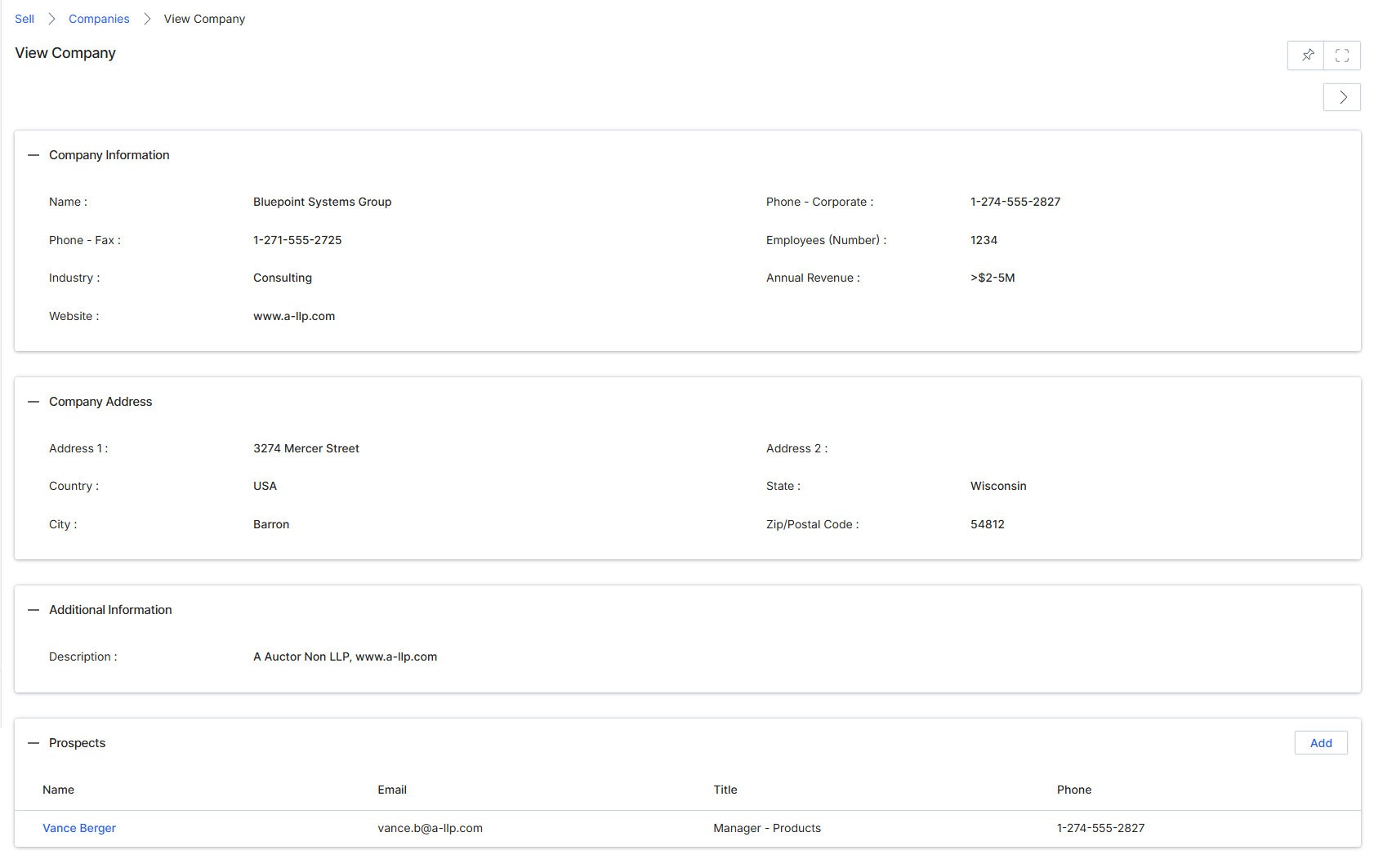
The View Company screen provides a detailed overview of a specific company record within the UPM platform. This screen is part of the Sell module's Leads Management section, which helps vendors and partners track and manage sales opportunities. It consolidates all relevant information about a company, including its contact details, address, and associated prospects, offering a comprehensive profile for sales and marketing efforts. This detail view is crucial for understanding the context of leads and deals, enabling more targeted engagement and efficient pipeline management. The information displayed here can originate from manual entry, CRM synchronization, or lead submission processes, serving as a central repository for company data.
Buttons
| Button | Description |
|---|---|
| Add | Adds a new prospect to this company. |
Company Information
| Field | Description |
|---|---|
| Name | The name of the company. |
| Phone - Corporate | The main corporate phone number for the company. |
| Phone - Fax | The fax number for the company. |
| Employees (Number) | The number of employees working at the company. |
| Industry | The industry sector the company operates in. |
| Annual Revenue | The estimated annual revenue of the company. |
| Website | The official website URL for the company. |
Company Address
| Field | Description |
|---|---|
| Address 1 | The first line of the company's street address. |
| Address 2 | The second line of the company's street address, if applicable. |
| Country | The country where the company is located. |
| State | The state or province where the company is located. |
| City | The city where the company is located. |
| Zip/Postal Code | The postal code for the company's address. |
Additional Information
| Field | Description |
|---|---|
| Description | Additional descriptive information about the company. |
Prospects Related List
Column Headings
| Column | Description |
|---|---|
| Name | The name of an associated prospect. |
| The email address of an associated prospect. | |
| Title | The job title of an associated prospect. |
| Phone | The phone number of an associated prospect. |