

Overview
In UPM, Opportunities represent potential sales deals that partners or the vendor sales team are actively pursuing. This feature provides a centralized repository for managing the lifecycle of these opportunities, from initial identification through to closing. By tracking opportunities, administrators gain visibility into the sales pipeline, can forecast revenue, and ensure that all necessary information for a deal is captured and accessible.
Effective opportunity management is crucial for understanding sales performance, identifying bottlenecks in the sales process, and supporting co-selling efforts between vendors and partners. The ability to add and edit opportunities ensures that the sales pipeline data remains current and accurate, facilitating better decision-making and resource allocation.
Accessing the Opportunities List
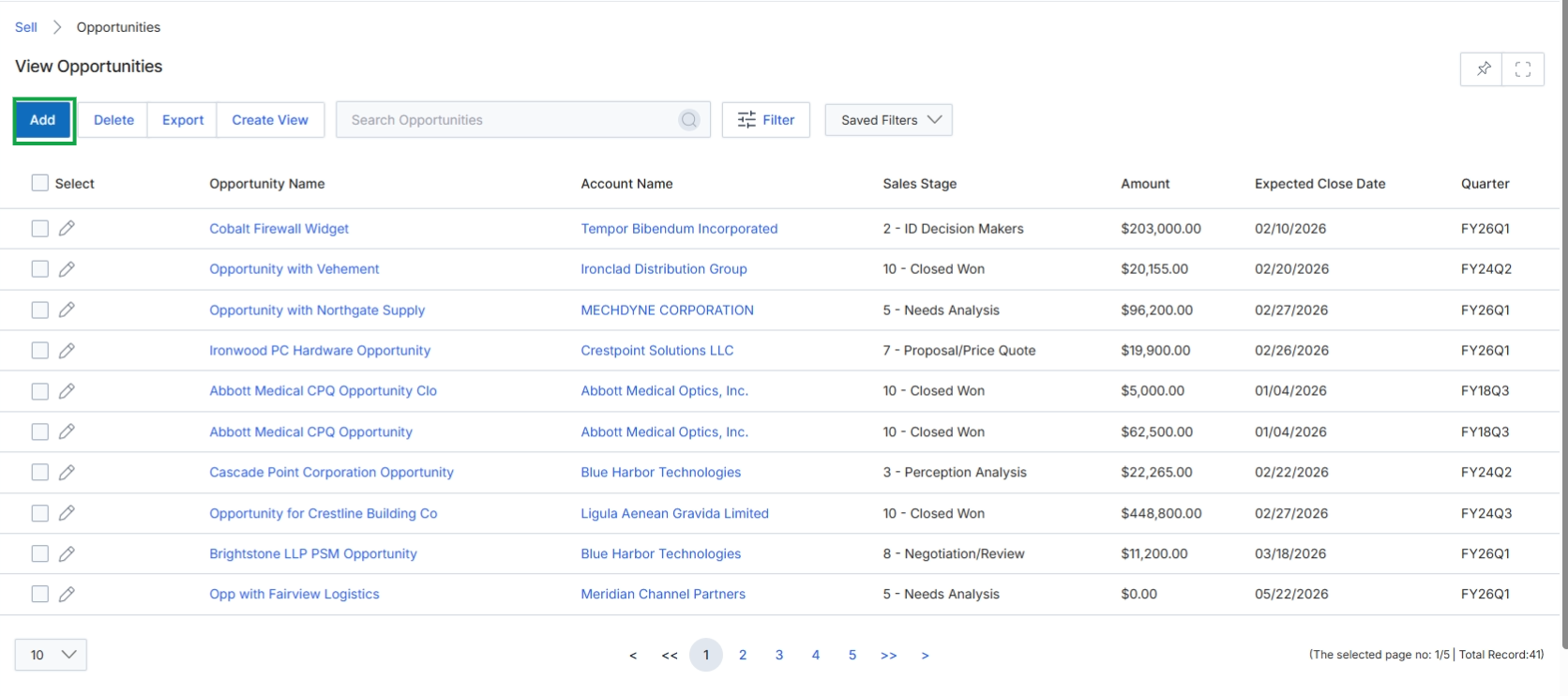
Click the Add button to create a new opportunity.
Adding or Editing an Opportunity
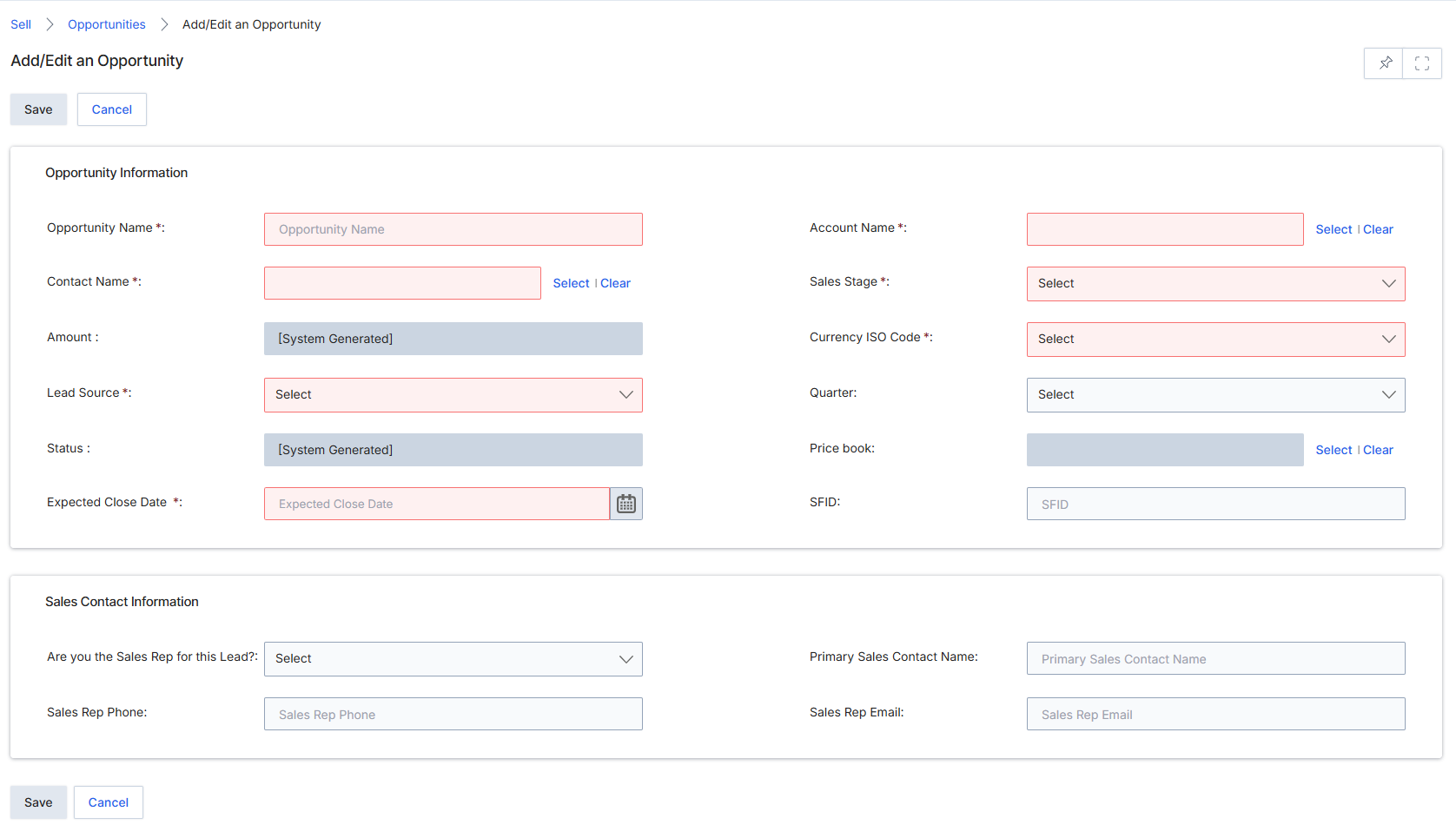
The Add/Edit an Opportunity form in the Sell module allows users to create or modify opportunity records. Opportunities represent qualified sales deals that partners are actively pursuing, tracking their progress through various sales stages. This form captures essential details about the potential deal, including its value, expected close date, and associated contacts. The information entered here is crucial for pipeline management, forecasting, and ultimately, for triggering commission calculations and reward accruals upon successful closure. Certain fields are system-generated or derived, reflecting UPM's automation capabilities, while others require manual input or selection from predefined lists, ensuring data consistency and adherence to sales processes.
Fill in the required details for the new opportunity in the Add/Edit an Opportunity form.
Buttons
| Button | Description |
|---|---|
| Save | Saves the entered opportunity details. |
| Cancel | Discards any changes and returns to the previous screen. |
Opportunity Information
| Field | Description |
|---|---|
| Opportunity Name * | The name of the opportunity. |
| Contact Name * | The primary contact associated with this opportunity. |
| Amount | The monetary value of the opportunity, which is system-generated. |
| Lead Source * | The origin or source of this opportunity. |
| Status | The current status of the opportunity, which is system-generated. |
| Expected Close Date * | The anticipated date by which the opportunity is expected to close. |
| Account Name * | The name of the account associated with this opportunity. |
| Sales Stage * | The current stage of the sales process for this opportunity. |
| Currency ISO Code * | The ISO currency code for the opportunity's amount. |
| Quarter | The financial quarter in which the opportunity is expected to close. |
| Price book | The price book to be used for this opportunity. |
| SFID | The Salesforce ID for this opportunity, if integrated. |
Sales Contact Information
| Field | Description |
|---|---|
| Are you the Sales Rep for this Lead? | Indicates whether the current user is the sales representative for this lead. |
| Primary Sales Contact Name | The name of the primary sales contact. |
| Sales Rep Phone | The phone number of the sales representative. |
| Sales Rep Email | The email address of the sales representative. |