

Overview
Partner business plans are crucial for aligning partner activities with vendor objectives, fostering strategic collaboration, and ensuring mutual growth. By requiring partners to submit structured plans, vendors gain insight into partner strategies, resource allocation, and sales forecasts. This process helps identify areas for support, allocate Market Development Funds (MDF) effectively, and track partner performance against agreed-upon goals.
This module streamlines the creation, distribution, and management of these plans. Administrators can define various plan templates, such as joint sales plans or marketing plans, which partners then use to outline their strategies. Once submitted, these plans enter an approval workflow, enabling program managers to review, provide feedback, and approve or reject proposals, ultimately driving more effective partner engagement and program success.
Key Features
- Business Plan Templates
- Partner Plan Management
- Submission & Approval Tracking
- Plan Status Visibility
- Template Creation & Editing
- Search & Filter Plans
Accessing Partner Business Plans
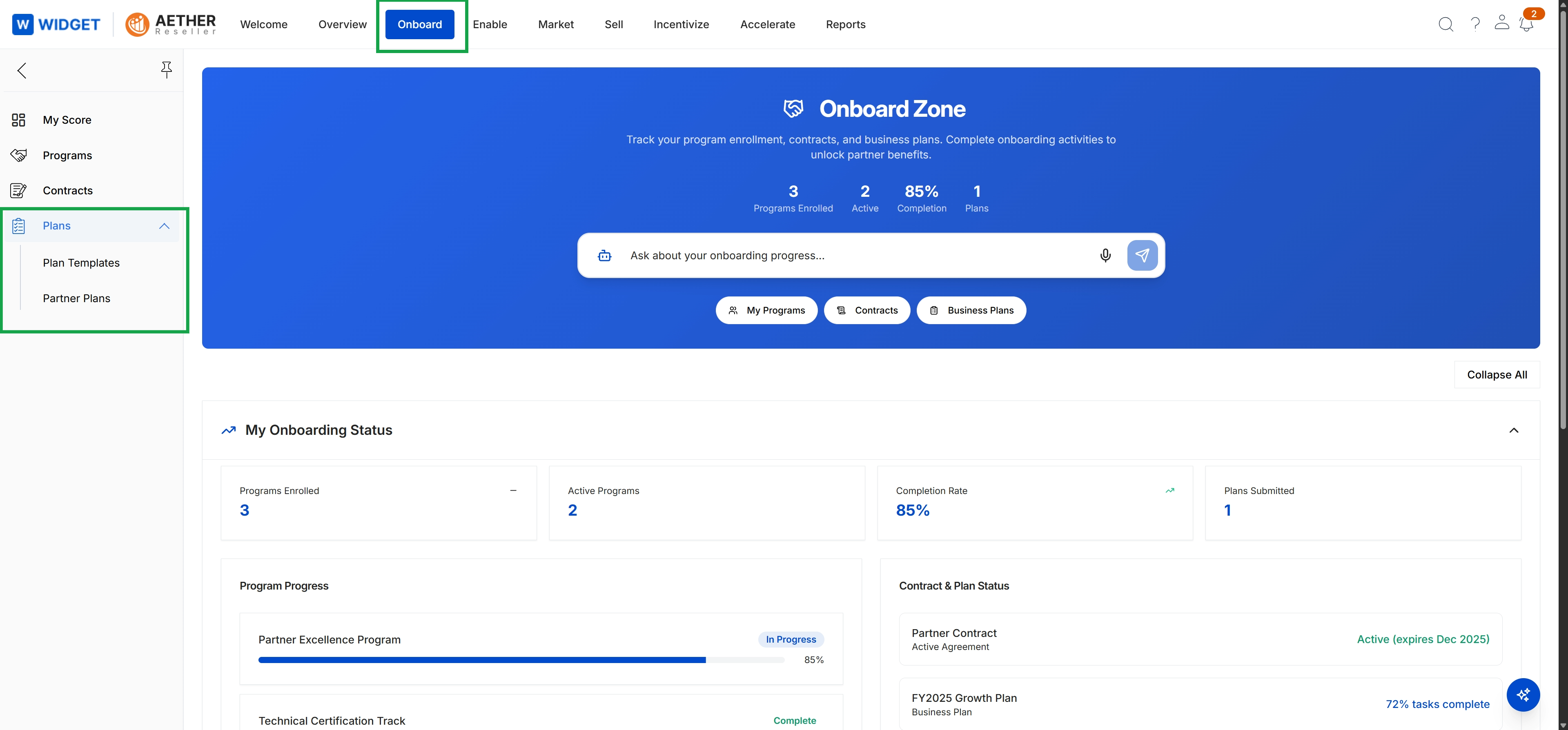
Click Onboard in the top navigation bar, then click Plans in the left navigation menu to expand it.
Managing Plan Templates
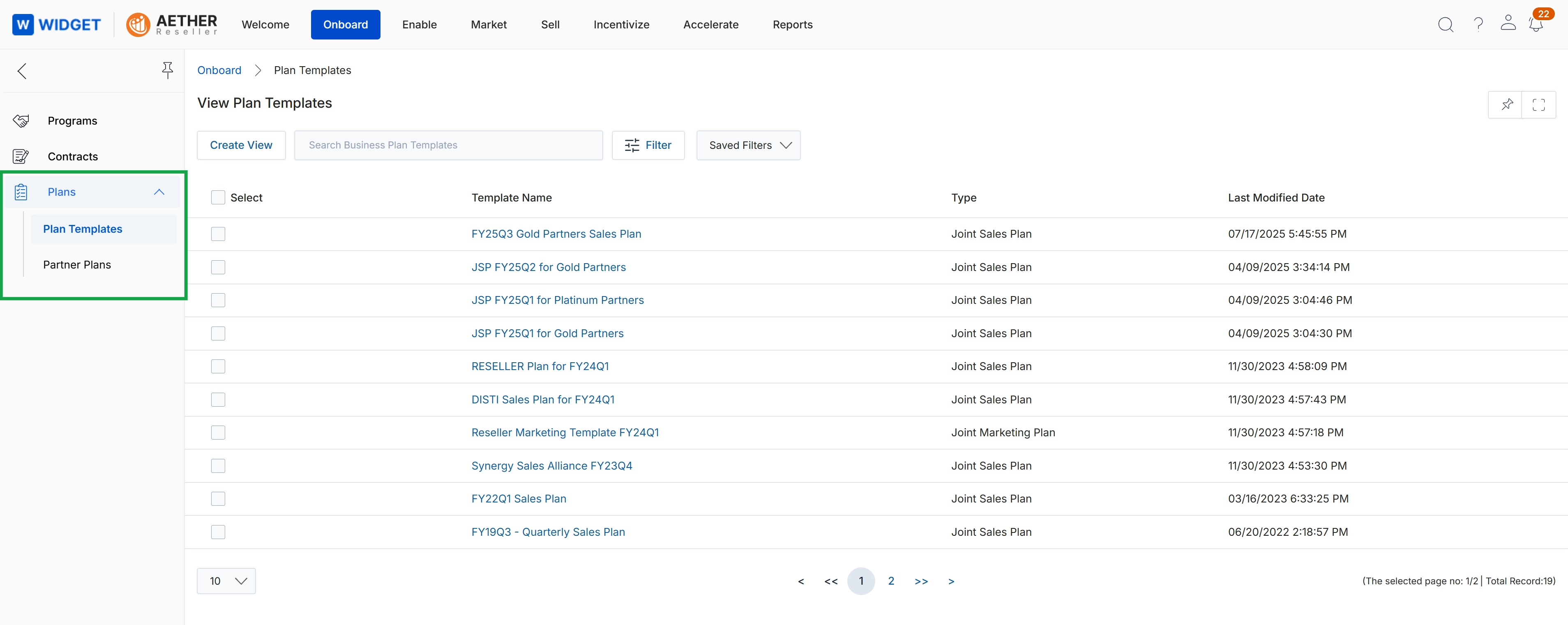
This screen displays a comprehensive list of all business plan templates available within the platform, which are used to structure and guide partner business planning activities. Each entry in the table provides details such as the template's name, its specific type (e.g., Joint Sales Plan, Joint Marketing Plan), and the date it was last modified. This view allows administrators to manage the foundational documents that partners will utilize when developing their strategic plans, ensuring consistency and alignment across the partner ecosystem.
Viewing Submitted Partner Plans
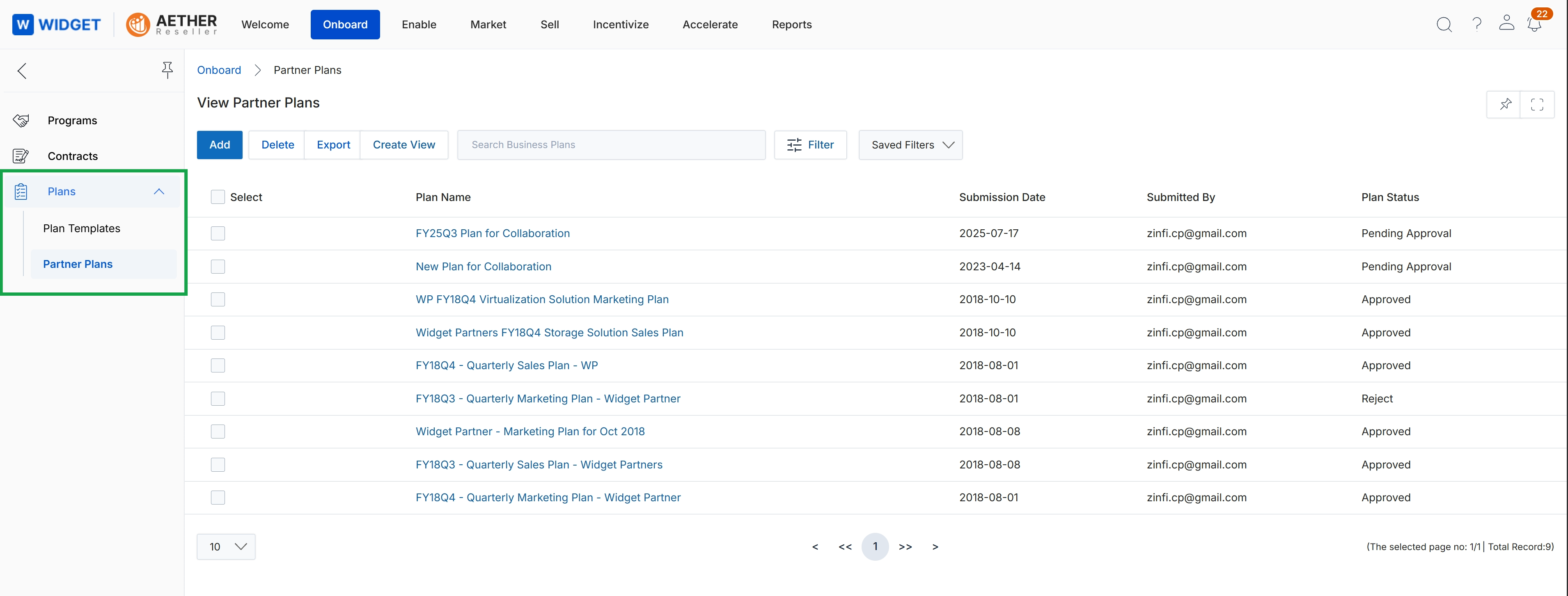
This screen displays a comprehensive list of all partner business plans submitted within the platform, providing administrators with an overview of each plan's status and details. It serves as a central repository for managing and tracking the strategic plans partners create, showing information such as the plan name, submission date, submitting user, and current approval status. Administrators use this view to monitor the progress of various partner initiatives and identify plans requiring review or further action.
Frequently asked questions
- What is the purpose of the Plans module?
The Plans module provides tools for administrators to manage partner business plans, including creating templates and tracking submissions through approval workflows. It standardizes planning processes and aligns partner activities with vendor objectives.
- Who uses the Plans module?
UPM administrators use this module to define templates, track plans, and manage the approval process. Channel partners use the templates to create and submit their strategic plans.
- What information can administrators view in the Plans module?
Administrators can view a comprehensive list of business plan templates, including names, types, and modification dates. They can also see all submitted partner business plans with details like plan name, submission date, and current approval status.
- Why are partner business plans important?
Partner business plans are crucial for aligning partner activities with vendor objectives, fostering collaboration, and ensuring mutual growth. They provide insight into partner strategies, resource allocation, and sales forecasts.
- What are the key features of the Plans module?
Key features include business plan templates, partner plan management, submission and approval tracking, plan status visibility, and template creation and editing capabilities.