

Overview
The Business Plans Management module within the platform is crucial for enabling partners to develop structured plans aligned with vendor objectives. Plan Templates serve as the foundational blueprints for these plans, ensuring consistency and guiding partners through the strategic planning process. Administrators define these templates, which can cover various aspects like sales, marketing, or business development, to provide partners with a clear framework for setting goals and outlining activities. These templates are then assigned to partners, who populate them with their specific data to create Partner Plans.
Accessing Plan Templates
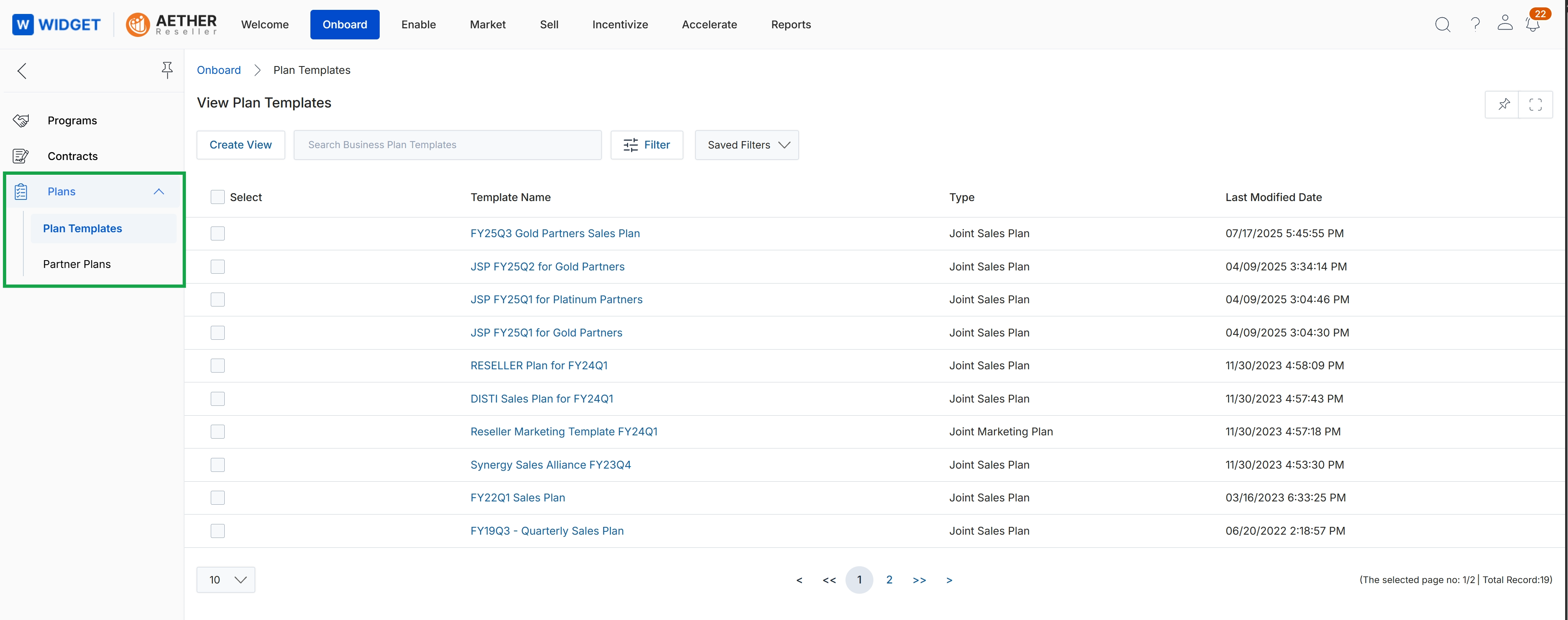
Click Plans → Plan Templates.
Create View & Filter Plan Templates
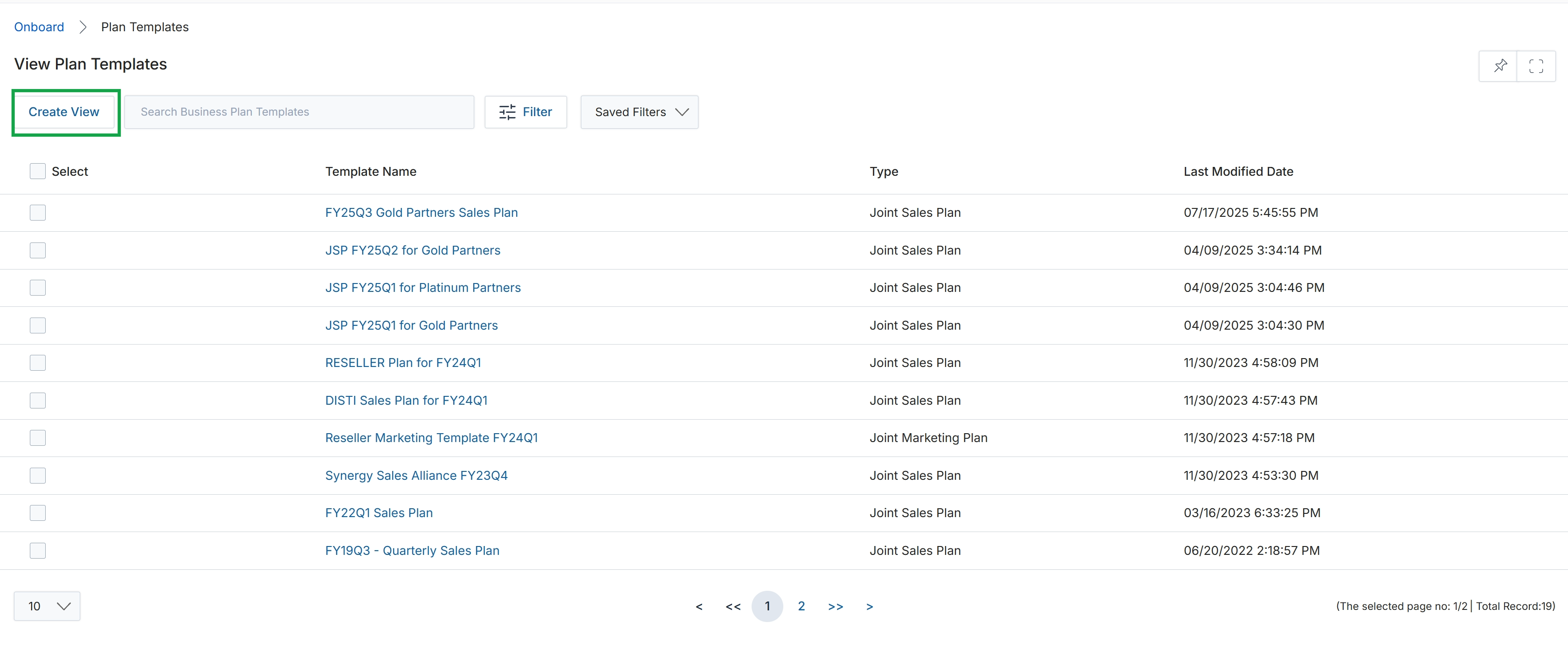
Click the Plans menu item to collapse the left navigation menu.
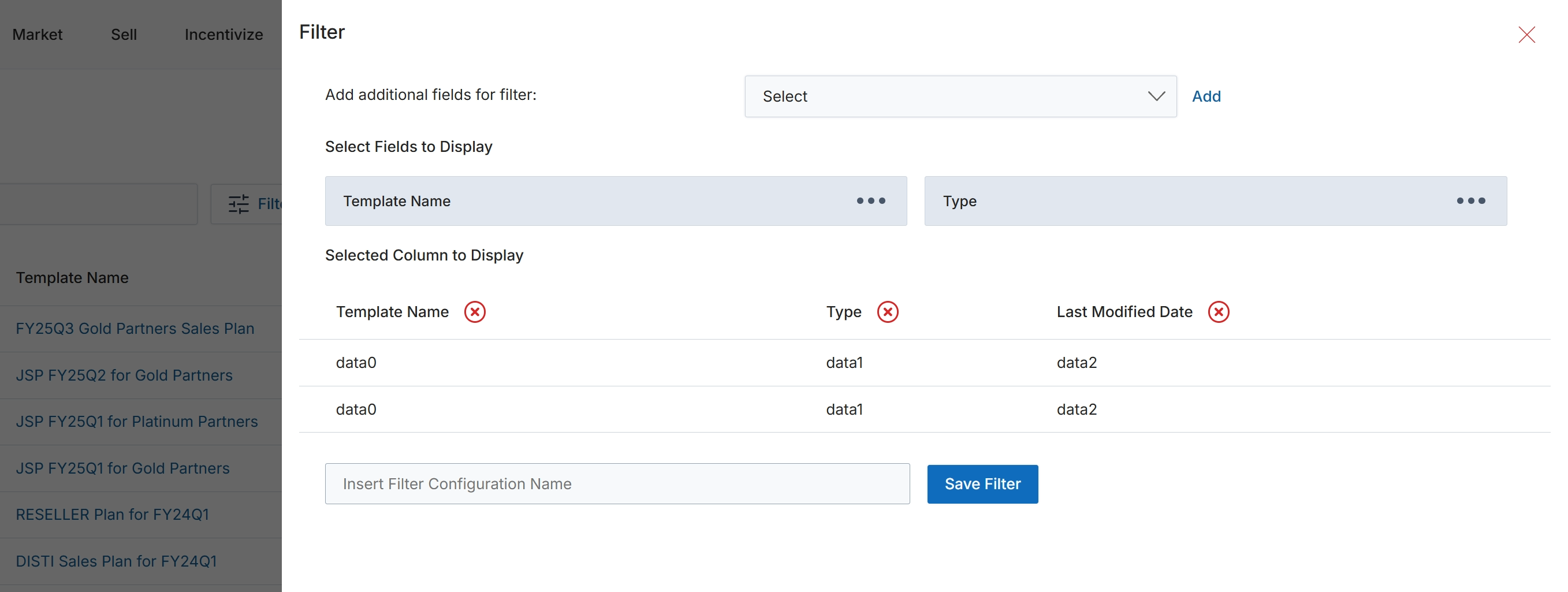
This slide-out panel provides advanced filtering and column selection capabilities for list views within the UPM. Users can define specific criteria to narrow down the displayed records and customize which data columns are visible in the main table. This functionality allows for personalized views of data, enabling users to focus on relevant information and create saved filter configurations for repeated use. The panel supports adding multiple filter fields and selecting various columns to display, enhancing data analysis and management efficiency.
Enter a name for the filter configuration in the provided field and click 'Save Filter' to apply and store the current filter and column selections.
Buttons
| Button | Description |
|---|---|
| Add | A button to add the selected field from the dropdown as a new filter criterion. |
| Save Filter | A button to save the current filter and column display configuration under the specified name. |
Fields
| Field | Description |
|---|---|
| Add additional fields for filter | A dropdown menu to select additional fields to use for filtering the list view. |
| Select | The dropdown control for selecting additional filter fields. |
| Insert Filter Configuration Name | A text input field to enter a name for the custom filter configuration, allowing it to be saved and reused. |
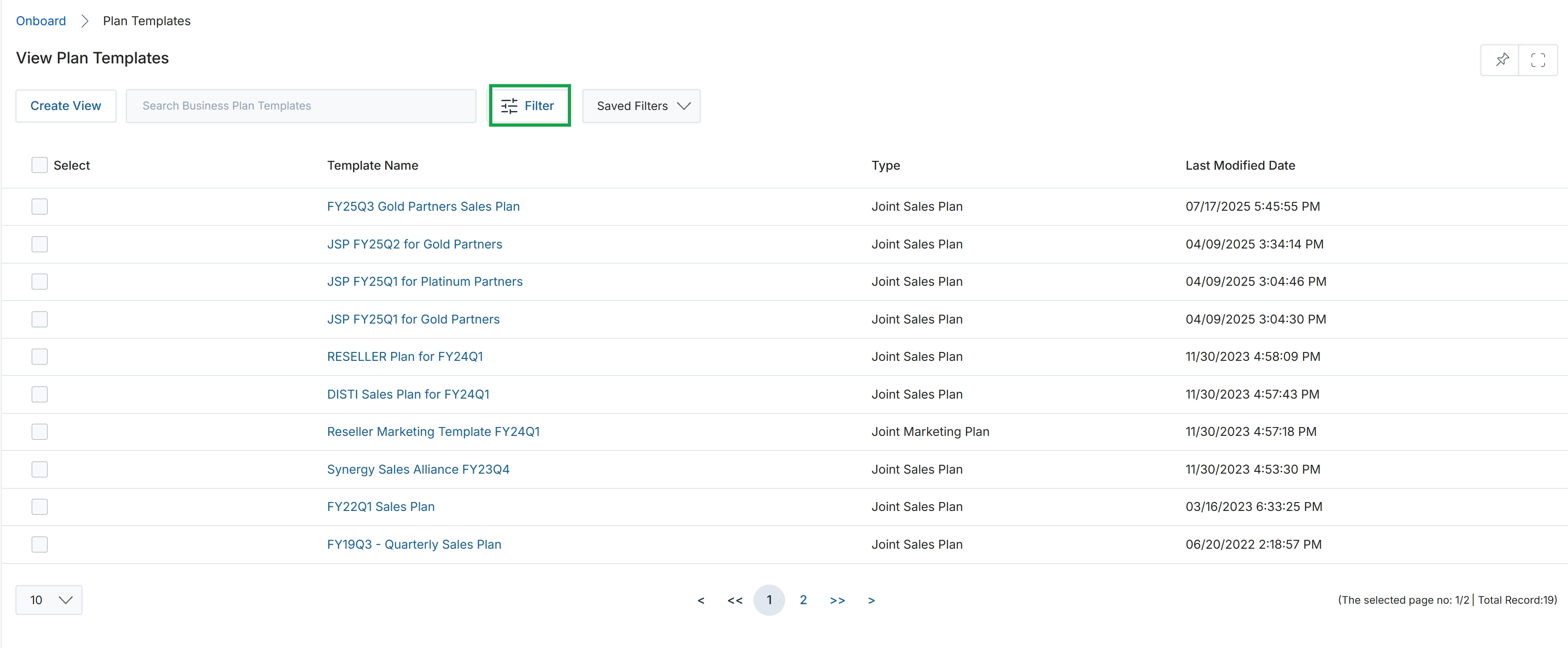
Click the Filter button to close the filter panel.
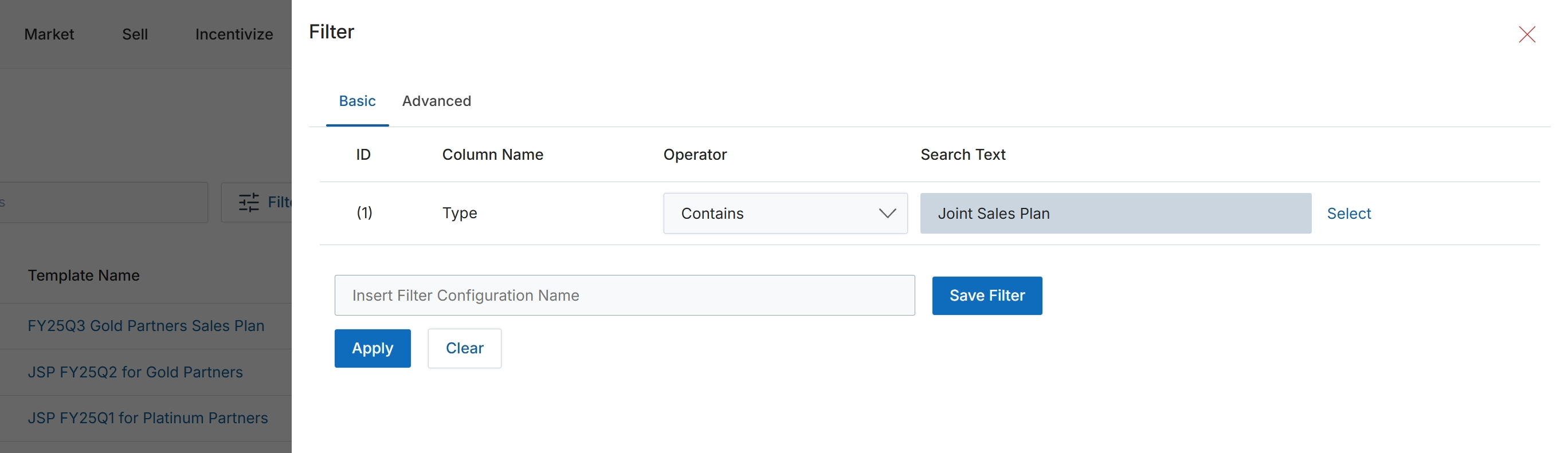
This filter dialog provides a mechanism for users to refine the displayed list of items, such as partner business plan templates, by specifying one or more criteria. It allows for the construction of filter rules based on column names, operators, and search text, enabling users to quickly locate specific records or subsets of data. The dialog supports both basic and advanced filtering configurations, and users can save frequently used filter sets for future application, streamlining data retrieval and analysis within the module.
Click 'Apply' to apply the configured filter conditions to the list of plan templates.
Buttons
| Button | Description |
|---|---|
| Basic | Tab to configure simple filter conditions. |
| Advanced | Tab to configure more complex filter conditions. |
| Select | A control to select or modify the search text value. |
| Save Filter | Saves the current filter configuration under the specified name. |
| Clear | Clears all applied filter conditions. |
| X | Closes the filter dialog without applying any changes. |
Fields
| Field | Description |
|---|---|
| Type | The column selected for filtering, indicating the type of plan template. |
| Contains | The selected operator for the filter rule, indicating that the 'Type' column should contain the specified 'Search Text'. |
| Joint Sales Plan | The text value entered to filter the 'Type' column, showing only plan templates that include 'Joint Sales Plan'. |
| Insert Filter Configuration Name | Input field to enter a name for the current filter configuration, allowing it to be saved for future use. |
Column Headings
| Column | Description |
|---|---|
| ID | A numerical identifier for the filter rule. |
| Column Name | The name of the column to which the filter condition will be applied. |
| Operator | The logical operator (e.g., 'Contains', 'Equals', 'Starts With') to be used for the filter condition. |
| Search Text | The value or text to search for within the specified column. |
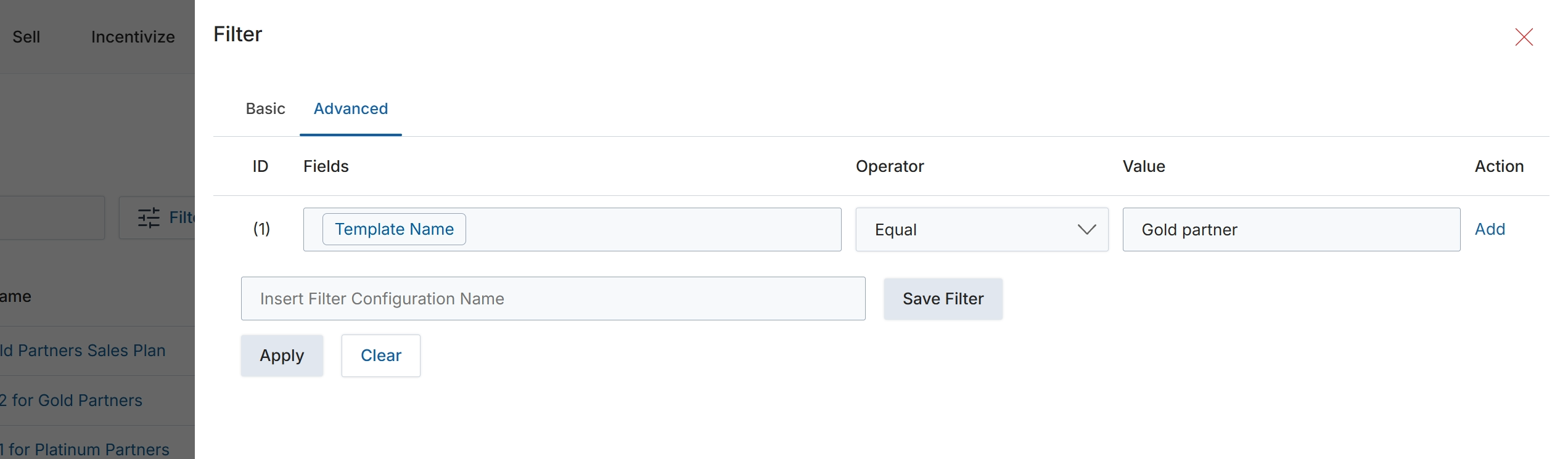
This screen presents an advanced filter configuration dialog, enabling users to define specific criteria for narrowing down a list of items, such as Partner Business Plan Templates. It allows for the creation of complex filter rules by combining fields, operators, and values, which is crucial for managing and quickly locating specific templates within a potentially large dataset. The ability to save filter configurations streamlines future searches and ensures consistency in data retrieval. This functionality supports administrators in efficiently managing the various business plan templates available in the module, facilitating targeted operations or analysis.
Enter a name for the filter configuration to save it for future use, then click 'Save Filter'.
Buttons
| Button | Description |
|---|---|
| Basic | Switches to the basic filter configuration options. |
| Advanced | Switches to the advanced filter configuration options, allowing for more complex rule definitions. |
| Add | Adds a new row to define an additional filter condition. |
| Save Filter | Saves the current filter configuration with the specified name. |
| Apply | Applies the configured filters to the list of items without saving the configuration. |
| Clear | Clears all defined filter conditions. |
Fields
| Field | Description |
|---|---|
| Insert Filter Configuration Name | Enter a descriptive name for the current filter configuration to save it. |
Column Headings
| Column | Description |
|---|---|
| ID | A numerical identifier for each filter rule. |
| Fields | The data field to which the filter condition is applied. Currently set to 'Template Name'. |
| Operator | The comparison operator used for the filter condition. Currently set to 'Equal'. |
| Value | The specific value used in the filter condition. Currently set to 'Gold partner'. |
| Action | Provides actions related to the filter rule, such as 'Add' to include another rule. |