

Overview
Effective partner enablement is crucial for the success of any partner program. The Partner Learning Management module within the UPM platform provides the tools necessary to educate and empower your partners. By offering structured training courses and certifications, you can ensure partners have the knowledge and skills required to sell and support your products effectively, ultimately driving higher performance and loyalty within your partner ecosystem.
This module allows partners to easily browse available courses, enroll in relevant training, and track their learning progress directly from their portal. For administrators, it simplifies the process of managing educational content, monitoring partner engagement with training materials, and validating partner competencies through certifications, which can also be tied to partner tiers or program benefits.
Key Features
- Partner Learning Management
- Course Catalog & Enrollment
- Certification Tracking
- Content Library Access
- Learning Progress Monitoring
- AI-Recommended Courses
Accessing the Learning Module
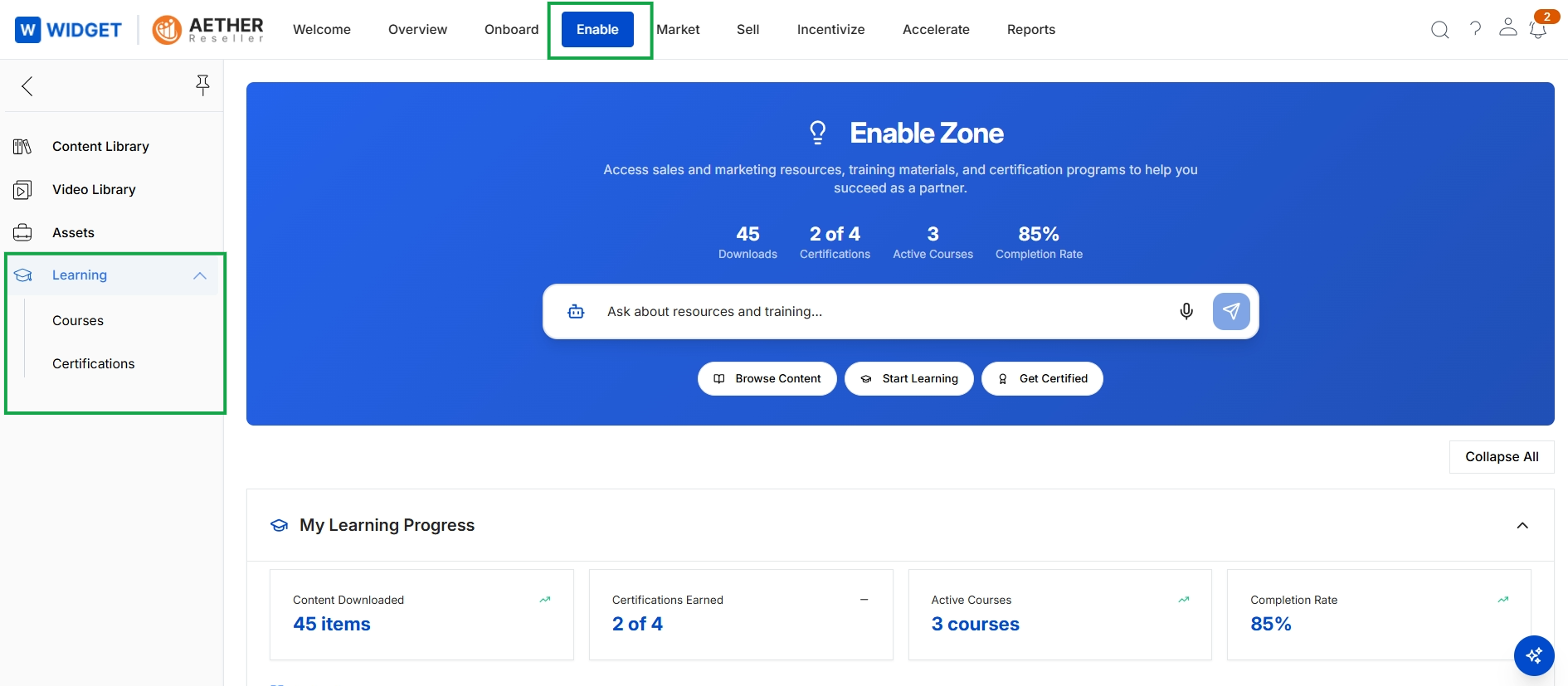
Click Enable → Learning → Courses.
Viewing and Enrolling in Courses
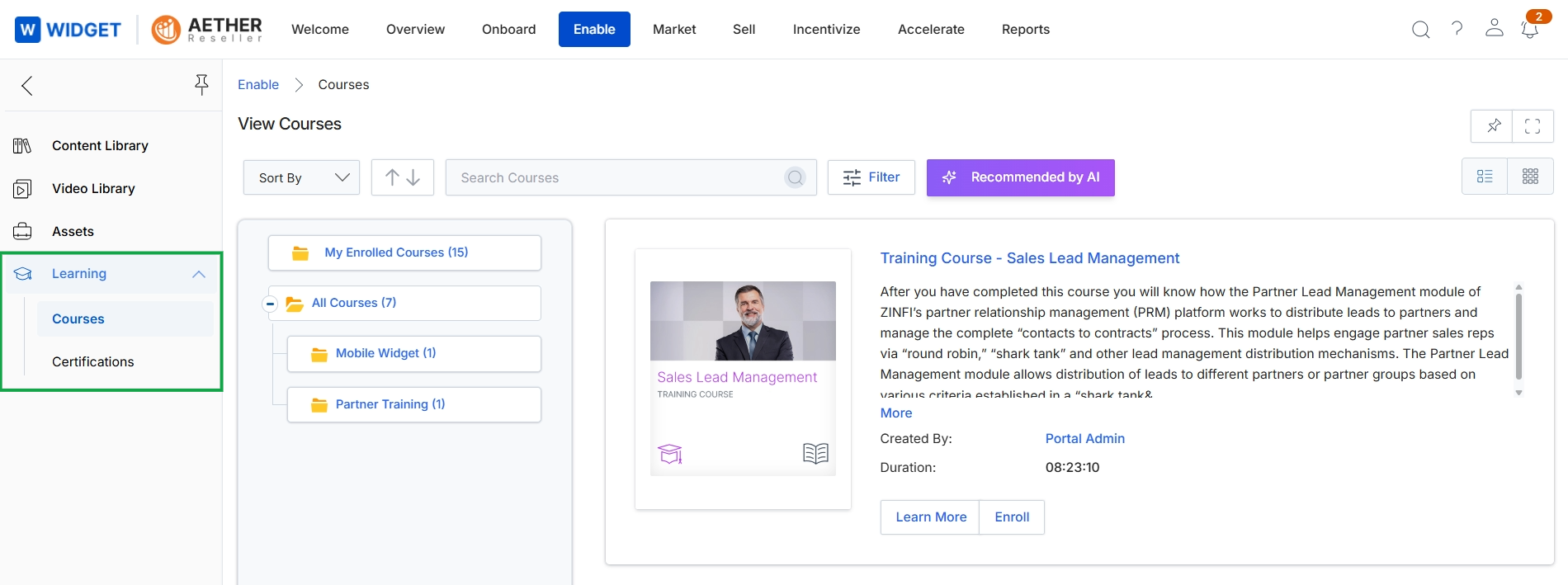
This screen displays the course catalog within the Enable module's Learning section, providing a centralized view for partners to discover and manage their training. It presents available courses, categorized by enrollment status or other groupings, and allows partners to search, sort, and filter the listings. The view also provides a detailed description of a selected course, including its duration and creator, enabling partners to understand the course content before enrollment. This interface is crucial for partners to access the learning resources necessary for their development and certification within the partner program.
Frequently asked questions
- What is the primary function of the Learning module?
The Learning module provides a comprehensive learning management system (LMS) for partners. It allows administrators to create, manage, and deliver training courses and certifications, serving as a central repository for educational content.
- How do partners interact with the Learning module?
Partners can access assigned learning paths, browse available courses, enroll in relevant training, and track their progress. They can also view detailed course information like duration and creator before enrolling.
- What are the key benefits for administrators using this module?
Administrators use this module to ensure partners are well-trained and certified on products and sales methodologies. It simplifies managing content, monitoring engagement, and validating partner competencies, which can link to partner tiers.
- What are the main features of the Partner Learning Management module?
Key features include a course catalog with enrollment options, certification tracking, a content library, learning progress monitoring, and AI-recommended courses to enhance partner enablement.
- How do I access the Learning module?
To access the Learning module, enable the module landing page with the Learning menu expanded. Then, navigate by clicking Enable → Learning → Courses.