

Overview
The Enable module's Learning Management System (LMS) is crucial for empowering partners with the knowledge and skills required to successfully sell and market products or services. By providing a self-service portal for course enrollment and progress tracking, vendors can ensure their partners are well-trained and compliant with program requirements. This directly contributes to partner performance, customer satisfaction, and overall program success.
Browsing and Enrolling in Courses
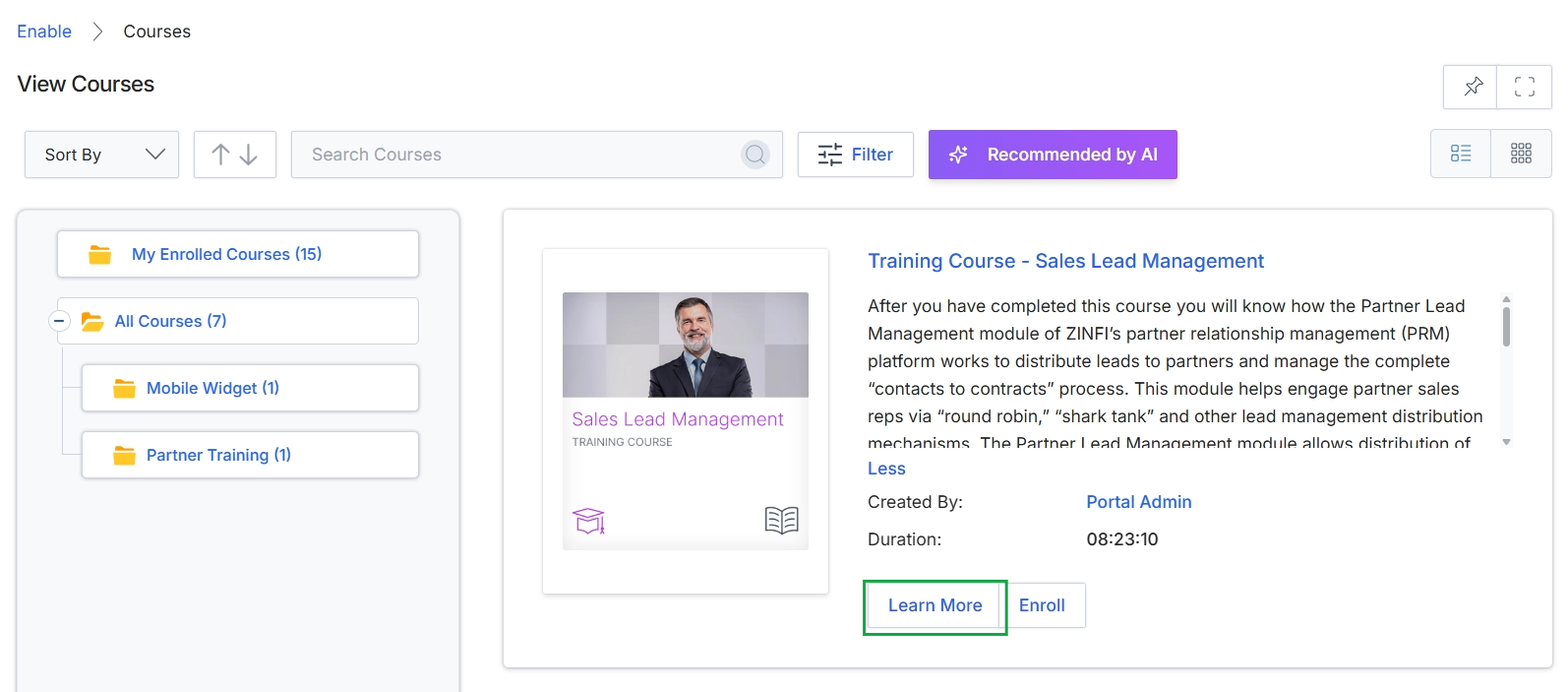
Click the Learn More button on the desired course card.
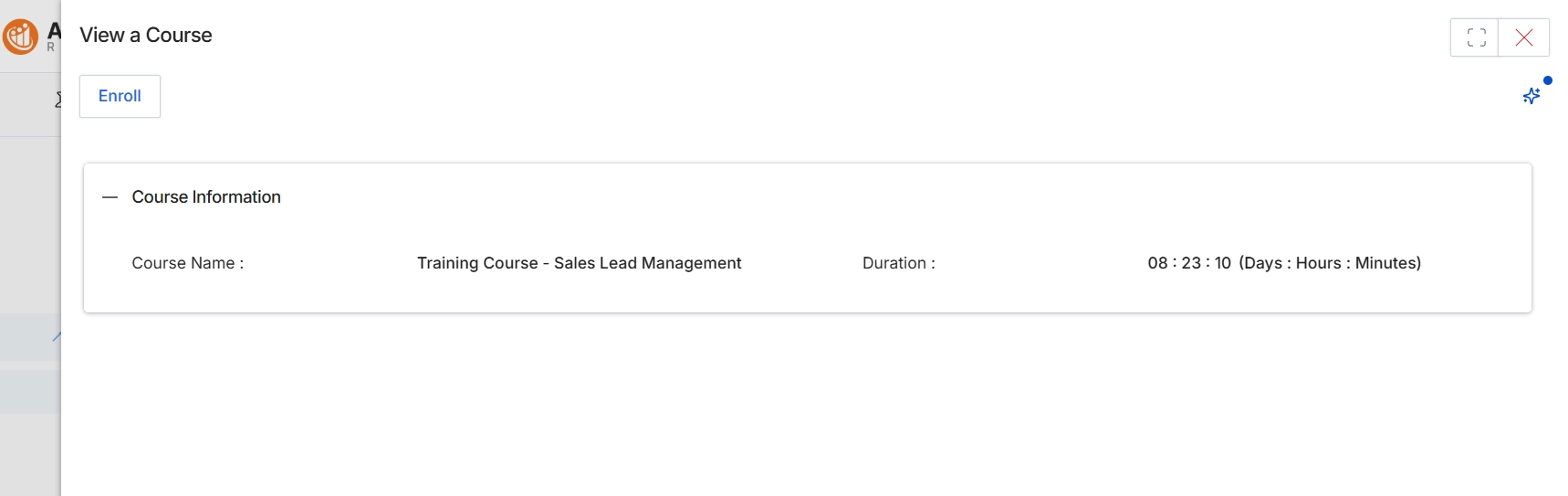
This modal window displays essential information about a specific course available within the Enable module's learning management system. Partners use this view to review course details such as its name and estimated duration before deciding to enroll. The Enable module is designed to provide structured learning units, certifications, and content to partners, helping them develop competencies and access necessary resources. Courses can be configured with various content types, completion criteria, and visibility rules, and their completion often contributes to a partner's overall scoring and can gate access to other features or benefits within the platform.
Click the "Enroll" button to register for this course and begin your learning journey.
Buttons
| Button | Description |
|---|---|
| Enroll | Initiates the enrollment process for the displayed course, making it accessible for the partner to start. |
Course Information
| Field | Description |
|---|---|
| Course Name | The title of the course, indicating its subject matter. |
| Duration | The estimated time required to complete the course, displayed in a 'Days : Hours : Minutes' format. |
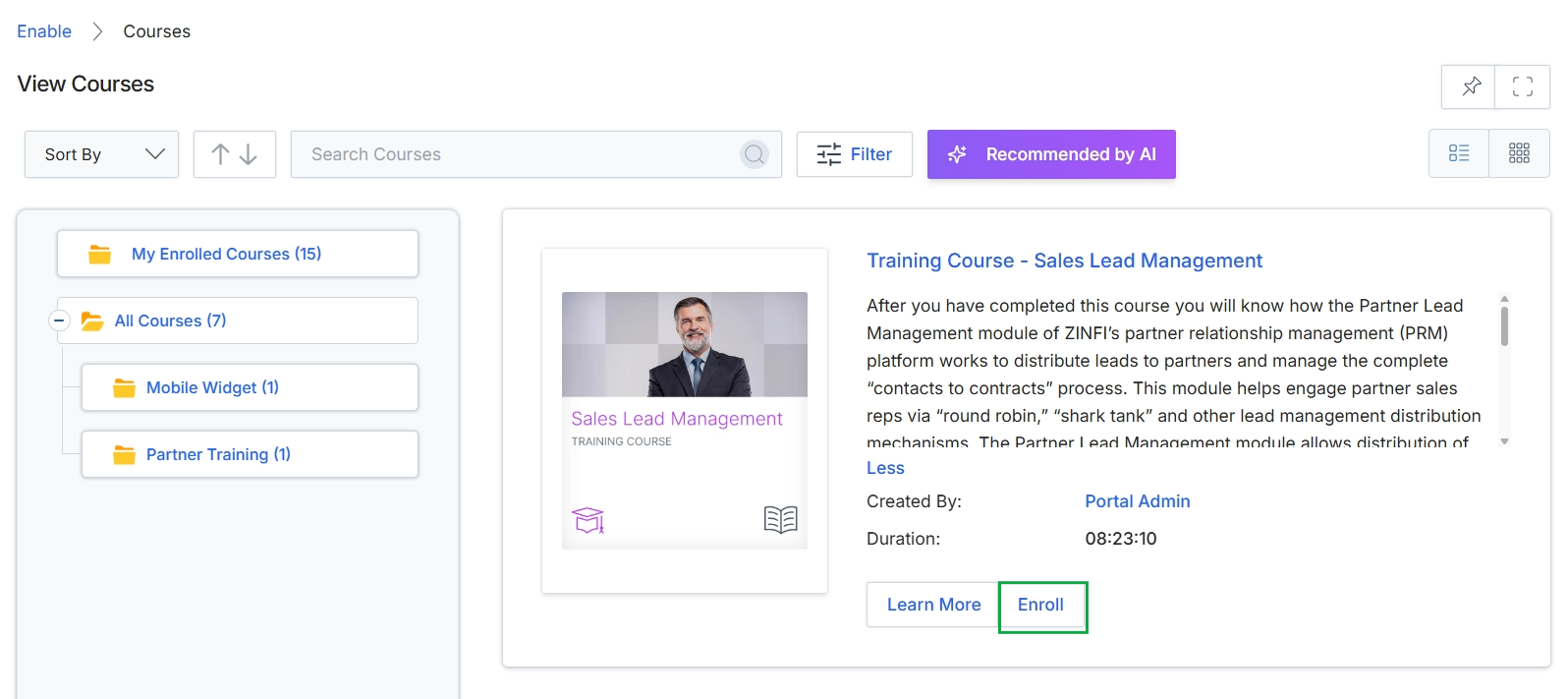
Click the Enroll button.
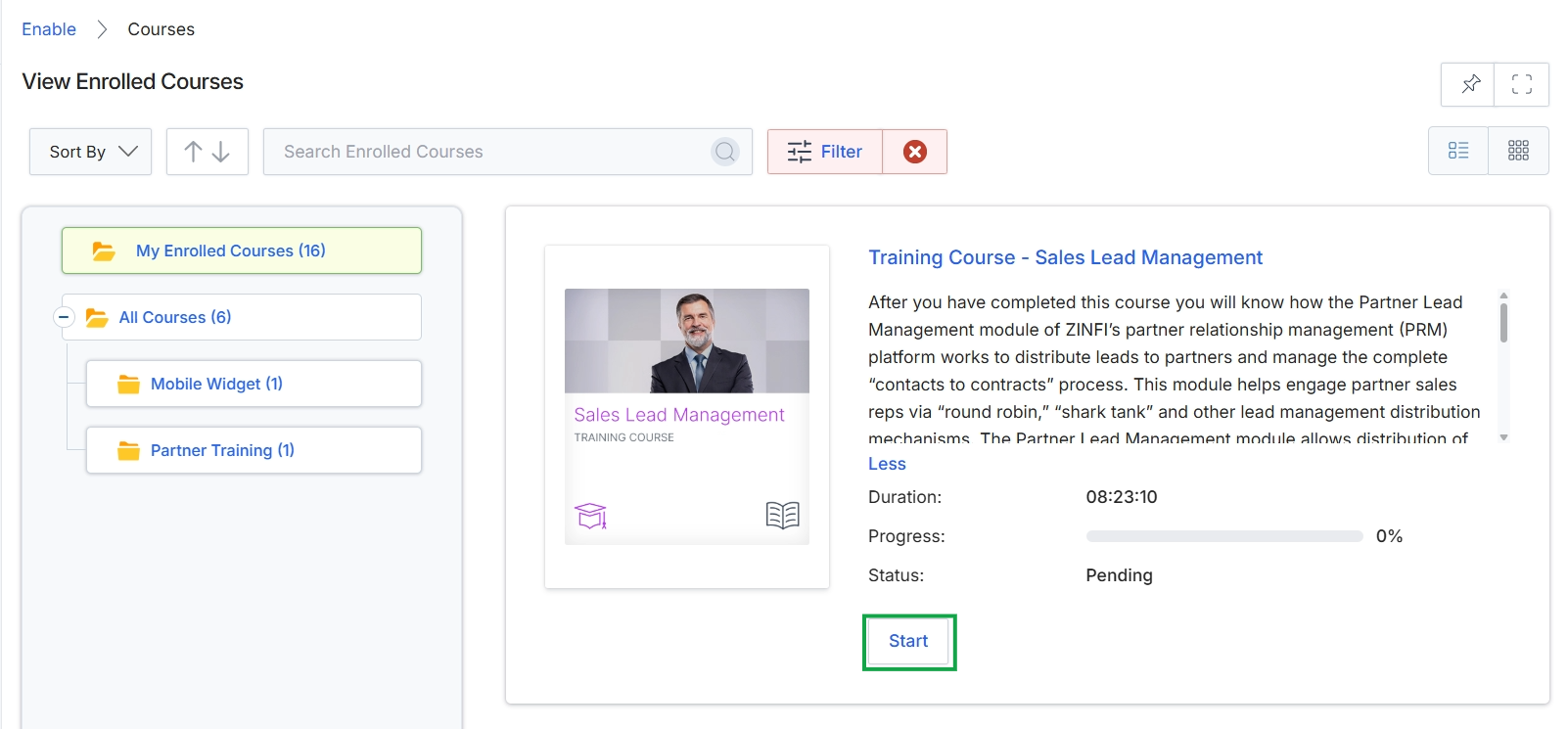
Click the Enroll button.
Accessing Course Details and Curriculum
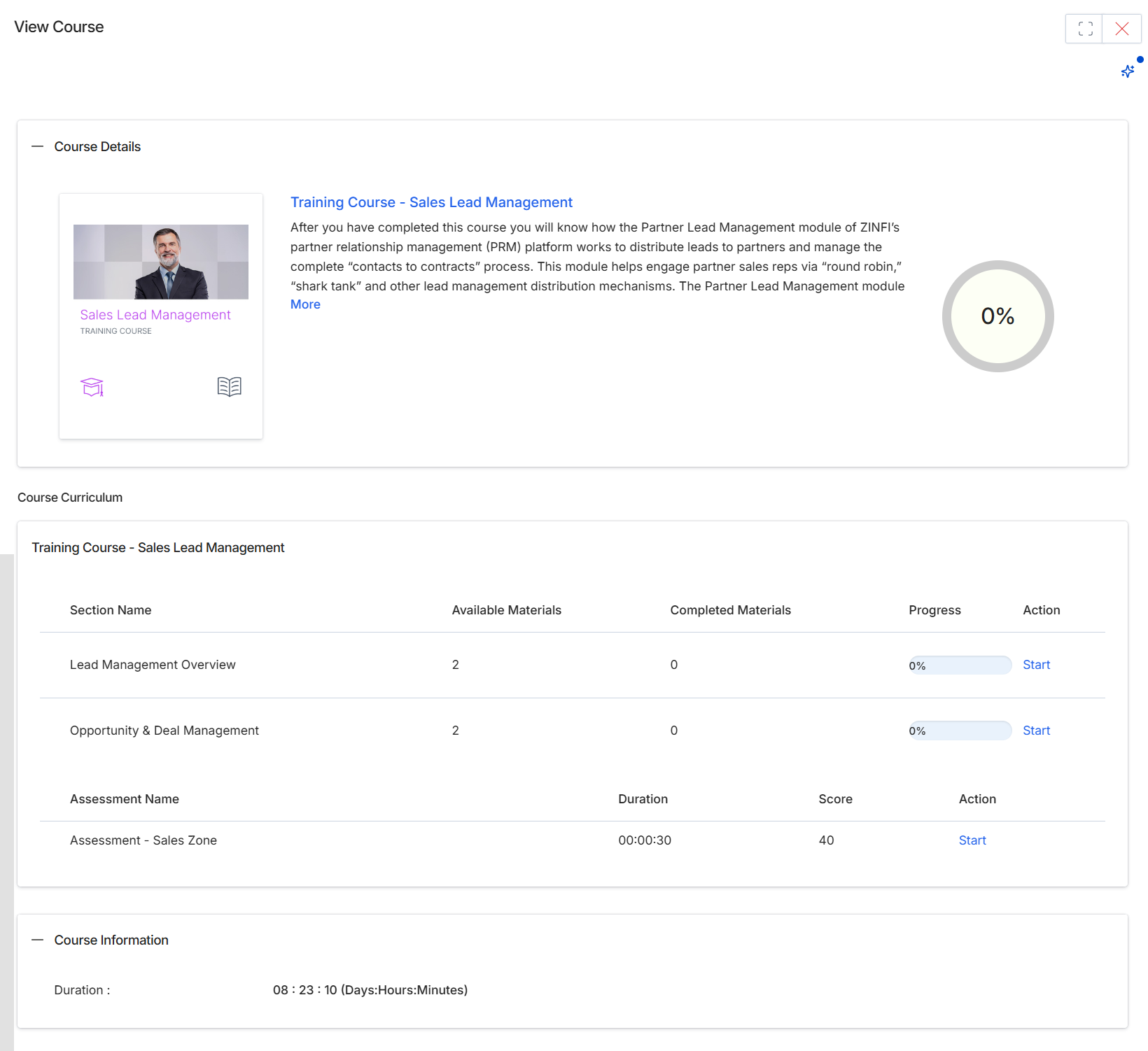
This screen provides a detailed overview of a selected course, presenting its description, overall progress, and a breakdown of its curriculum. Partners use this view to understand the course content, track their learning progress, and access individual sections or assessments. The 'Course Details' section offers a summary of the course's purpose and learning objectives, while the 'Course Curriculum' section lists all constituent learning activities, such as sections and assessments, along with their completion status and available actions. This granular view allows partners to navigate through the course content sequentially or revisit specific components as needed, contributing to their overall learning and certification progress within the platform.
Click the 'Start' button next to a specific course section or assessment to begin or resume that learning activity.
Buttons
| Button | Description |
|---|---|
| More | A link to expand and view the full description of the course. |
| Start | Initiates or resumes the 'Lead Management Overview' learning section. |
| Start | Initiates or resumes the 'Opportunity & Deal Management' learning section. |
| Start | Initiates or resumes the 'Assessment - Sales Zone'. |
Course Details
| Field | Description |
|---|---|
| Training Course - Sales Lead Management | The title of the course, indicating its subject matter. |
| 0% | A visual indicator showing the overall completion percentage of the entire course. |
Course Information
| Field | Description |
|---|---|
| Duration | The total estimated duration of the entire course, displayed in Days:Hours:Minutes format. |
Training Course - Sales Lead Management
| Column | Description |
|---|---|
| Section Name | The name of a specific learning section within the course curriculum. |
| Available Materials | The number of learning materials or sub-items available within that section. |
| Completed Materials | The number of learning materials or sub-items that have been completed within that section. |
| Progress | A visual bar and percentage indicating the completion status of the individual section. |
| Action | A column containing action buttons for each curriculum item. |
| Assessment Name | The name of an assessment within the course curriculum. |
| Duration | The estimated time required to complete the assessment, displayed for assessment rows. |
| Score | The score achieved on the last attempt of the assessment, displayed for assessment rows. |
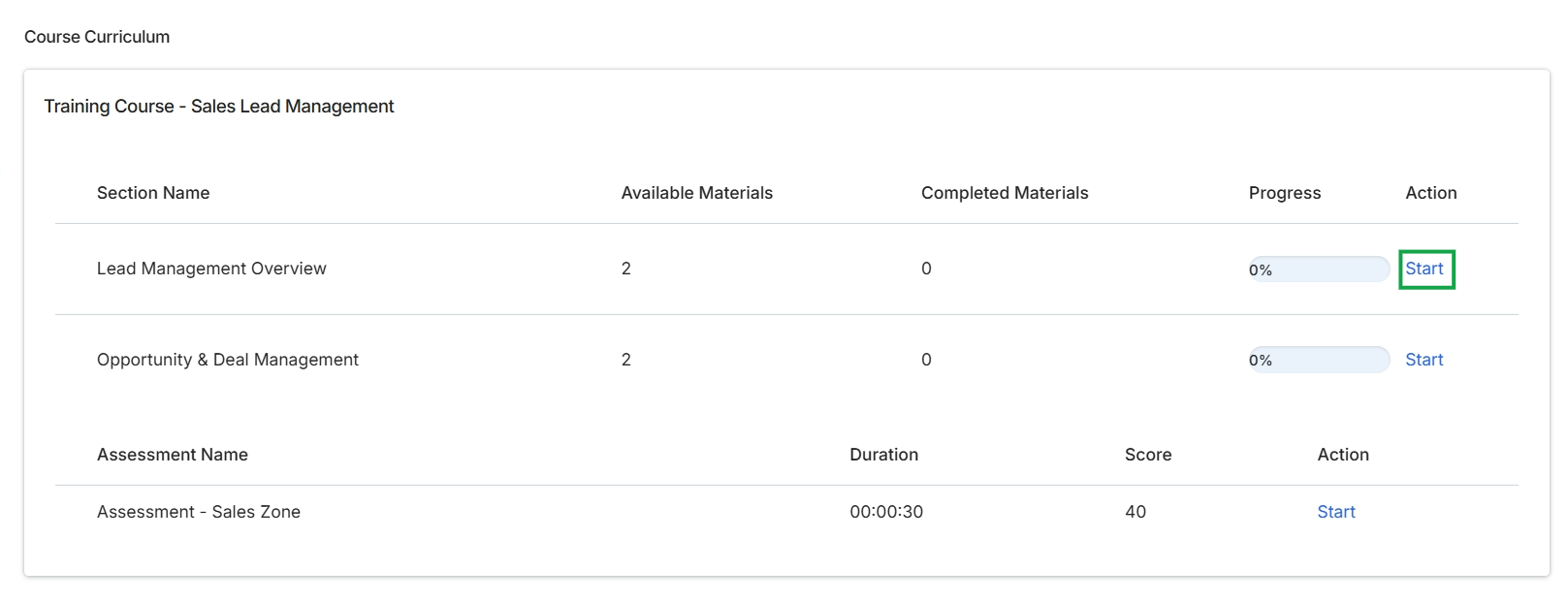
Click Start next to "Lead Management Overview" to begin the course section.
Viewing and Completing Course Materials
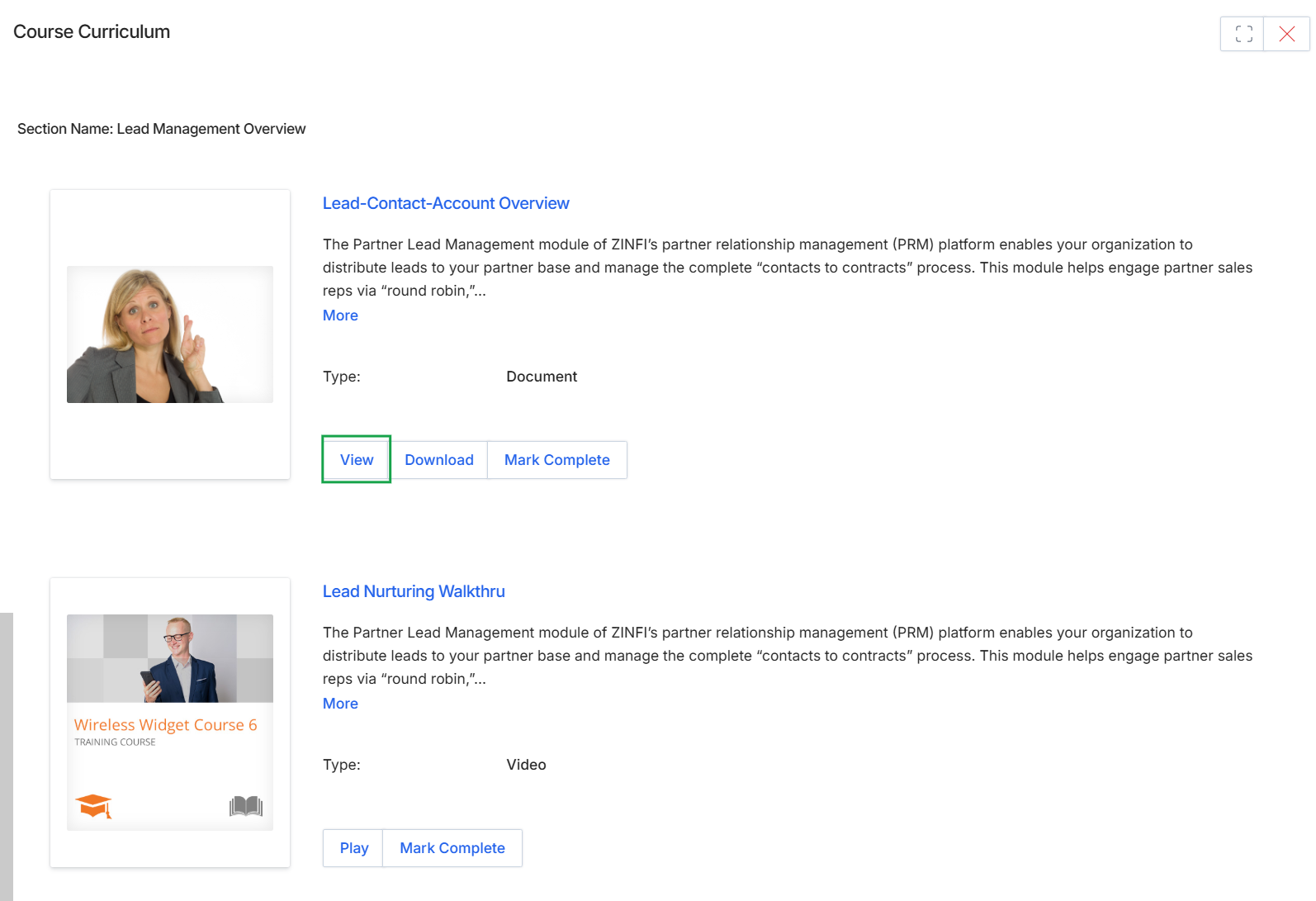
This screen displays the curriculum for a course within the Partner Learning Management system, presenting individual content items that comprise a learning section. It shows various learning assets, such as documents and videos, along with their descriptions and types. Partners use this view to access and complete the required materials, with options to view, download, or mark content as complete, contributing to their overall course progress.
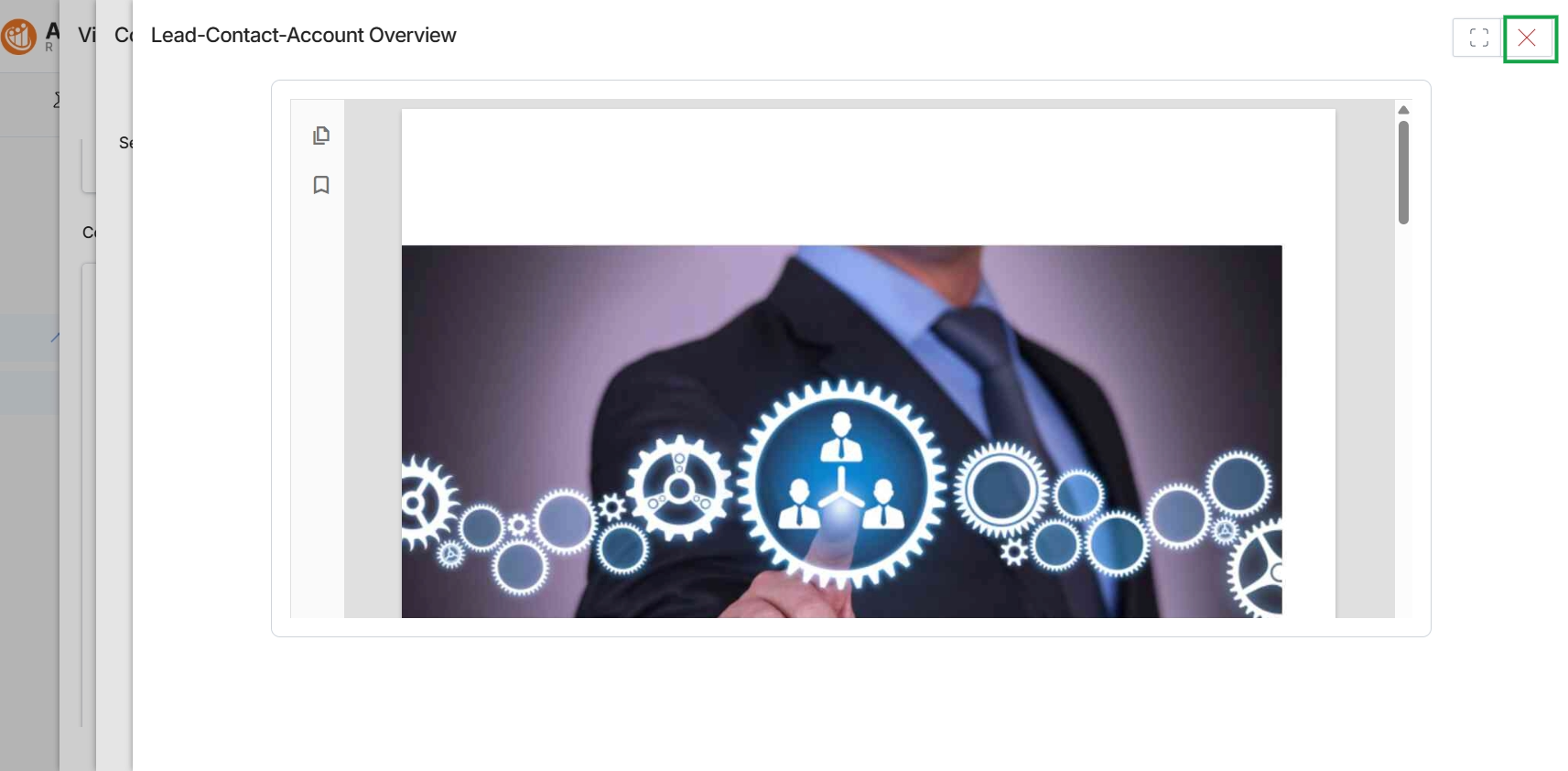
Click the Close button (X icon) in the top right corner of the modal window.
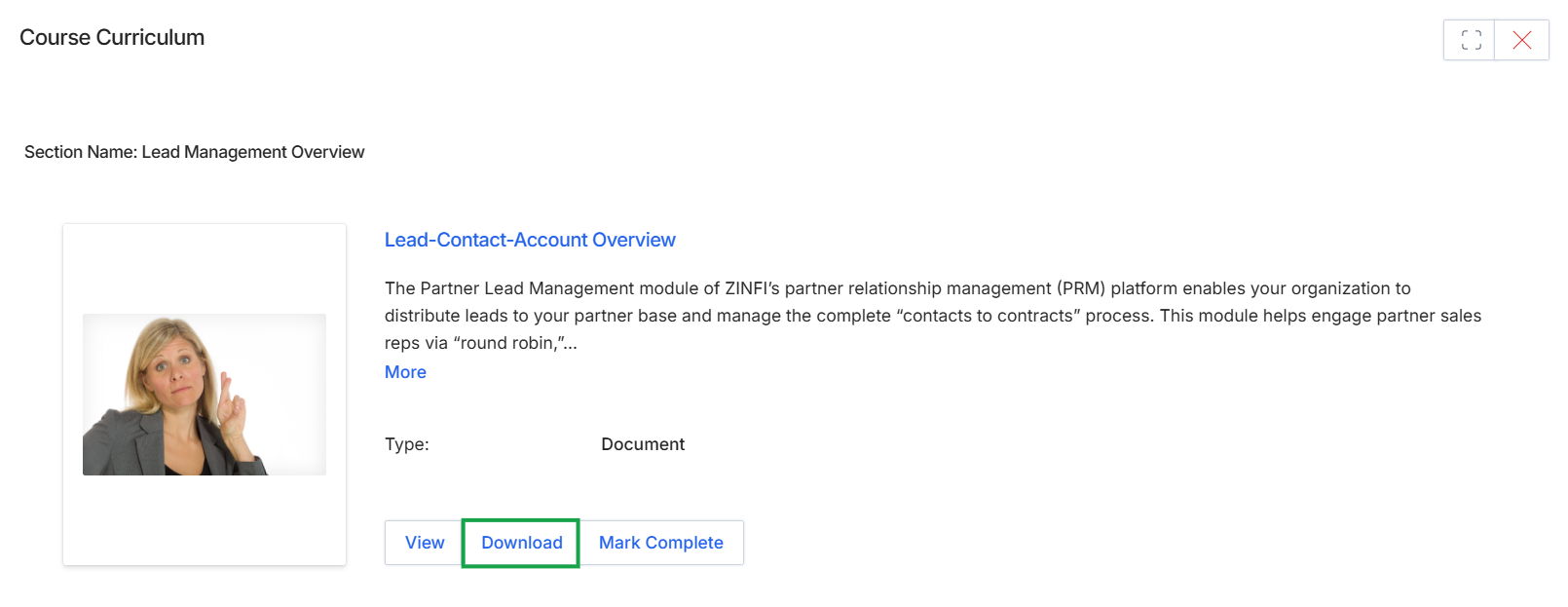
Click the Download button.
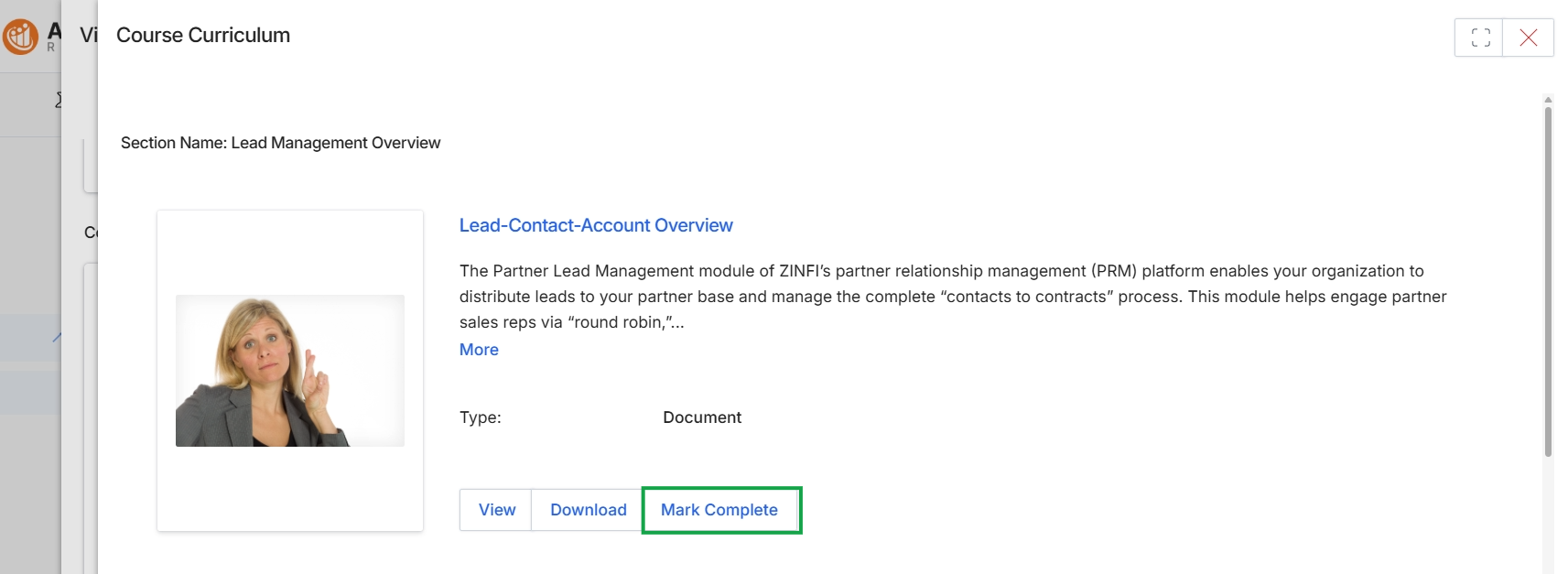
Click Mark Complete.
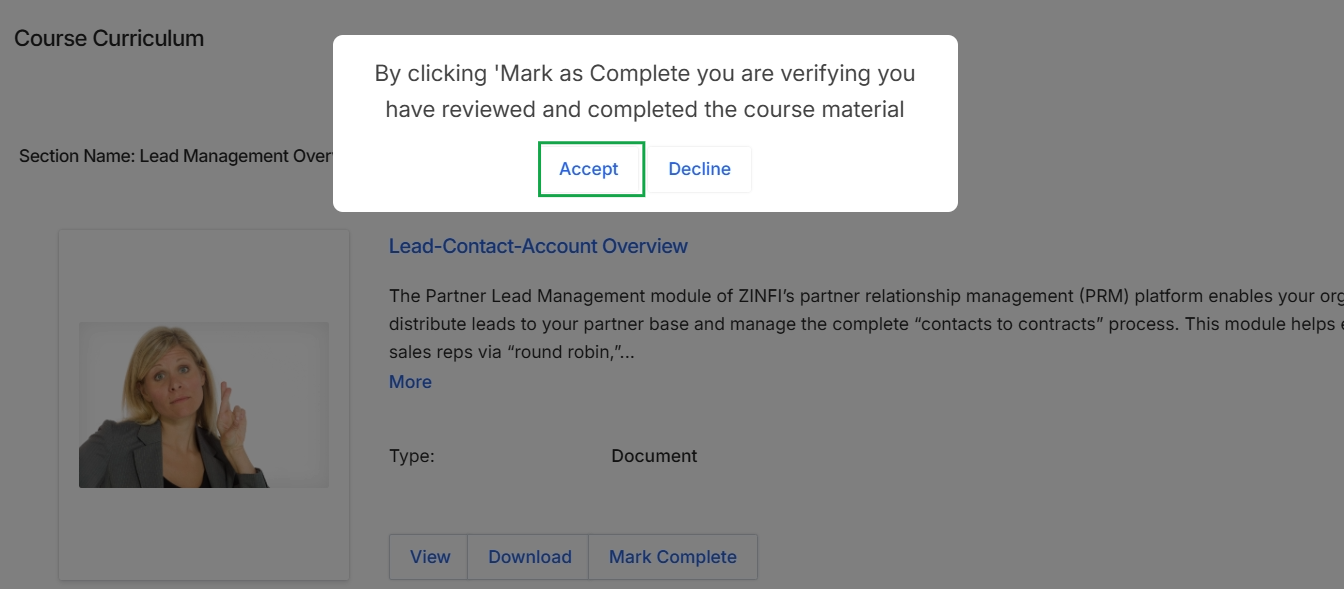
This screen displays a confirmation dialog that appears when a partner attempts to manually mark a course section as complete within the Enable module. The dialog prompts the user to verify that they have indeed reviewed and completed the associated course material. This step ensures that partners acknowledge their completion of the learning content, which is crucial for accurate progress tracking and potential certification within the platform's learning management system.
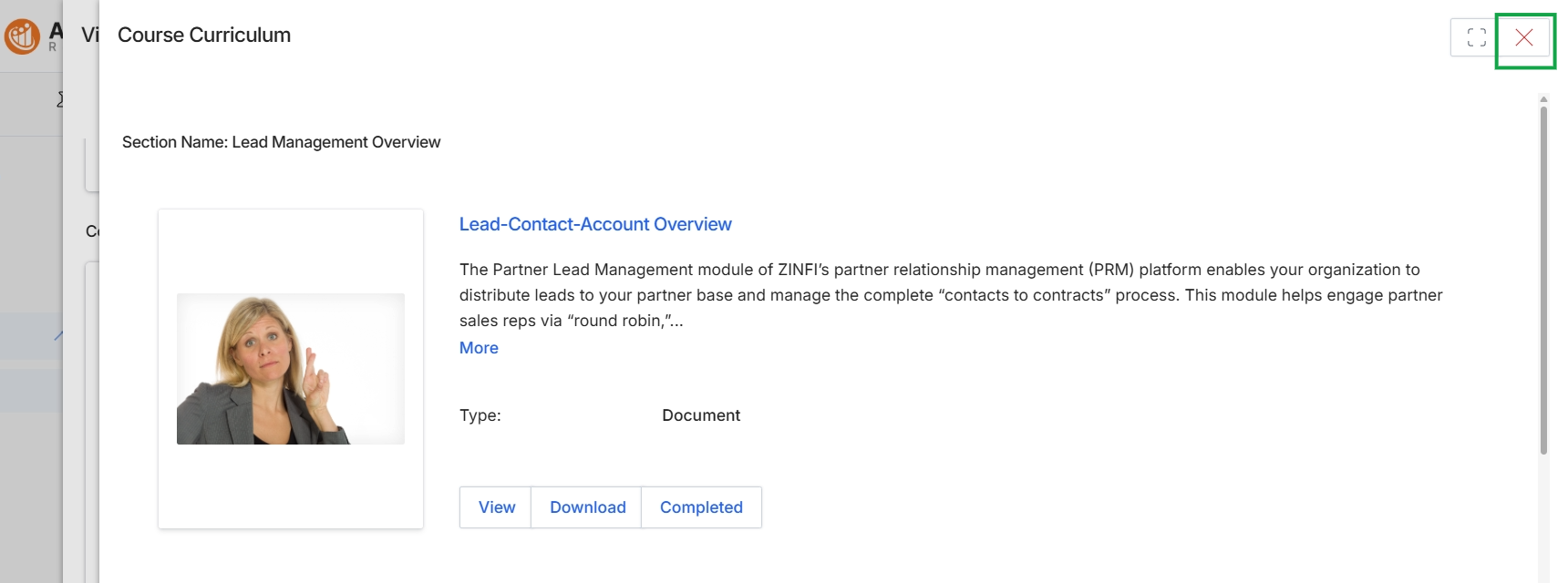
This screen displays a specific section of a course curriculum within the learning management system, presenting an overview of a learning item. It shows details for a 'Lead-Contact-Account Overview' document, including its type and a brief description. Partners can interact with this content by viewing or downloading the document, and the 'Completed' status indicates their progress within this course section.
Resuming In-Progress Courses
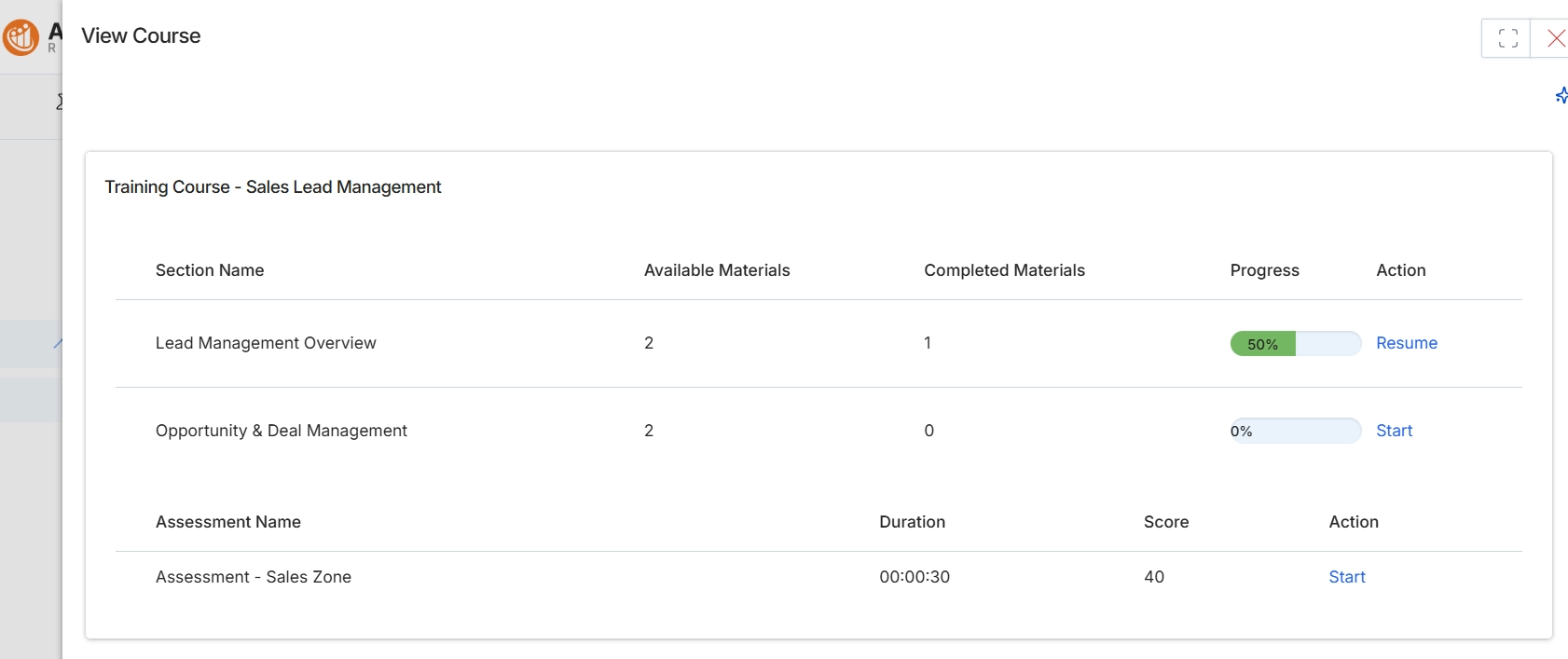
This screen presents the detailed view of a specific course within the Enable module's learning management system. It breaks down the course, titled 'Training Course - Sales Lead Management', into its constituent sections and any associated assessments. For each section, the platform displays the total number of available learning materials, the count of materials the user has already completed, and a visual progress indicator. Any assessments linked to the course are also listed, showing their duration, the user's last recorded score, and an action to start or resume them. This view allows partners to understand the course structure, track their learning progress, and access individual sections or assessments.
Click 'Resume' to continue the 'Lead Management Overview' section of the course.
Buttons
| Button | Description |
|---|---|
| Resume | Initiates or continues the learning process for a section that is already in progress. |
| Start | Begins the learning process for a section that has not yet been started. |
| Start | Begins or retakes the assessment. |
Training Course - Sales Lead Management
| Column | Description |
|---|---|
| Section Name | The title of a specific learning section within the course. |
| Available Materials | The total number of learning items (e.g., videos, documents, SCORM packages) within a given section. |
| Completed Materials | The number of learning items within a section that the user has successfully completed. |
| Progress | A visual indicator showing the percentage of completion for a specific course section. |
Column Headings
| Column | Description |
|---|---|
| Assessment Name | The title of an assessment or quiz associated with the course. |
| Duration | The estimated time required to complete the assessment. |
| Score | The last recorded score achieved by the user on the assessment. |
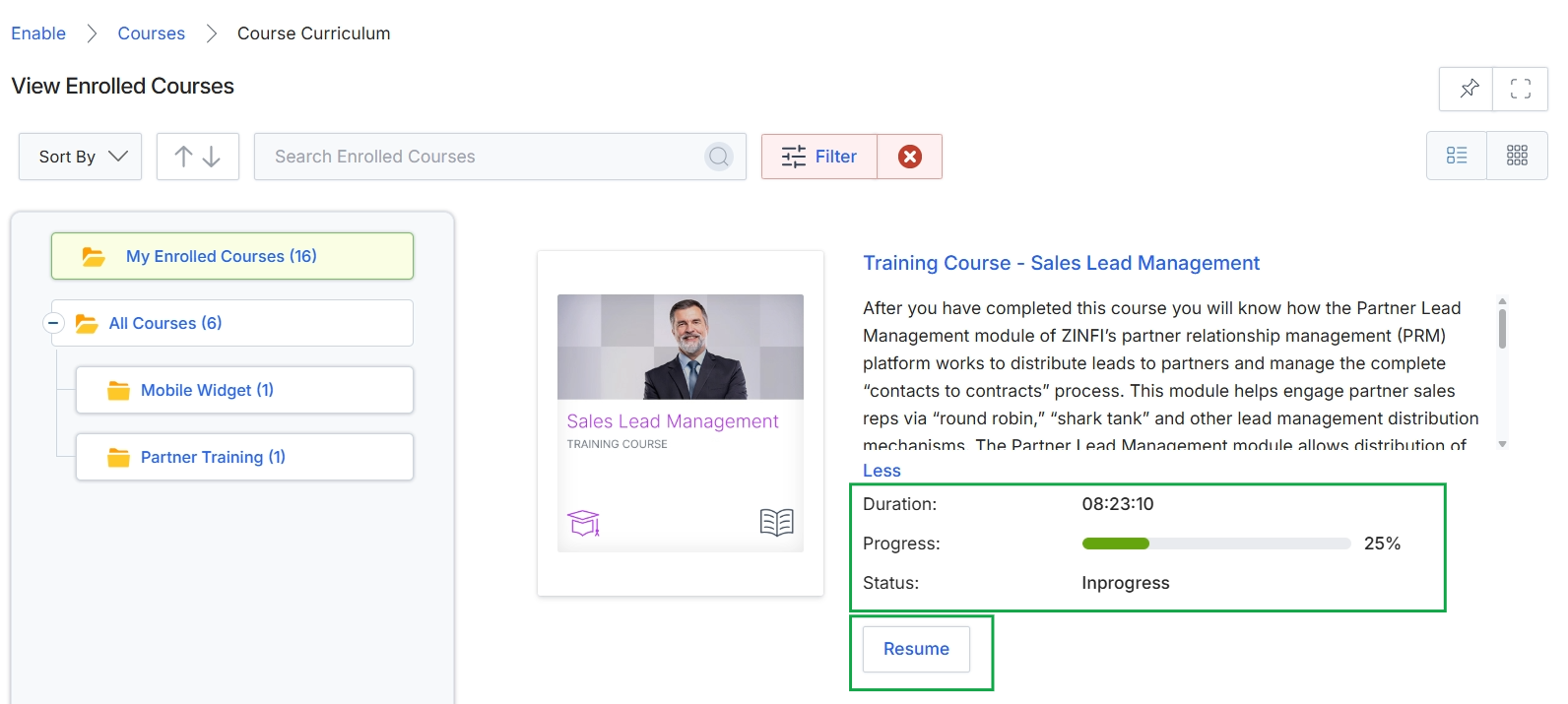
This screen displays the course curriculum within the Enable module, specifically showing a partner's enrolled courses and their progress. It presents a detailed view of a selected course, including its title, description, estimated duration, current progress percentage, and status. The interface allows partners to manage their learning by resuming courses they have started, providing a centralized location to track their training journey and access learning materials.
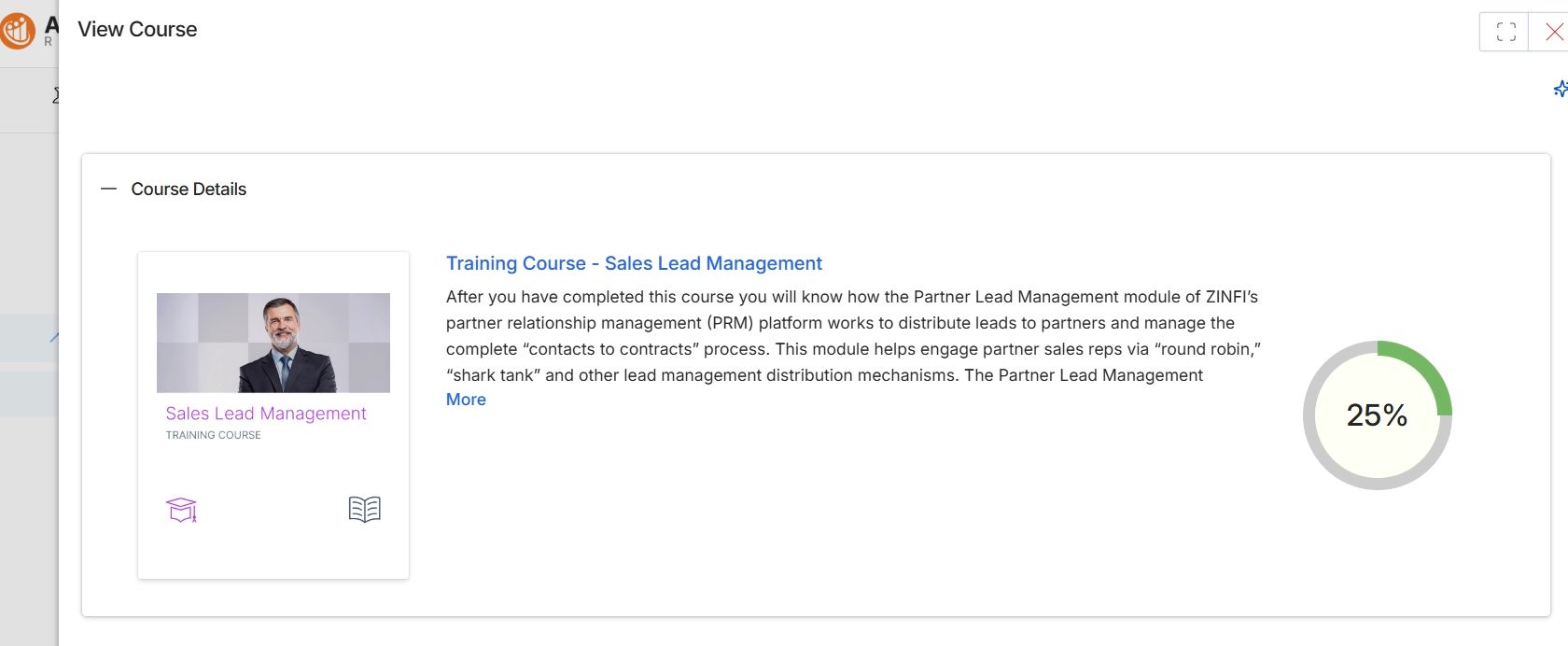
This screen displays the detailed information for a specific training course within the Enable module, which is part of the learning management system. It presents the course title, a descriptive overview of its content and learning objectives, and a visual indicator of the user's current progress through the course. This view allows partners to understand what a course entails before engaging with the learning material, and it provides a summary of their completion status.