

Overview
Effective partner onboarding is crucial for quickly enabling partners to sell and market products. The platform streamlines this process by providing a clear, step-by-step journey for partners to complete all necessary requirements, such as signing agreements, submitting company profiles, and completing initial training or orientation. This structured approach ensures partners are fully prepared and compliant before gaining full access to program benefits and tools.
Enrolling in a Program
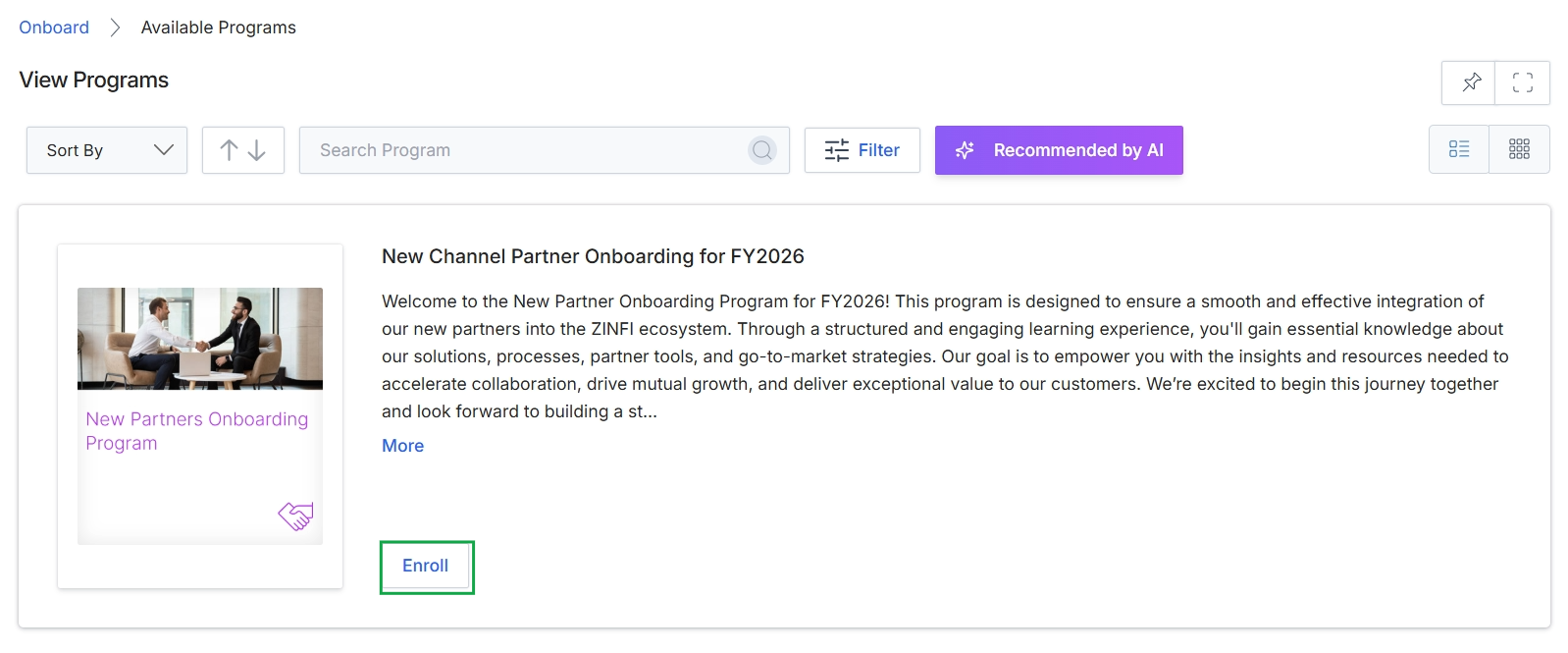
Click the Enroll button.
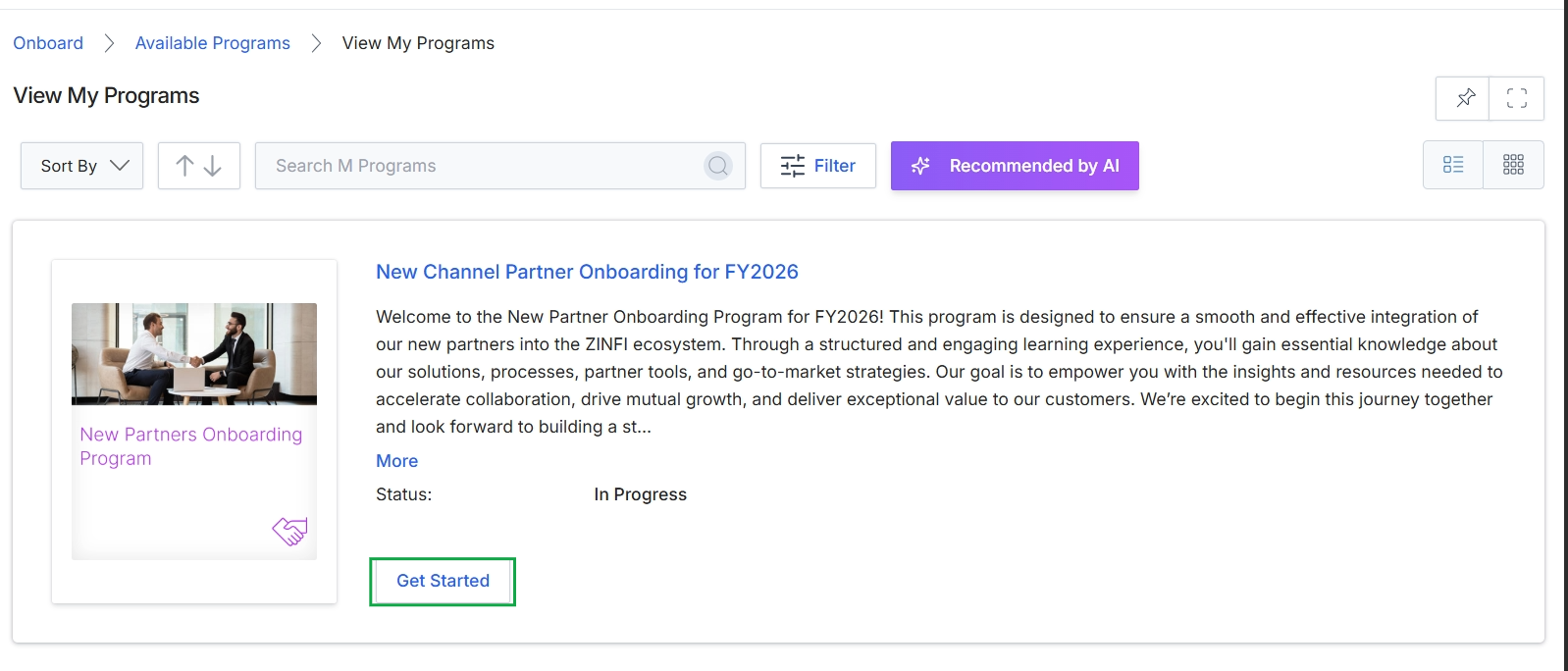
Click the Enroll button.
Viewing Program Requirements and Notes
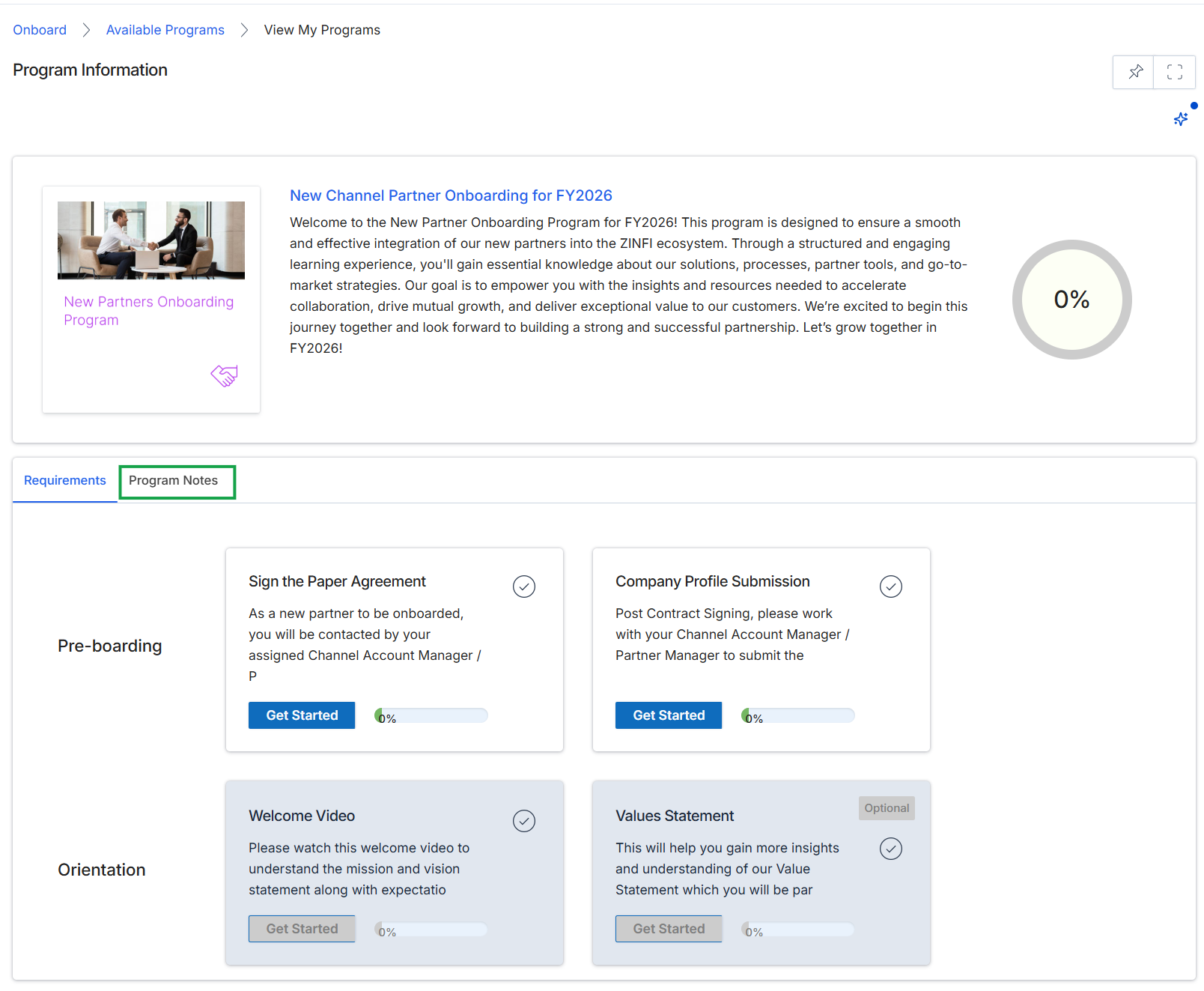
This screen displays the detailed information for a specific partner program, outlining the onboarding journey for new partners. It presents an overview of the program, including its description and an overall progress percentage for the partner's completion of its requirements. Below the program overview, the screen lists various onboarding tasks categorized by stages like 'Pre-boarding' and 'Orientation', each with a description, a 'Get Started' button, and a completion percentage, indicating the steps a partner needs to complete to become fully active within the program.
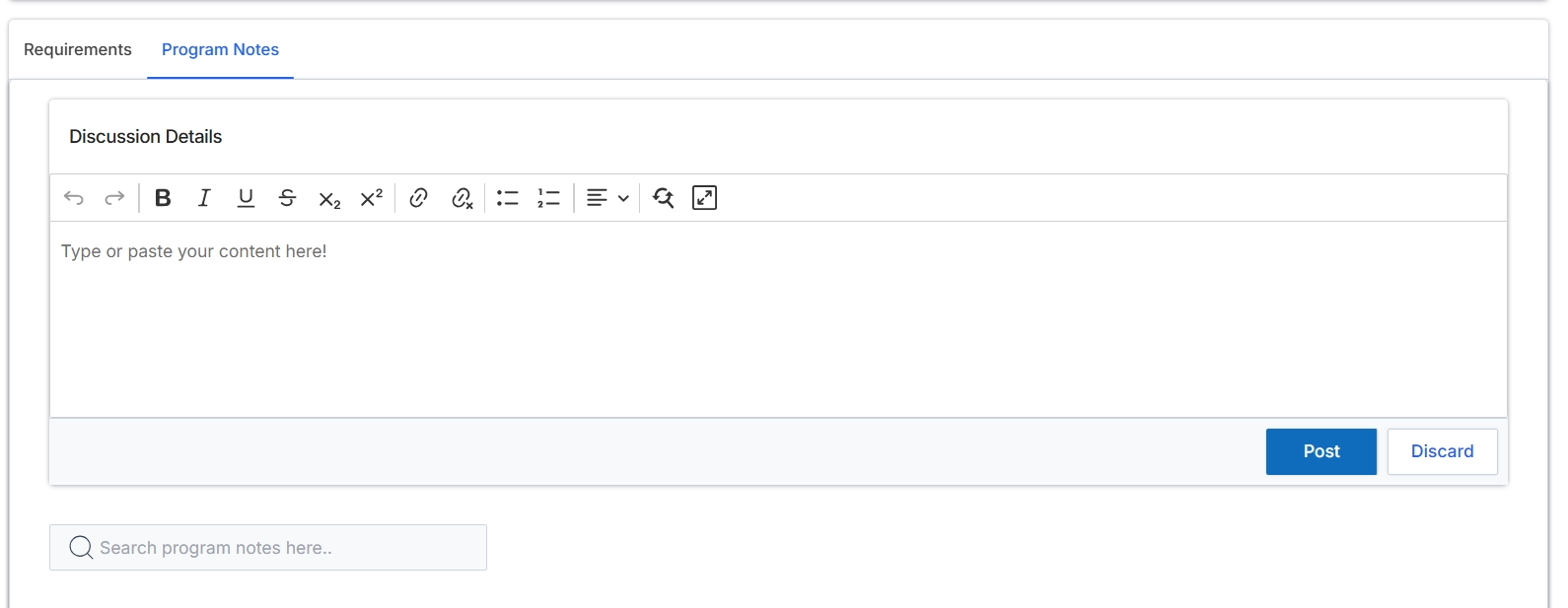
This screen provides a dedicated area for managing and viewing notes associated with a specific partner program. It allows administrators to add new discussion details, which can include important updates, internal communications, or historical context relevant to the program's management. The rich text editor facilitates detailed and formatted entries, ensuring that all relevant information is captured comprehensively. This functionality supports internal collaboration and maintains a clear record of program-related discussions, complementing the program's requirements and configuration.
Enter the discussion details for the program notes.
Buttons
| Button | Description |
|---|---|
| Requirements | A tab to view the requirements associated with the program. |
| Program Notes | A tab to view and add notes or discussion details related to the program. |
| Post | Saves and publishes the entered discussion details as a new program note. |
| Discard | Clears the entered discussion details without saving them. |
Fields
| Field | Description |
|---|---|
| Discussion Details | A rich text editor field where users can type or paste content for program notes, supporting various formatting options. |
| Search program notes here.. | A search bar to find existing program notes by keyword. |
Completing Program Tasks
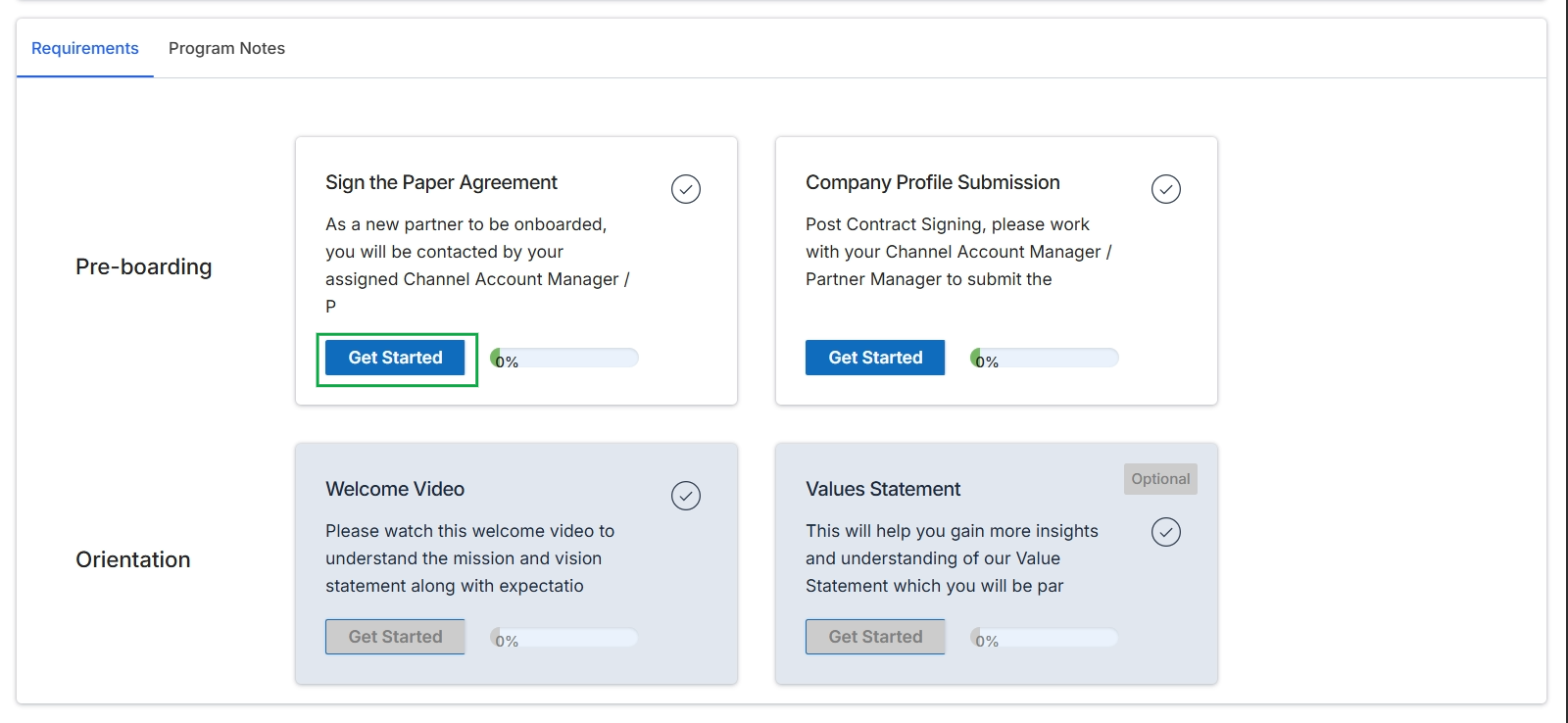
Click the Requirements tab.
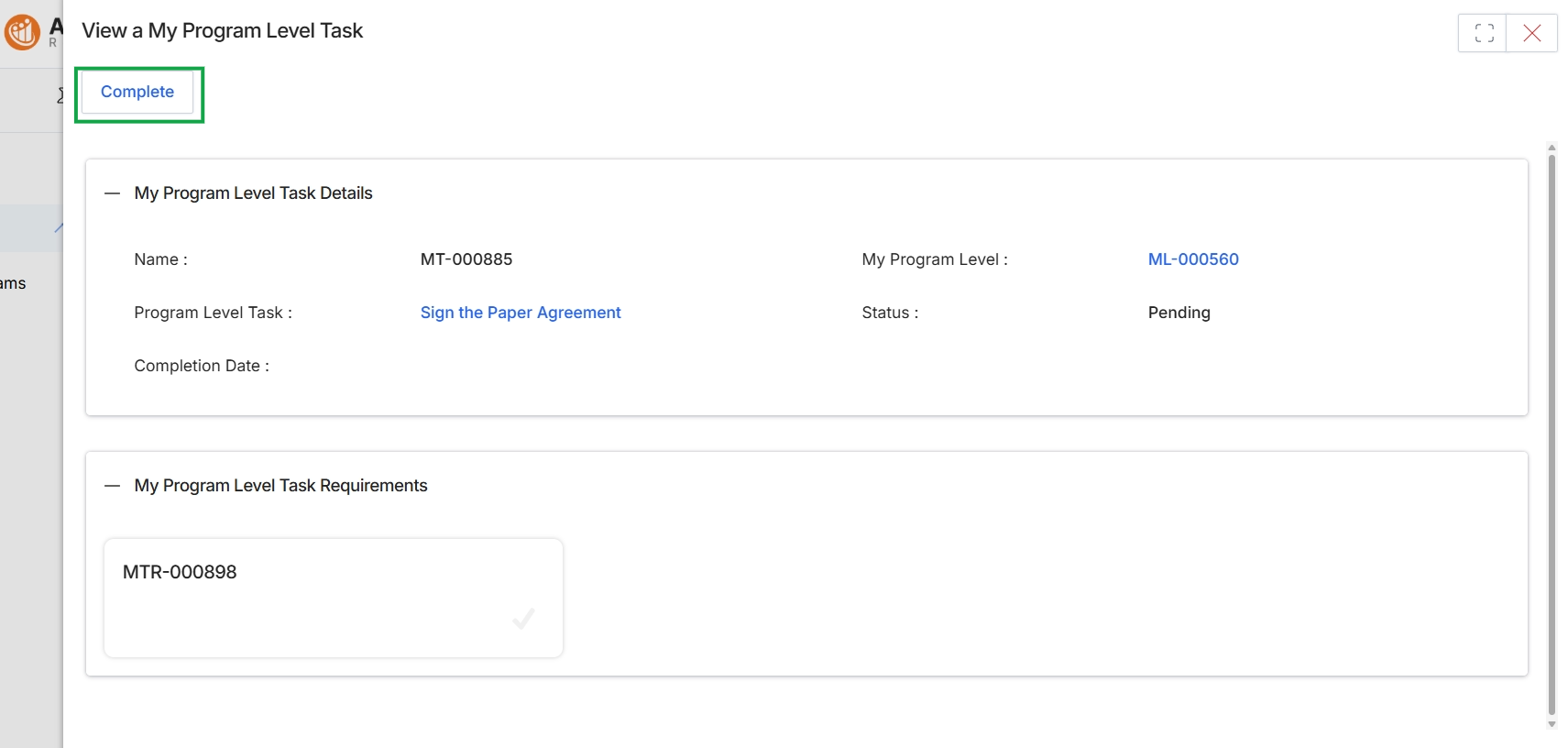
This screen displays the details of a specific program level task that a partner needs to complete as part of their onboarding journey or ongoing program participation. These tasks are crucial components of the onboarding checklist, which guides partners through necessary steps like signing agreements, completing training, or updating profiles. The screen provides an overview of the task's status and any associated requirements, allowing partners to understand what is needed to progress within their assigned program level. Completing these tasks is often a prerequisite for unlocking full portal access, deal registration capabilities, or eligibility for certain incentives, as defined by the program's gating rules.
Click the 'Complete' button to mark the program level task as finished.
Buttons
| Button | Description |
|---|---|
| Complete | Marks the current program level task as completed. |
My Program Level Task Details
| Field | Description |
|---|---|
| Name | The unique identifier for this specific program level task. |
| My Program Level | The program level to which this task belongs. |
| Program Level Task | A description or link related to the specific action required for this task, such as signing an agreement. |
| Status | The current completion status of the program level task, indicating whether it is pending or completed. |
| Completion Date | The date when the program level task was completed. |
My Program Level Task Requirements
| Field | Description |
|---|---|
| MTR-000898 | A placeholder or identifier for a specific requirement associated with the program level task. |
Reviewing Completed Tasks
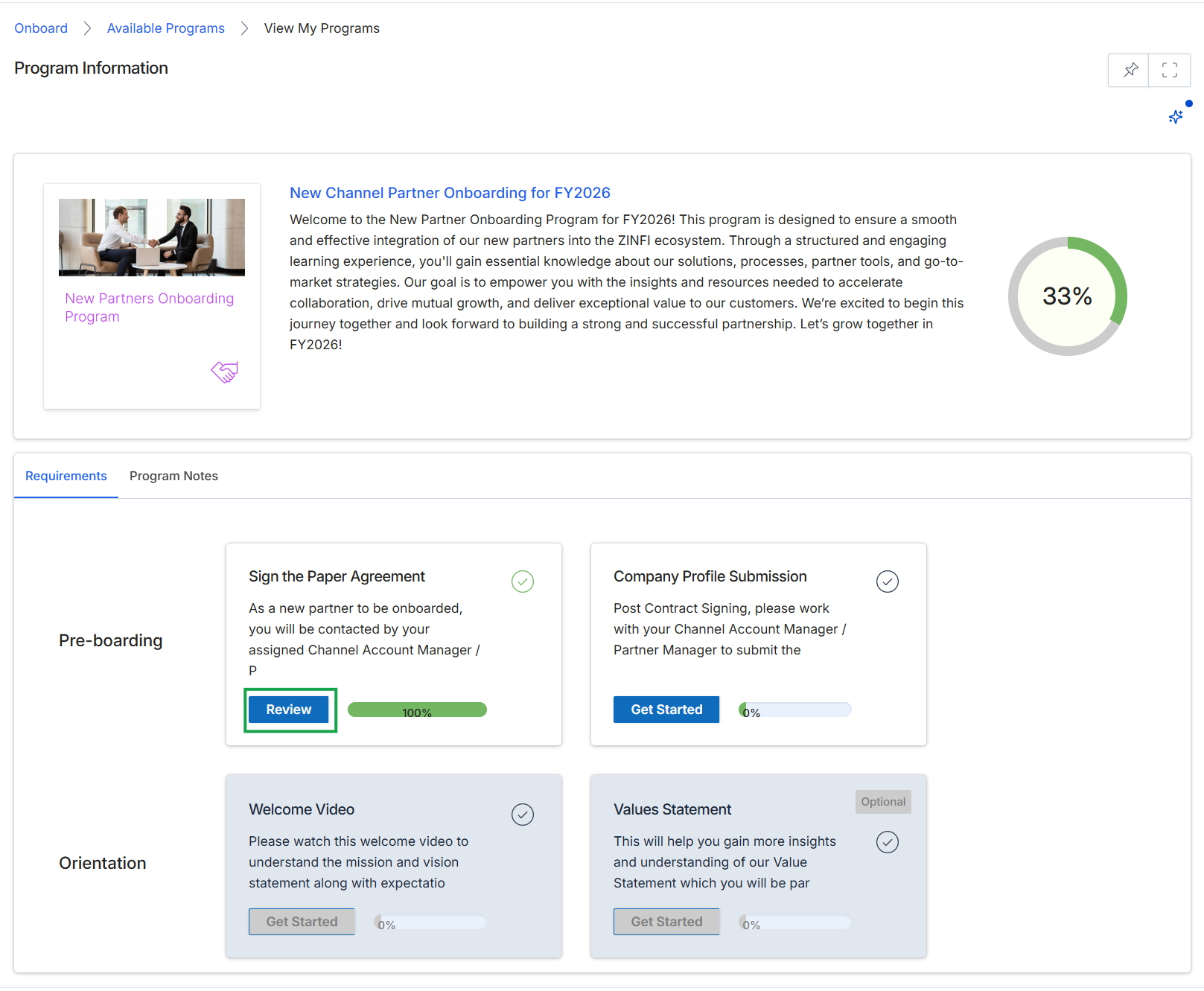
This screen displays the detailed information for a specific partner program, including its description and a progress overview of the onboarding journey. It presents a series of required and optional tasks, categorized into stages like 'Pre-boarding' and 'Orientation', that partners must complete to become fully active within the program. Each task shows its current status and completion percentage, with a summary progress bar indicating the overall completion of the program's requirements.
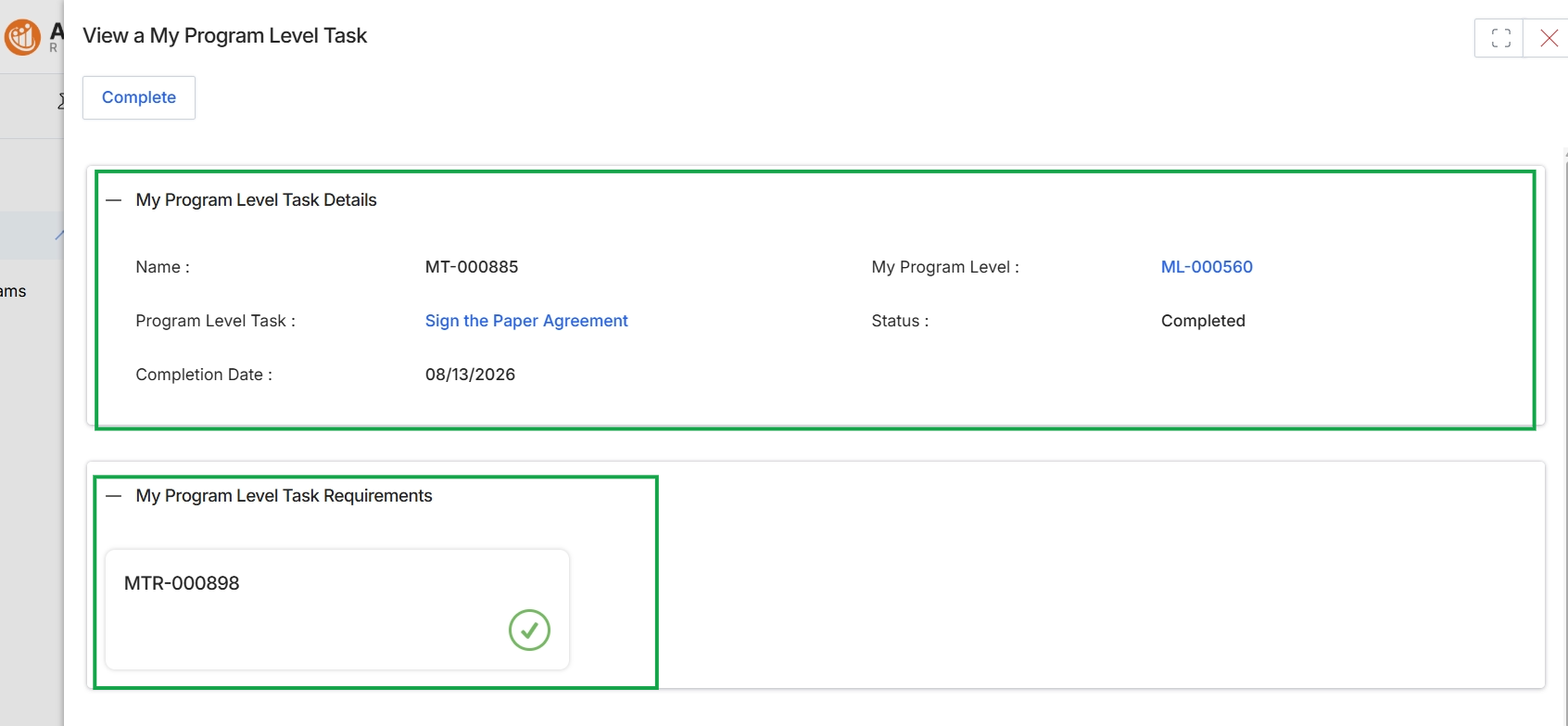
This screen displays the details of a specific program-level task assigned to a partner, which is part of the onboarding journey or ongoing program requirements. It provides an overview of the task's name, the associated program level, its current status, and the completion date. The view also includes a section for task requirements, indicating any prerequisites or sub-tasks that need to be fulfilled for the main task to be considered complete.