

Overview
Partner Programs are structured frameworks that define the terms, benefits, and requirements for partners collaborating with a vendor. These programs are crucial for segmenting partners, offering tailored support, and driving specific business objectives, such as market expansion or product specialization. Effective management of these programs ensures partners can easily find relevant opportunities and understand their path to success within the ecosystem.
Key Features
- Program Discovery
- Enrollment Management
- Onboarding Status Tracking
- Program Details View
- AI Program Recommendations
Accessing Partner Programs
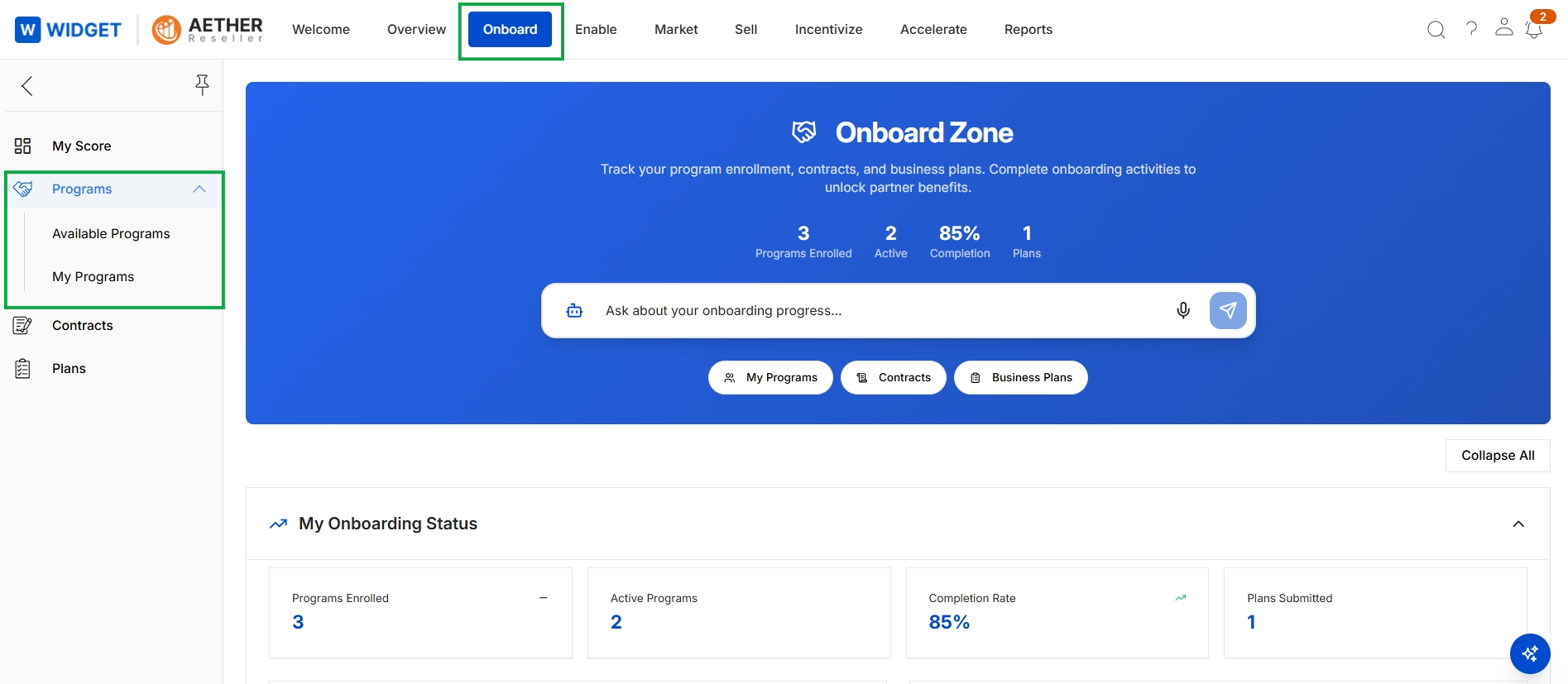
Click Onboard in the top navigation bar, then click Programs → My Programs in the left navigation menu.
Viewing Available Programs
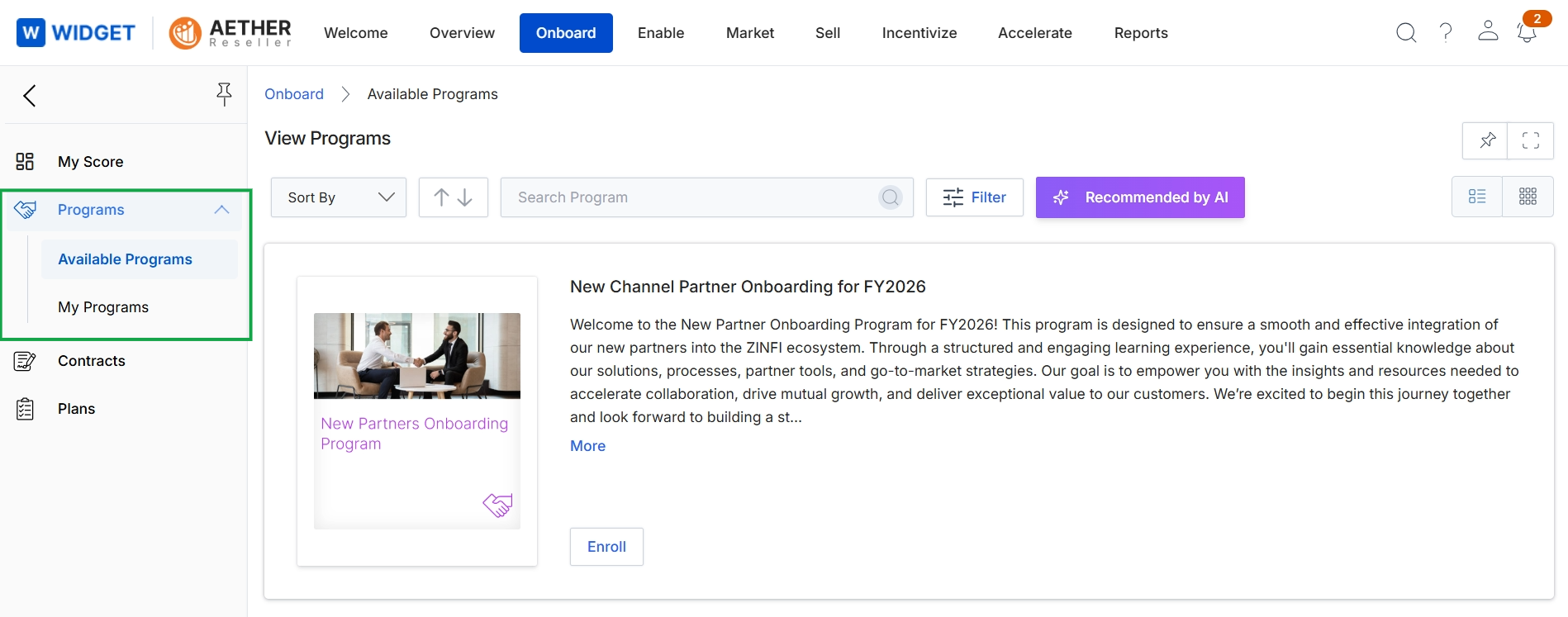
This screen presents a partner with a list of available partner programs they can enroll in, serving as a central hub for program discovery within the Onboard module. It displays details for each program, such as a title, description, and an option to enroll. Partners can use the search and filter functionalities to find specific programs or view those recommended by AI, facilitating their selection of suitable programs to join.
Managing My Programs
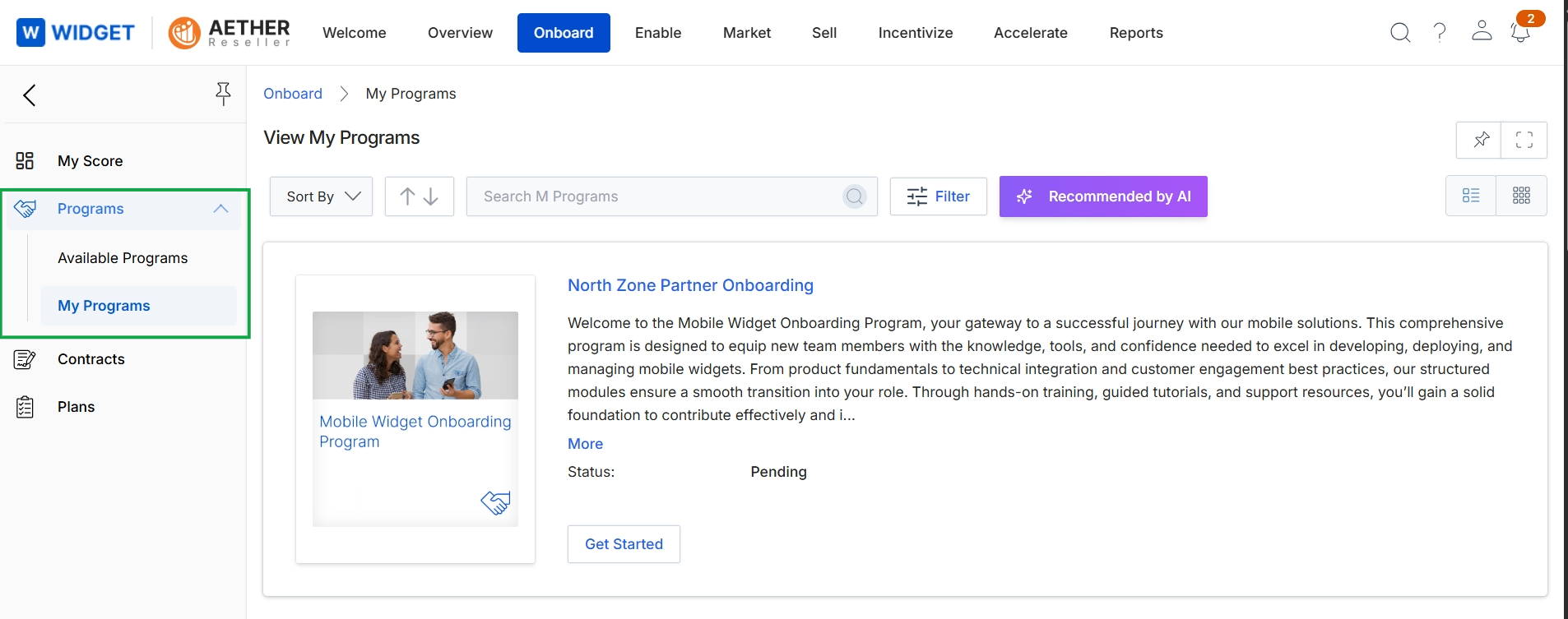
This screen displays the partner's enrolled programs within the Onboard module, specifically showing programs that the partner has joined or is in the process of joining. It presents a list of programs, each with a description and its current status, such as 'Pending' for programs awaiting completion of onboarding steps. This view allows partners to see the details of their active or pending program enrollments and initiate the onboarding process for new programs.
Frequently asked questions
- What is the purpose of the Programs feature?
The Programs feature provides a centralized portal for partners to discover, enroll in, and manage their participation in various vendor programs. It helps partners track onboarding and view program details.
- How do partners access the Programs feature?
Partners access Programs by clicking 'Onboard' in the top navigation bar, then selecting 'Programs' and 'My Programs' from the left navigation menu.
- What information is shown on the Available Programs screen?
This screen lists available partner programs for enrollment, including program title, description, and an enrollment option. Partners can use search, filter, or view AI recommendations.
- What does the Managing My Programs screen display?
This screen shows a partner's enrolled or pending programs within the Onboard module. It lists programs with descriptions and their current status, allowing partners to monitor their progress.
- Who defines and structures these partner programs?
UPM administrators define these structured frameworks, outlining terms, benefits, and requirements for partners collaborating with a vendor.