

Overview
Referral deals are a critical component of many partner programs, enabling partners to submit sales opportunities they identify to the vendor for direct engagement. This process ensures that partners are properly credited for their lead generation efforts, which can later translate into referral commissions or other incentives. The platform provides a dedicated interface for managing these deals, allowing administrators to maintain a clear pipeline of partner-sourced opportunities.
Administrators can review submitted referrals, update their status, and ensure all necessary information, such as account and contact details, sales stage, and expected close date, is accurate. This management capability is essential for tracking the value and progression of partner-generated revenue, facilitating timely follow-up, and ultimately driving successful co-selling outcomes.
Viewing Referral Deals
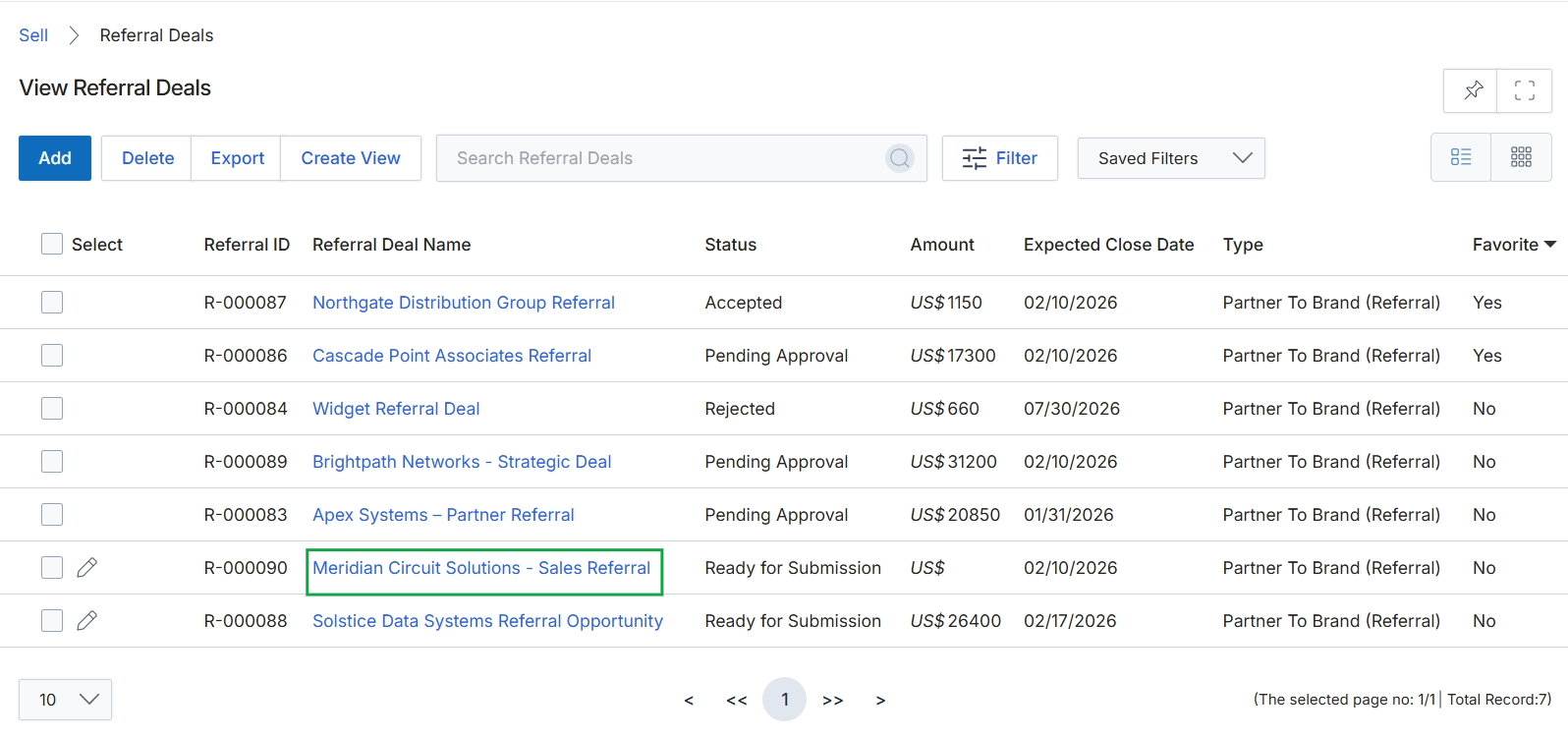
Click the Meridian Circuit Solutions - Sales Referral link.
Accessing Referral Deal Details
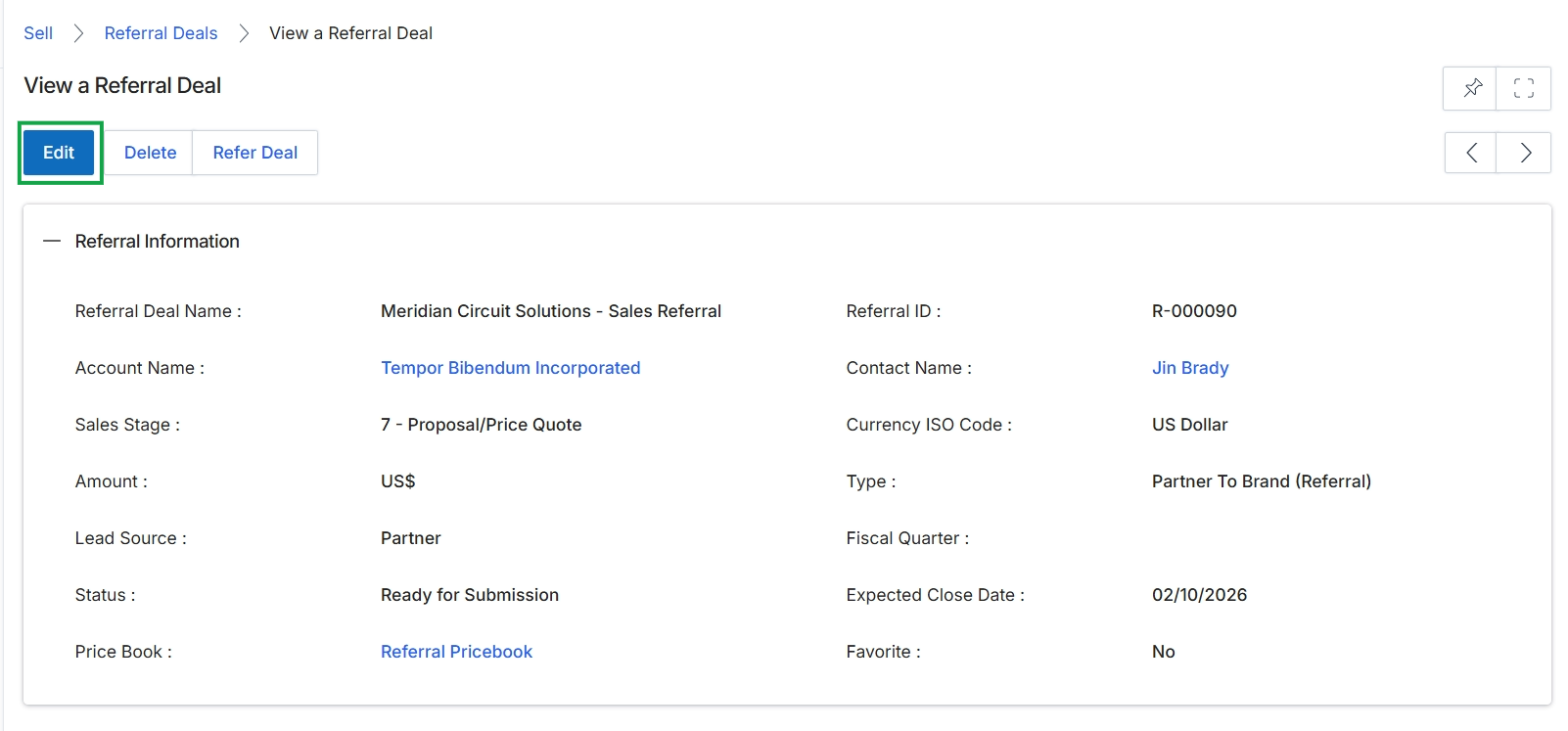
Click the Meridian Circuit Solutions - Sales Referral link to view the referral deal details.
Editing Referral Deal Information
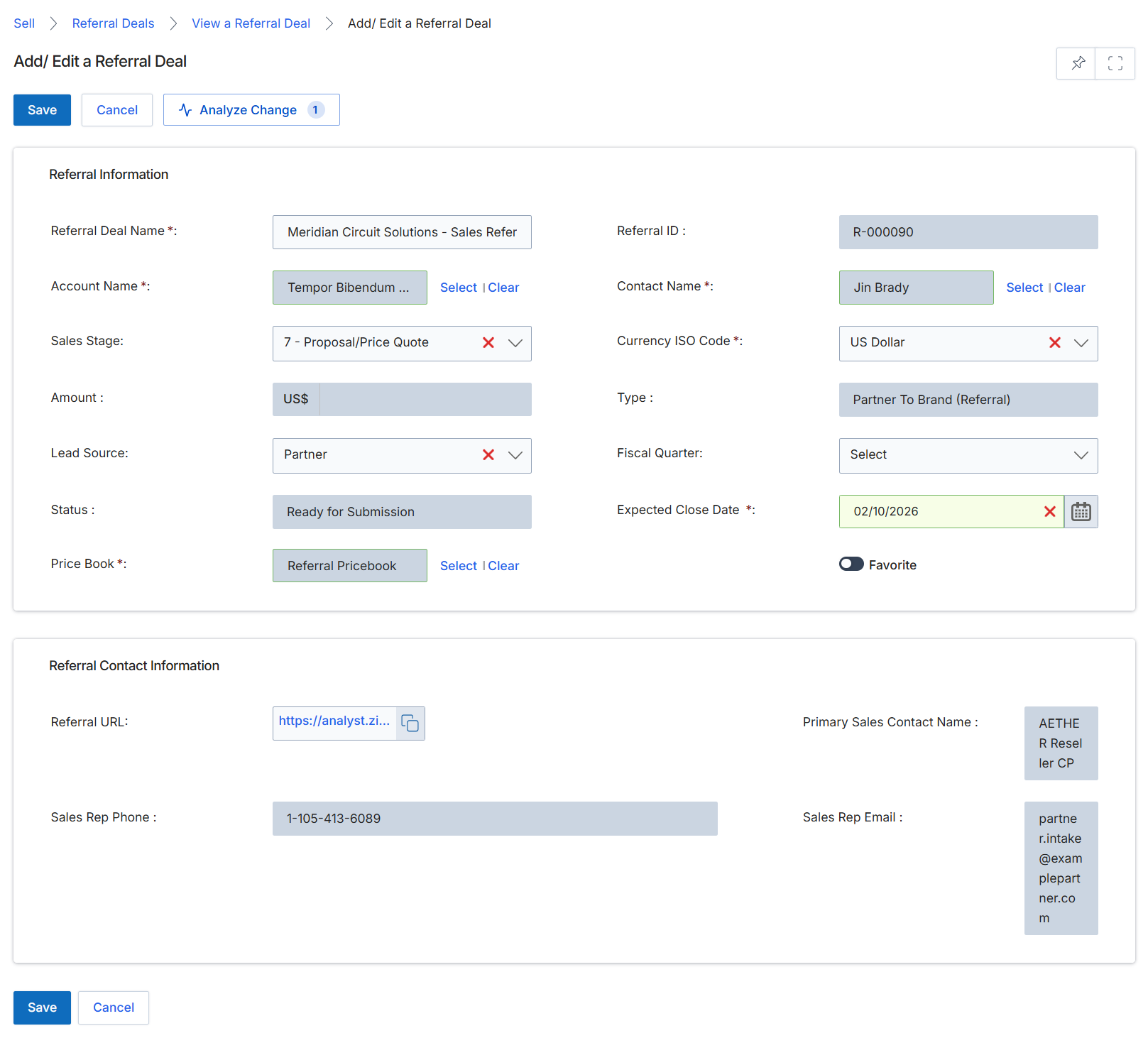
This screen, the Add/Edit a Referral Deal form, allows users to modify the details of an existing referral deal. Referral deals represent qualified sales opportunities submitted by partners that have generated revenue, serving as the basis for calculating referral commissions within the Incentivize module. The form is divided into sections for core referral information and contact details, enabling administrators to track key attributes such as the sales stage, estimated value, and associated contacts. This ensures accurate record-keeping and facilitates the commission process once the deal is closed. The form also provides fields for linking to accounts, contacts, and price books, maintaining data integrity across the platform.
Review or modify the details of the referral deal as needed, then click 'Save' to apply your changes.
Buttons
| Button | Description |
|---|---|
| Save | Saves the current changes made to the referral deal. |
| Cancel | Discards any changes and returns to the previous view. |
| Analyze Change | Analyzes the impact of proposed changes to the referral deal. |
Referral Information
| Field | Description |
|---|---|
| Referral Deal Name * | The name of the referral deal, which is a required field. |
| Referral ID | A system-generated unique identifier for the referral deal. |
| Account Name * | The name of the account associated with this referral deal, which is a required field. Users can select an existing account or clear the selection. |
| Contact Name * | The name of the primary contact for this referral deal, which is a required field. Users can select an existing contact or clear the selection. |
| Sales Stage | The current stage of the sales process for this referral deal, selected from a dropdown list. |
| Currency ISO Code * | The ISO currency code for the deal amount, which is a required field. |
| Amount | The estimated financial value of the referral deal. |
| Type | The type of referral, indicating its origin or nature. |
| Lead Source | The origin or channel through which this lead was acquired. |
| Fiscal Quarter | The fiscal quarter associated with the referral deal, selected from a dropdown. |
| Status | The current status of the referral deal, indicating its progress or state. |
| Expected Close Date * | The anticipated date by which the referral deal is expected to close, which is a required field. |
| Price Book * | The price book used for this referral deal, which is a required field. Users can select a price book or clear the selection. |
| Favorite | A toggle to mark the referral deal as a favorite for easy access. |
Referral Contact Information
| Field | Description |
|---|---|
| Referral URL | A URL associated with the referral, which can be copied. |
| Primary Sales Contact Name | The name of the primary sales contact for the referral. |
| Sales Rep Phone | The phone number of the sales representative associated with the referral. |
| Sales Rep Email | The email address of the sales representative associated with the referral. |