

Overview
In UPM's Market module, email templates are crucial for partners to execute co-branded marketing campaigns. However, not all templates are suitable for every partner due to regional, linguistic, or strategic considerations. The Visibility Configuration feature addresses this by providing granular control over template access. This ensures that partners are presented with only the most appropriate marketing materials, reducing confusion and improving compliance with regional marketing guidelines.
By carefully configuring visibility, administrators can tailor the partner experience, making it easier for partners to find and utilize relevant email templates for their specific markets and target audiences. This capability is essential for maintaining brand consistency, adhering to local regulations, and maximizing the effectiveness of partner-led marketing efforts globally.
Accessing Visibility Configuration
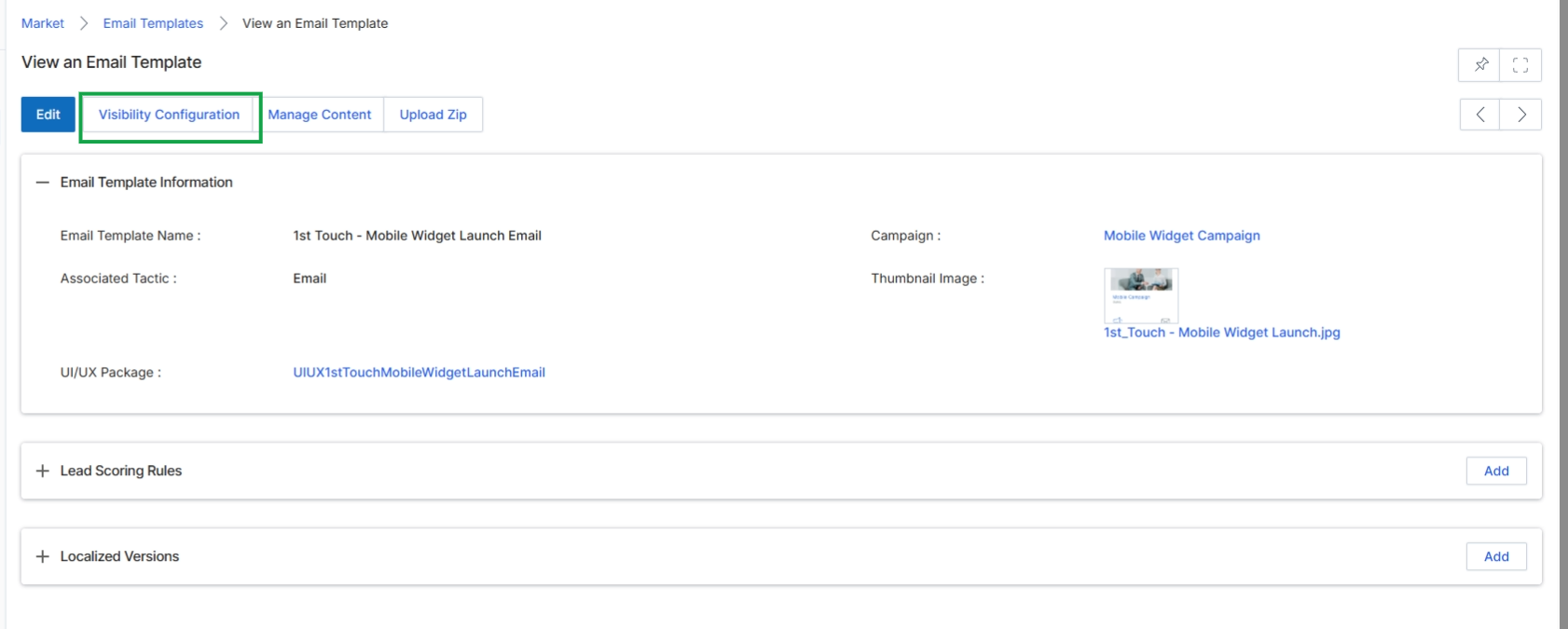
Click the Visibility Configuration button.
Configuring Geographic and Language Visibility
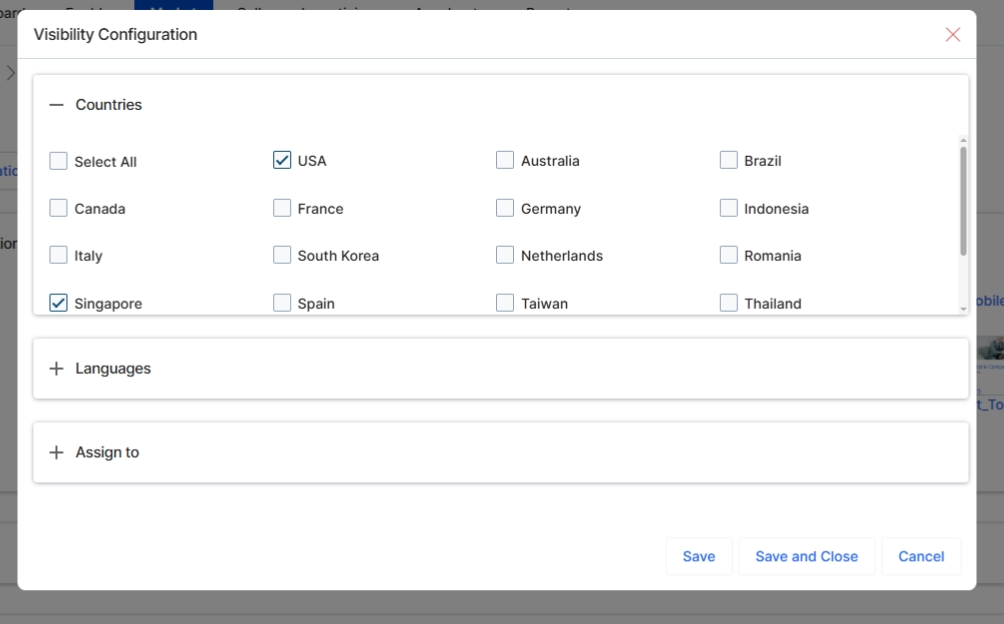
This screen displays the 'Visibility Configuration' dialog, which allows vendors to define the geographic and linguistic availability of an email template. By specifying countries and languages, administrators can control which partners see and can use this particular email template in their marketing campaigns. This ensures that partners only access content relevant to their region and language, supporting localized marketing efforts and compliance with regional regulations. The configuration here directly impacts the partner-side experience within the Market module, ensuring content relevance and program governance.
Buttons
| Button | Description |
|---|---|
| Save | Saves the current visibility configuration and closes the dialog. |
| Save and Close | Saves the current visibility configuration and closes the dialog. |
| Cancel | Discards any changes to the visibility configuration and closes the dialog. |
Countries
| Field | Description |
|---|---|
| Select All | Selects or deselects all available countries for visibility. |
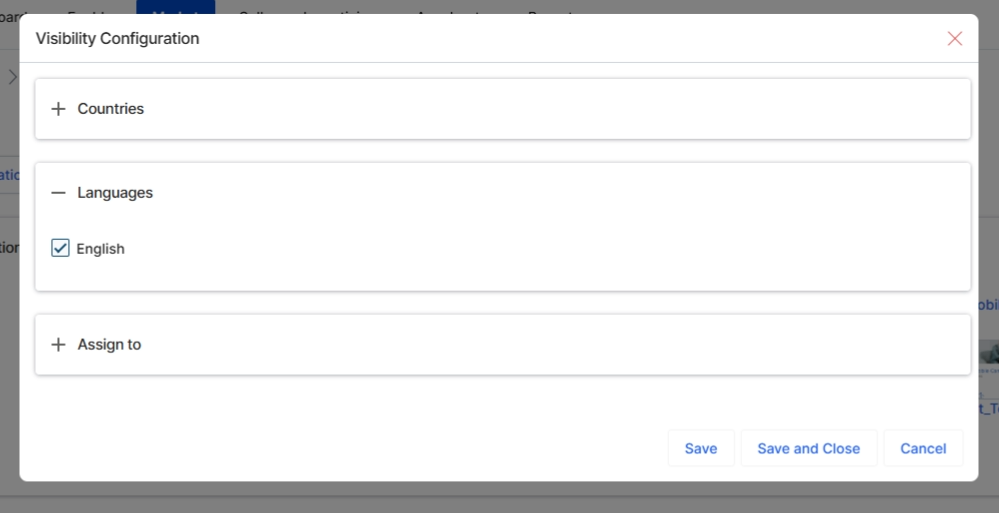
This screen displays the Visibility Configuration dialog for an email template, specifically showing the expanded "Languages" section. This configuration allows administrators to control which language versions of an email template are visible to partners. By selecting a language, the email template becomes available for partners operating in regions or targeting audiences associated with that language, ensuring that marketing communications are appropriately localized.
Assigning Template Access by User or Group
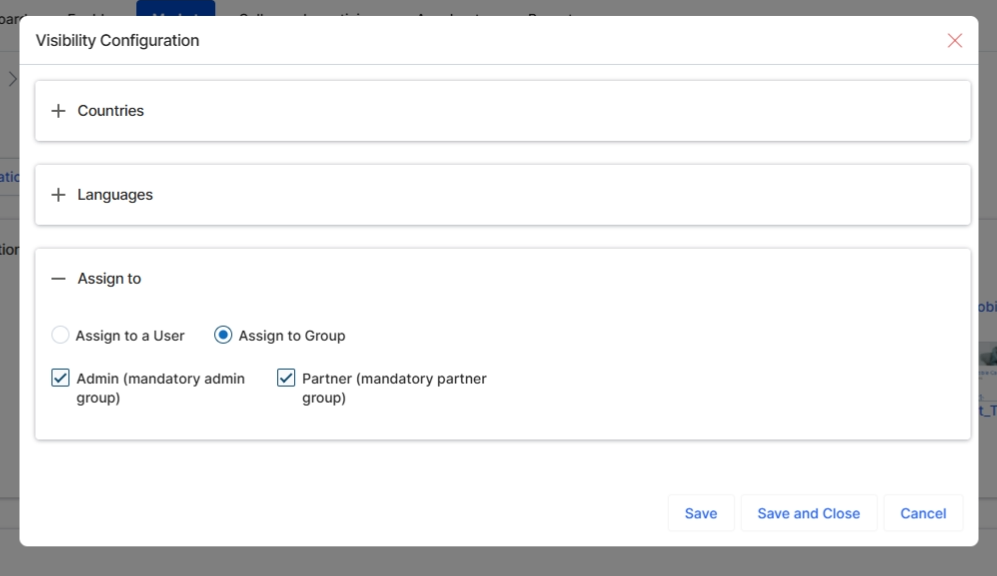
Expand the 'Assign to' section to configure which users or groups can access this email template.
Assign to
| Field | Description |
|---|---|
| Assign to a User | Select this option to assign the email template's visibility to specific individual users. |
| Assign to Group | Select this option to assign the email template's visibility to predefined user groups, such as 'Admin' or 'Partner'. |
| Admin (mandatory admin group) | A checkbox indicating whether the email template should be visible to the mandatory administrator group. |
| Partner (mandatory partner group) | A checkbox indicating whether the email template should be visible to the mandatory partner group. |