

Overview
Lead scoring is a critical component of effective lead management, helping businesses identify and prioritize prospects most likely to convert. By assigning points to various lead behaviors and demographics, organizations can gain a clearer understanding of a lead's engagement and readiness for sales outreach. This feature integrates lead scoring directly into email marketing activities, allowing administrators to define how interactions with specific email templates contribute to a lead's overall score. This ensures that marketing efforts are directly tied to lead qualification, streamlining the handoff from marketing to sales and improving conversion rates.
Accessing Email Templates
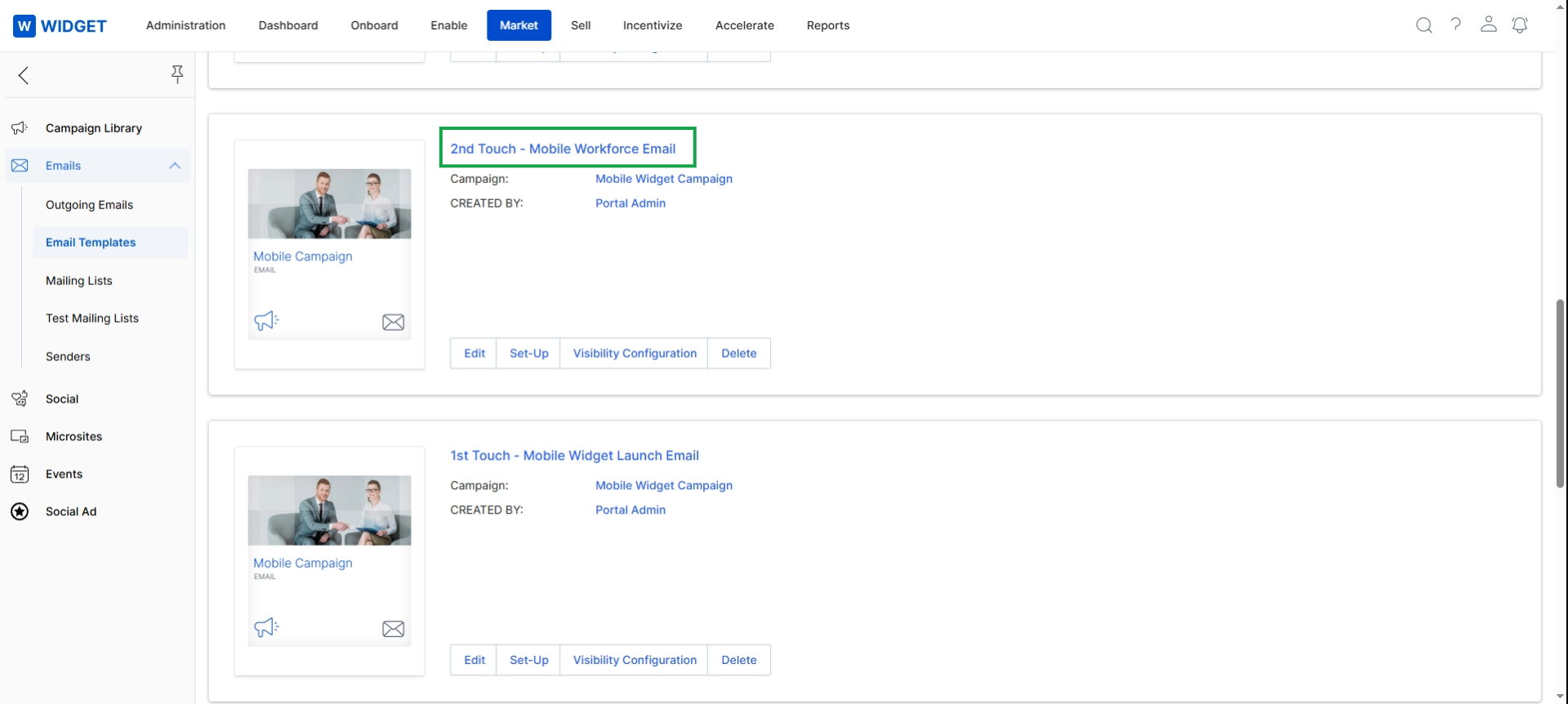
Click the template title.
Viewing Lead Scoring Rules
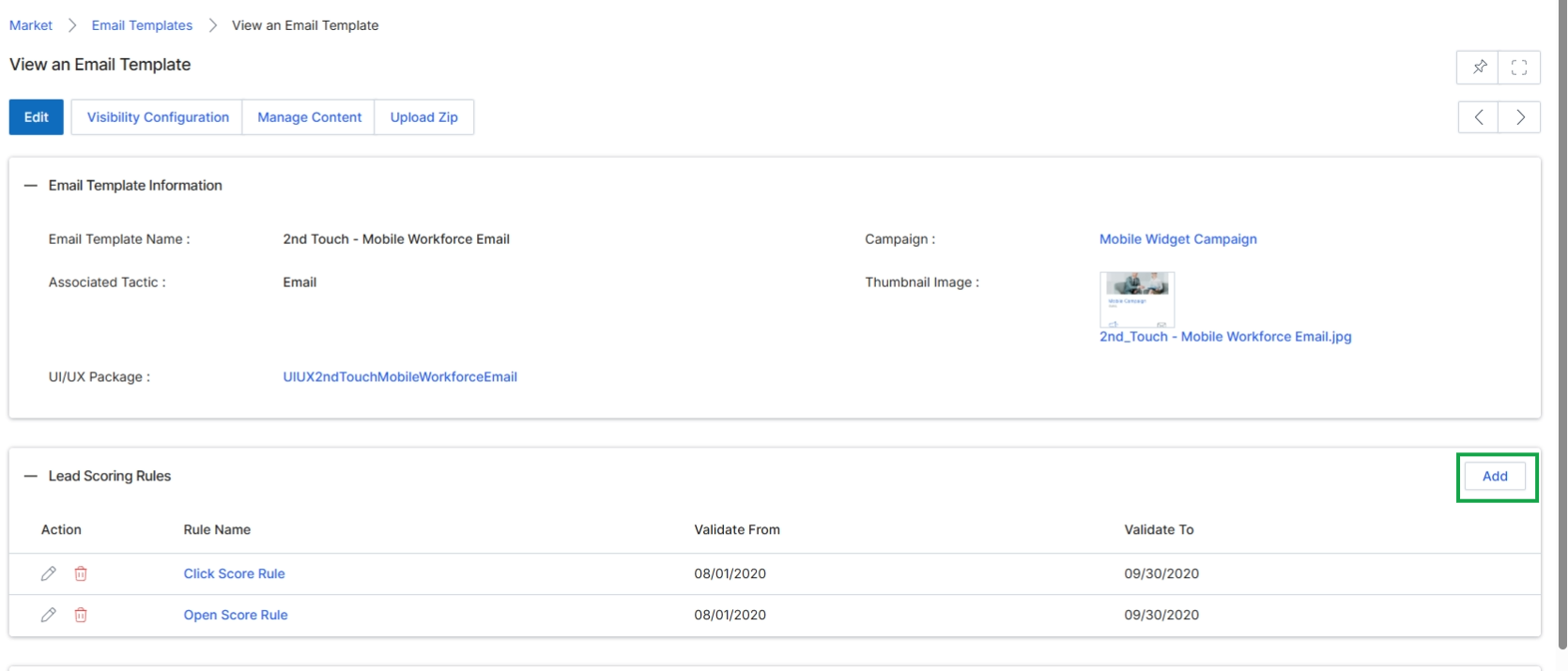
This screen displays the detailed view of a selected Email Template, providing comprehensive information about its configuration, associated campaigns, and any defined lead scoring rules. This view allows administrators to review the template's properties, manage its content, and configure specific rules that contribute to lead scoring based on recipient engagement with this email. Lead scoring rules help evaluate prospect interest and readiness by assigning points for actions like opening the email or clicking links, which can influence lead qualification and routing in the Sell module.
Click the "Add" button within the "Lead Scoring Rules" section to define a new rule for this email template.
Buttons
| Button | Description |
|---|---|
| Add | Adds a new lead scoring rule to this email template. |
Column Headings
| Column | Description |
|---|---|
| Action | Provides options to edit or delete the individual lead scoring rule. |
| Rule Name | The name of the lead scoring rule, such as 'Click Score Rule' or 'Open Score Rule'. |
| Validate From | The start date from which the lead scoring rule is active. |
| Validate To | The end date until which the lead scoring rule is active. |
Adding/Editing Lead Scoring Rules
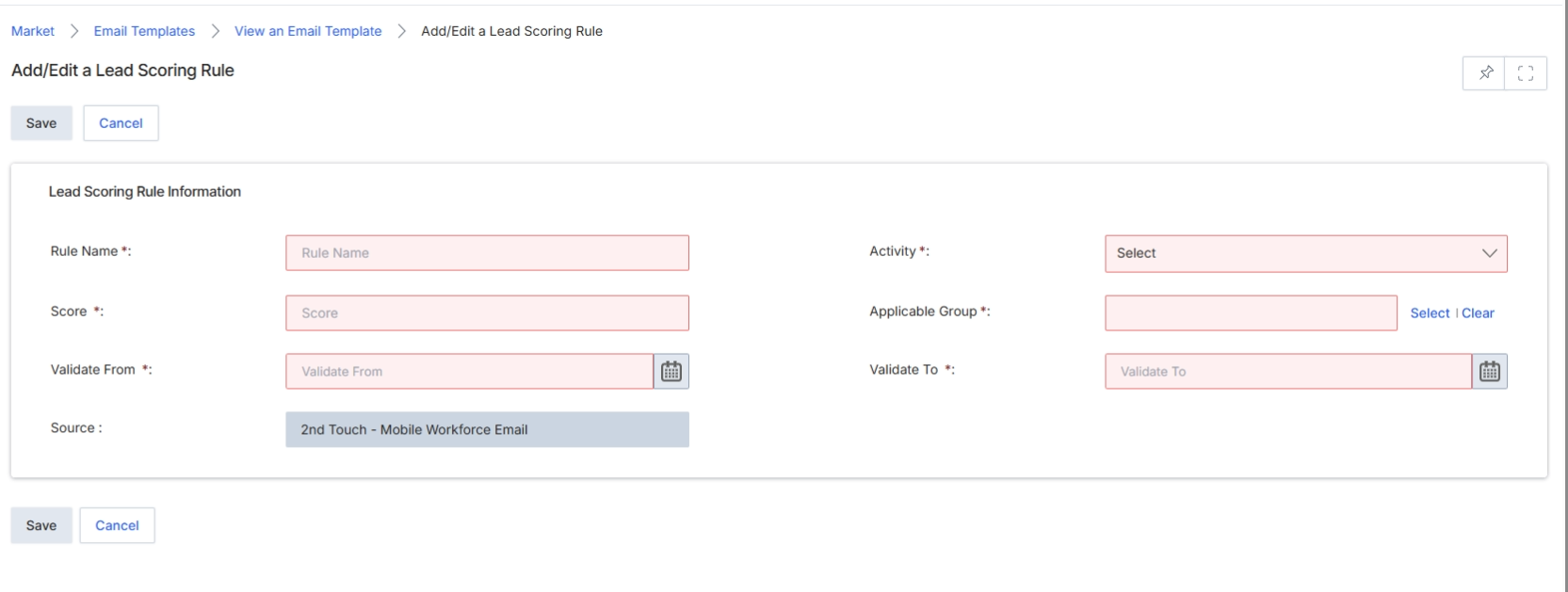
This screen, 'Add/Edit a Lead Scoring Rule,' allows administrators to define or modify rules that contribute to a prospect's lead score based on their engagement with email campaigns. Lead scoring is a critical component of the 'Sell' module, where it helps qualify prospects and prioritize follow-up actions for partners. These rules can be tied to specific activities within an email, such as opening an email or clicking a link, and are assigned a score value that accumulates as prospects interact with marketing content. The rules are time-bound, ensuring that engagement data is relevant to current campaigns and strategies. By configuring these rules, vendors can automatically assess the readiness of prospects, enabling partners to focus on the most engaged and promising leads.
Buttons
| Button | Description |
|---|---|
| Save | Saves the newly configured or updated lead scoring rule. |
| Cancel | Discards any changes and returns to the previous view without saving the rule. |
Lead Scoring Rule Information
| Field | Description |
|---|---|
| Rule Name * | Enter a descriptive name for the lead scoring rule. |
| Activity * | Select the specific email activity that this rule will score, such as 'Open Score Rule' or 'Click Score Rule'. |
| Score * | Enter the numerical value to be added to a prospect's lead score when this rule's activity is performed. |
| Applicable Group * | Select the partner group(s) to which this lead scoring rule applies. |
| Validate From * | Specify the start date from which this lead scoring rule becomes active. |
| Validate To * | Specify the end date until which this lead scoring rule remains active. |
| Source | Displays the email template or campaign from which this lead scoring rule is being created or edited. |
Selecting Applicable Groups
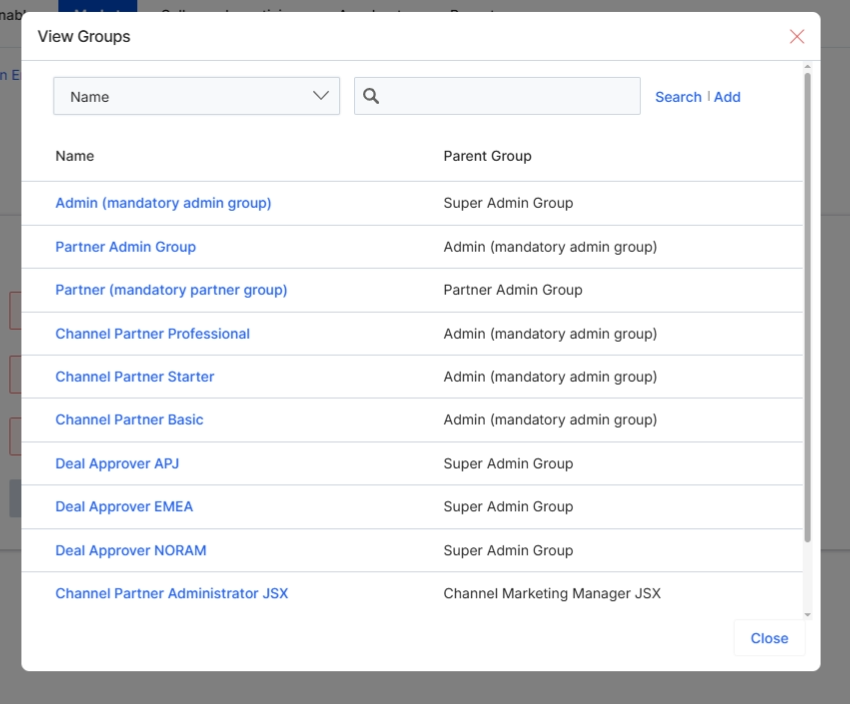
This screen displays the 'View Groups' modal, which allows users to select an applicable group for a lead scoring rule. Lead scoring rules, configured within the Market module, help automate the qualification of prospects and leads based on their engagement and demographic data. By associating a scoring rule with a specific group, administrators can ensure that the rule applies only to partners or users within that designated group, enabling granular control over lead qualification processes and aligning scoring with different partner types, tiers, or internal administrative structures. This modal provides a searchable list of all defined groups within the UPM system, including administrative and partner-related groups, facilitating the selection of the appropriate target audience for the scoring rule.
Click the 'Select' link next to the 'Applicable Group' field to view and choose a group for the lead scoring rule.
Buttons
| Button | Description |
|---|---|
| Add | A button to add a new group. |
| Close | Closes the 'View Groups' modal. |
Fields
| Field | Description |
|---|---|
| Search | A text input field to search for specific groups by name. |
Column Headings
| Column | Description |
|---|---|
| Name | The name of the group. |
| Parent Group | The parent group to which the displayed group belongs, indicating its hierarchical structure. |